Last updated: May 29, 2024
What does it mean to assign actions externally?
We understand there might be times when you need to assign actions to people outside your organization, like contractors, who don't have Mitti accounts. To keep things simple for them, you can assign actions using their email address. Once assigned, they'll receive a link via email to view and update actions directly.
External assignees can update action statuses, add comments, and attach media only. They receive the same email notifications as Mitti users when an action is updated. Invite them to your organization as Mitti users if they need to do more than work on actions.
What you'll need
Assign an action via email
Select Actions in the sidebar or in More.
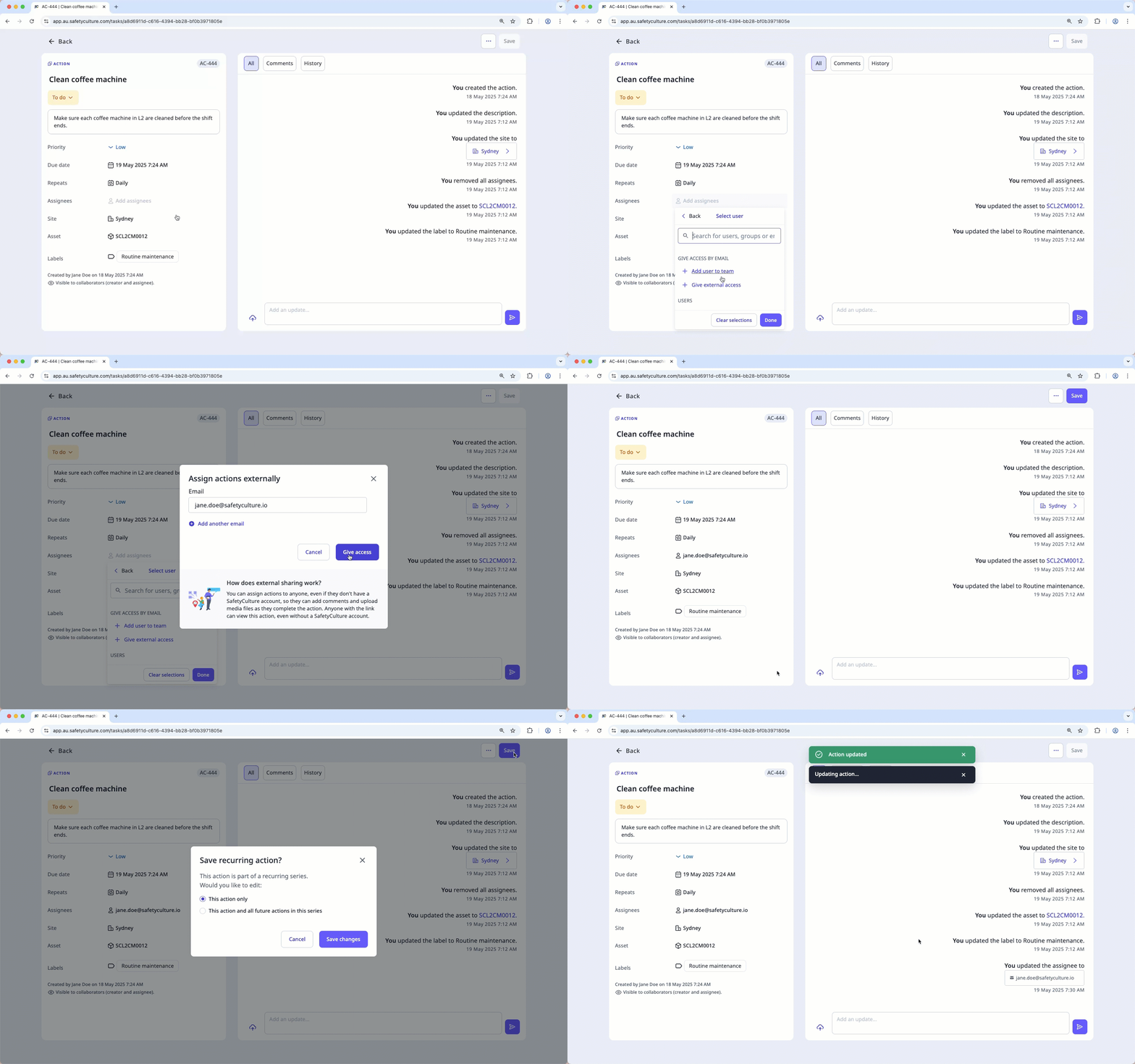
Click the "Assignees" dropdown menu and select Users.
In the “Give access by email” section, click Give external access.
In the pop-up window, enter the full email address of the external personnel. For example, "john.doe@mitti.com".
Click Give access and click Done.
Click Create or Save. This notifies the person via email.
If you're editing a recurring action, select This action only or This action and all future actions in this series and click Save changes.
Open the mobile app.
Tap Actions in the navigation bar or select it from More.
In Details, tap Add assignees or the existing assignees.
In the search field, enter the email address of the external personnel. For example, "supportau@mitti.com".
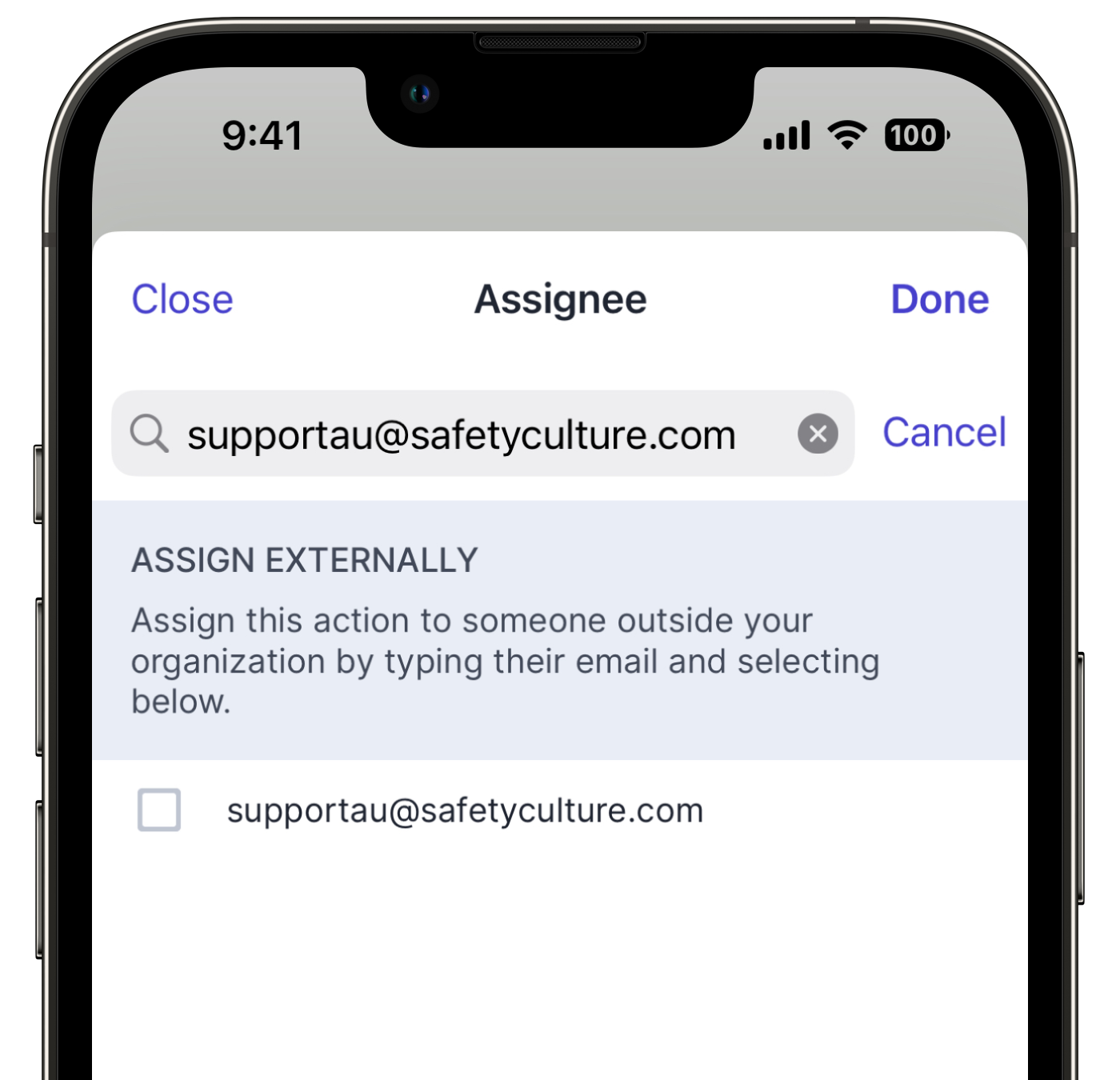
Select the email address in the list and tap Done at the upper-right of your screen. This notifies the person via email.
Assigning actions to external personnel via email only works if the assignee is in the same data center as you. If you are in a different data center, you won't be able to accept the action.
Need more help?
Was this page helpful?
