Last updated: April 14, 2026
What you'll need
You can download up to 10,000 actions at a time. Use filters to narrow your results and export in smaller batches.
Download actions as CSV or Excel
Click Actions from the side bar or in More.
If you're on Board or Calendar view, change it to List view.
Apply filters to narrow the results you want to download.
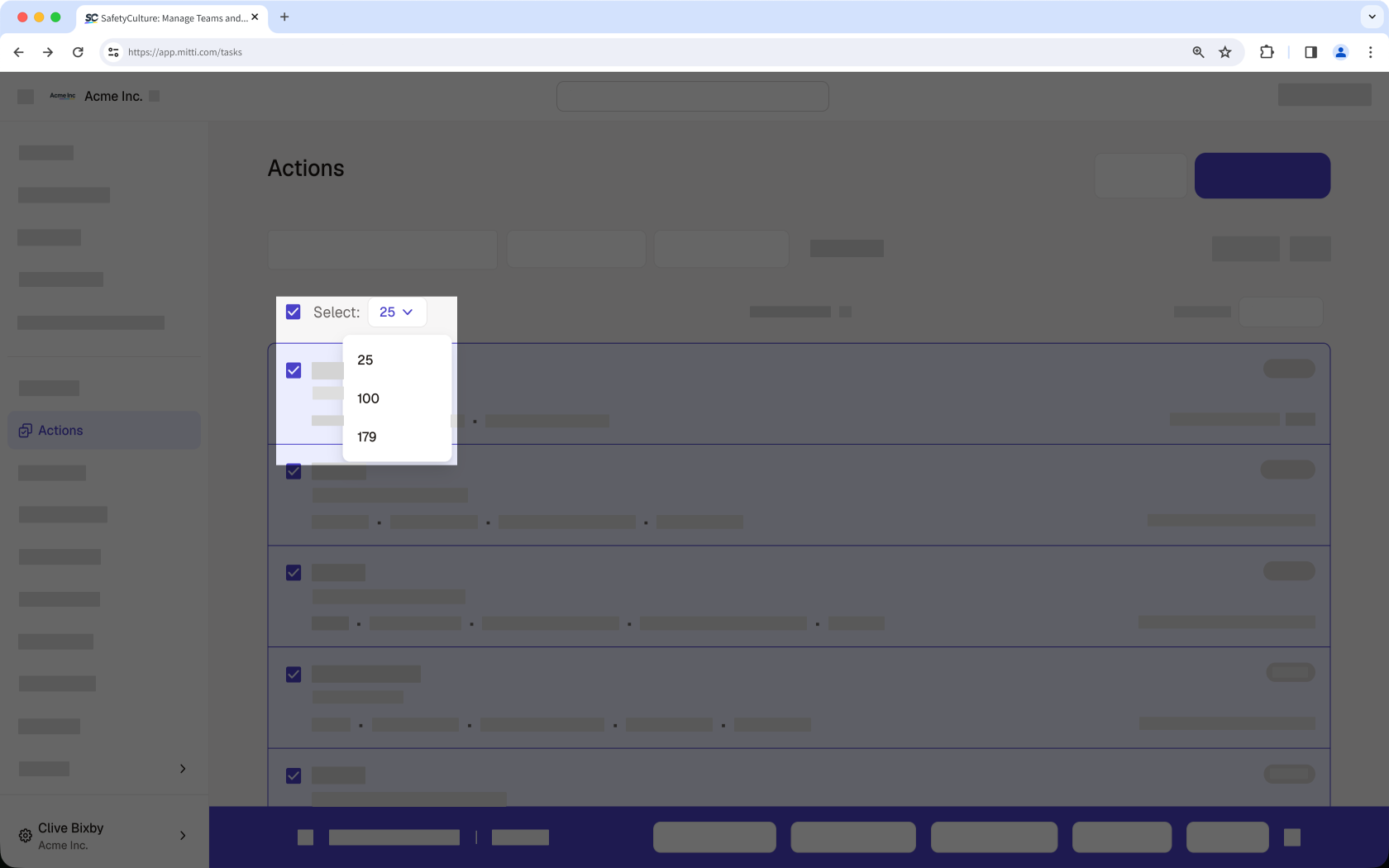
Select all actions by checking the box in the upper-left of the list. Then select the maximum number from the dropdown menu. To download specific actions, check their boxes.
Click Download at the bottom of the page and select Excel or CSV.
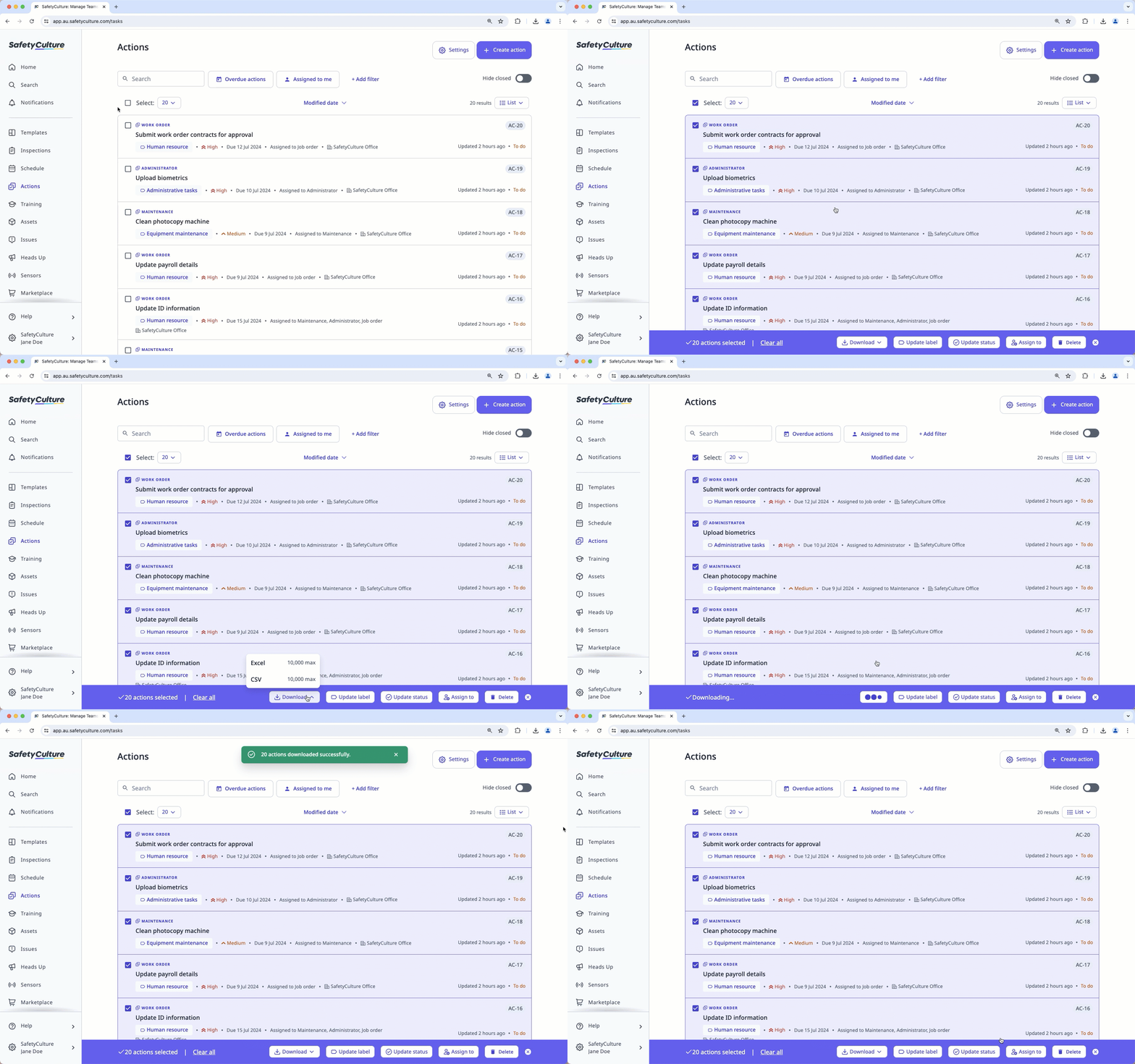
For CSV, the number of files depends on the number of action types selected. If multiple action types are included, the files will be bundled into a ZIP file. For Excel, a single file will be downloaded, with each action type shown in a separate sheet within the workbook.
CSV and Excel column headers
Column header | Description |
|---|---|
Action ID | The unique identifier of an action for integrations. |
Unique ID | The unique ID of an action, which can be used to identify a specific action. |
Title | The title of an action. |
Status | The status of an action. |
Site | The site of an action. |
Priority | The priority of an action. |
Due date | The due date and time of an action, following the time zone of your computer system setting. |
Assignee | The assignees of an action. |
Inspection | The title of an action's linked inspection. This is not applicable for standalone actions. |
Inspection ID | The unique identifier of an action's linked inspection. This is not applicable for standalone actions and actions in archived inspections. |
Inspection item | The relevant question label of an action's linked inspection. This is not applicable for standalone actions and actions in archived inspections. |
Created by | The creator of an action. |
Created | The date and time an action was created, following the time zone of your computer system setting. |
Last updated | The date and time that an action was last updated at following your computer system setting's time zone. |
Template ID | The unique identifier of the template used for the linked inspection. This is not applicable for standalone actions. |
Description | The description of an action. |
Days opened | The number of days an action has been opened up until the current date or the number of days an action has been opened up until the first date the action was marked as complete. Please note that if an action was completed and then transitioned back to an open status, the number of days open will remain unchanged until the action is completed again. |
Completed date | The date when an action was first marked as complete. |
Template name | The name of the template used for the linked inspection. This is not applicable for standalone actions. |
Label | The label of an action. |
Asset | The asset of an action. |
Recurring | The indicator for whether an action is a recurring action or not. |
Type ID | The unique identifier of an action type. |
Type name | The selected type of an action. |
If there are custom fields, additional columns will be added, each with the name of the custom field as the column header.
Need more help?
Was this page helpful?
