Last updated: September 9, 2024
What you'll need
Questions and sections cannot be moved between the title page and inspection pages.
Move a question
Select Templates in the sidebar or in More.
Click the template and select Edit template in the side panel.
Click and hold on the left-hand side of the question to drag and drop the question into your desired location.
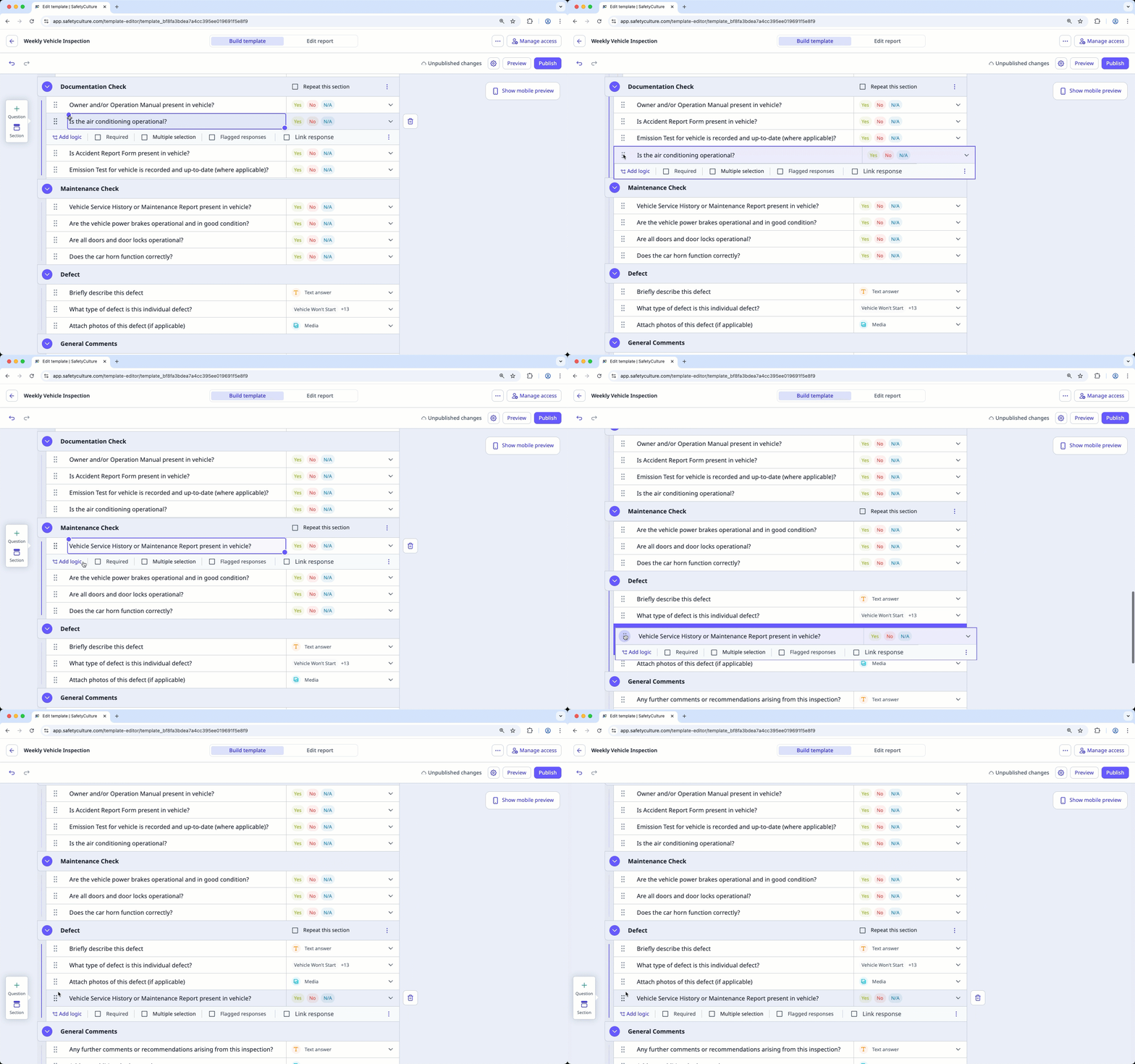
Click Publish on the upper-right of the page to publish the template. If you're not ready to publish the template, you can go back to the templates list and come back when you're ready.
Open the mobile app.
Tap Inspections in the navigation bar or select it from More.
Select Templates tab at the top of your screen.
Tap the template and select Edit template from the pop-up options.
Tap and hold on the left-hand side of the question to drag and drop the question into your desired location.
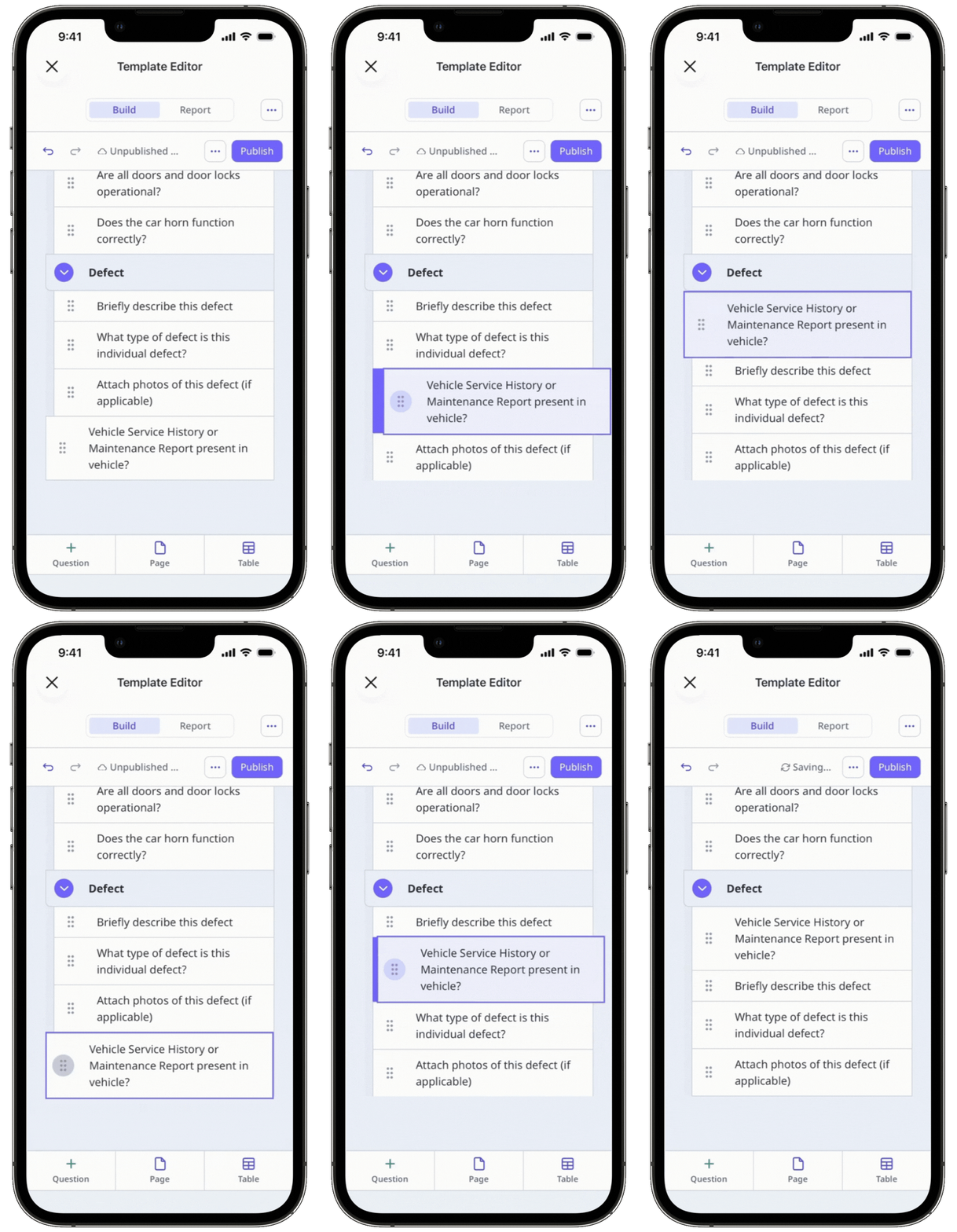
Tap Publish on the upper-right of your screen to publish the template. If you're not ready to publish the template, you can go back to the templates list and come back when you're ready.
Move a section
Select Templates in the sidebar or in More.
Click the template and select Edit template in the side panel.
Select the section you want to move and click on the left-hand side of the section name to collapse the section.
Click and hold between the arrow and the section name to drag and drop the section into the desired location.
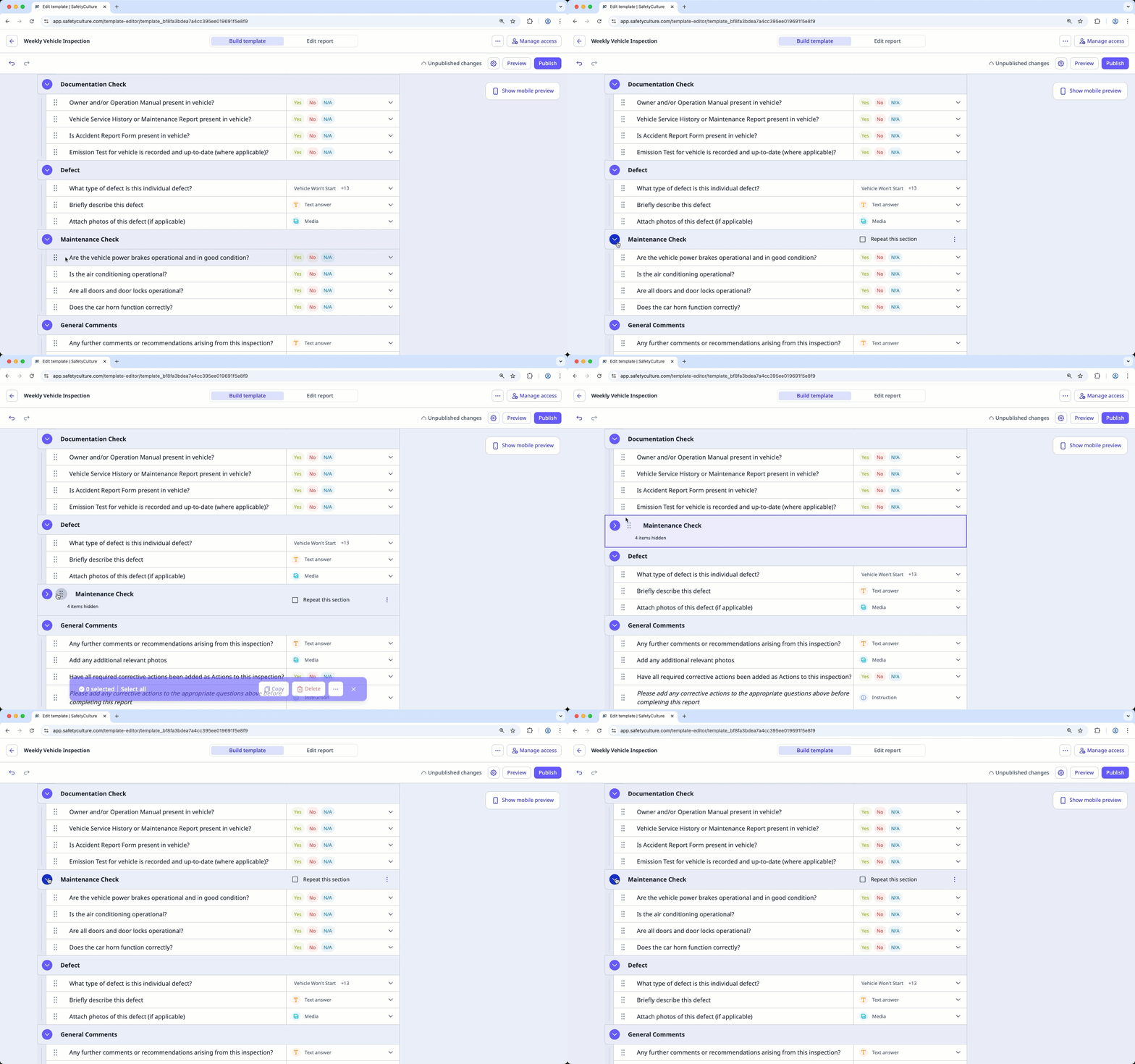
Click Publish on the upper-right of the page to publish the template. If you're not ready to publish the template, you can go back to the templates list and come back when you're ready.
Open the mobile app.
Tap Inspections in the navigation bar or select it from More.
Select Templates tab at the top of your screen.
Tap the template and select Edit template from the pop-up options.
Select the section you want to move and tap on the left-hand side of the section name to collapse the section.
Tap and hold between the arrow and the section name to drag and drop the section into the desired location.
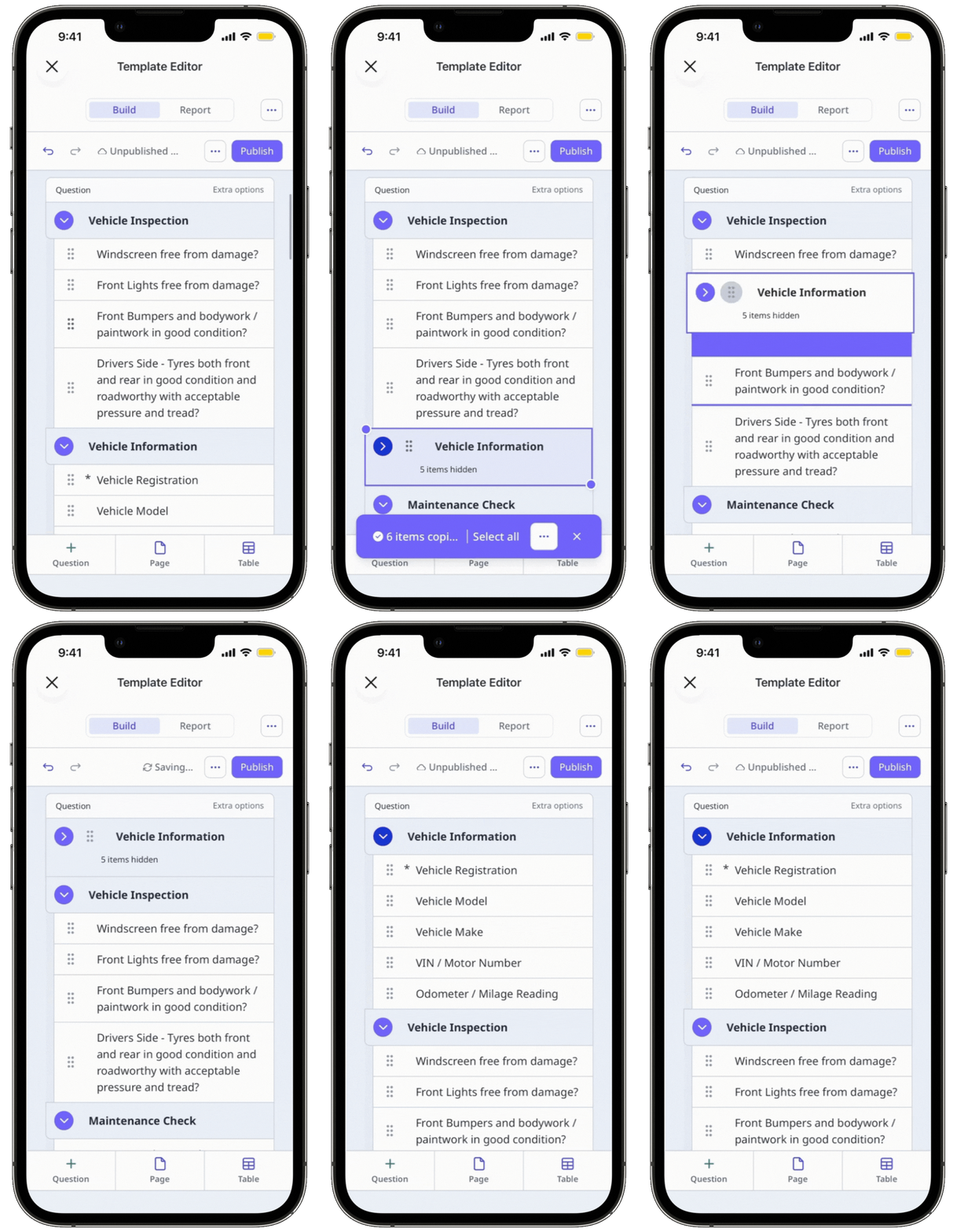
Tap Publish on the upper-right of your screen to publish the template. If you're not ready to publish the template, you can go back to the templates list and come back when you're ready.
Published changes made to templates only apply to new inspections moving forward.
Frequently asked questions
Need more help?
Was this page helpful?
