Last updated: August 11, 2026
What you'll need
You can only upload images, videos, and CSV, DOC, DOCX, PDF, PPT, PPTX, XLS, or XLSX files in an inspection.
Attach an image, video, or file to an inspection question
Select Inspections in the sidebar or in More.
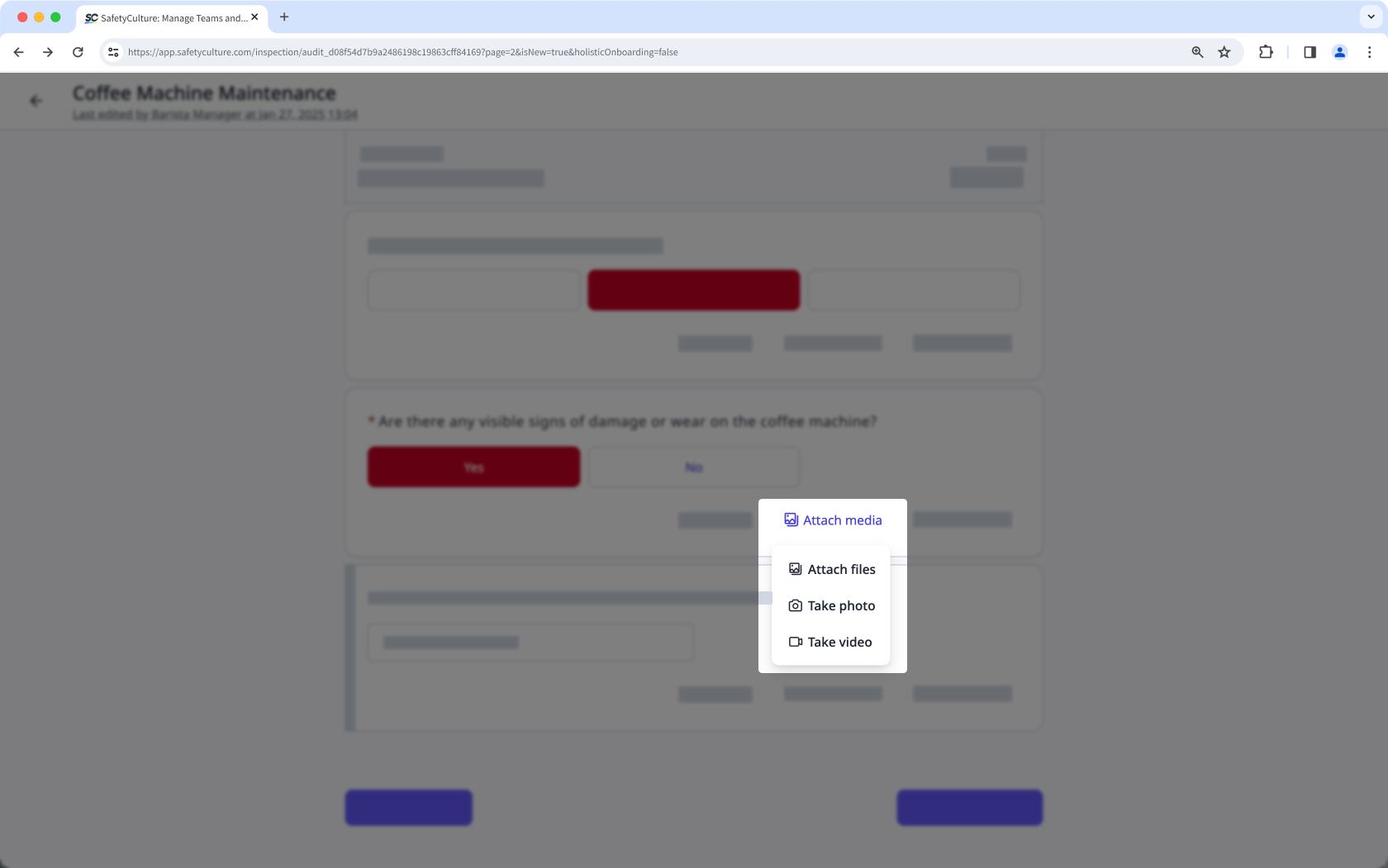
Click Attach media on the question's lower-right. You can also click Add media to attach an image, video, or file to a question using the "media" response type.
Select one of the options to attach media files:
Attach files: Select images, videos, or files from your computer's file directory and click Open to attach them to the question.
Take photo: Capture images using your device's camera to attach them to the question and click Upload to attach them to the question.
Take video: Record a video up to three minutes long with your device's camera and click Upload video to attach it to the question.
Open the mobile app.
Tap Inspections from the navigation bar or in More.
Tap Media at the bottom of the question. You can also tap Add media to attach an image, video, or file to a question using the "media" response type.
Tap to select one of the options to attach media files:
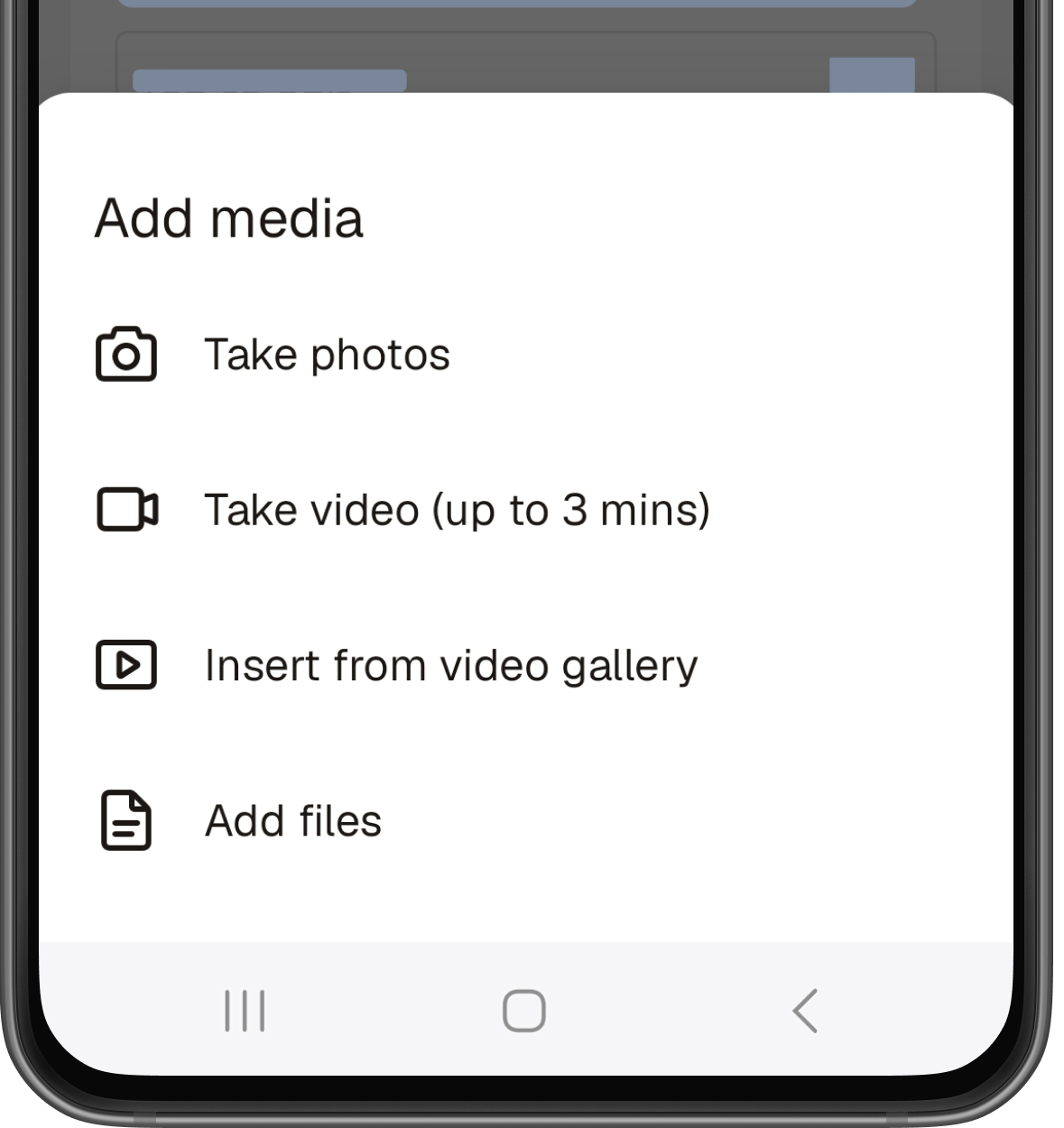
Take photos: Capture images using the mobile app's camera or upload a photo from your device's gallery to attach them to the question.
Take video (up to 3 mins): Record a video with the mobile app's camera and tap Upload video to attach it to the question.
Insert from video gallery: Select a video and tap Done to attach it to the question. The video must be three minutes or less in length to upload successfully.
Add files: Select a file to attach to the question.
Open the mobile app.
Tap Inspections from the navigation bar or in More.
Tap Media at the bottom of the question. You can also tap Add media to attach an image, video, or file to a question using the "media" response type.
Tap to select one of the options to attach media files:
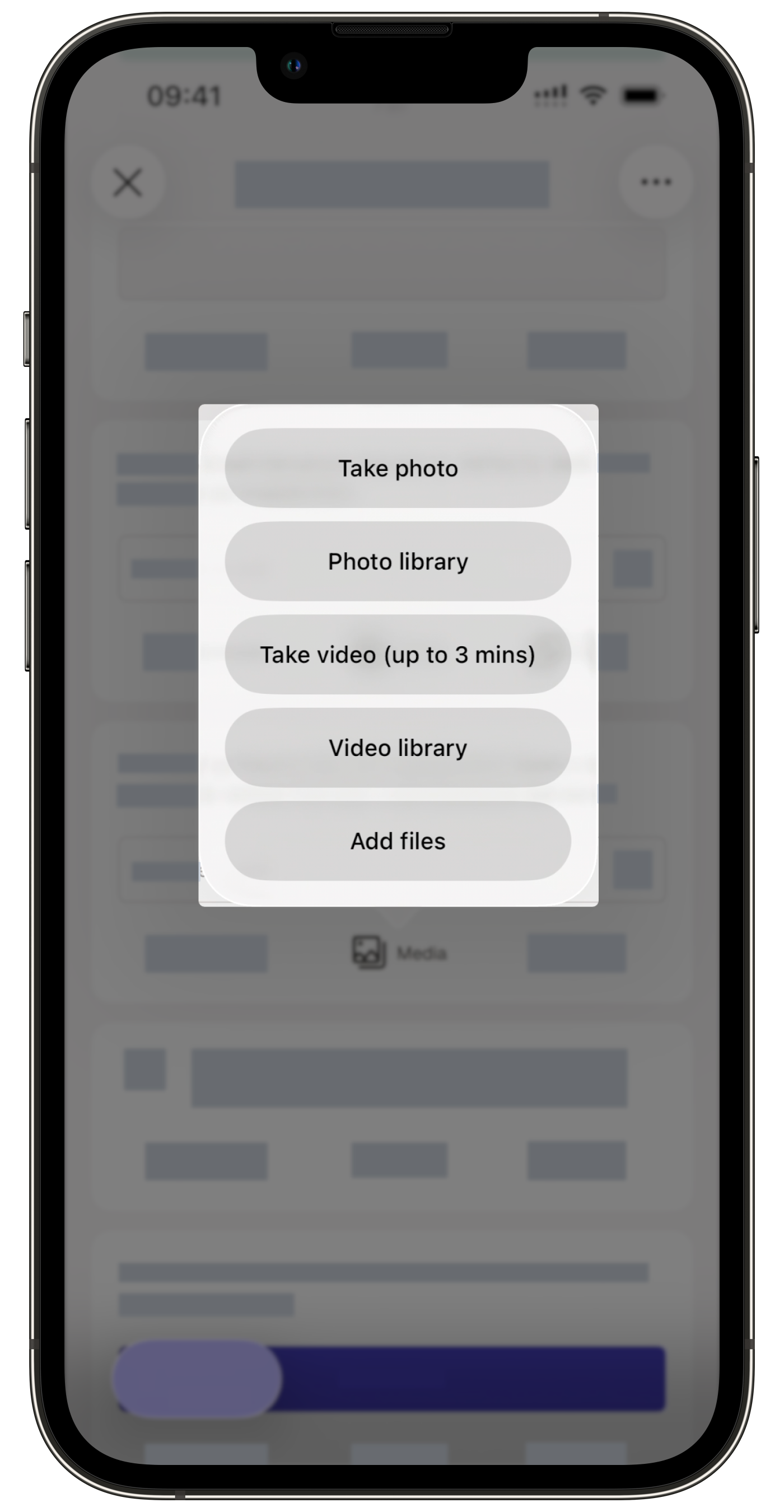
Take photo: Capture images using the mobile app's camera to attach them to the question.
Photo library: Select photos and tap Add to attach them to the question.
Take video (up to 3 mins): Record a video with your mobile device's camera and tap Upload video to attach it to the question.
Video library: Select a video to attach to the question. If the video is longer than three minutes, you'll be prompted to trim it as part of the upload process.
Add files: Select a file to attach to the question.
Exiting an inspection during an upload may cause it to fail. If this happens, re-upload the files before completing the inspection to avoid issues with your report.
Frequently asked questions
Need more help?
Was this page helpful?
