Last updated: September 4, 2026
What you'll need
Published changes made to templates only apply to new inspections moving forward.
You can build your templates using other response types, such as text answer, number, and media.
Edit a question
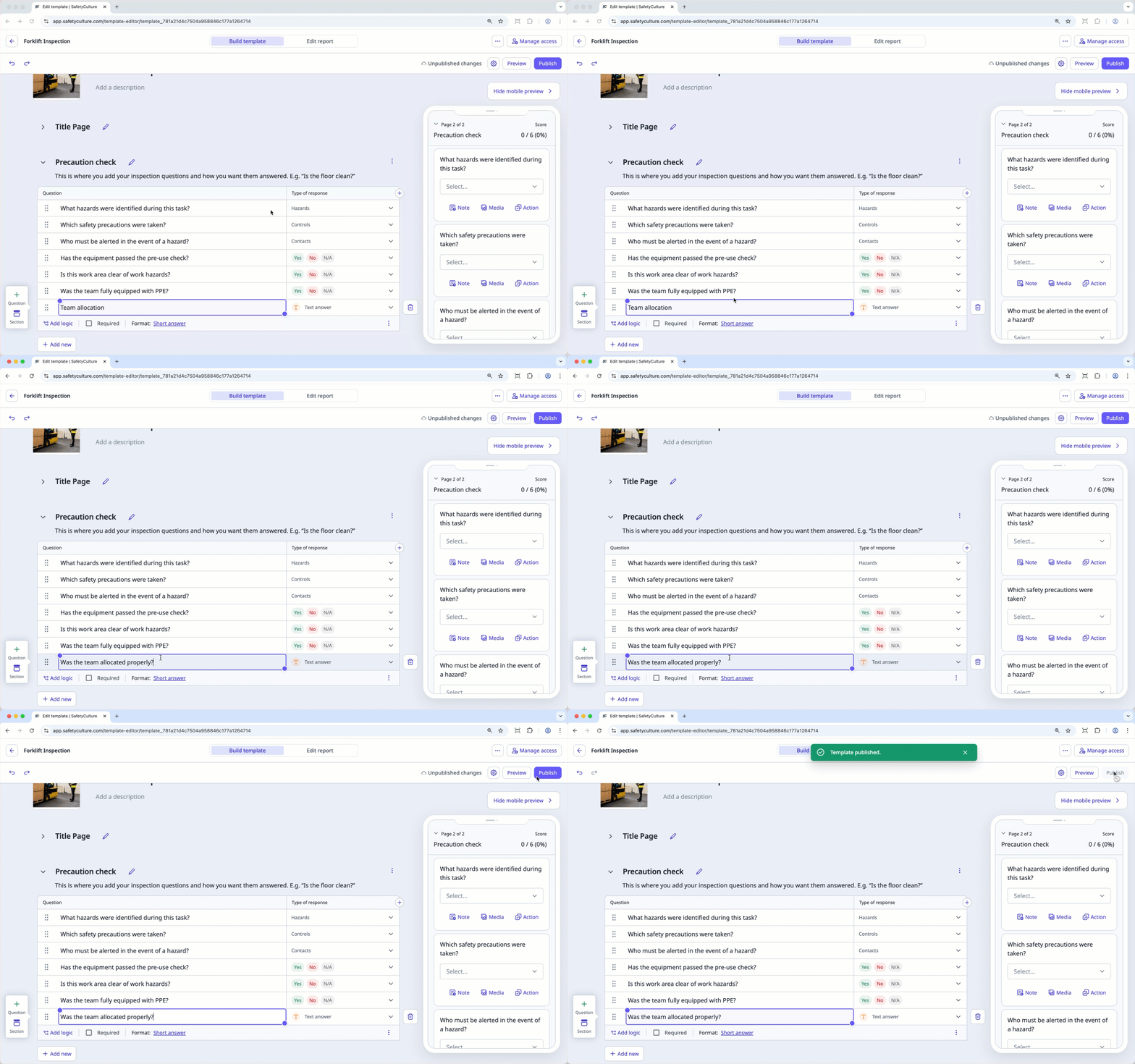
Select Templates in the sidebar or in More.
Click the template and select Edit template in the side panel.
Select the question you want to edit.
Double-click the question's text field to begin editing the question label.
Press enter or return on your keyboard.
Click Publish on the upper-right of the page to publish the template. If you're not ready to publish the template, you can go back to the templates list and come back when you're ready.
Open the mobile app.
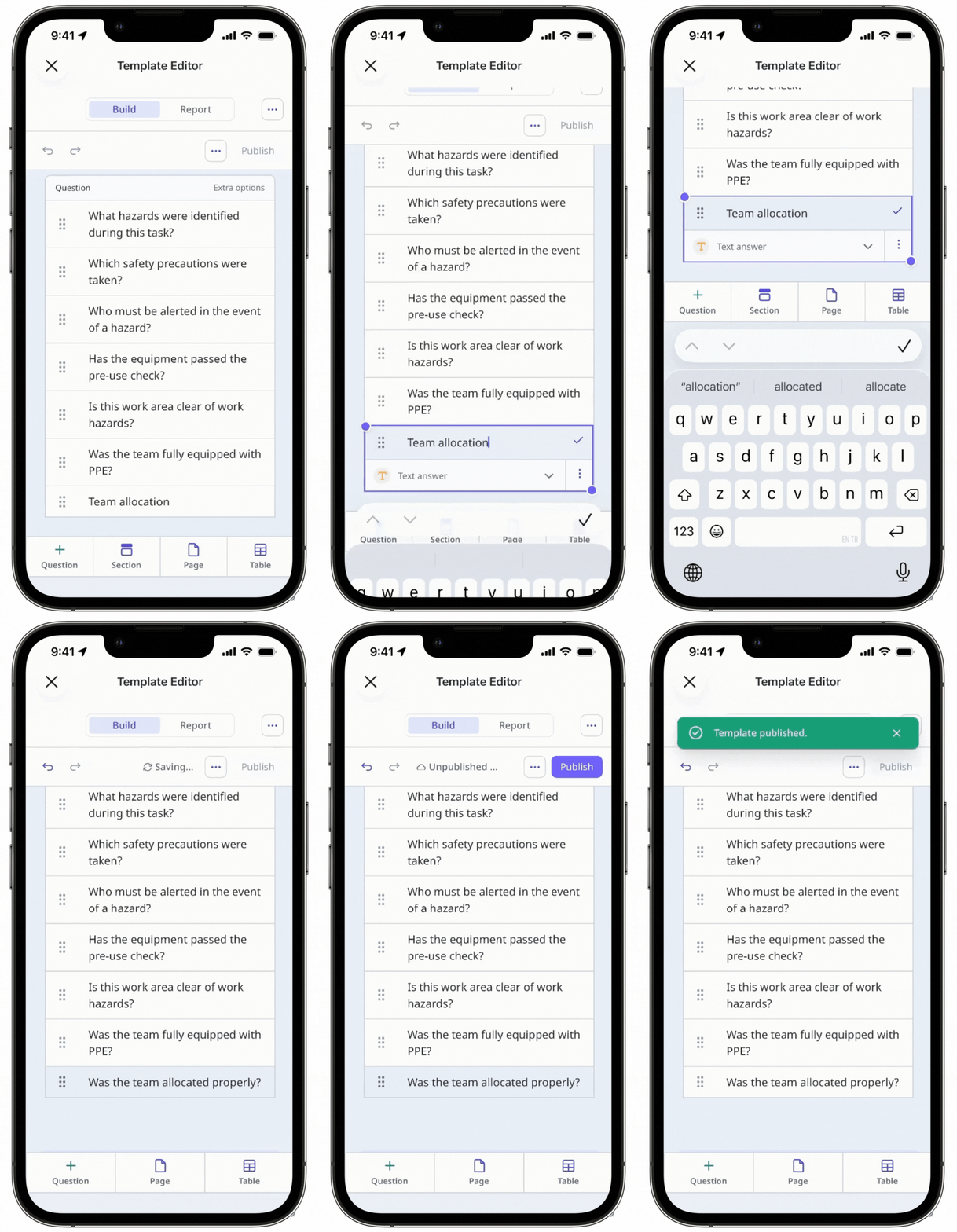
Tap Inspections in the navigation bar or select it from More.
Select Templates tab at the top of your screen.
Tap the template and select Edit template from the pop-up options.
Double-tap the question to begin editing the question label. This should reveal the keyboard.
Tap enter or return on your keyboard.
Tap Publish on the upper-right of your screen to publish the template. If you're not ready to publish the template, you can go back to the templates list and come back when you're ready.
Frequently asked questions
Need more help?
Was this page helpful?
