Last updated: June 5, 2026
What are logic fields and conditions?
Logic fields and logic conditions work together to build smarter templates by controlling what happens when a user selects a response in an inspection. Logic conditions are the rules that determine when a logic field triggers. When a condition is met, the inspection can automatically show a follow-up question, require a note or media, prompt an action, notify the right people, or complete the inspection.
For example, a failed equipment check could immediately prompt a corrective action and alert a site manager. Together, logic fields and conditions turn a static checklist into a dynamic workflow that guides users, captures the right data, and keeps the right people informed.
Available logic fields
Examples
Logic conditions
Logic conditions are the rules that determine when a logic field appears. When a condition is met, it can trigger multiple logic fields at the same time, so a single response can ask a follow-up question, require media, and notify someone all at once.
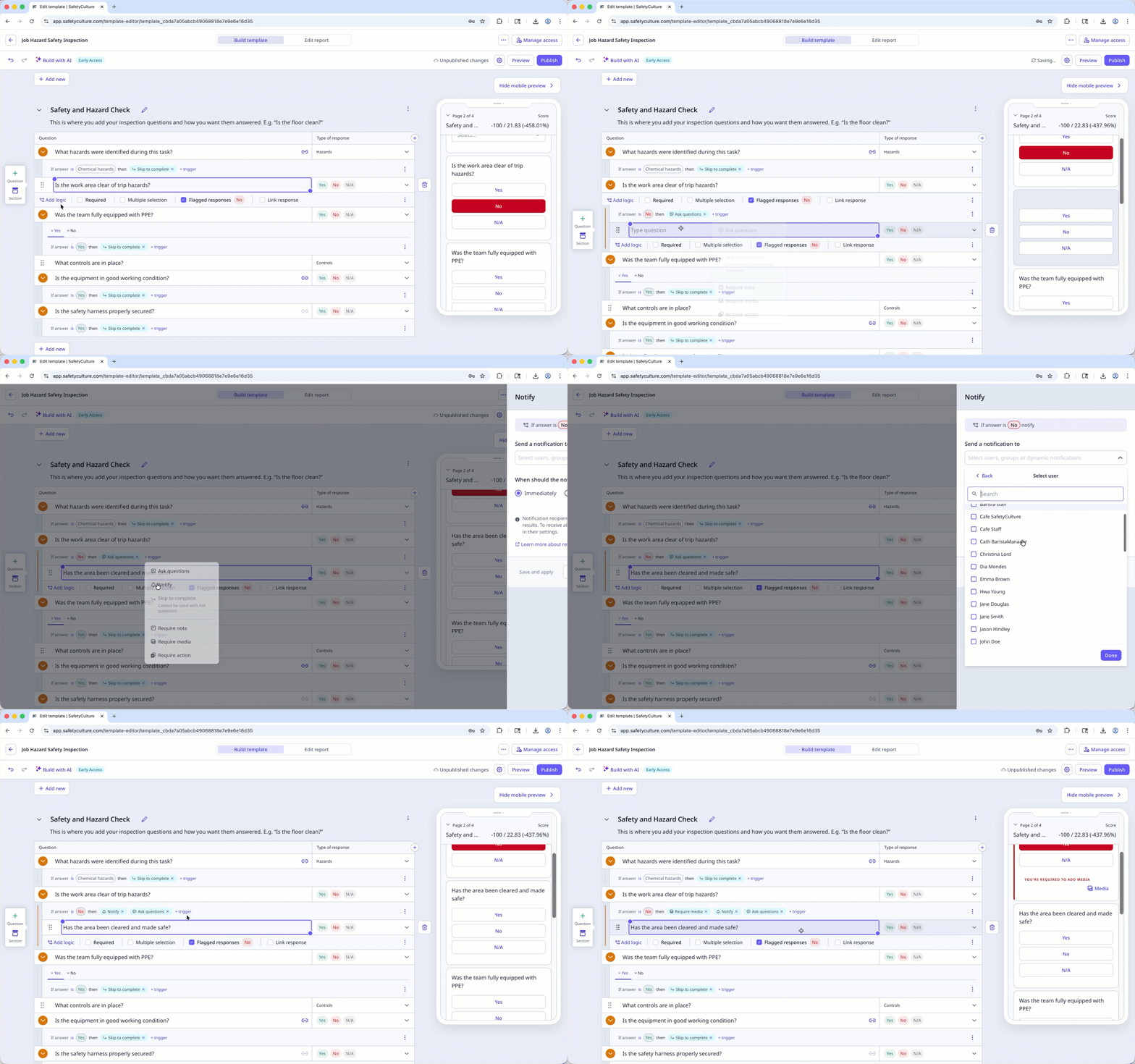
Multiple conditions on one question
A question can have more than one condition, and each condition is independent. Each condition has its own trigger response and its own set of logic fields. This means different responses on the same question can each produce a different outcome.
When one response needs to trigger multiple logic fields, you can add them all to the same condition. For example, if a response is "No", the condition can require media and show a follow-up question at the same time.
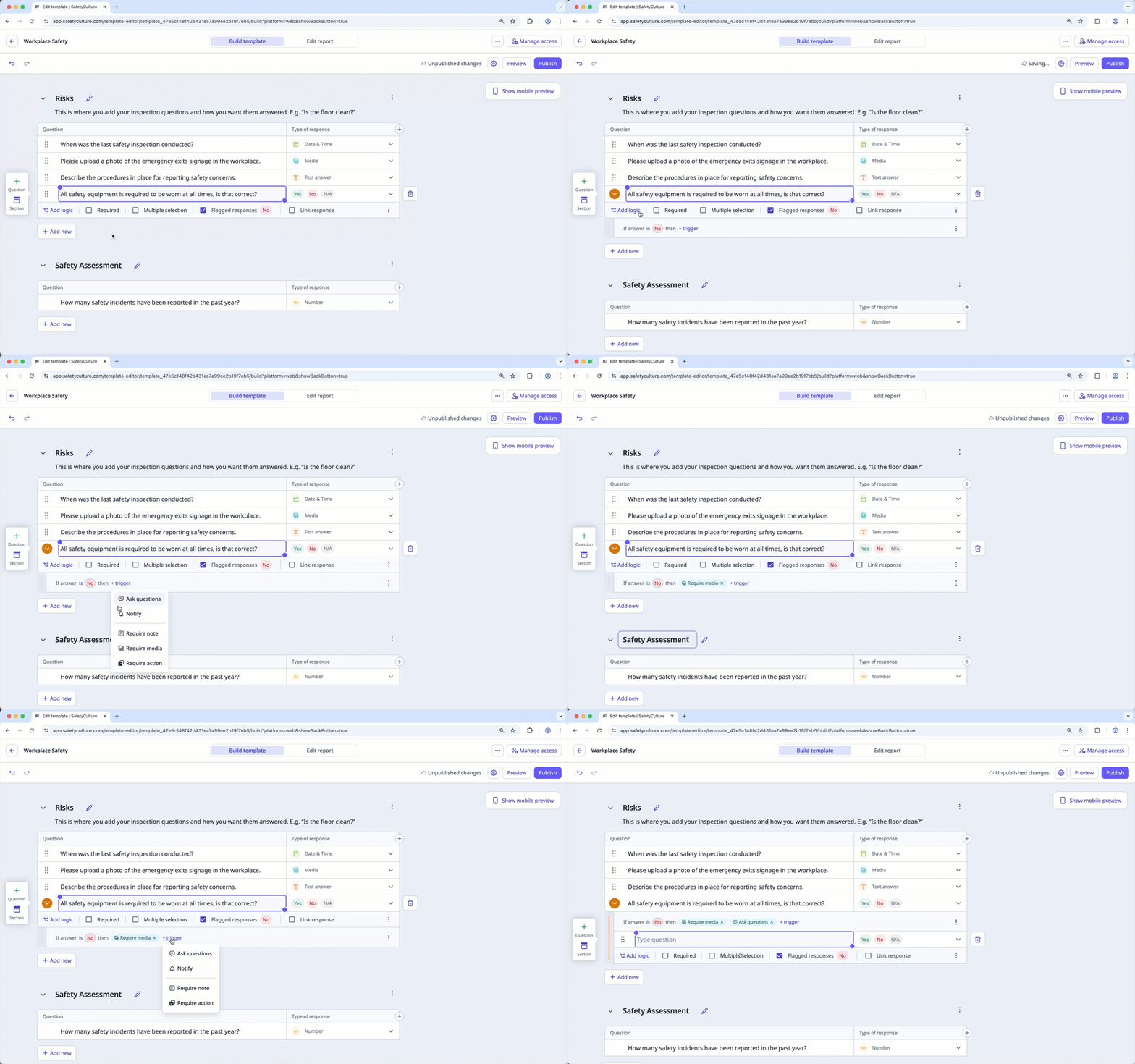
When different responses on the same question need to trigger different logic fields, you can add a separate condition for each. A "Yes", "No", and "N/A" response can each trigger a different logic field.
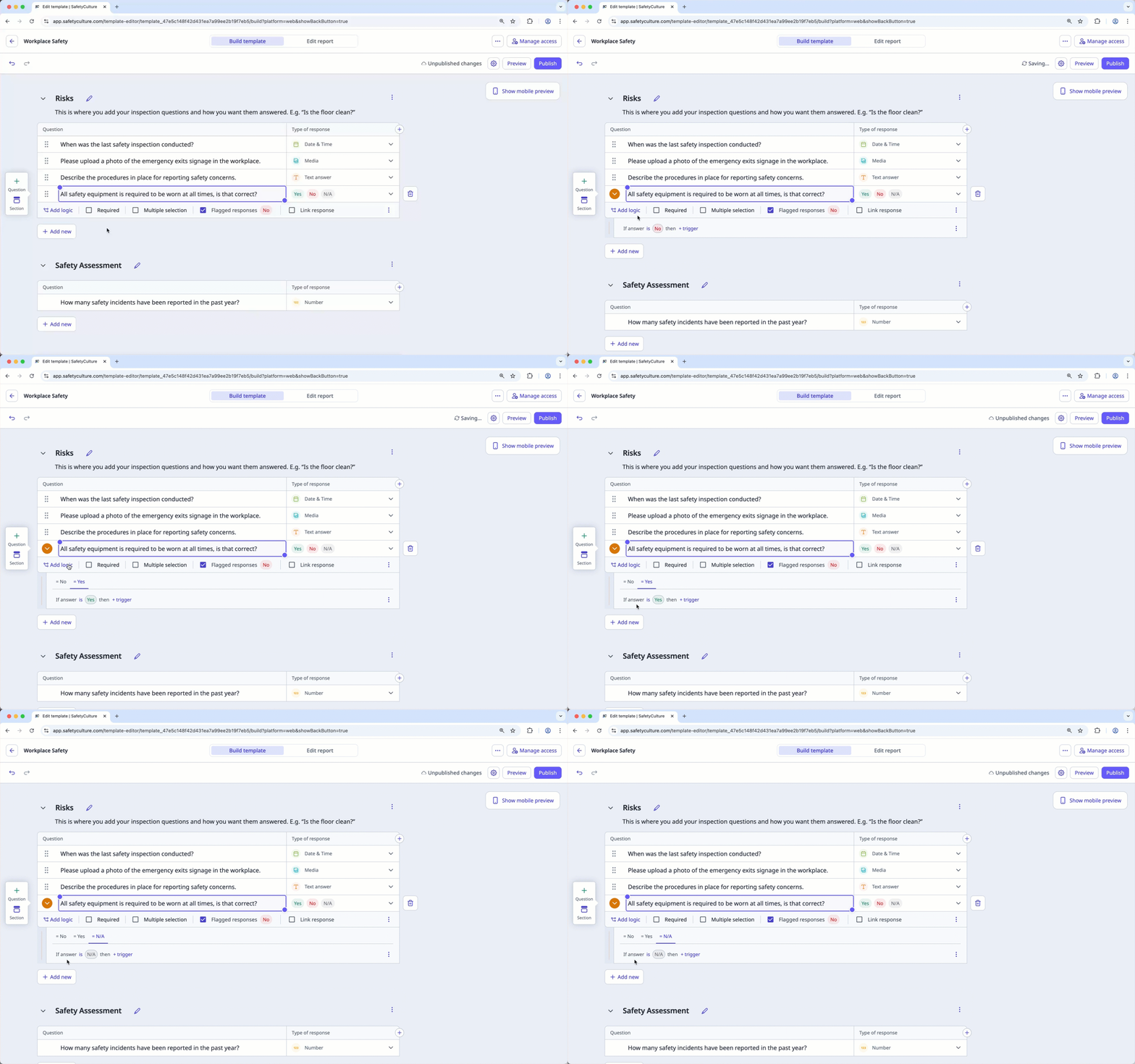
Nested logic fields
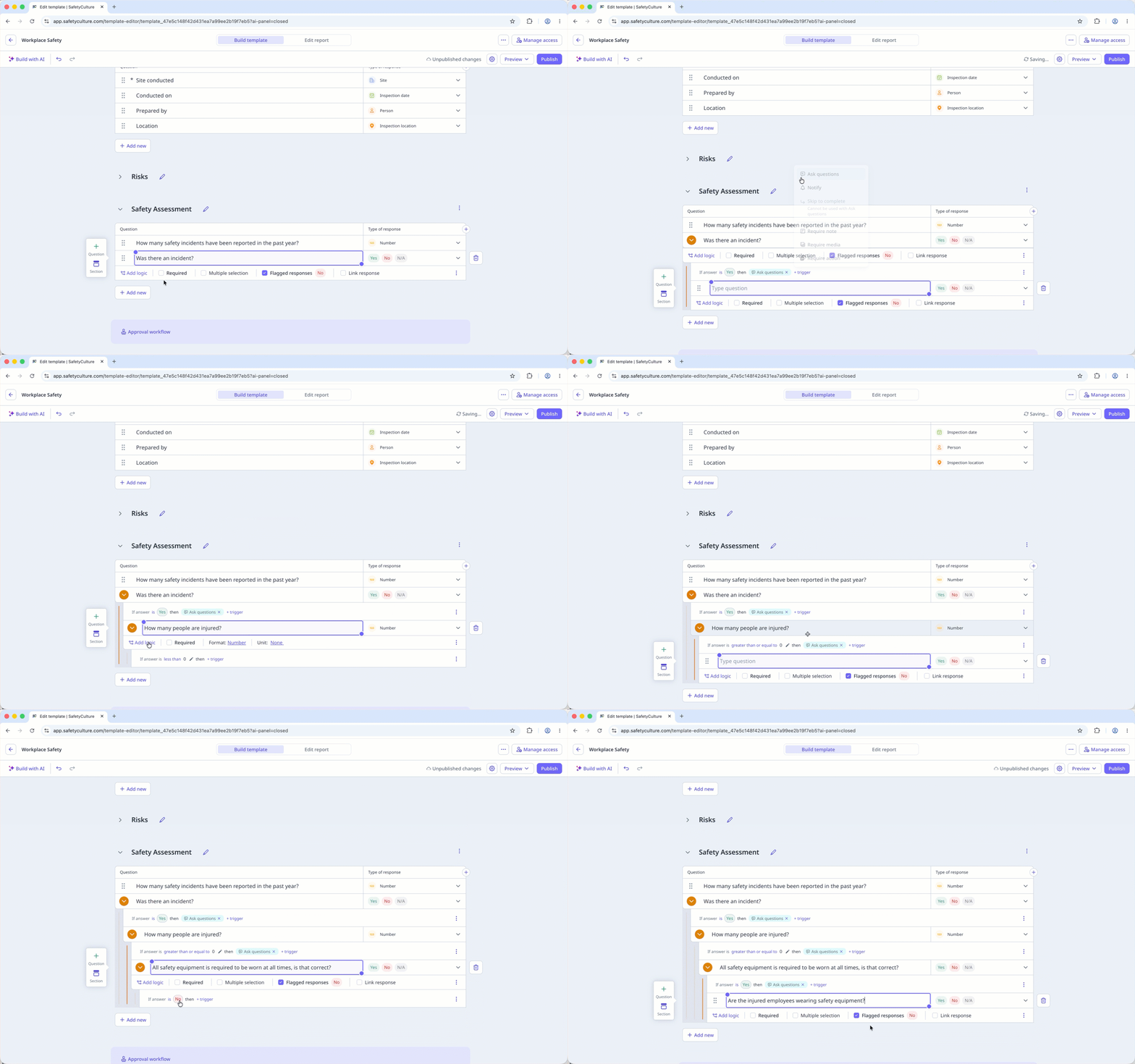
A nested logic field is a question, section, or logic field that only appears when a condition is met. This lets you build follow-up layers that are only shown when relevant, keeping the inspection focused for the user completing it.
For example, if you add logic to the question "Was there an incident?" and the answer is "Yes", follow-up questions like "What date and time did it occur?" or "How many people were injured?" can appear. These follow-up items are nested logic fields.
Each logic condition can have up to 40 nested logic fields. Once the limit is reached, no additional logic fields, questions, or sections can be added under that condition.
Available logic conditions by response type
Need more help?
Was this page helpful?
