Last updated: September 6, 2026
What filters are available?
Filter | Description |
|---|---|
Label | Filter files by their assigned labels to quickly find documents by category or tag. |
Owner | Filter files by owner to easily find documents created or managed by specific people. |
Site | Filter files by site to quickly find documents for a specific location. |
Expiration date | Filter files by expiration date to review documents that are expiring soon or have already expired. |
Filter files
Select Documents in the sidebar or in More.
Click Add filter on the upper-left of the list.
Click Labels and select from the filter options.
Once you've selected your filters, click Done to refresh the list and show only files that match your filters.
To narrow your results further, repeat step 3 to add more filters, or click on existing filters to remove them and start again.
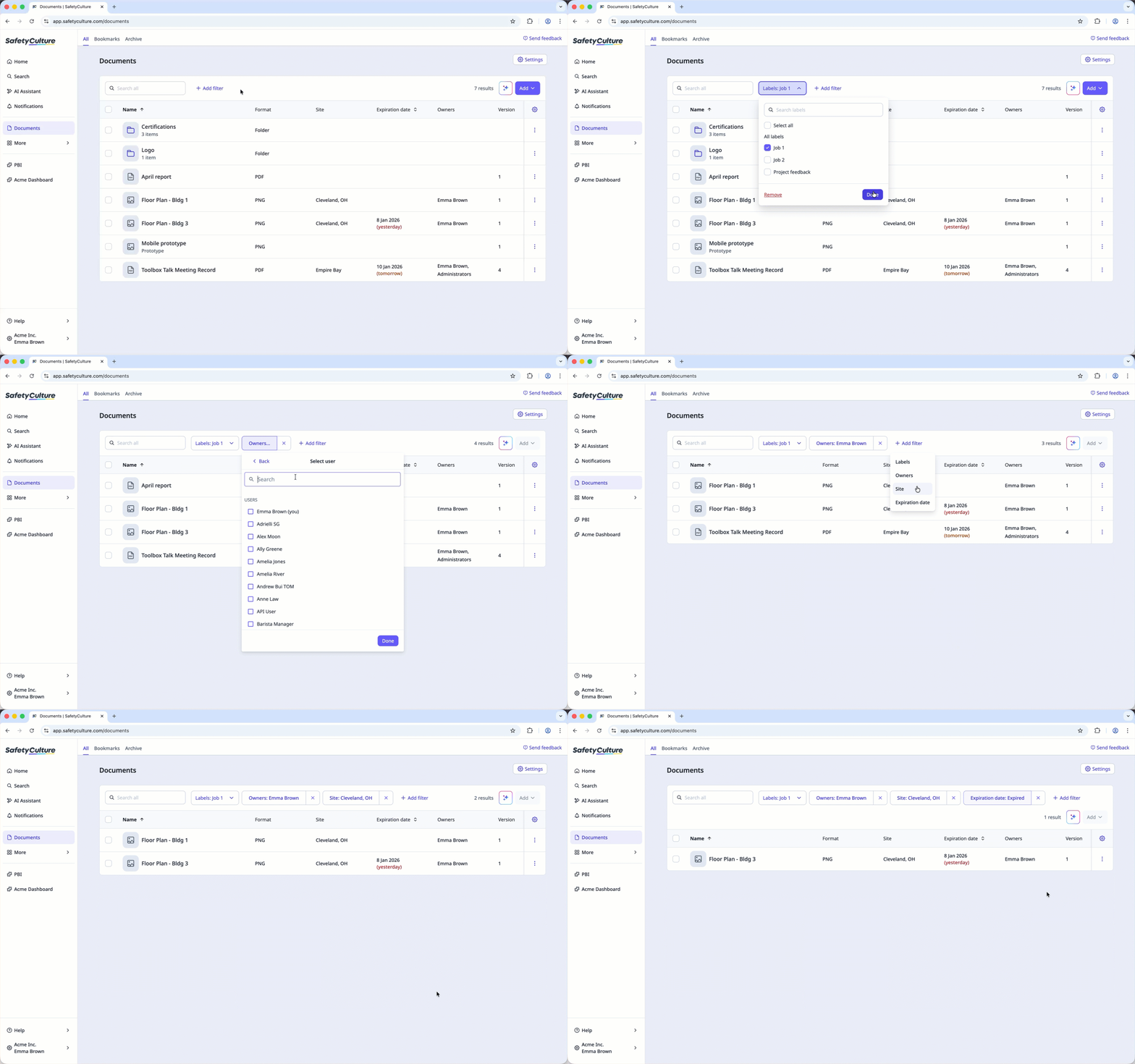
Filters you apply on the web app will stay in place, even if you navigate between pages or log out and log in.
Need more help?
Was this page helpful?
