Last updated: October 25, 2026
Why give full access to users?
Full access gives users complete visibility and control over your organization's data, including templates, inspections, actions, files, and more. In Mitti, you can grant full access without manually setting up access rules. This is ideal for:
Team members who need to oversee or collaborate on all data
Certain users who require visibility to all data for reporting, dashboards, or integration with external tools
By giving full access, you can reduce admin overhead and manual setups, and ensure key users or systems can access the information they need when they need it.
What you'll need
Override permissions
To give users full access, assign one of the following override permissions to a global role:
View all data: Gives view-only access to all templates, inspections, files and actions in your organization.
Enable for mobile app: By default, the "View all data" permission only applies to the web app, with the option to apply to the mobile app as well. The mobile app option is not available for organizations with more than 200 active templates.
Manage all data: Gives edit and delete access to all templates, inspections, issues, files and actions in your organization. Selecting this permission automatically selects the "View all data" permission.
Override permissions can only be assigned to global roles for full seats. If granted, users will have full access to your organization's data, even if access rules are in place.
Give users full access to data
Click your organization name on the lower-left corner of the page and select Roles.
Create a global role or edit an existing one for full seat users.
Scroll to the “Data Management” section. Check “Manage all data” or “View all data”, depending on the access you want to give.
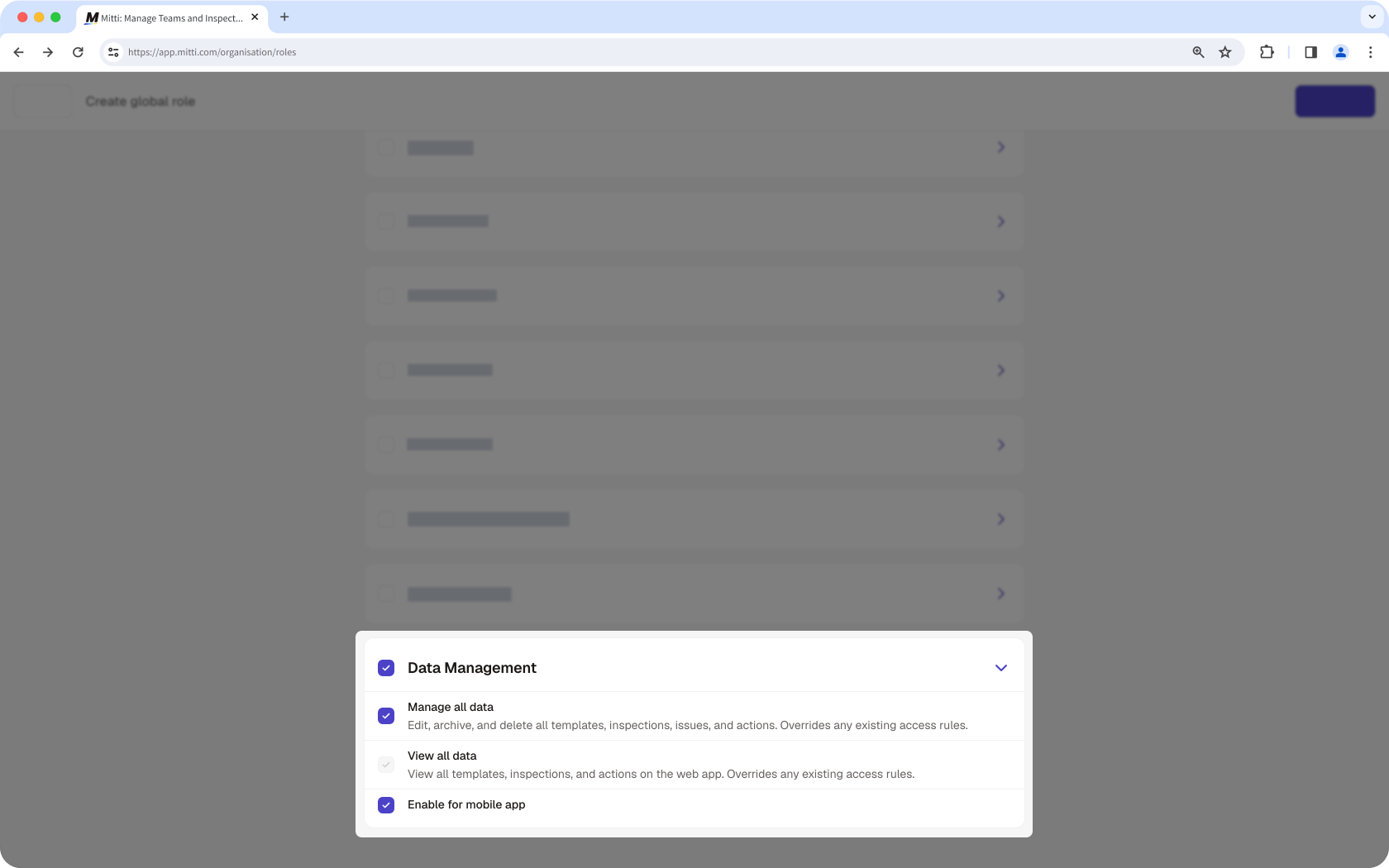
Click Create role to create the global role or Save at the bottom of the page to save your changes.
Override permissions only apply to data created in the same organization. Users must have the appropriate access levels set up to edit or delete externally shared data, such as templates or inspections.
Need more help?
Was this page helpful?