Last updated: July 13, 2026
What you'll need
You can duplicate or copy an existing inspection as the basis for a new inspection.
Duplicating a template will not copy its access levels. The duplicate uses your organization's default template access.
Duplicate a template
Click Templates from the sidebar or in More.
Click on the right-hand side of the template you want to duplicate.
Select Duplicate template.
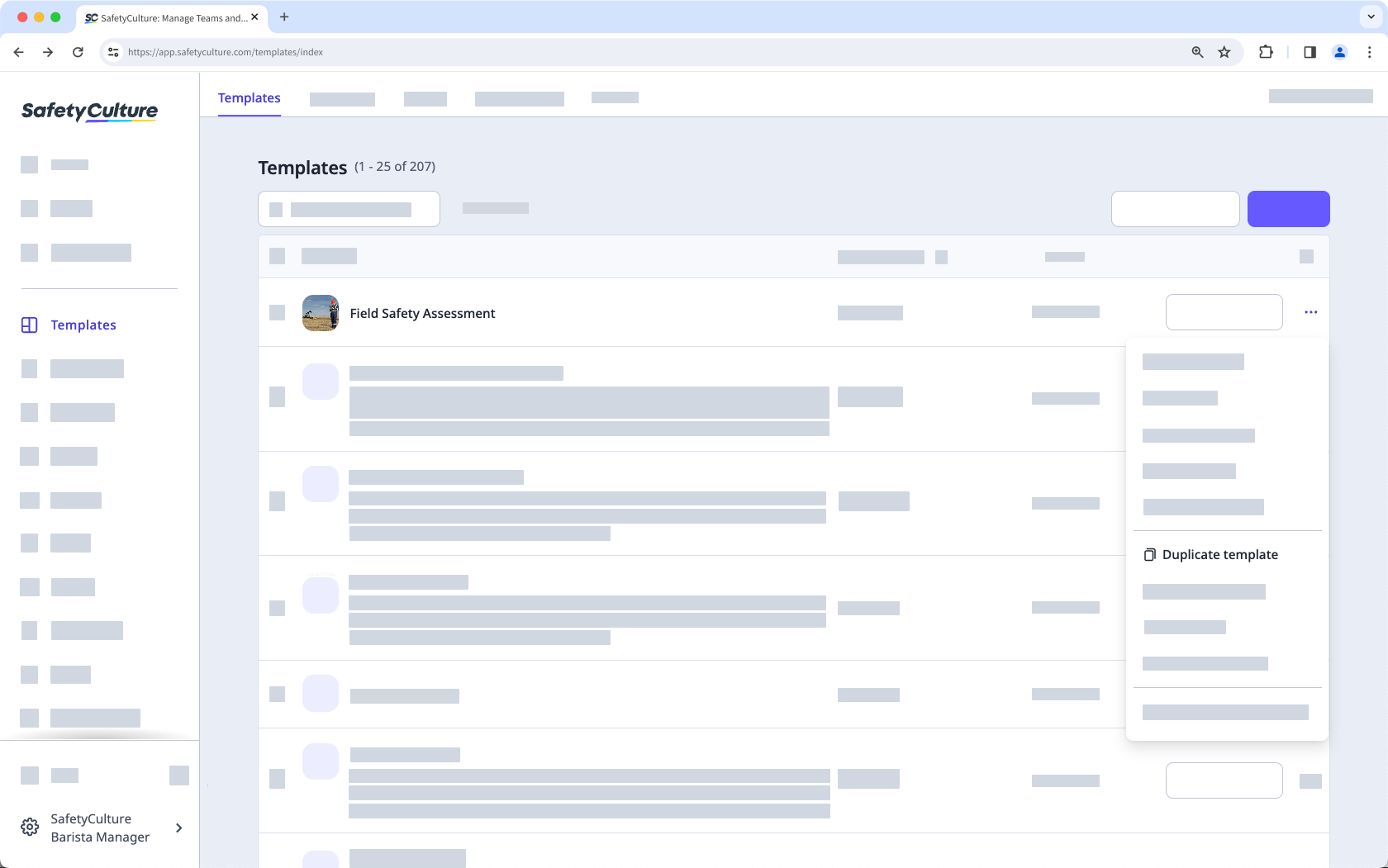
You can find the duplicated templates at the top of your template list.
Open the mobile app.
Tap Inspections from the navigation bar or in More.
Select Templates tab at the top of your screen.
Tap the template.
Tap and select Duplicate.
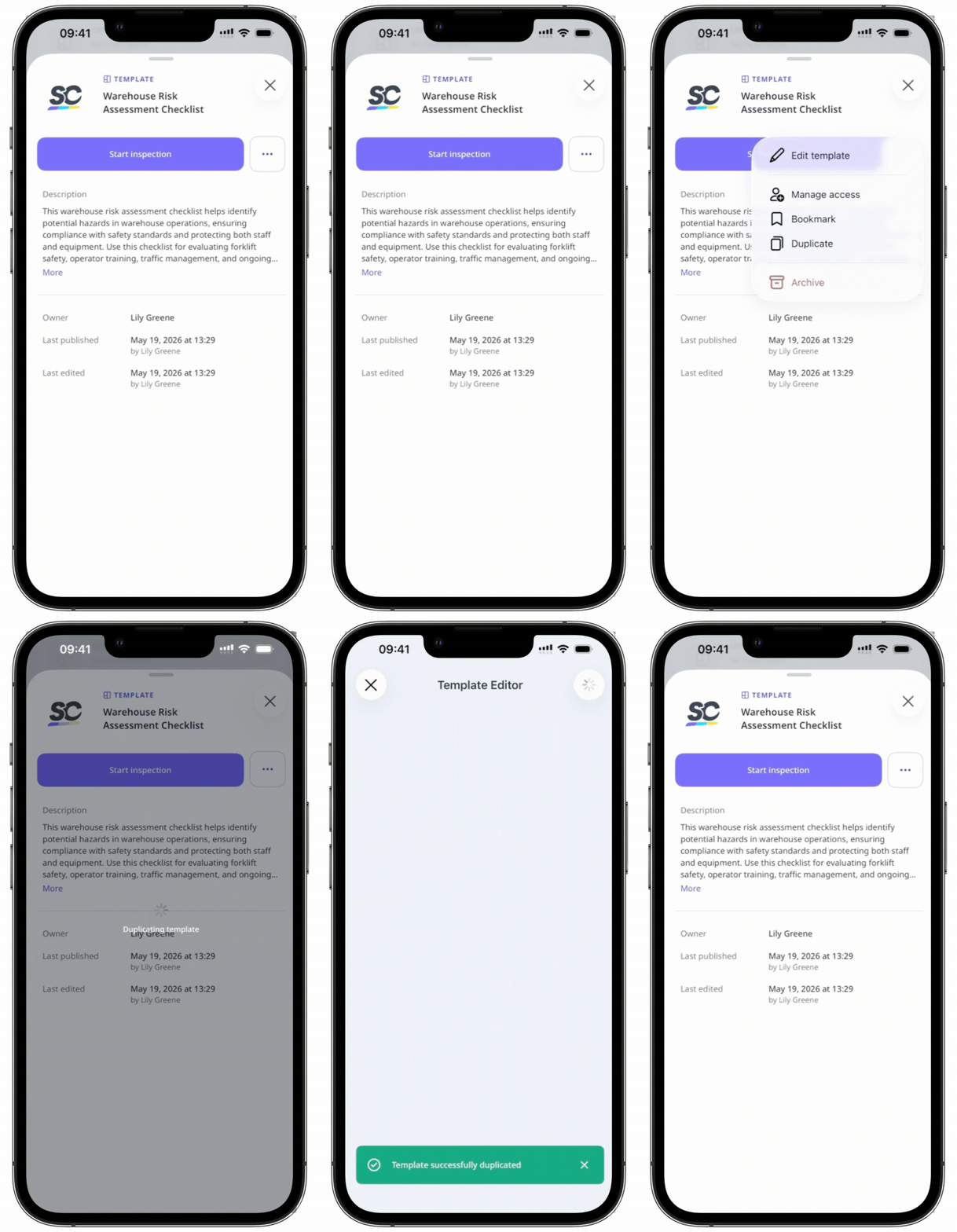
When you duplicate a template inside a folder, the duplicate will appear in the template list, but you can move it into the folder if needed.
If a duplicated template has a document number response, it will start a new document number sequence.
Duplicate multiple templates
Click Templates from the sidebar or in More.
Check the box on the left-hand side of each template you want to duplicate.
Click Duplicate at the bottom of the page.
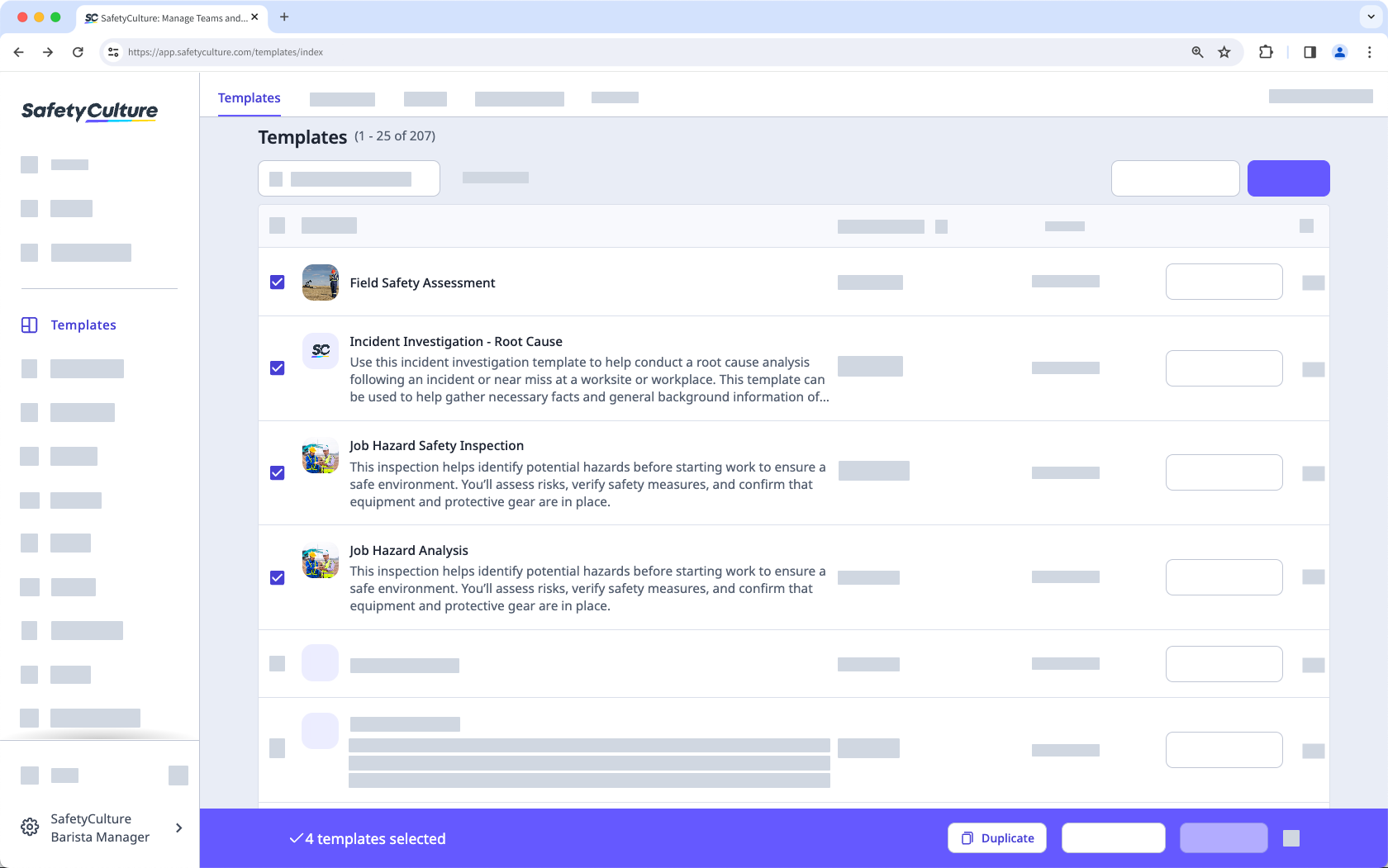
You can find the duplicated template at the top of your template list.
Need more help?
Was this page helpful?