Last updated: October 1, 2026
What is default template access?
Default template access lets you control who can access newly created templates without manually adjusting them each time. Whether your organization prefers to limit visibility to template creators or automatically provide access to all users, this setting gives you the flexibility to choose what works best.
What settings are available?
Use the following settings to set up your organization’s default access levels for new templates and inspections:
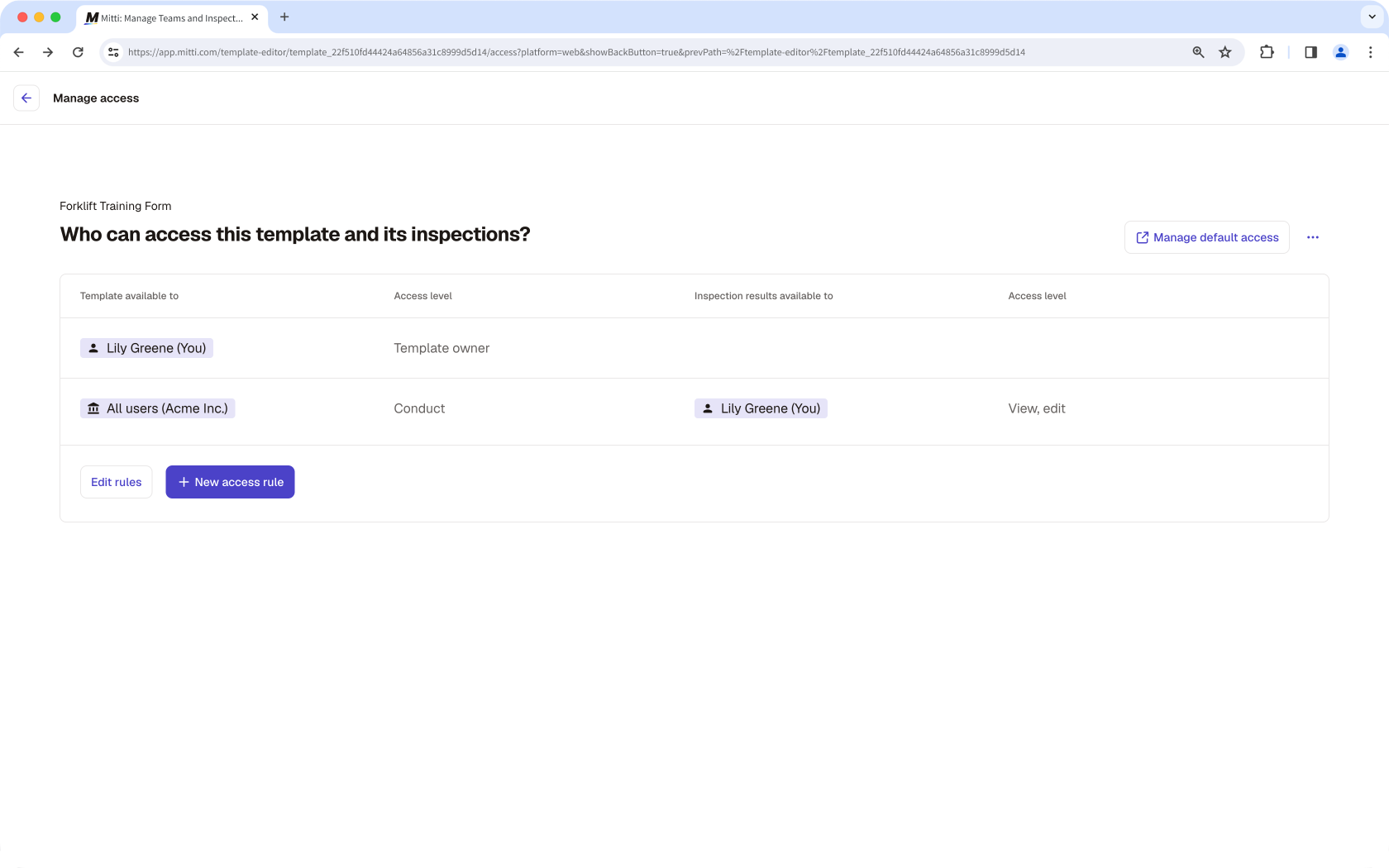
All users (Conduct only): Gives all users "Conduct" access to each new template, regardless of their seat type, and "View, edit" access to inspection results for the template owner and the user who conducted the inspection.
All users (Conduct, edit): Gives all users "Conduct, edit" access to each new template and its inspections, regardless of their seat type.
All users (Conduct, edit, delete): Gives all users "Conduct, edit, delete" access to each new template and inspections, regardless of their seat type.
Only the template creator: Restricts the access of each new template and its inspections to the template creator.
Your organization's plan and creation date determine the default access level for new templates and inspections:
Free Plan: Organizations created on or after July 29, 2025, and organizations downgraded to the Free Plan have a "Conduct, edit, delete" template access level by default.
Premium Plan or Enterprise Plan: Organizations created on or after September 30, 2026, and organizations upgraded to Premium Plan or Enterprise Plan, will have the following default template and inspection access levels:
Templates:"Conduct only" access level
Inspections:"View, edit" access level, limited to the user who conducted the inspection and the template owner
What you'll need
Changes to the default access setting only apply to new templates in an organization, and not existing ones.
Manage default template and inspection access
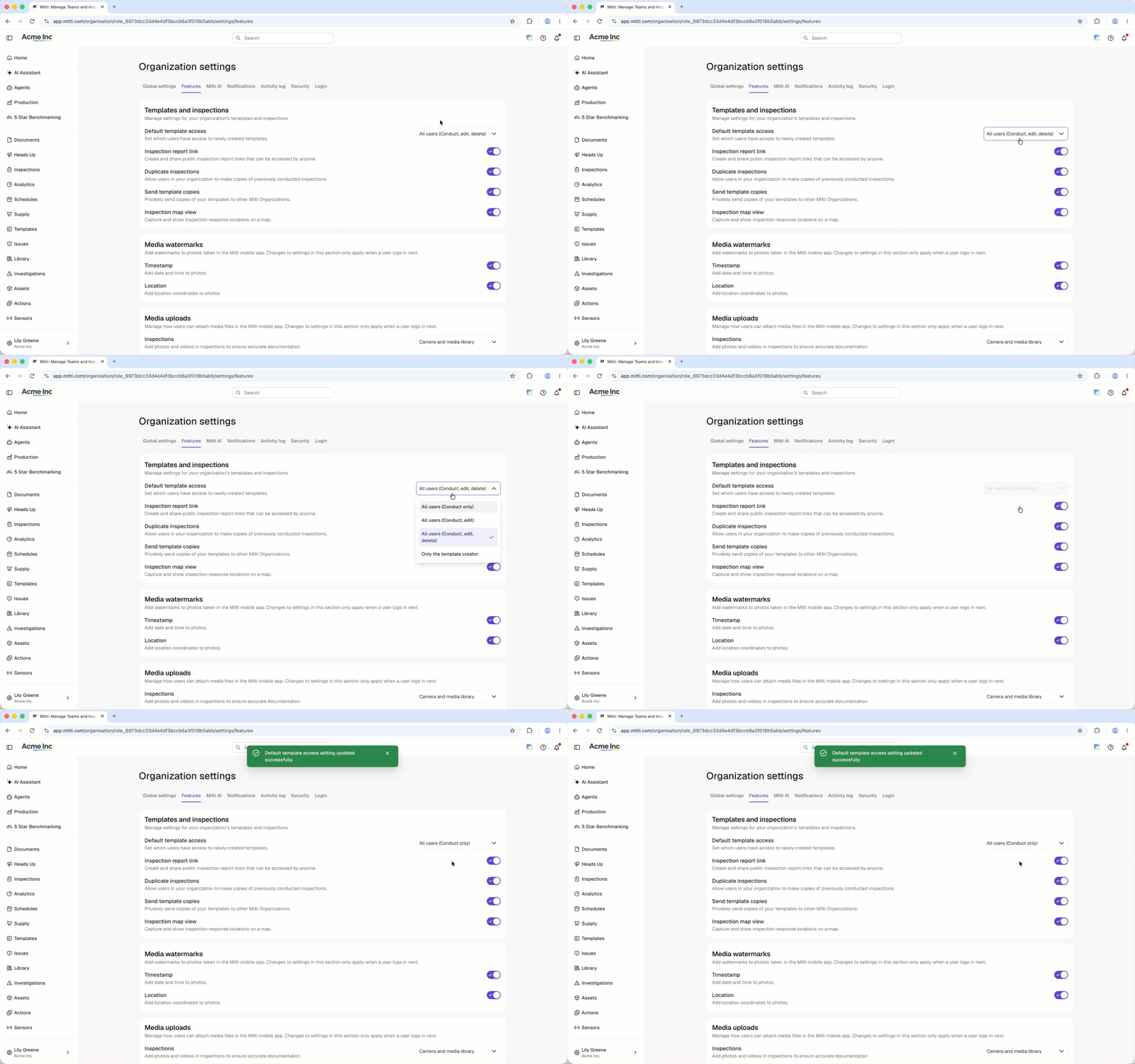
Click your organization name on the lower-left corner of the page and select Organization settings.
Click Features tab at the top of the page.
In the "Templates and inspections" section, select the default access setting from the dropdown menu.
Changes are saved automatically.
You can provide access to users, groups, and sites at a more granular level by managing each template's access levels.
Frequently asked questions
Need more help?
Was this page helpful?