Last updated: August 18, 2026
What you'll need
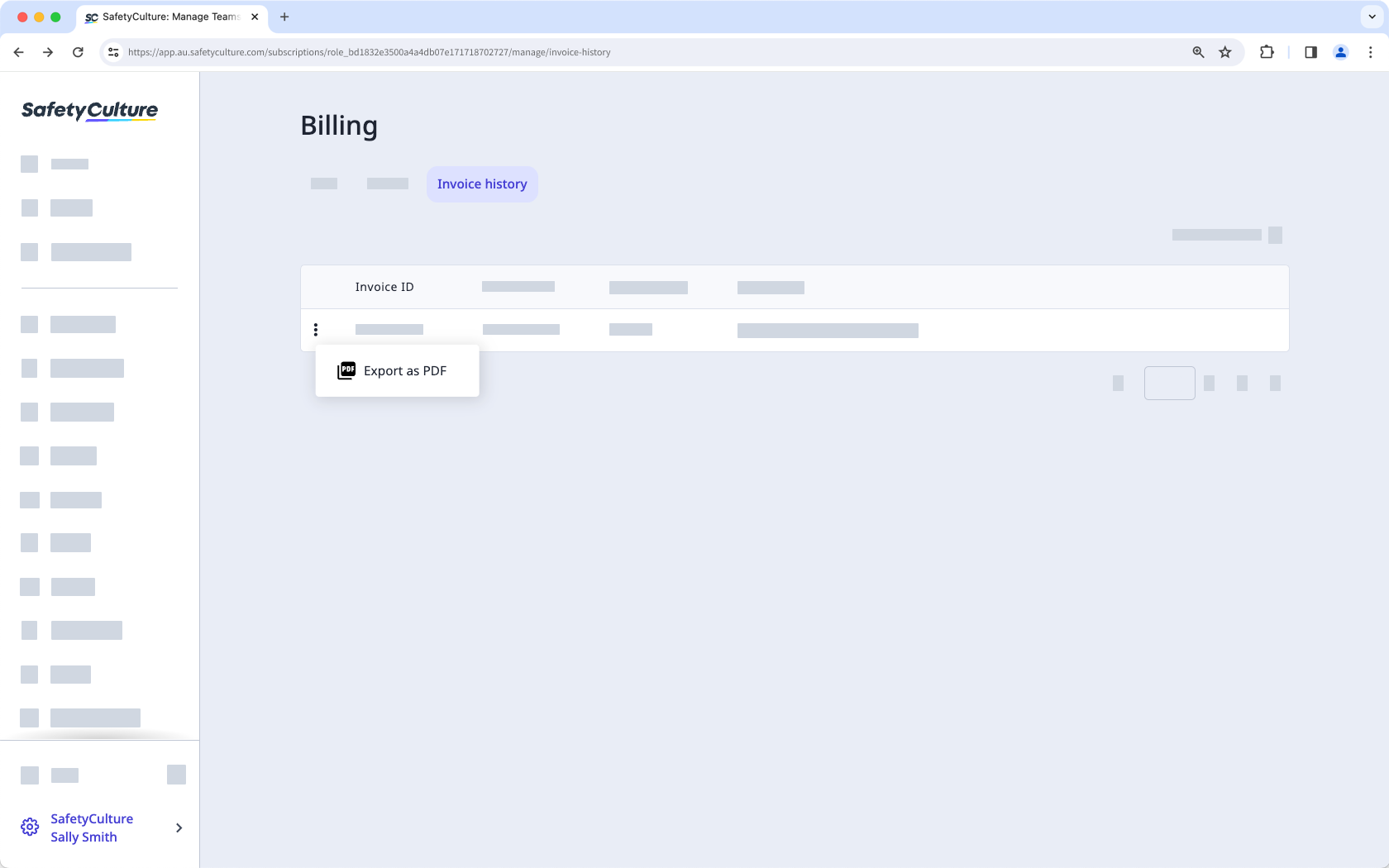
Download an invoice
Click your organization name on the lower-left corner of the page and select Billing.
Click Invoice history at the top of the page.
Click next to the statement ID and select Export as PDF.
Each invoice is automatically emailed to the billing email address as they become available. You can also include additional billing contacts anytime.
Request an unpaid invoice
Click your organization name on the lower-left corner of the page and select Billing.
Click Invoice history at the top of the page.
Click Email unpaid invoice(s) at the bottom of the page.
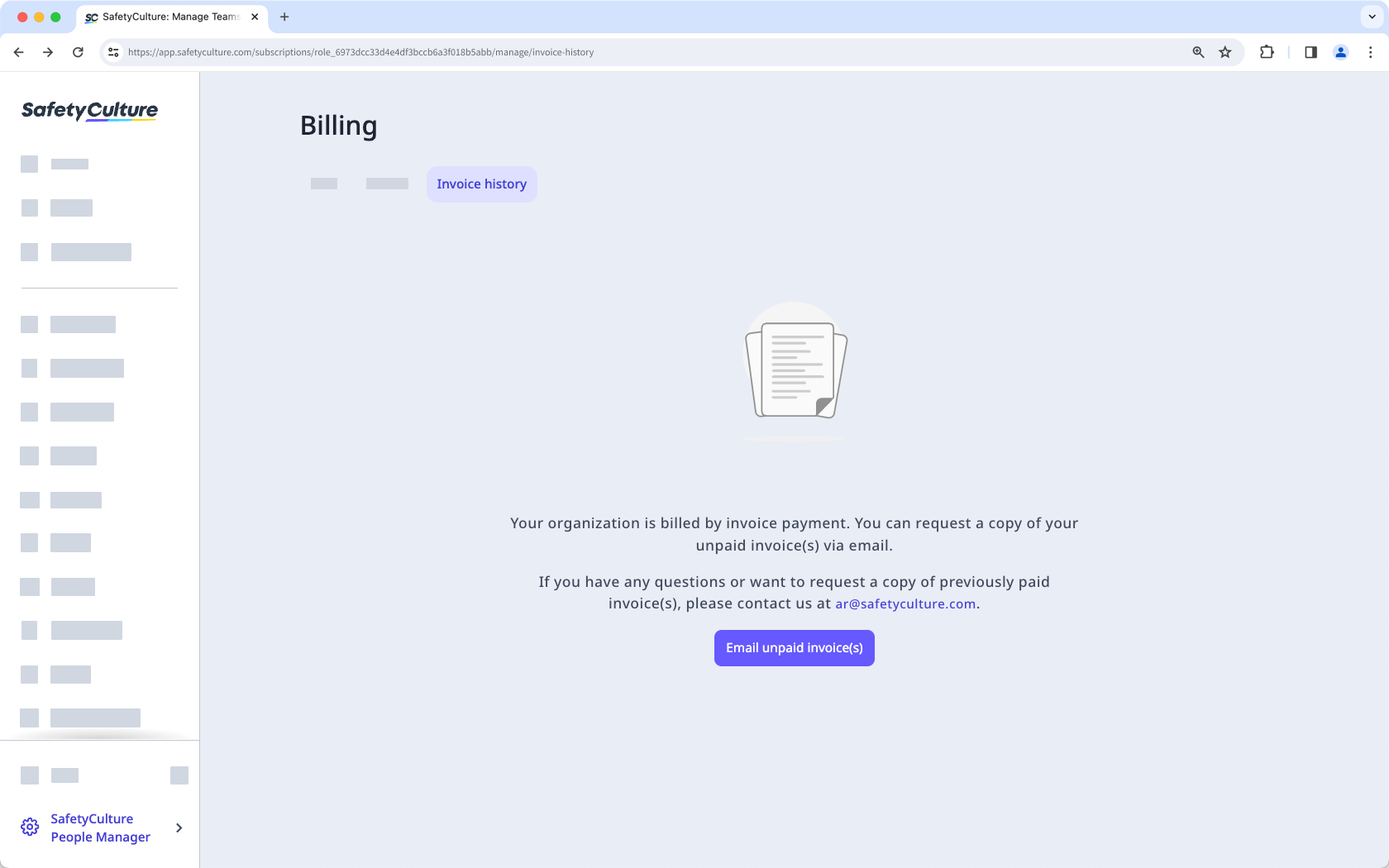
You'll receive a copy of your unpaid invoice at your account email. Check your inbox for an email titled"Your Unpaid Mitti Invoice(s)".
If your organization pays by invoice and you require past paid invoices, email our accounts receivable team for assistance.
Frequently asked questions
Need more help?
Was this page helpful?
