Last updated: January 2, 2024
What happens when you configure priority-based due dates for actions?
When you configure priority-based due dates in Mitti, you set a due interval for the Low, Medium, and High priorities in Actions settings. Every new action automatically receives a due date based on the priority you select when you create an action. The intervals don't apply to actions created before you set them. Your team can see which actions to address first, without setting a due date manually each time.
What you'll need
Changes to the priority-based due date setting only apply to newly created actions.
Configure priority-based due dates for actions
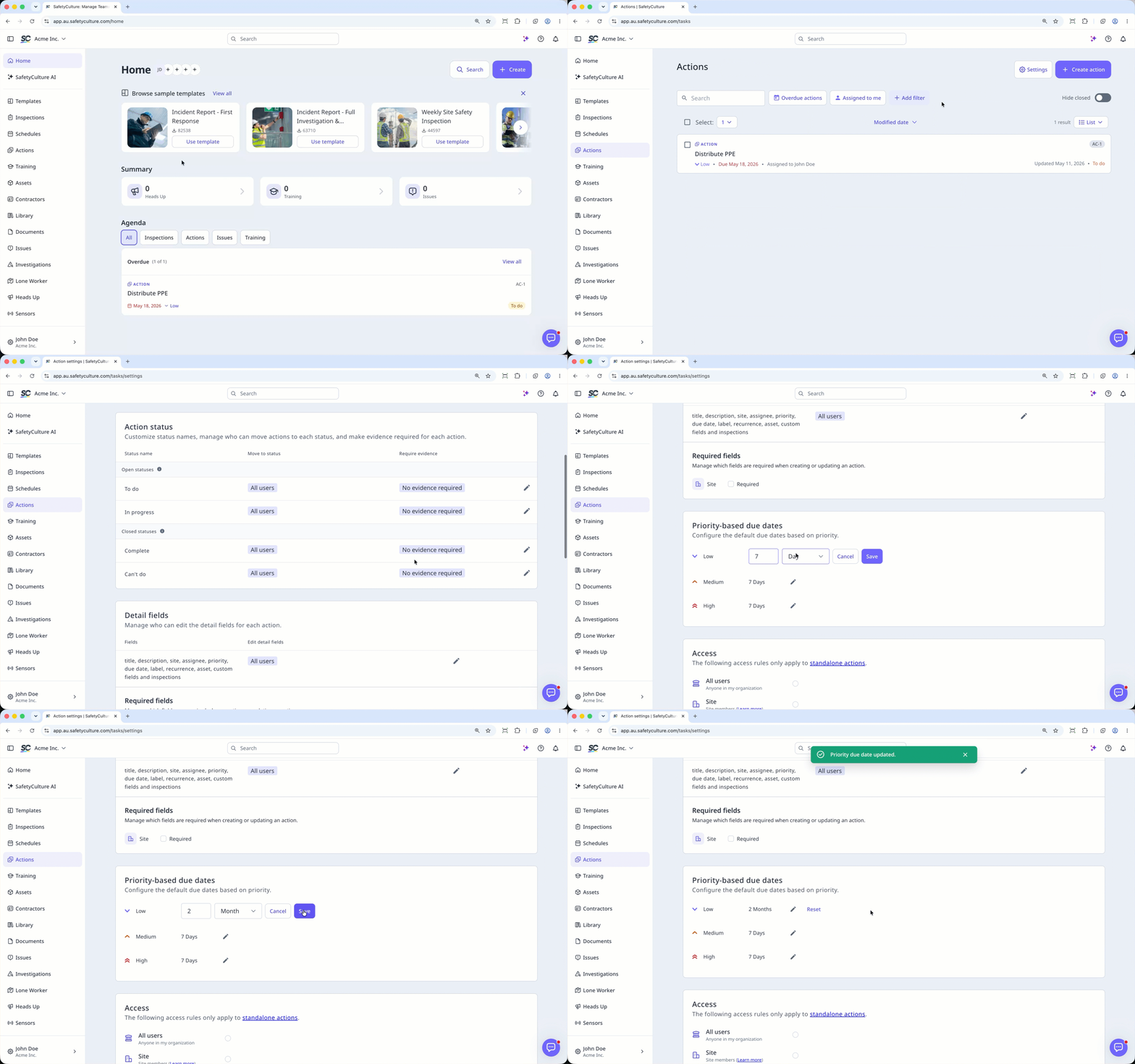
Select Actions in the sidebar or in More.
Click Settings on the top of the page.
Scroll down to “Priority-based due dates” section.
Click the next to the default due date to update it accordingly.
Click Save.
Need more help?
Was this page helpful?
