Last updated: June 4, 2026
Deleting a company is irreversible. Once you delete a company, it can no longer be restored.
Delete a company
Select Contractors in the sidebar or in More.
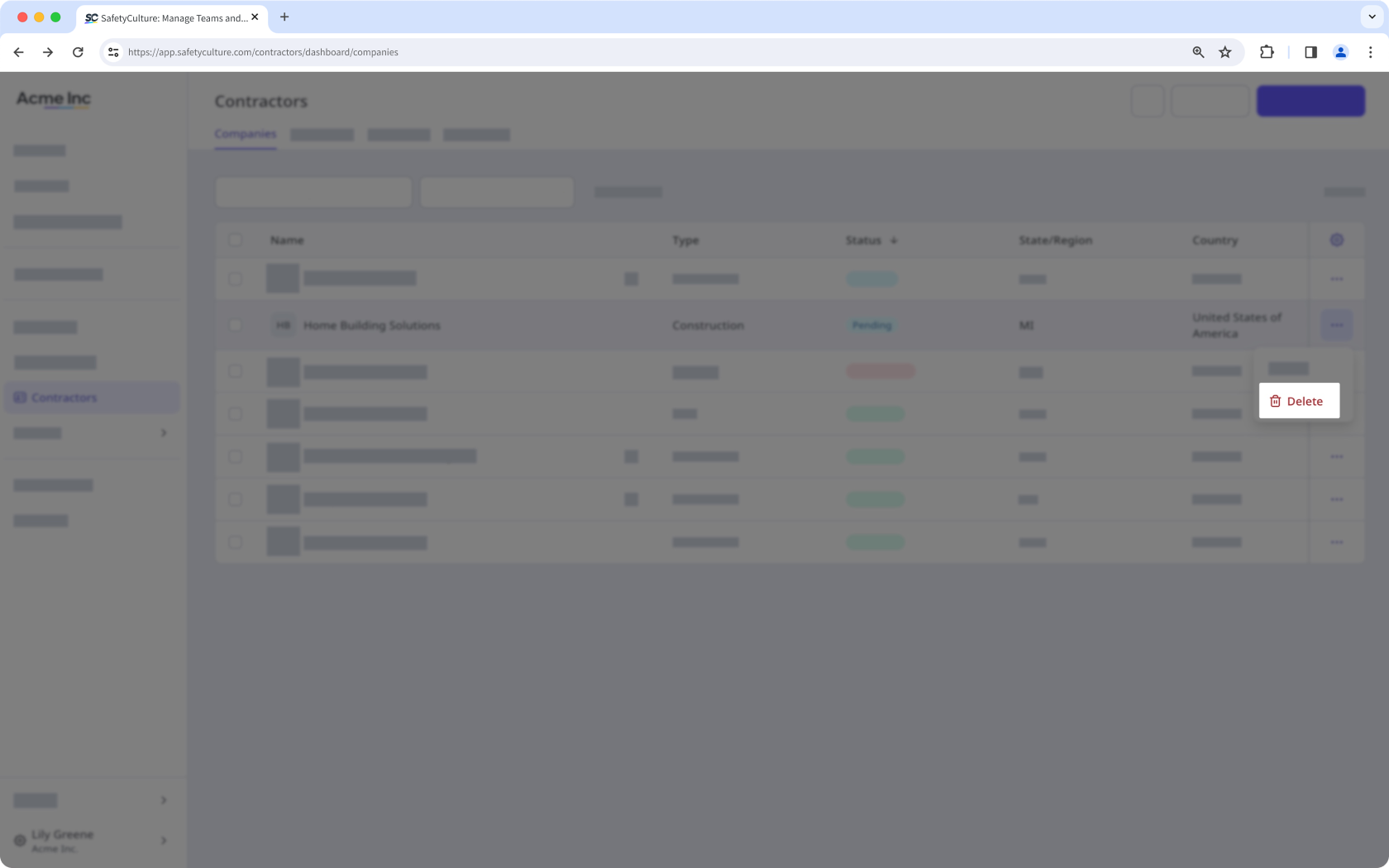
Click on the company's right-hand side and select Delete.
In the pop-up window, click Delete company.
Bulk delete companies
Select Contractors in the sidebar or in More.
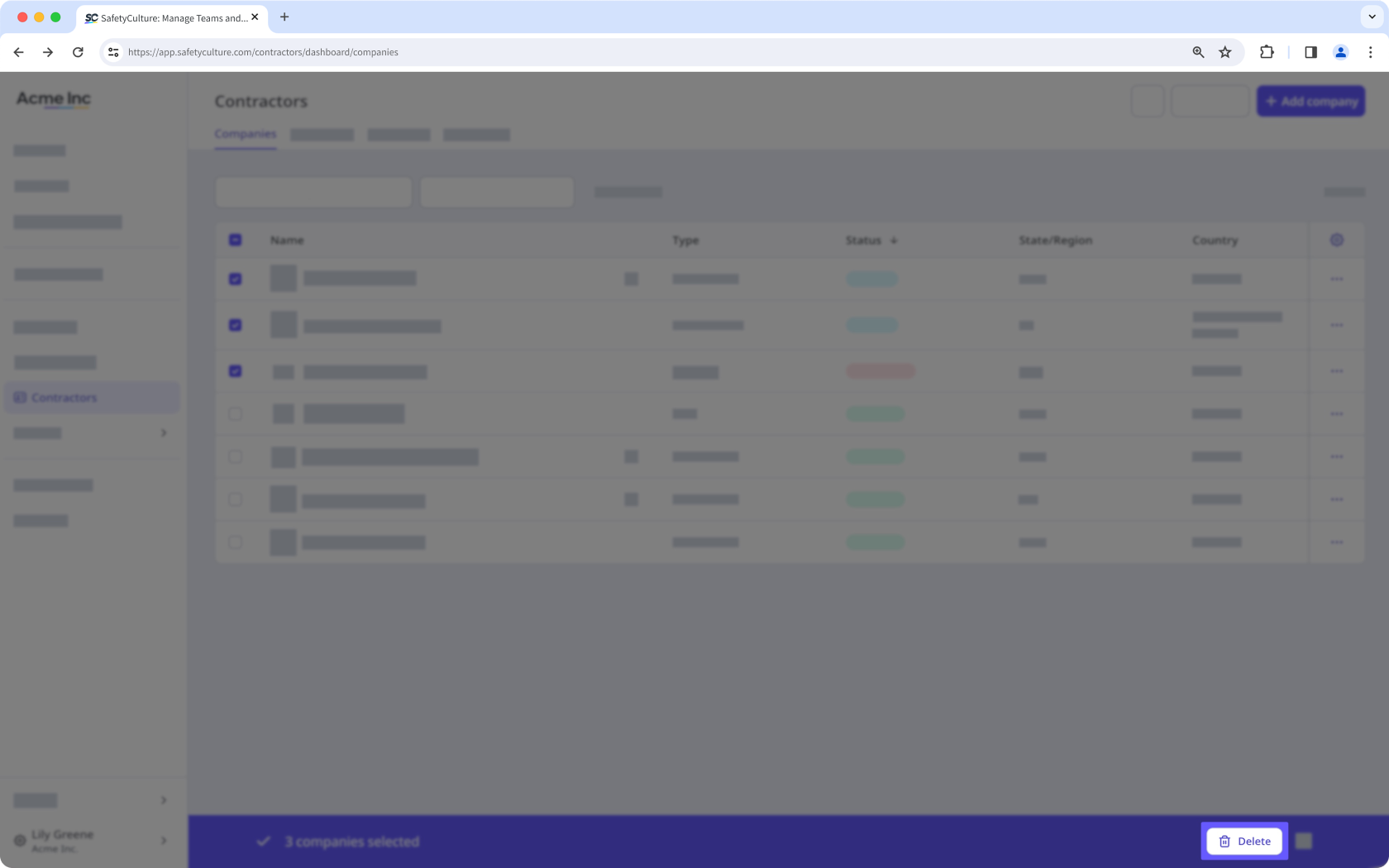
Check the companies’ boxes and click Delete on the lower-right of the page.
In the pop-up window, click Delete.
Need more help?
Was this page helpful?
