Last updated: September 8, 2026
We currently have a legacy and a new experience with the Schedules feature.
This article covers the new Schedules experience. Please ensure you're in the new experience by using the toggle on the upper-left of the Schedules page.
What you'll need
If you have "Schedules: Manage" permission, you can edit all schedules in your organization.
Delete a schedule
Select Schedules in the sidebar or in More.
Click Manage schedules on the top of the page.
Click the schedule.
Click on the upper-right corner of the side panel.
Select Delete schedule.
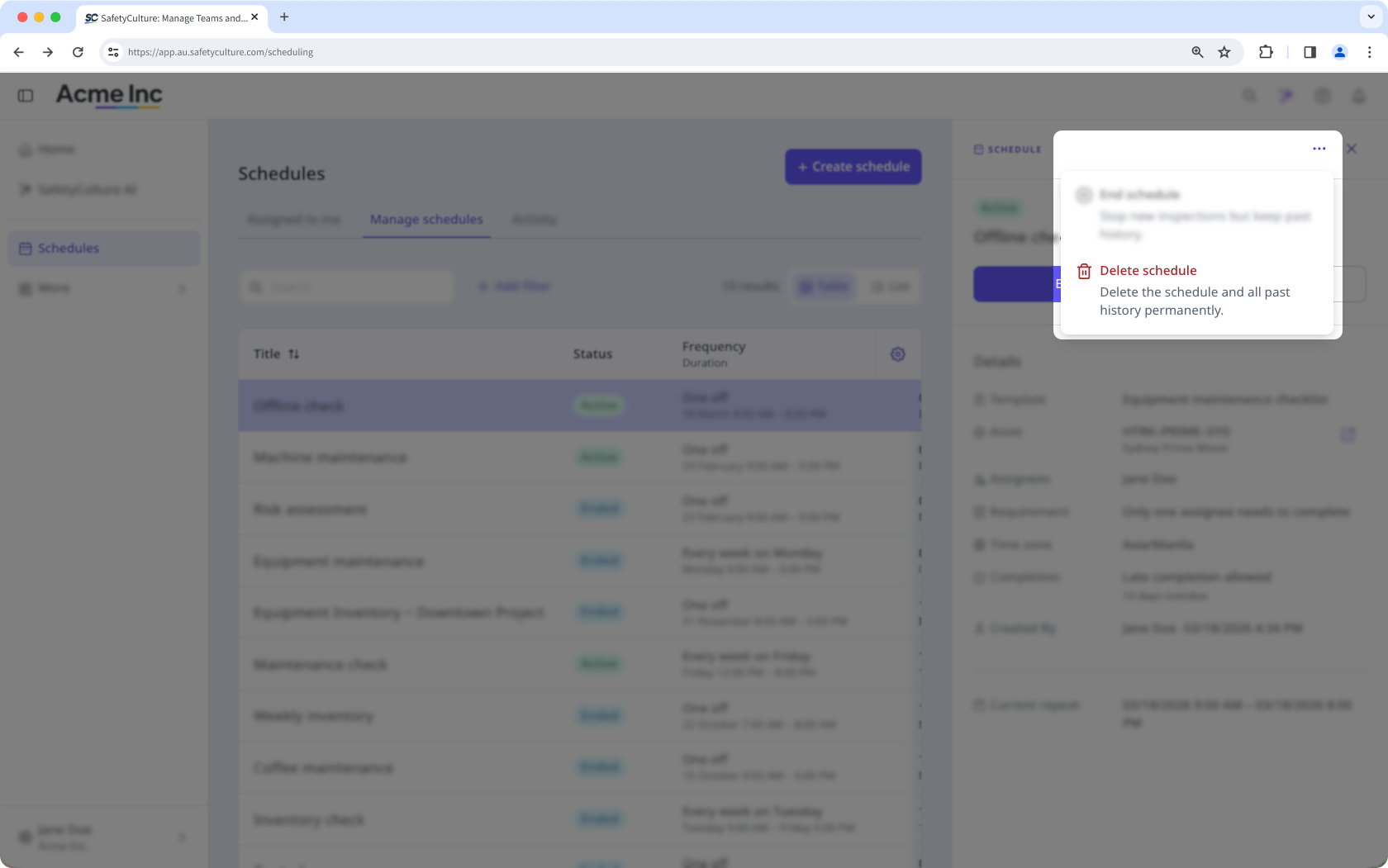
In the pop-up window, click Delete.
Bulk delete schedules
You can bulk delete up to 1,000 schedules at a time.
Select Schedules in the sidebar or in More.
Click Manage schedules on the top of the page.
Check the box next to each schedule.
Click Delete at the bottom of the page.
In the pop-up window, enter "delete" and click Delete.
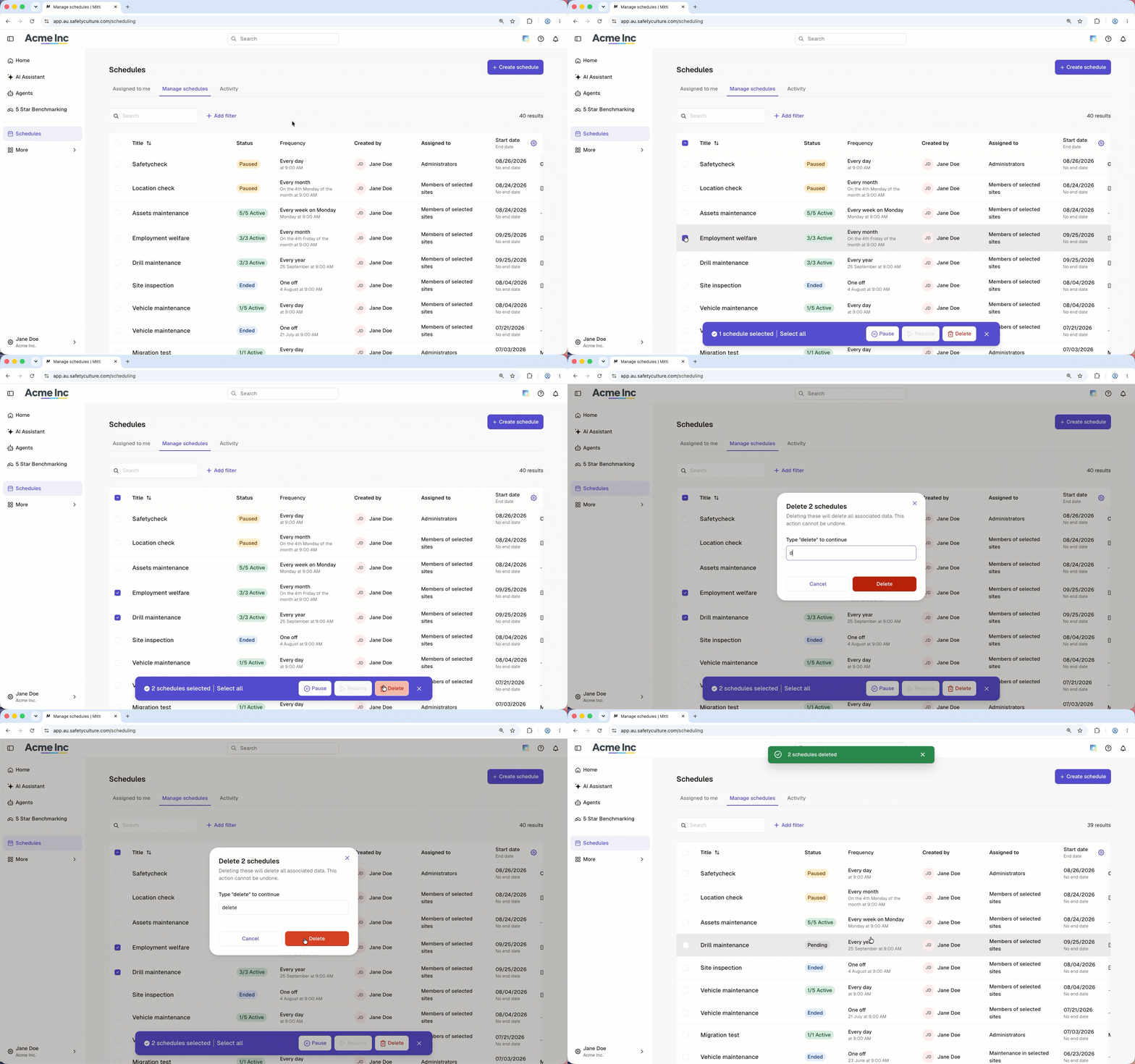
Deleting a schedule also deletes all associated activity, including its completion progress. Inspections completed from the schedule won’t be affected.
Need more help?
Was this page helpful?
