Last updated: October 7, 2026
What is Agenda?
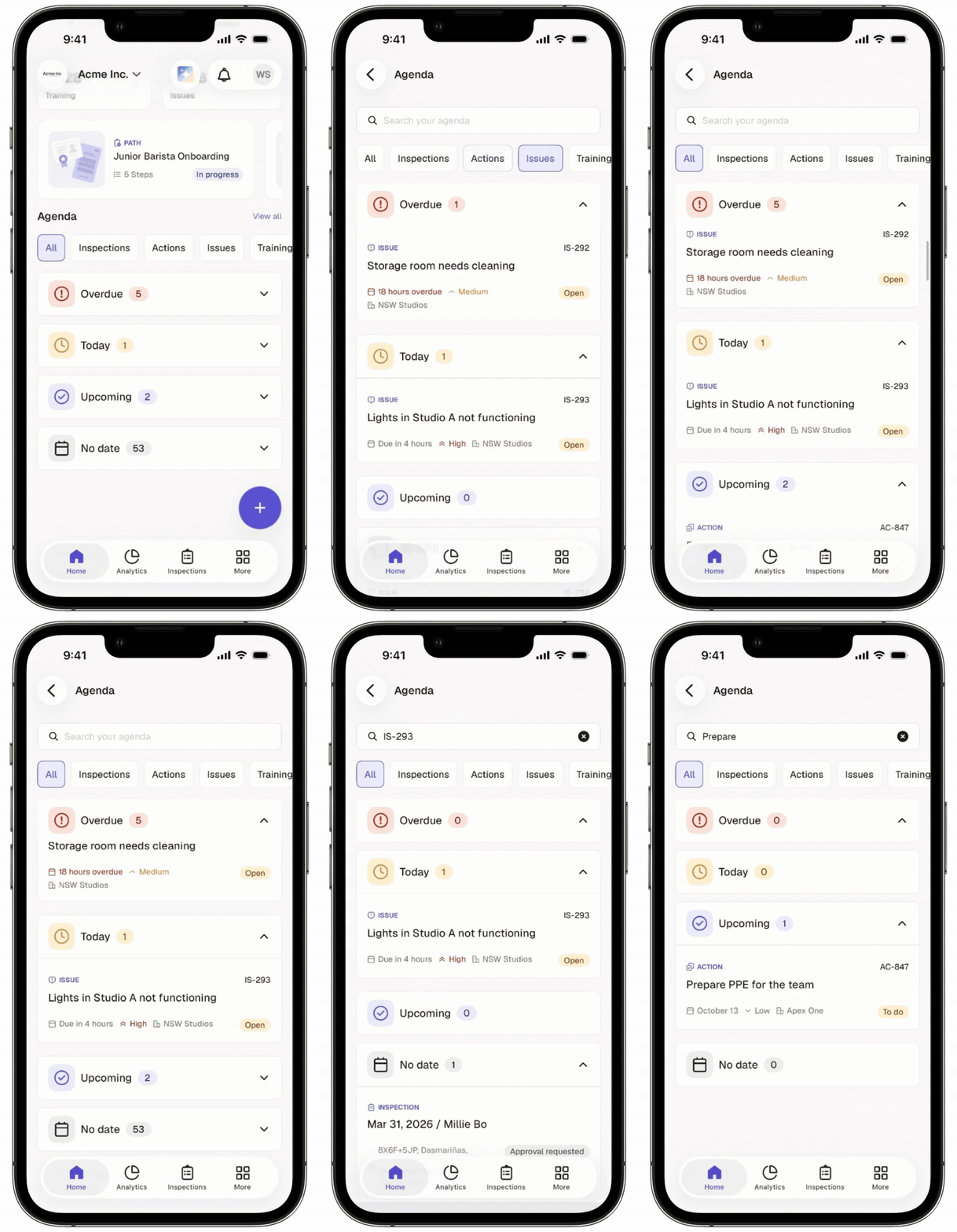
Agenda in Mitti is your to-do list. It brings your assigned work from Inspections, Actions, Issues, and Training into one view, so you can see what needs your attention next. Items are grouped by due date, and items without a due date stay visible. You can review everything due today and any overdue items before you start your day.
You can also search your Agenda items on the mobile app by details such as an item's title, site name, and more. Search lets you find an item without scrolling through a long list. It works on Agenda items that are synced to your device, so you can use it online or offline.
You can view Agenda offline, but some features may not be available. If a feature isn't supported offline, you'll see an error message.
What can I see in Agenda?
Agenda brings all your assigned tasks into one place. Here, you can view:
Inspections
Actions
Issues
Training
Section | Description |
|---|---|
Overdue | Items with due dates that have already passed. Items with a start and end date become overdue once the end date has passed. |
Today | Items with due dates set for today. Items that were due earlier today remain in this section until the end of the day (midnight). Items where the current date falls between the start date and end date. |
Upcoming | Items with due dates after today. Items where the current date is before the start date. |
No date | Items without a due date. |
Date and time are displayed based on your device's time zone.
What you'll need
View my Agenda items
Open the mobile app.
Tap Home in the navigation bar.
Tap View all on the right-hand side of the "Agenda" section.
Tap All, Inspections, Actions, or Issues to view the items in each filter.
Tap Overdue, Today, Upcoming, or No date to view the items in that status.
If you want to find a specific Agenda item, tap the search bar and enter the title, Action ID, Issue ID, course description, or site name to view the matching items.
You need mobile app version 26.40 or later to search your Agenda items. If you don't see the search bar, update the mobile app.
Need more help?
Was this page helpful?