Last updated: September 2, 2026
What you'll need
Move a dashboard to a folder
Select Analytics in the sidebar or in More.
Click on the right-hand side of the dashboard and select Move to folder.
In the pop-up window, click the "Select folder" dropdown menu.
Select the folder you want to move the dashboard to or click Create folder to create a new one.
Click Move or Create folder.
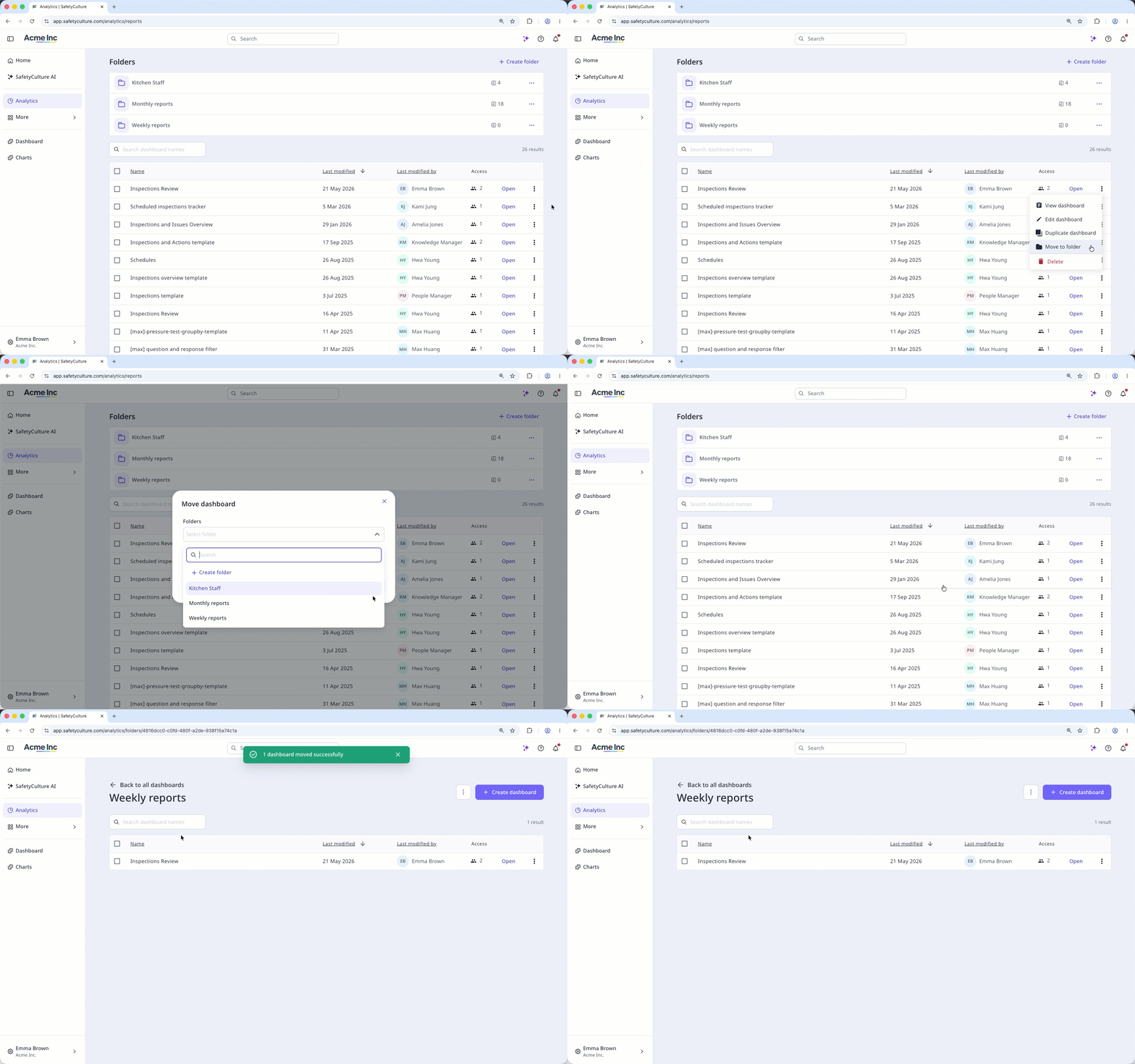
The dashboard stays on the dashboard list after moving it to a folder.
Bulk move dashboards to a folder: Web app
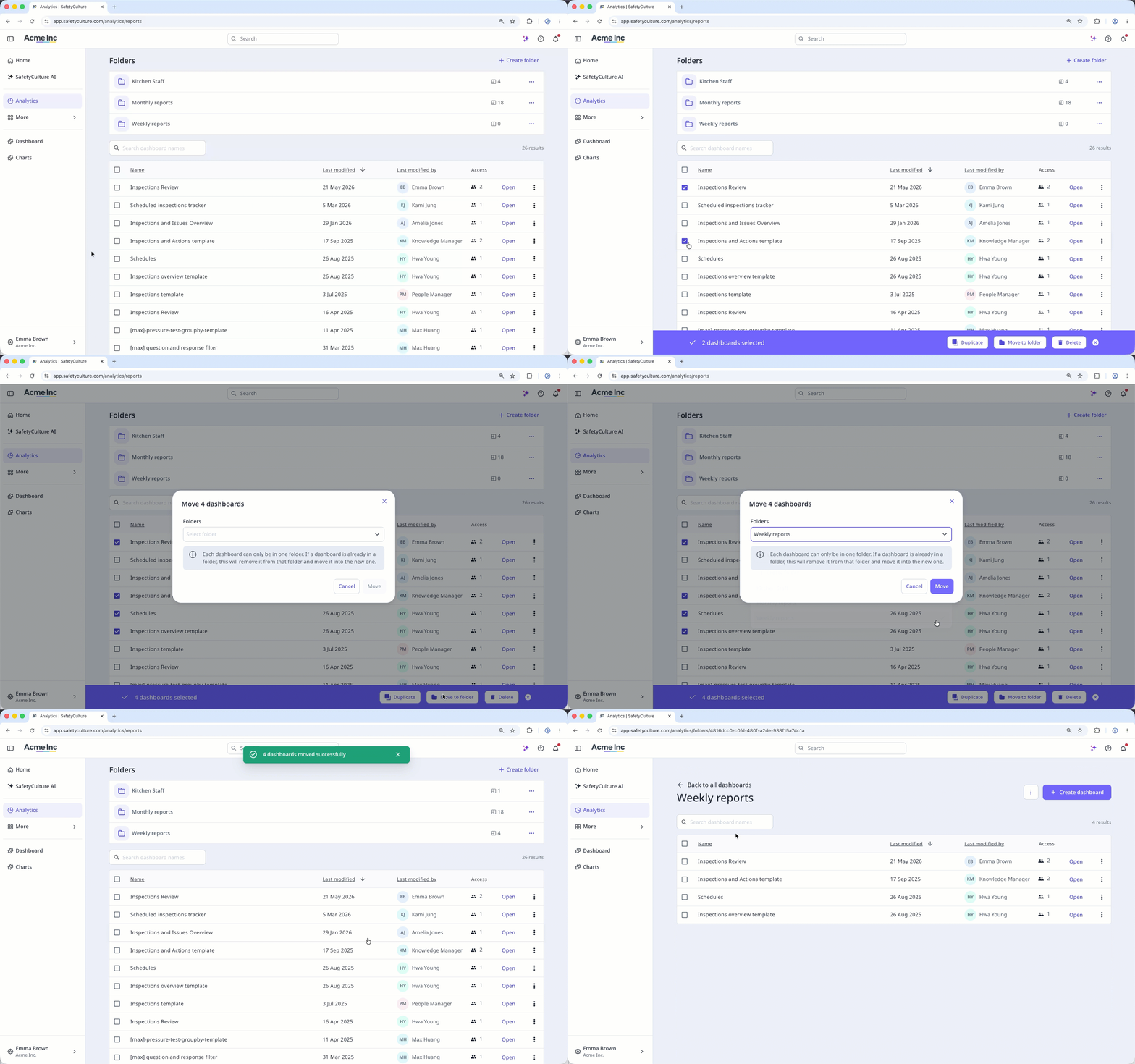
Select Analytics in the sidebar or in More.
Select the dashboards you want to move by checking the box on the left-hand side of each dashboard.
Click Move to folder at the bottom of the page.
In the pop-up window, click the "Select folder" dropdown menu.
Select the folder you want to move the dashboard to or click Create folder to create a new one.
Remove a dashboard from a folder
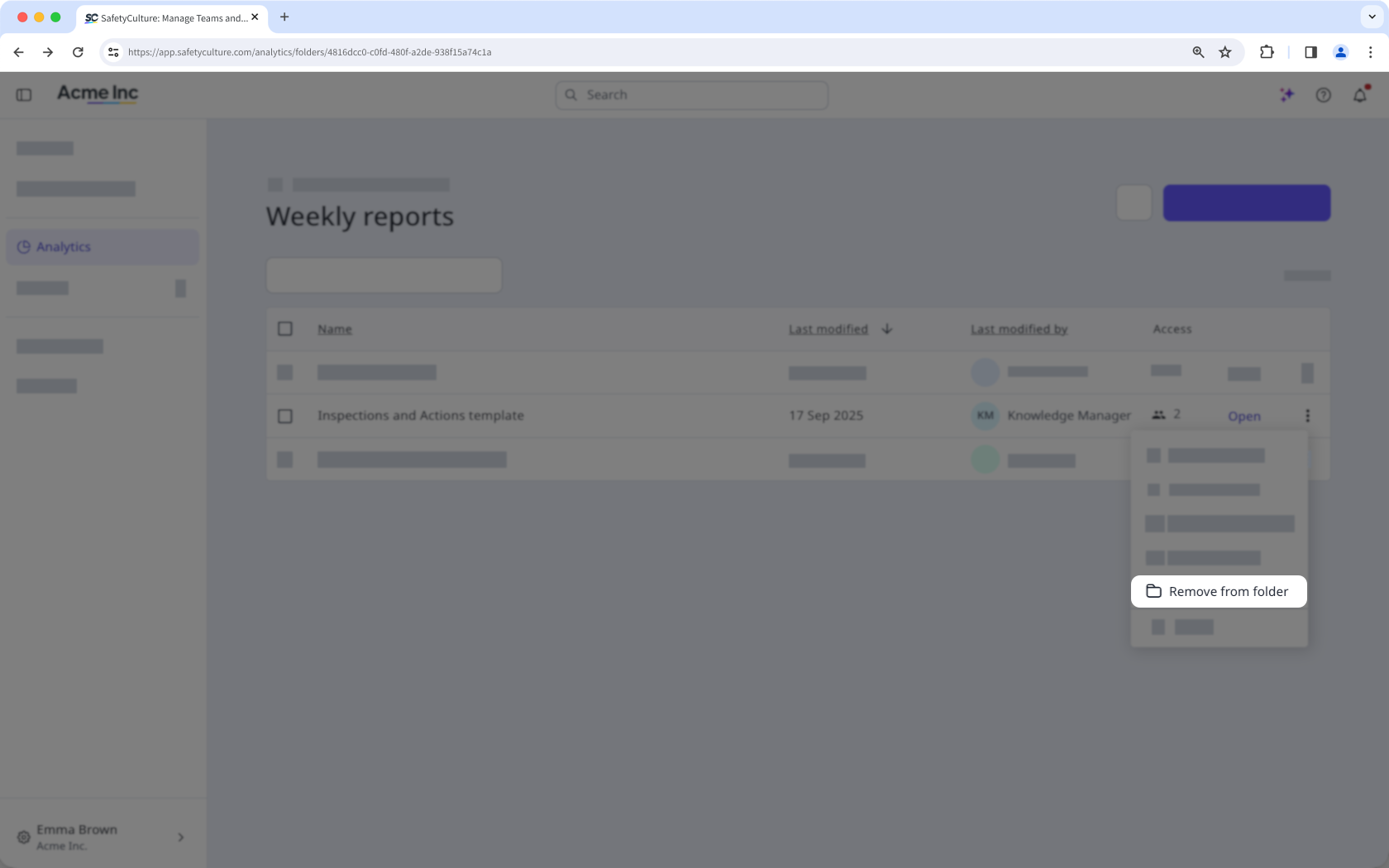
Select Analytics in the sidebar or in More.
Click the folder from the "Folders" section.
Click on the right-hand side of the dashboard and select Remove from folder.
If you don't have "Analytics: Manage" permission, you can only move dashboards you've created to folders.
Limitations
Each organization can only have up to 200 folders.
Each dashboard can only be in one folder. If a dashboard is already in a folder, moving it to a new one will remove it from its current folder.
Users can only see dashboards they have access to when browsing folders.
Need more help?
Was this page helpful?
