Last updated: September 6, 2026
What are satellite devices in Lone Worker?
Satellite devices connect to Lone Worker so organizations can monitor workers in areas without mobile coverage. Workers in mining, oil and gas, agriculture, utilities, and forestry often operate beyond mobile coverage. In these areas, a satellite device becomes their only connection to safety monitoring. Workers with an assigned satellite device can start and end their session and send an SOS directly from the device. Administrators see these workers on the same live map as mobile workers and receive the same alert chain for SOS signals and missed check-ins. Satellite devices extend safety monitoring to lone workers at job sites without cellular coverage.
What you'll need
Before you can assign a satellite device, contact Mitti Support to have it set up for your organization.
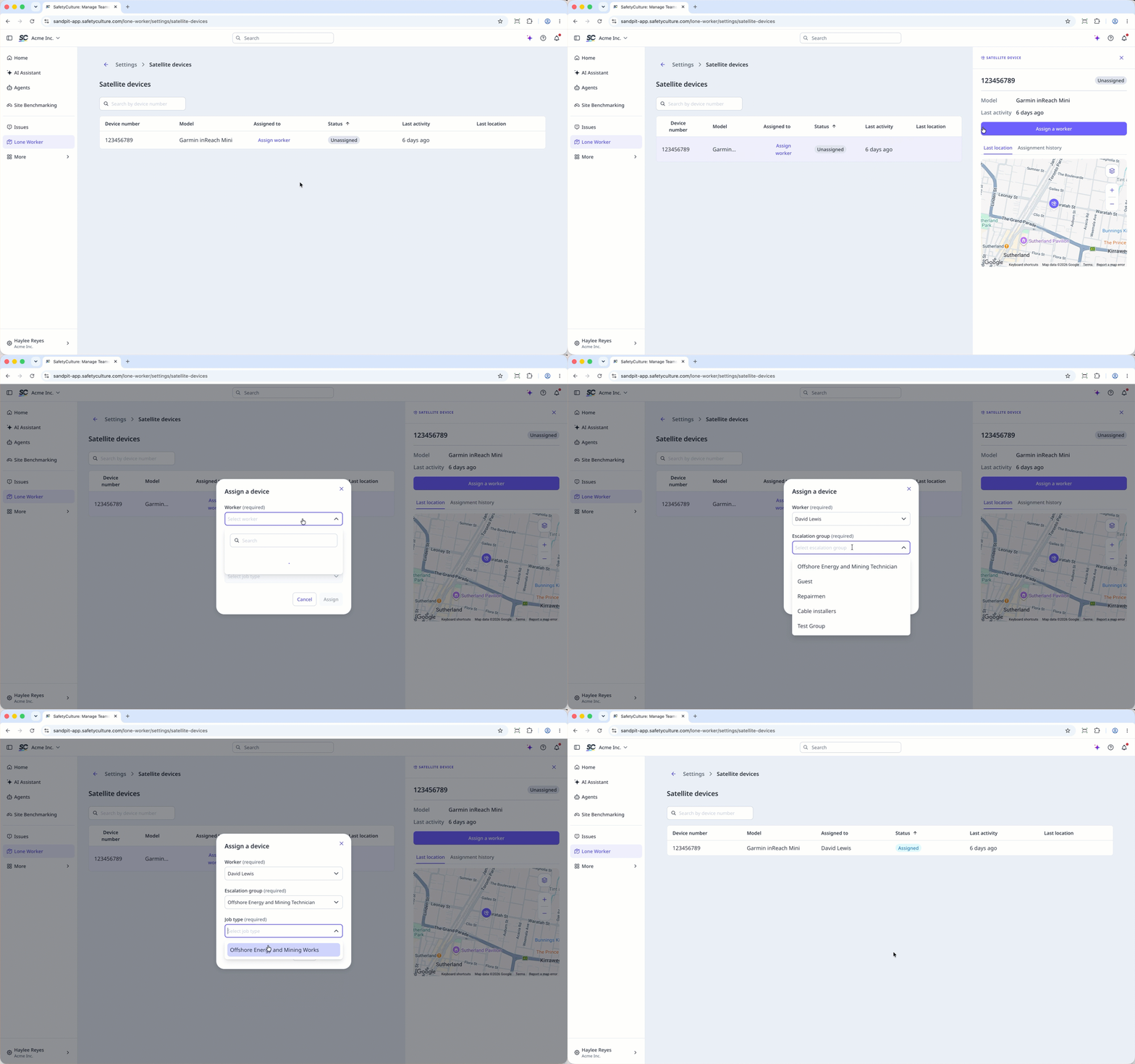
Assign a satellite device to a worker
Click Lone Worker from the sidebar or in More.
Click Settings at the top of the page.
Select Satellite devices.
Select the satellite device you want to assign.
In the side panel, click Assign a worker.
In the pop-up window, select from the following dropdown menu: Worker, Escalation group, Job type.
Click Assign.
Only one satellite device can be assigned to a lone worker at a time.
Unassign a satellite device from a worker
Click Lone Worker from the sidebar or in More.
Click Settings at the top of the page.
Select Satellite devices.
Select the satellite device you want to unassign.
In the side panel, click Unassign.
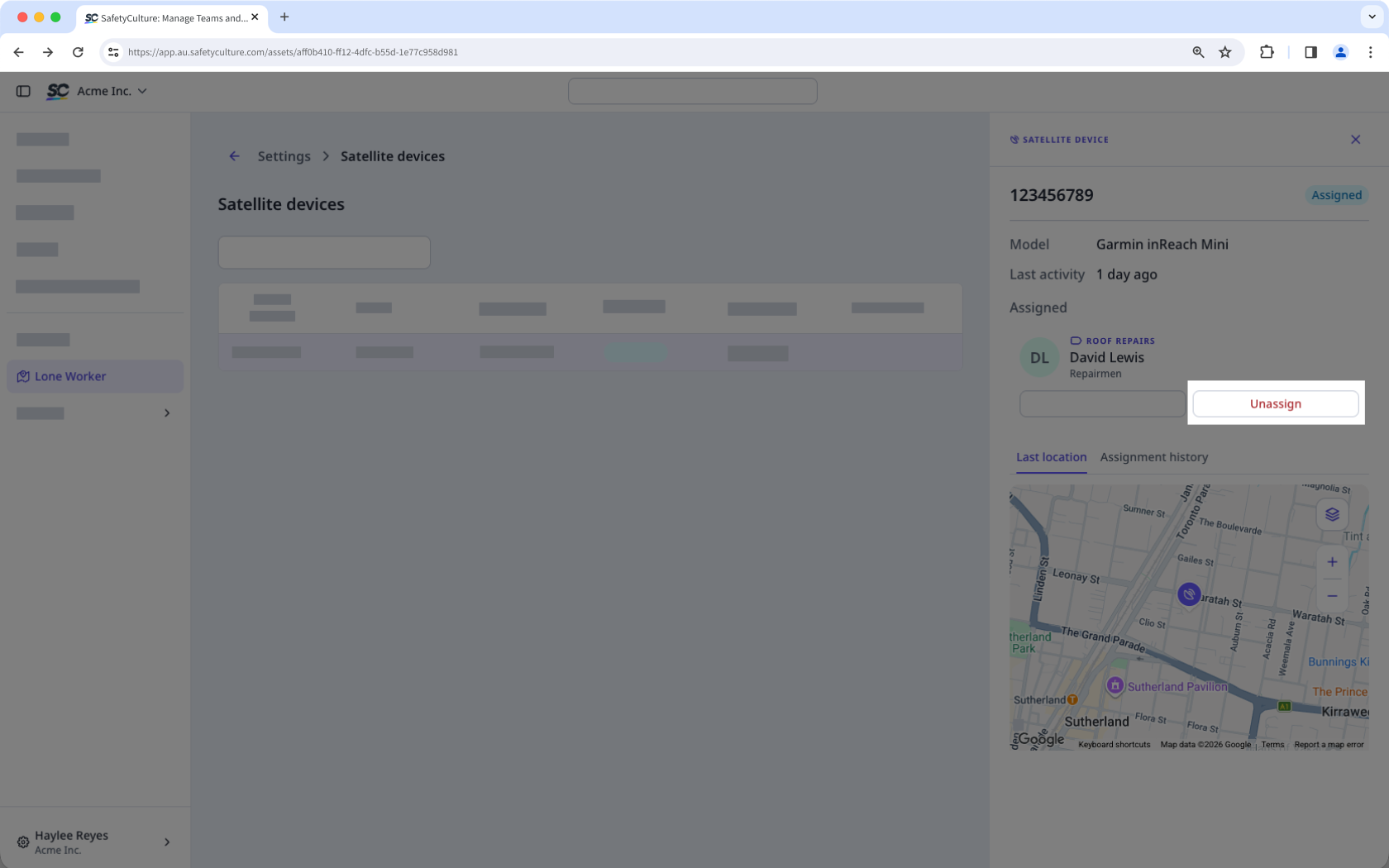
In the pop-up window, click Unassign.
Reassign a satellite device
Click Lone Worker from the sidebar or in More.
Click Settings at the top of the page.
S elect Satellite devices.
Select the satellite device you want to reassign.
In the side panel, click Reassign.
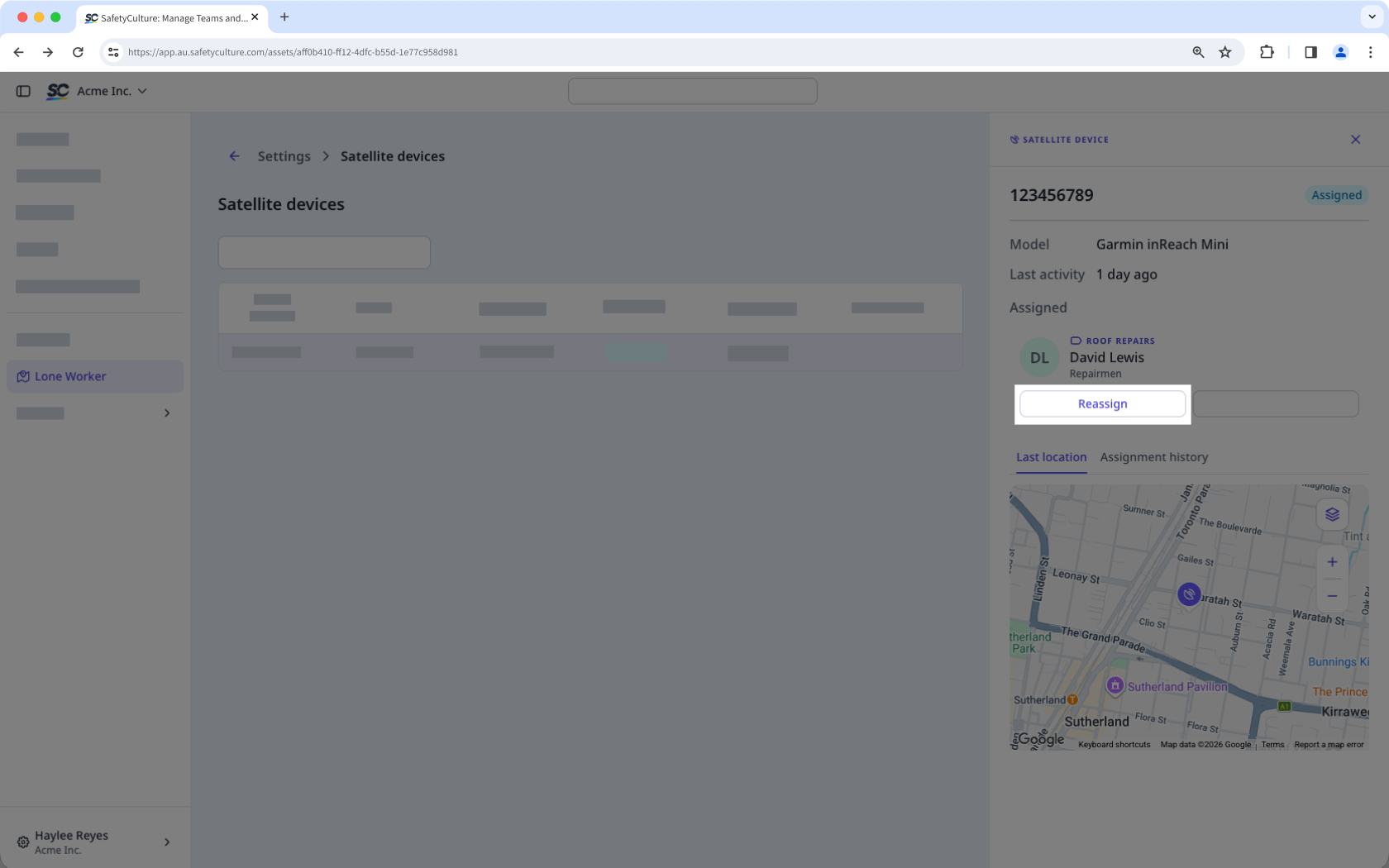
In the pop-up window, select from the following dropdown menu: Worker, Escalation group, Job type.
Click Unassign.
Frequently asked questions
Need more help?
Was this page helpful?
