Last updated: October 5, 2026
What you'll need
View agent runs
Click Agents in the sidebar.
Select the agent you want to view.
On the left-hand side of the page, select the run you want to view.
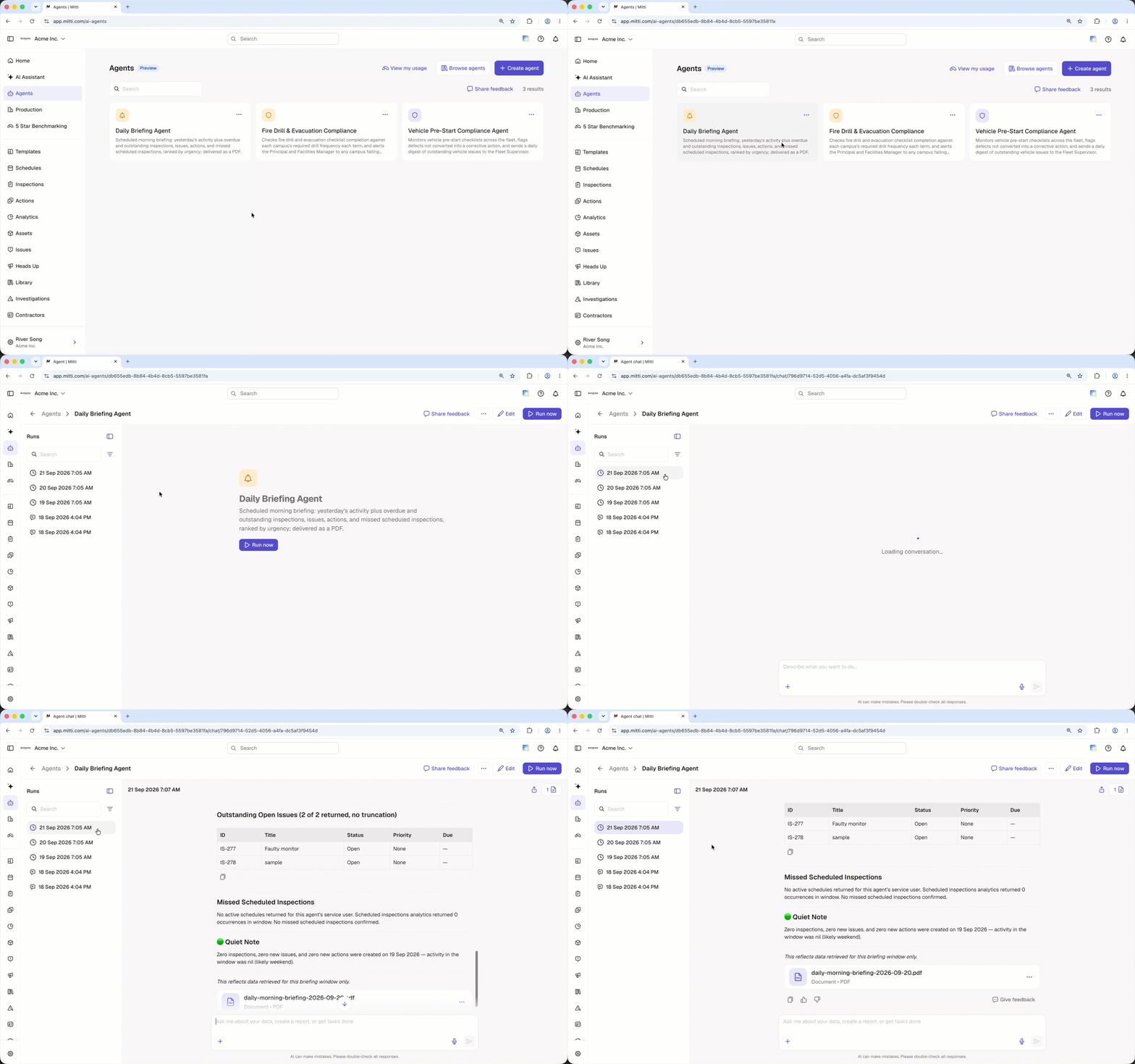
You can share agent runs with your team to make findings and recommendations easier to review.
Open the mobile app.
Tap More at the bottom of your screen and select .
Select the agent you want to view.
Tap at the upper-left of your screen.
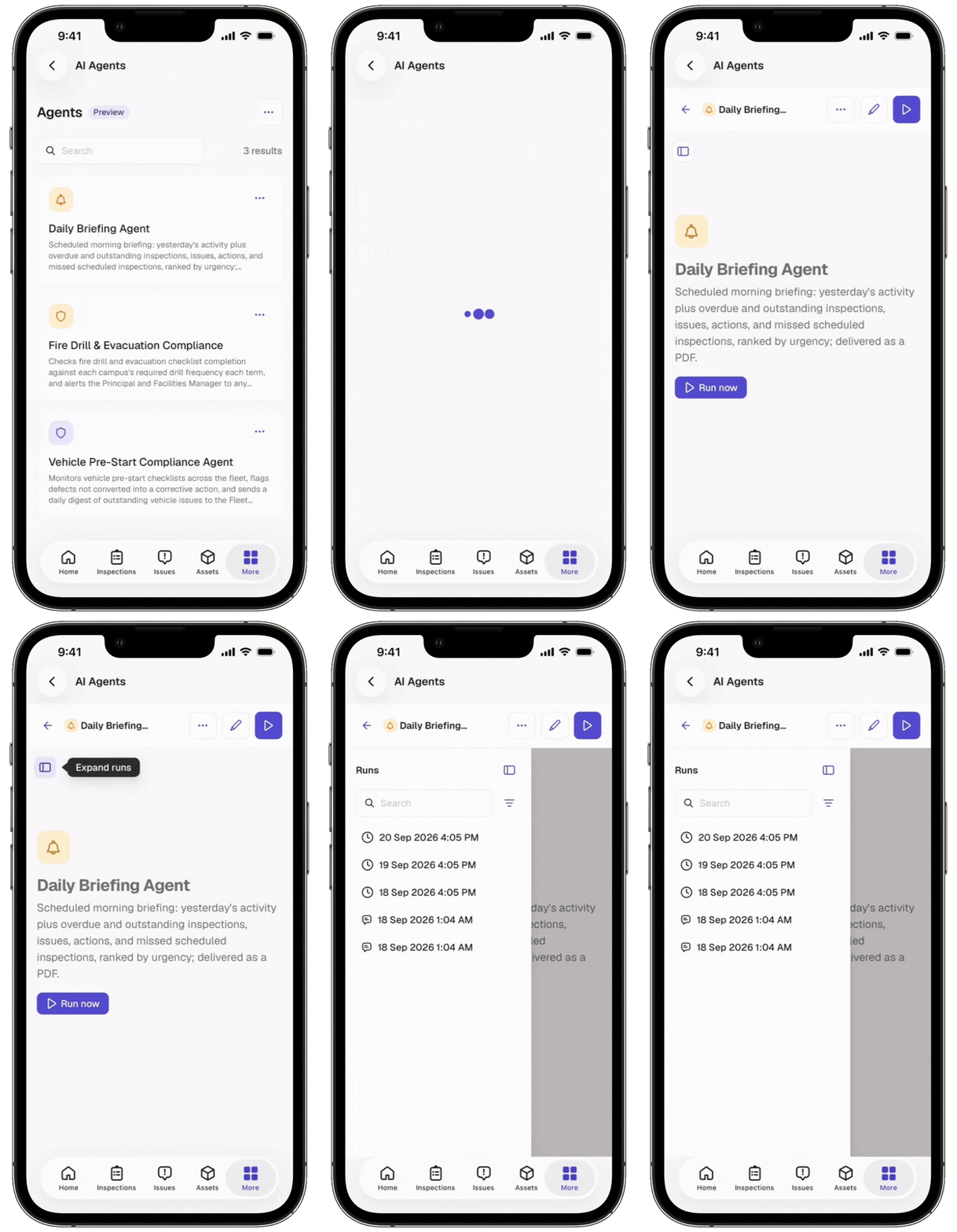
You can share agent runs with your team to make findings and recommendations easier to review.
Need more help?
Was this page helpful?