Last updated: October 27, 2026
What is Emergency Intelligence?
Emergency Intelligence is a CodeRed feature that shows live emergency feeds from government agencies. When an emergency affects your workers, Emergency Intelligence pre-fills a CodeRed alert for a manager to review before sending. Emergency Intelligence compares each emergency with the workers on an active job whose location was received in the last 10 minutes. Each emergency card shows the severity, time issued, location, issuing agency, and affected workers. With live emergency feeds in CodeRed, managers no longer need to watch government websites, identify who is nearby, or write an alert manually.
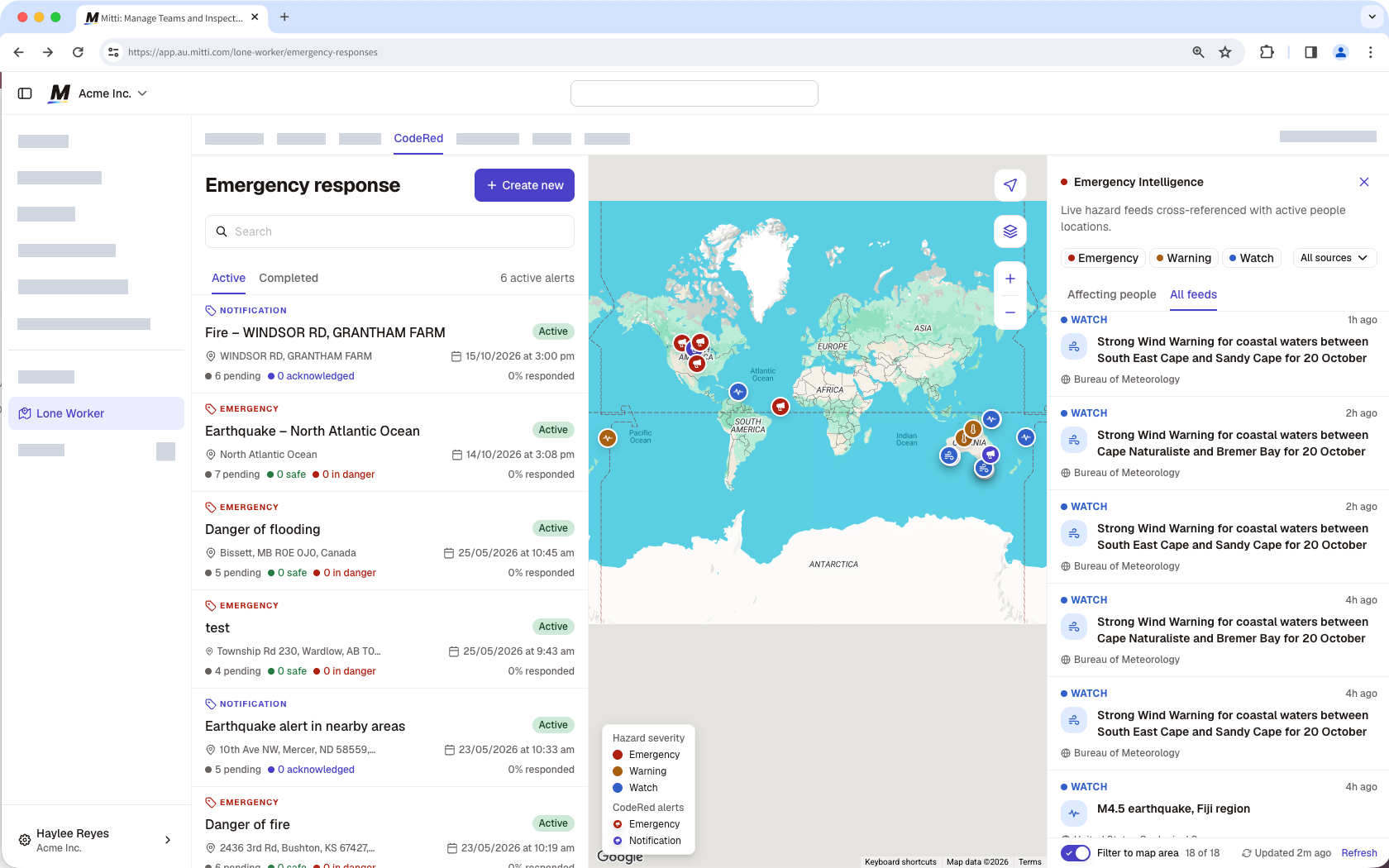
Most Emergency Intelligence feeds cover Australia only. Outside Australia, the panel shows earthquakes of magnitude 4.5 and above from the United States Geological Survey (USGS).
Show Emergency Intelligence and manage feeds
Click Lone Worker from the sidebar or in More.
Click Settings at the top of the page.
Select Emergency Intelligence.
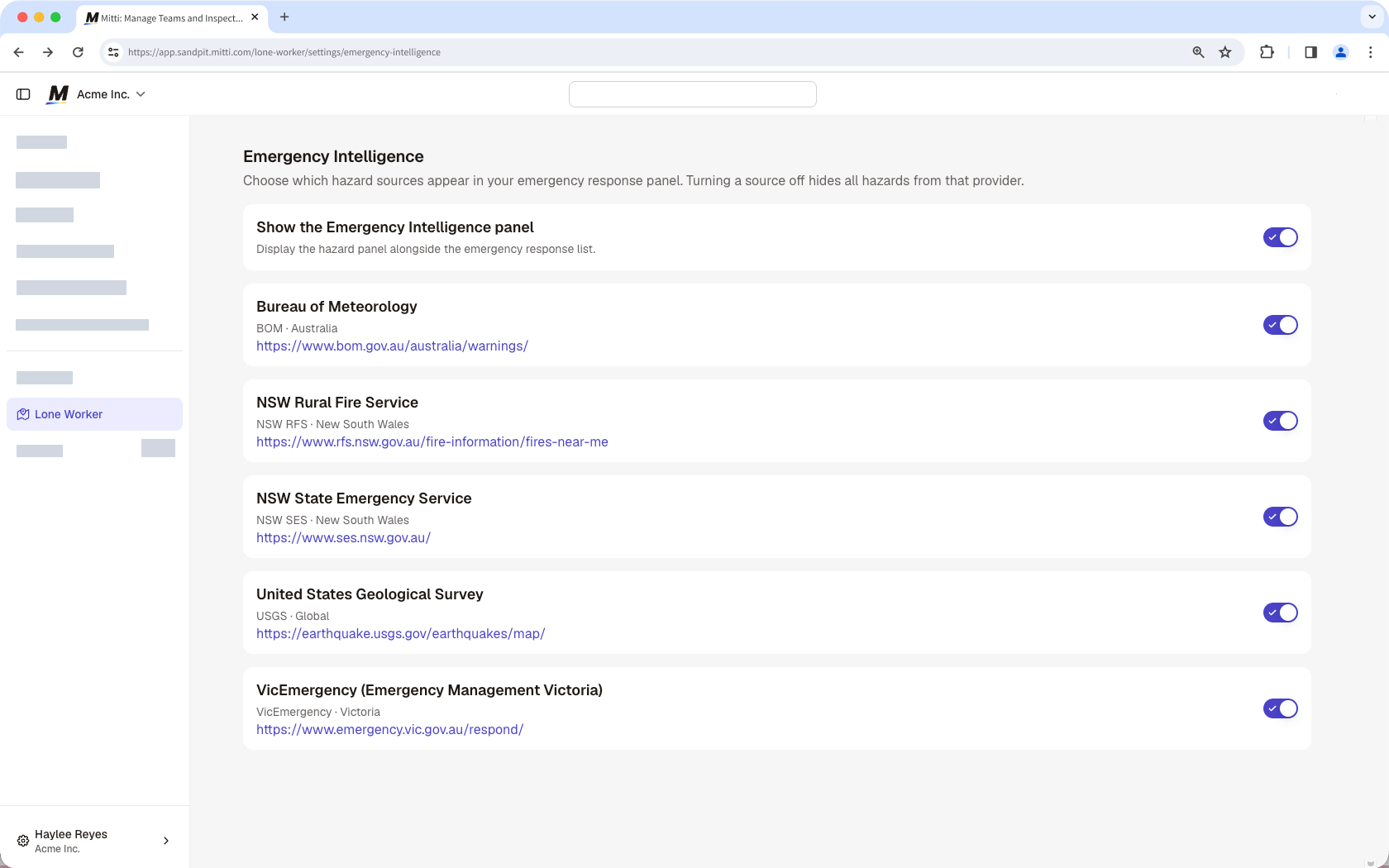
Turn Show the Emergency Intelligence panel on or off to show or hide the panel on the CodeRed page.
Turn each feed on or off. Turning a feed off hides its emergencies for your whole organization.
Review emergencies and create an alert
Click Lone Worker from the sidebar or in More.
Click CodeRed at the top of the page.
In the dropdown menu on the Emergency Intelligence panel, select a feed to show or hide its emergencies.
Click the severity levels to filter:
Emergency: The agency rates the emergency as extreme.
Warning: The agency rates the emergency as severe.
: The agency rates the emergency as minor.
Click a tab to filter the emergencies shown:
Affecting people: Shows only emergencies that overlap with workers on an active job whose location was received in the last 10 minutes.
All feeds: Shows every active emergency from your organization’s feeds, whether or not a worker is nearby.
To list only the emergencies in the part of the map you are viewing, turn on Filter to map area. Zoom or move the map to change the list.
Select an emergency to view its details.
Click Create alert on the lower-left of the panel.
A pre-filled Alert details page opens. Review and edit the details accordingly.
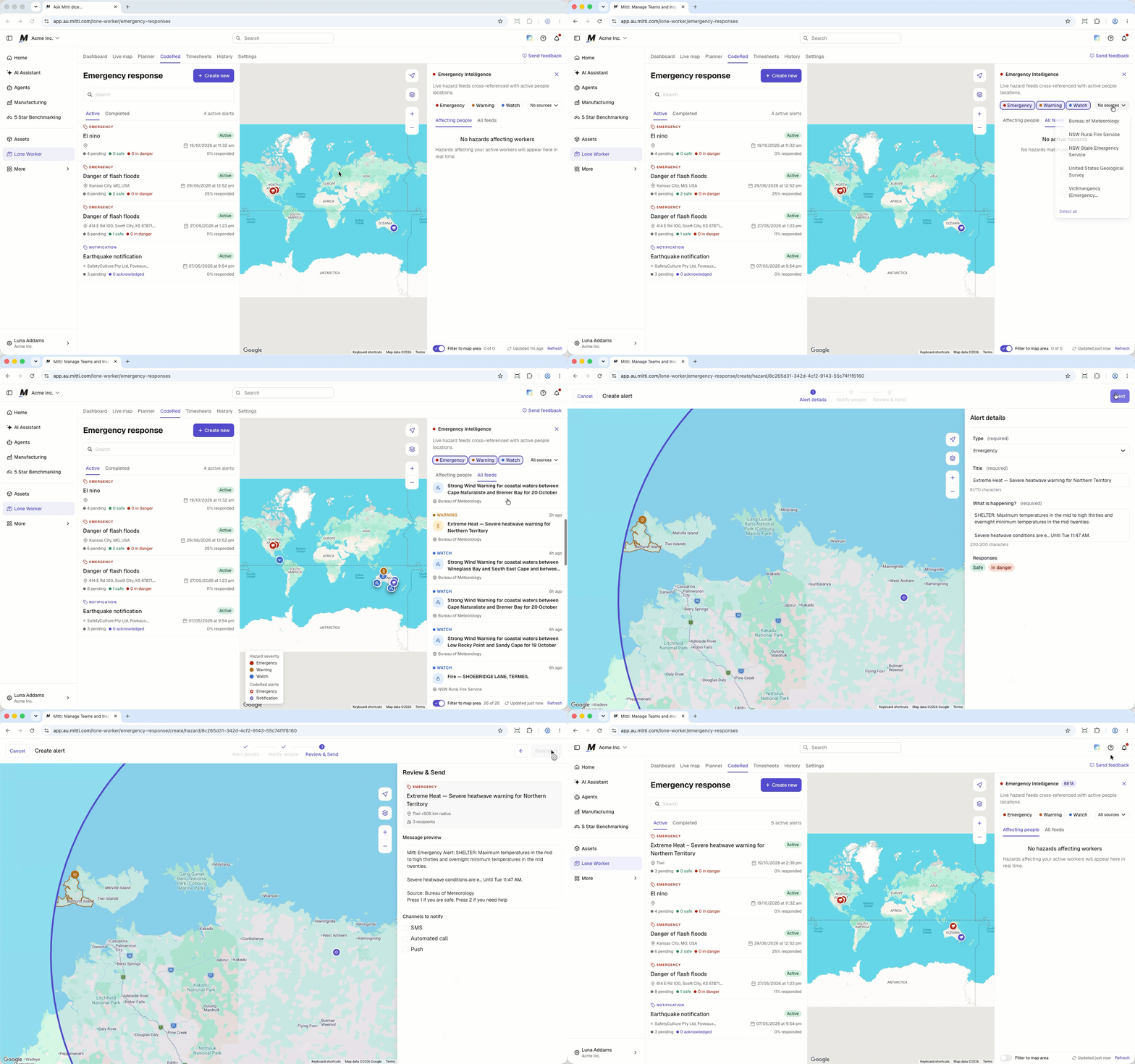
A CodeRed alert created from an emergency is pre-filled with the emergency’s details, including the title, alert type, and message.
The issuing agency sets the severity level of each emergency. The severities are color-coded, and the map also shows different kinds of emergencies and their location.
Limitations
Emergency Intelligence only identifies workers who have an active job and whose location was received in the last 10 minutes.
Emergency Intelligence coverage and update timing depend on each agency's feed.
Emergency Intelligence doesn't cover security threats, such as an active armed offender.
Emergency Intelligence includes instructions that come from the issuing agency’s feed, but doesn’t generate safety guidance or evacuation routes.
Frequently asked questions
Need more help?
Was this page helpful?