Zuletzt aktualisiert: 1. Juli 2024
Was Sie brauchen
Eine zugewiesene Aktion anzeigen
Select Aktionen in the sidebar or in Mehr.
Click Mir zugewiesen at the top of the page.
Select the action you want to view.
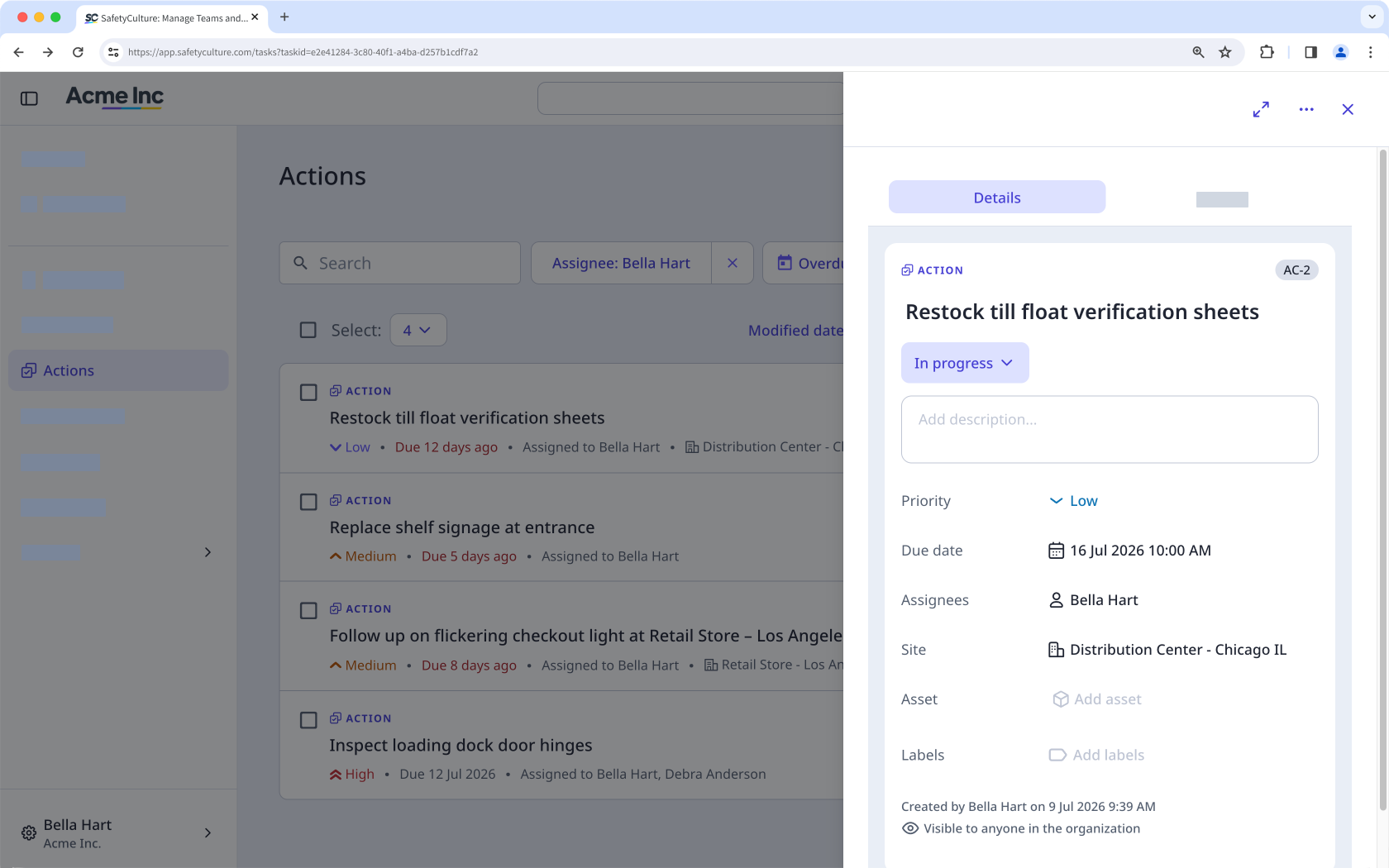
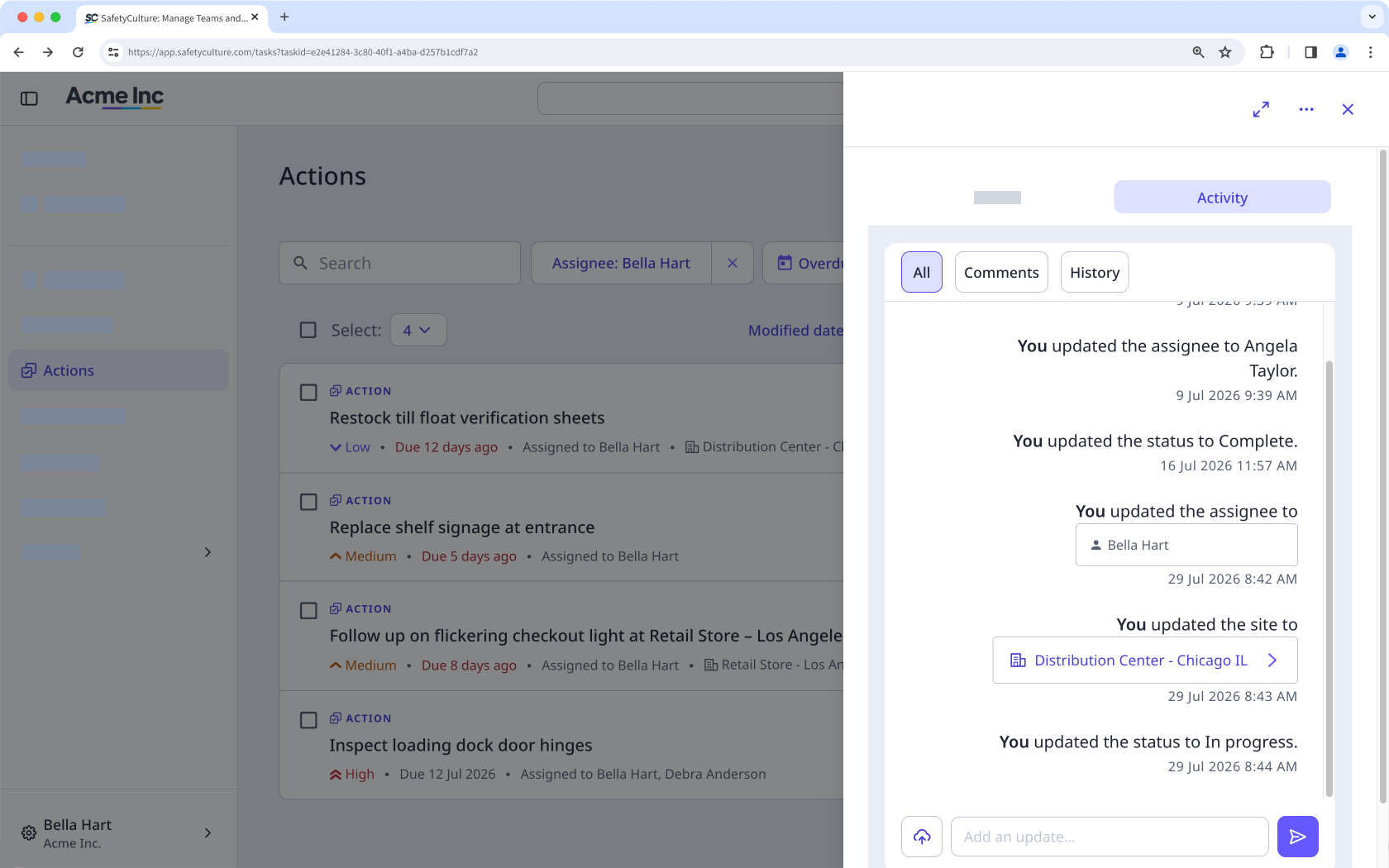
In the side panel, select any of the following tabs:
Einzelheiten: Use this tab to view the primary details about the action. You can also scroll down to see if the action came from an inspection, action, issue, or inspection report.
Aktivität: Use this tab to view any changes made to the action, including comments and media. You cannot edit or delete action activity items.
Open the mobile app.
Tap Aktionen in the navigation bar or select it from Mehr.
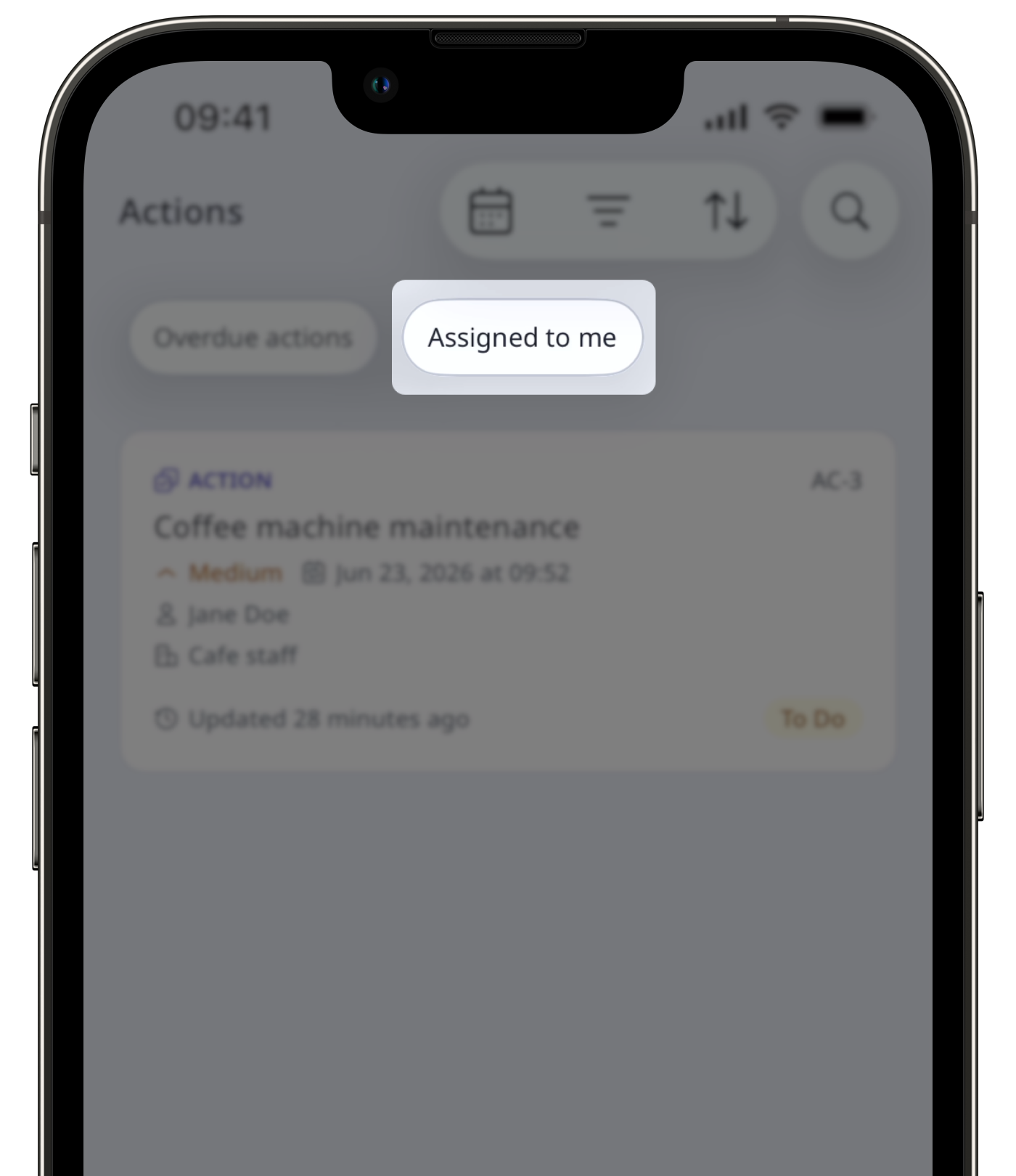
At the top of your screen, next to , swipe to the right and tap Mir zugewiesen.
Select the action you want to view.
Tap any of the following tabs:
Einzelheiten: Use this tab to view the primary details about the action. You can also scroll down to see if the action came from an inspection, action, issue, or inspection report
Aktivität: Use this tab to view any changes made to the action, including comments and media. You cannot edit or delete action activity items.
Die Nutzer benötigen möglicherweise Zugriff, um die folgenden Vorgänge anzuzeigen:
Inspektion anzeigen: Mindestens Zugriffsstufe „Anzeigen“, um die Inspektion anzuzeigen, aus der eine Aktion erstellt wurde.
Inspektion starten: Mindestens Zugriffsstufe „Durchführen“, um eine Inspektion von einer verlinkten Vorlage aus zu starten.
Brauchen Sie weitere Hilfe?
War diese Seite hilfreich?
