Zuletzt aktualisiert: 3. Juli 2024
Was Sie brauchen
Kursvorschau anzeigen
Select Schulungen in the sidebar or in Mehr.
If you're on the "Learn" page, click Inhalt at the top of the page and select Kurse.
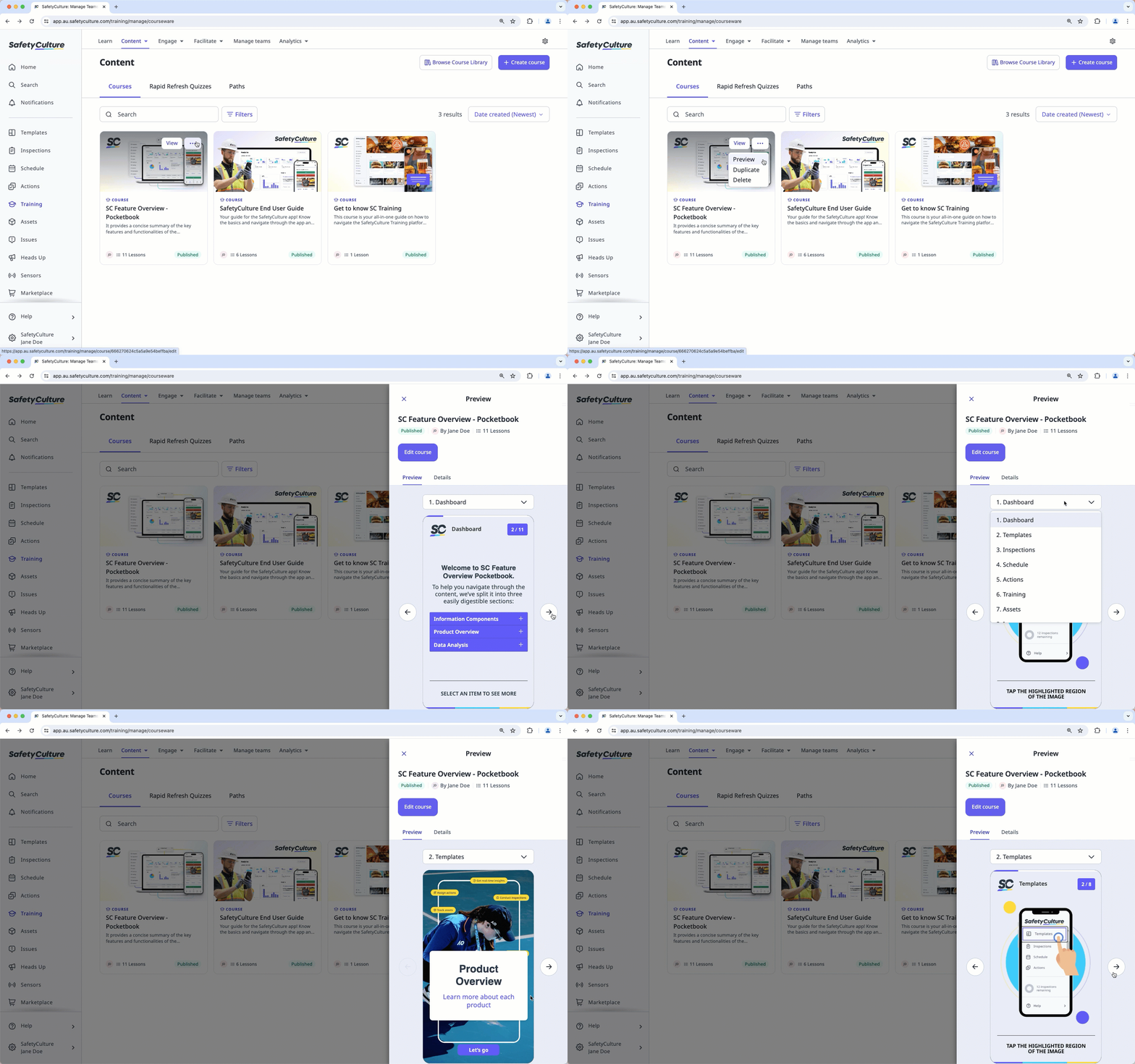
Hover your cursor over the course, then click , and select Vorschau.
In the side panel, preview the course. You can use the dropdown menu above the preview to navigate between lessons.
Brauchen Sie weitere Hilfe?
War diese Seite hilfreich?
