Última actualización: 20 de agosto de 2024
Lo que necesitarás
A continuación se indican algunas cosas que debe revisar para garantizar el éxito de la sincronización:
La aplicación móvil Mitti está actualizada.
Su dispositivo móvil tiene conexión a Internet.
Reintentar sincronizar una inspección
Open the mobile app.
Tap Inspecciones in the navigation bar or select it from Más.
Select En progreso y Completas tab at the top of your screen.
Inspections with errors should appear at the top of the list.
Tap the inspection, and then tap Vuelva a intentarlo.
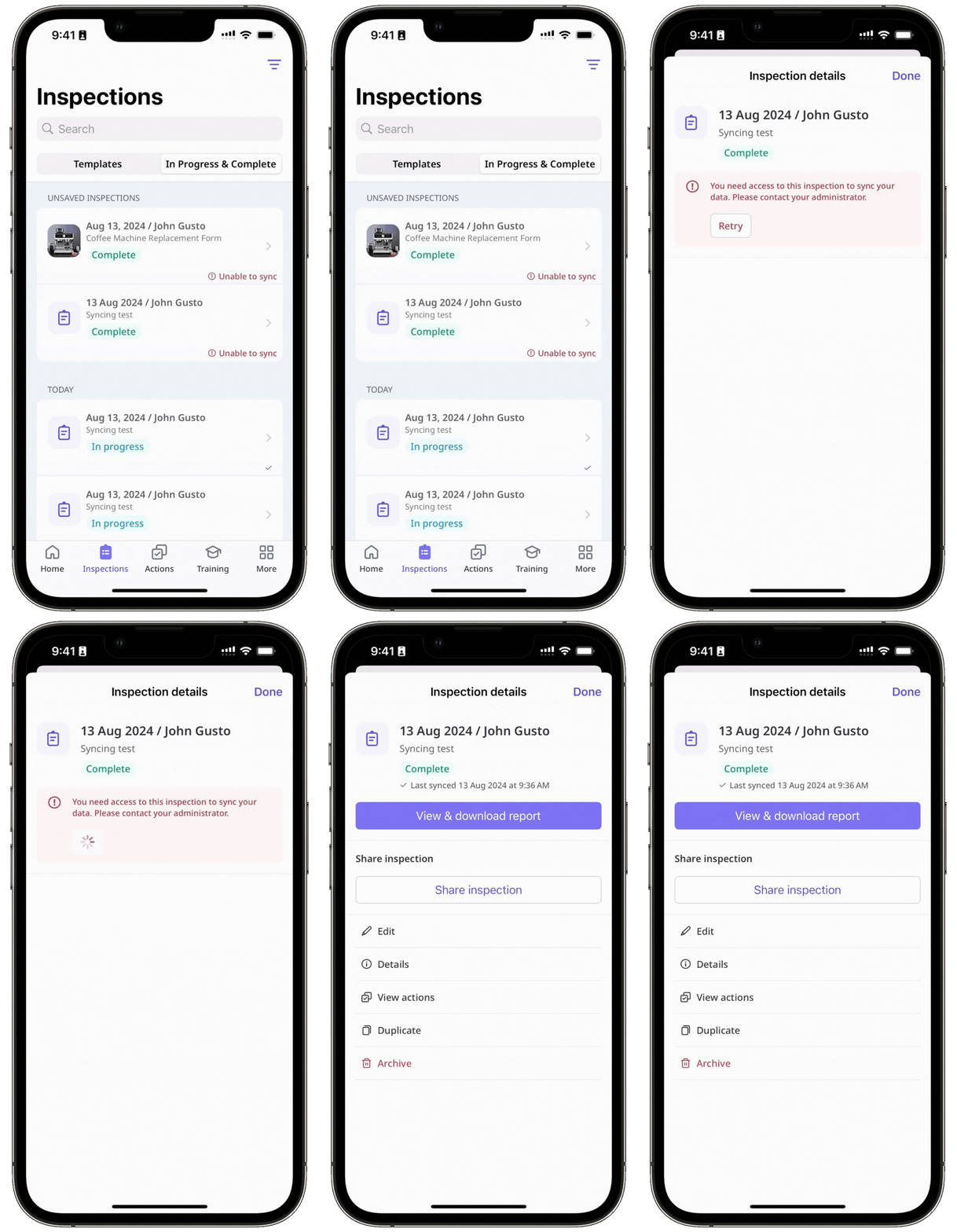
Depending on the error, the retry may succeed. If retrying continues to fail, please refer to the inspection errors outlined in this article and resolve the error accordingly.
Error al editar la inspección
Error al comenzar la inspección
Error al duplicar la inspección
Error al archivar la inspección
Error de acceso
¿Necesitas más ayuda?
¿Fue útil esta página?