Última actualización: 3 de julio de 2024
Lo que necesitarás
Obtener vista previa de un curso
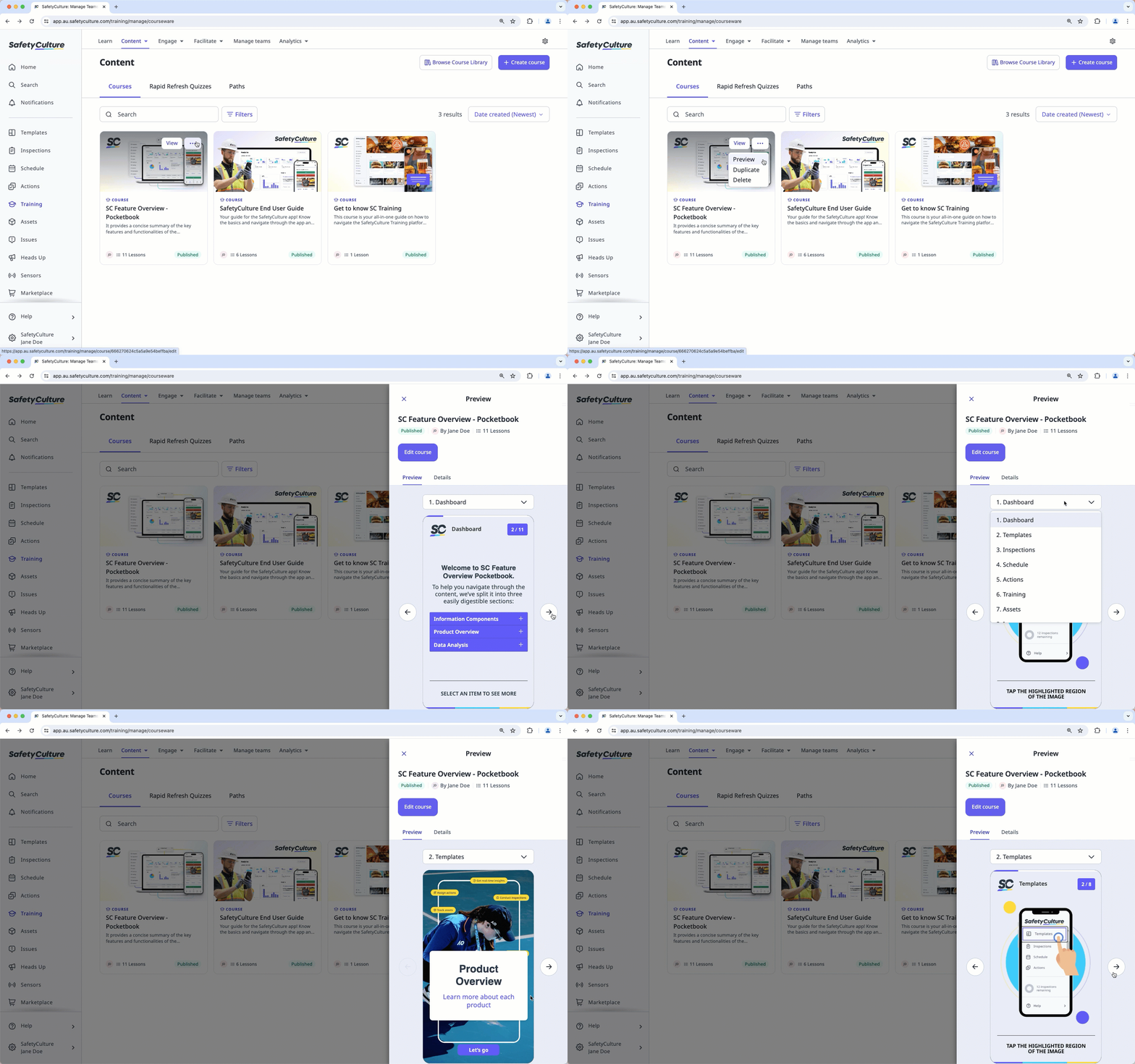
Select Formación in the sidebar or in Más.
If you're on the "Learn" page, click Contenido at the top of the page and select Cursos.
Hover your cursor over the course, then click , and select Vista previa.
In the side panel, preview the course. You can use the dropdown menu above the preview to navigate between lessons.
¿Necesitas más ayuda?
¿Fue útil esta página?
