Última actualización: 2 de septiembre de 2026
Lo que necesitarás
Move a dashboard to a folder
Seleccione Estadísticas en la barra lateral o selecciónelo en Más.
Haga clic en en el lado derecho del panel y seleccione Mover a carpeta.
En la ventana emergente, haga clic en "Seleccionar carpeta" del menú desplegable.
Seleccione la carpeta a la que desea mover el panel o haga clic en Crear carpeta para crear una nueva.
Haga clic en Mover o Crear carpeta.
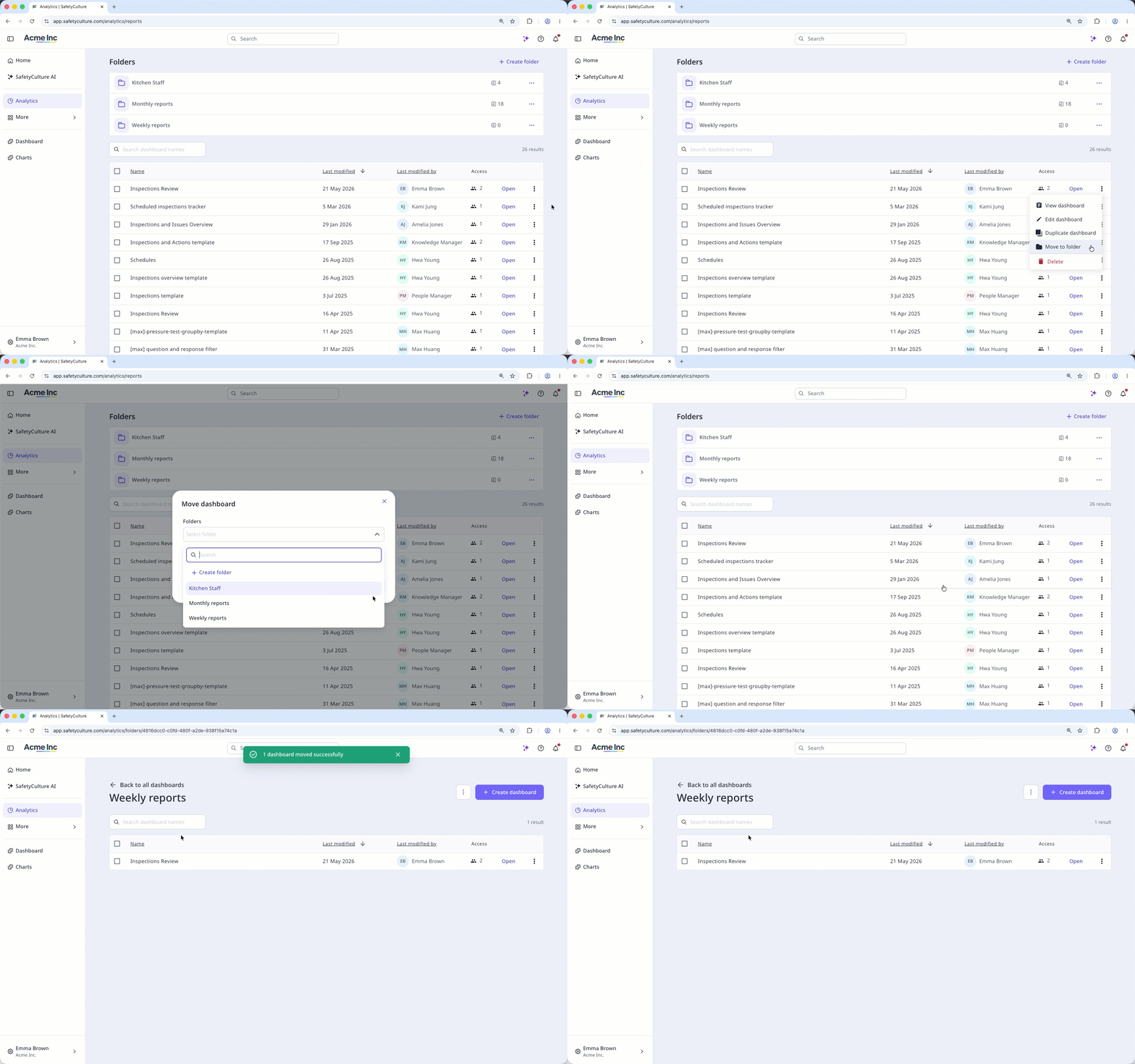
The dashboard stays on the dashboard list after moving it to a folder.
Mover paneles en masa a una carpeta: Aplicación web
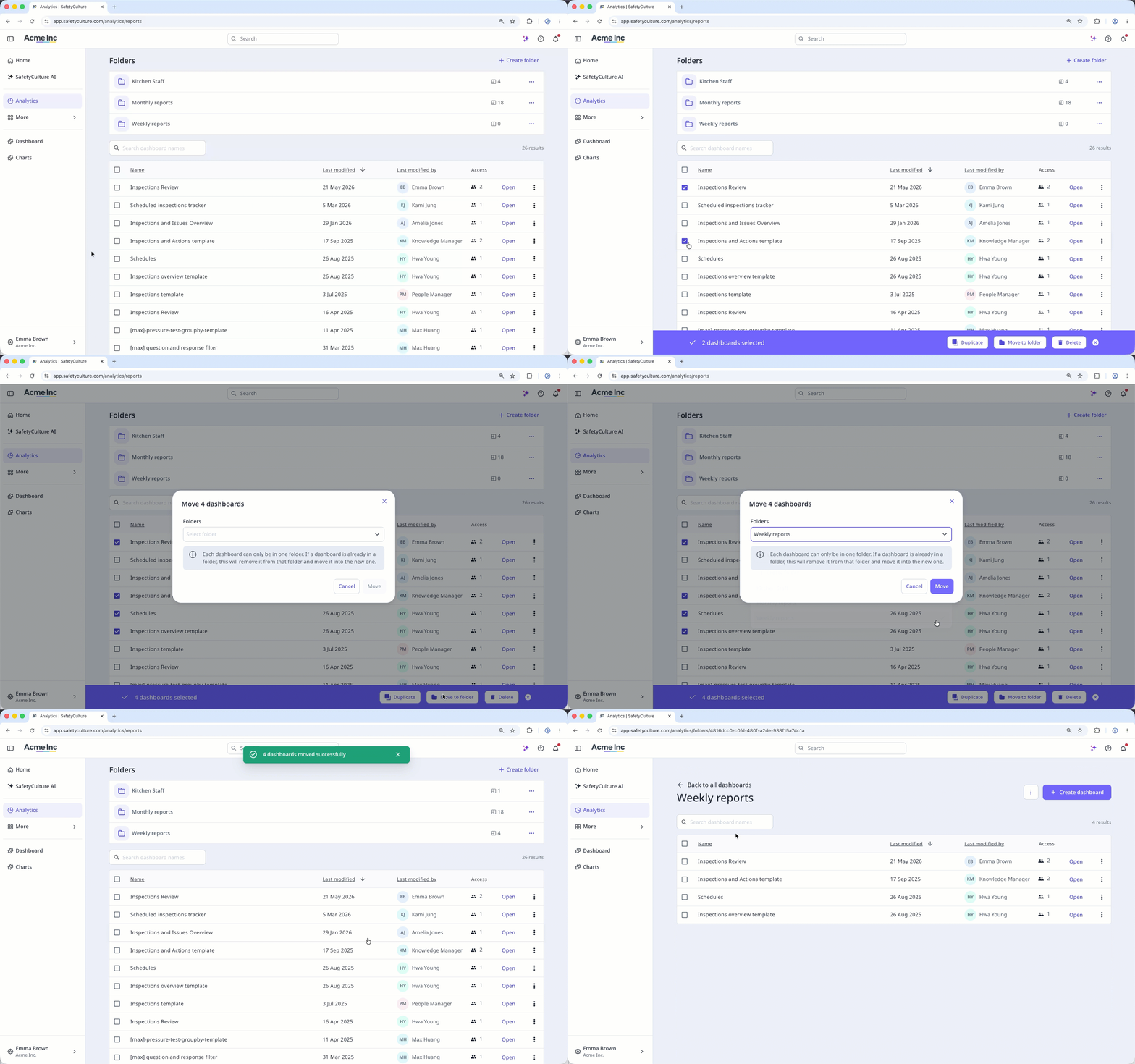
Select Estadísticas in the sidebar or in Más.
Select the dashboards you want to move by checking the box on the left-hand side of each dashboard.
Click Mover a carpeta at the bottom of the page.
In the pop-up window, click the "Select folder" dropdown menu.
Select the folder you want to move the dashboard to or click Crear carpeta to create a new one.
Remove a dashboard from a folder
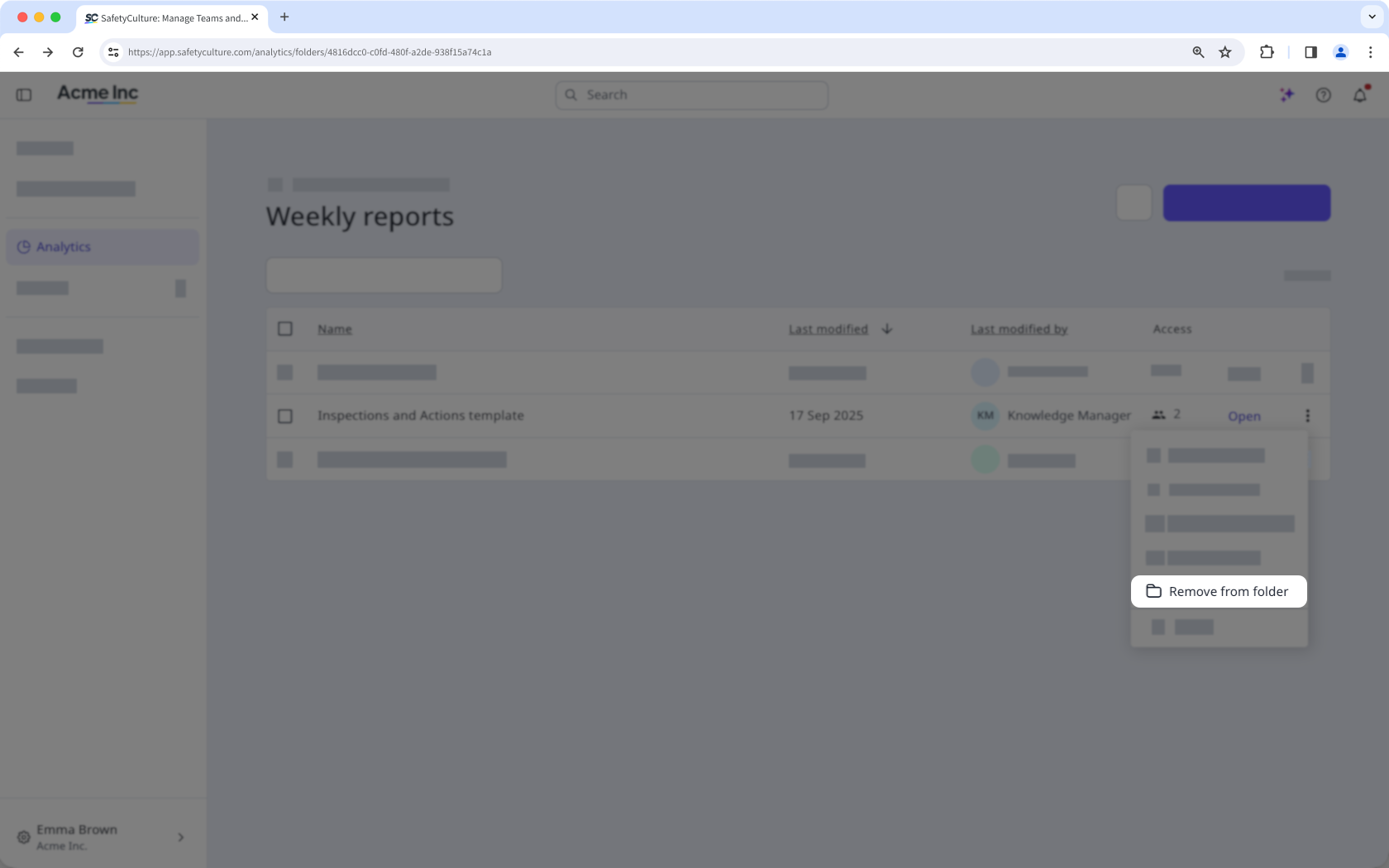
Select Estadísticas in the sidebar or in Más.
Click the folder from the "Folders" section.
Click on the right-hand side of the dashboard and select Eliminar de la carpeta.
If you don't have Permiso de "Estadísticas: gestionar", you can only move dashboards you've created to folders.
Limitations
Each organization can only have up to 200 folders.
Each dashboard can only be in one folder. If a dashboard is already in a folder, moving it to a new one will remove it from its current folder.
Users can only see dashboards they have access to when browsing folders.
¿Necesitas más ayuda?
¿Fue útil esta página?
