Dernière mise à jour: 1 juillet 2024
Ce dont vous aurez besoin
Afficher une action attribuée
Select Actions in the sidebar or in Plus.
Click Attribuées à moi at the top of the page.
Select the action you want to view.
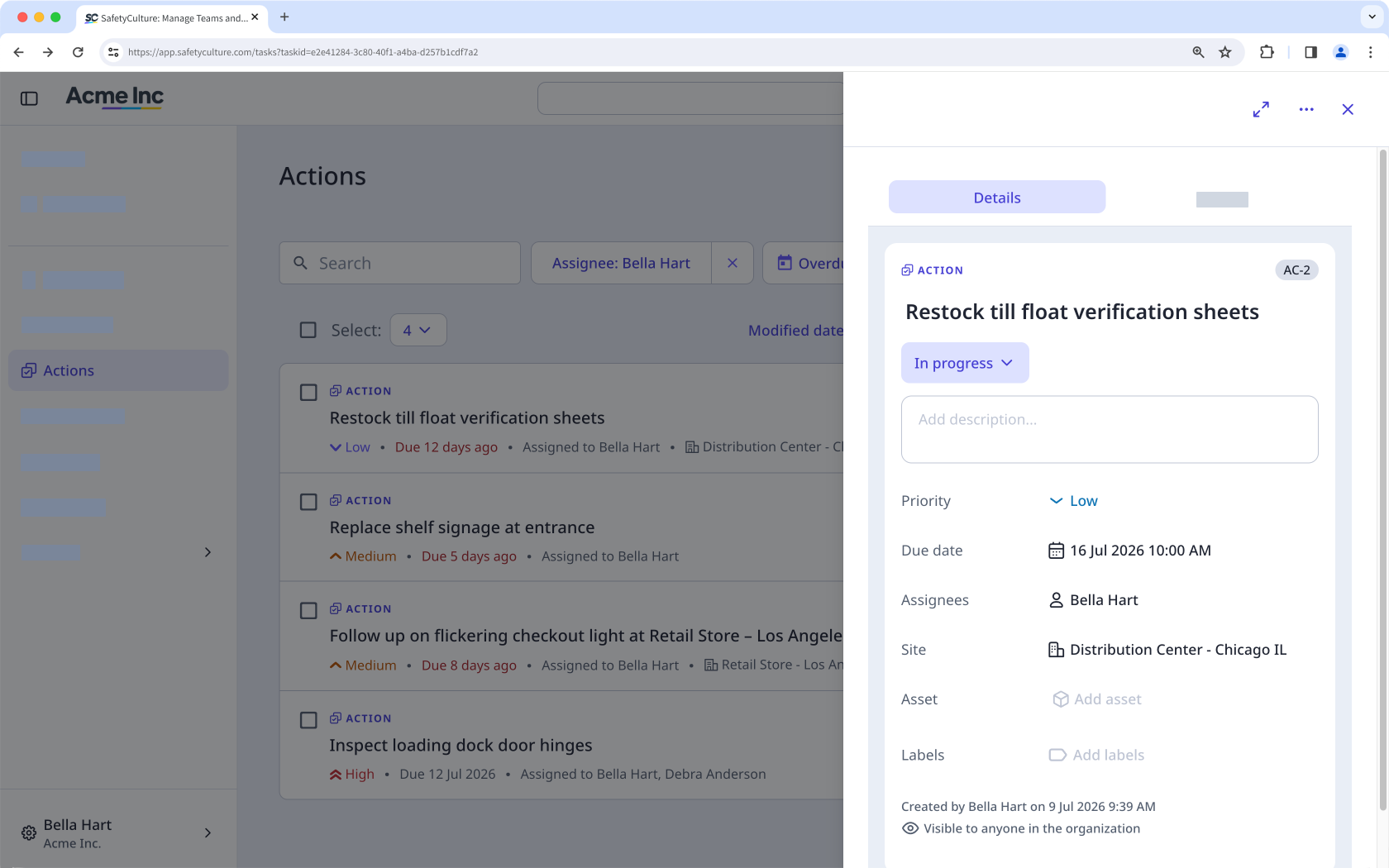
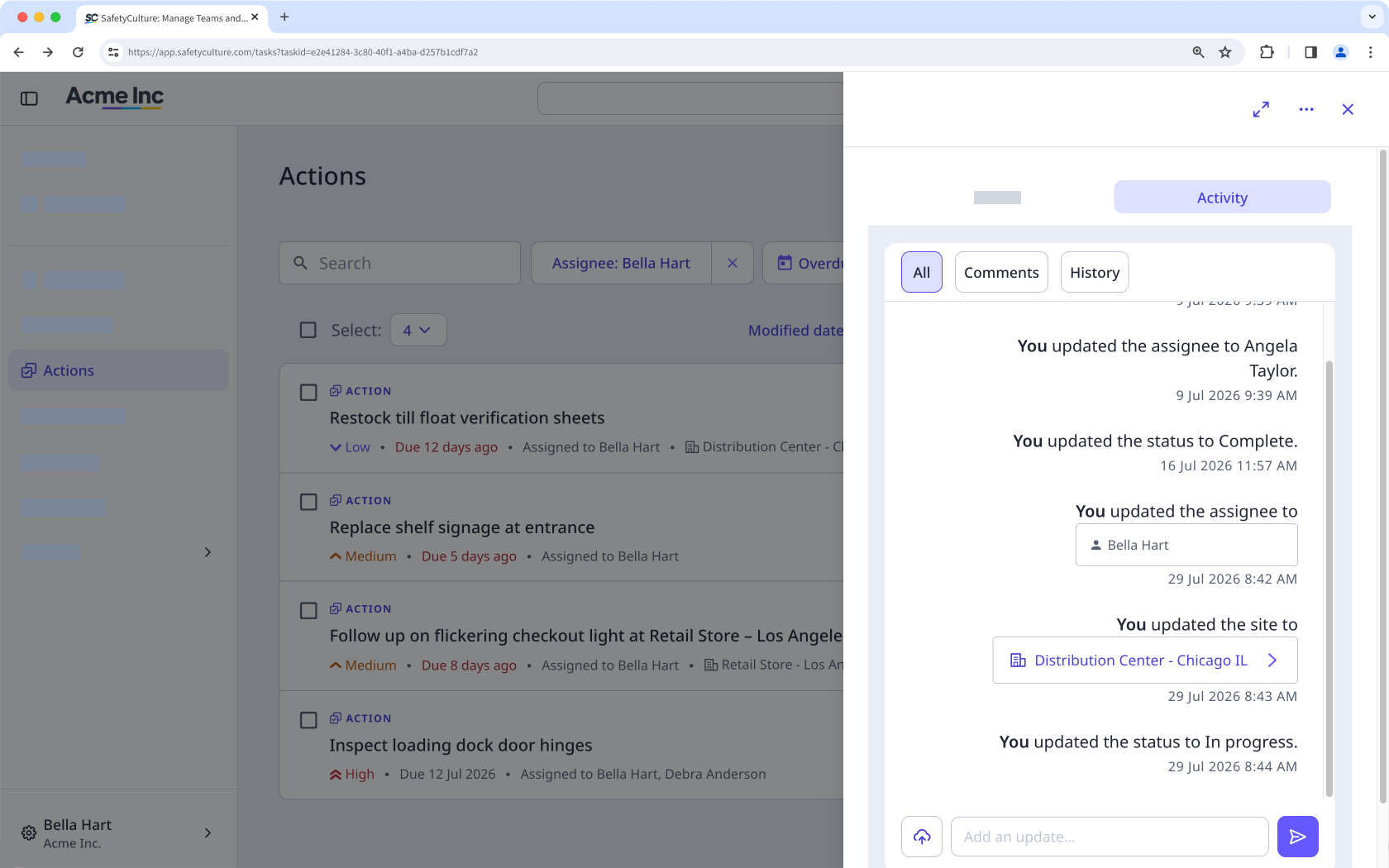
In the side panel, select any of the following tabs:
Détails: Use this tab to view the primary details about the action. You can also scroll down to see if the action came from an inspection, action, issue, or inspection report.
Activité: Use this tab to view any changes made to the action, including comments and media. You cannot edit or delete action activity items.
Open the mobile app.
Tap Actions in the navigation bar or select it from Plus.
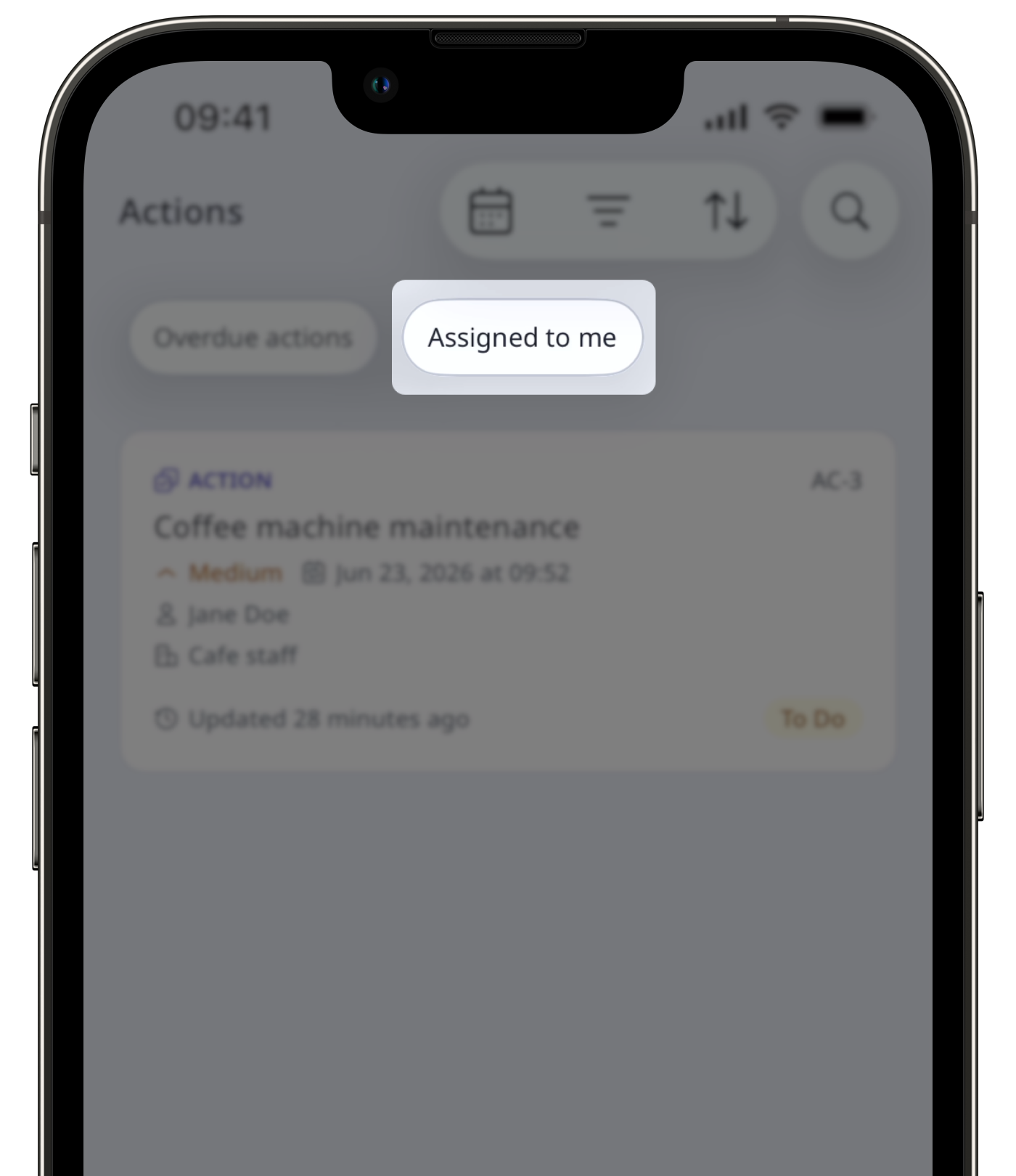
At the top of your screen, next to , swipe to the right and tap Attribuées à moi.
Select the action you want to view.
Tap any of the following tabs:
Détails: Use this tab to view the primary details about the action. You can also scroll down to see if the action came from an inspection, action, issue, or inspection report
Activité: Use this tab to view any changes made to the action, including comments and media. You cannot edit or delete action activity items.
Les utilisateurs peuvent avoir besoin d'un accès pour effectuer les opérations suivantes lors de l'affichage des actions :
Afficher une inspection : Niveau d'accès « Afficher » au minimum pour afficher l'inspection à partir de laquelle une action a été créée.
Commencer une inspection : Niveau d'accès « Effectuer » au minimum pour commencer une inspection à partir d'un modèle lié.
Besoin d'aide supplémentaire?
Cette page vous a-t-elle été utile?
