Dernière mise à jour: 3 septembre 2026
Ce dont vous aurez besoin
Ajouter un nouveau contact de facturation
Click your organization name on the lower-left corner of the page and select Facturation.
Click Détails at the top of the page.
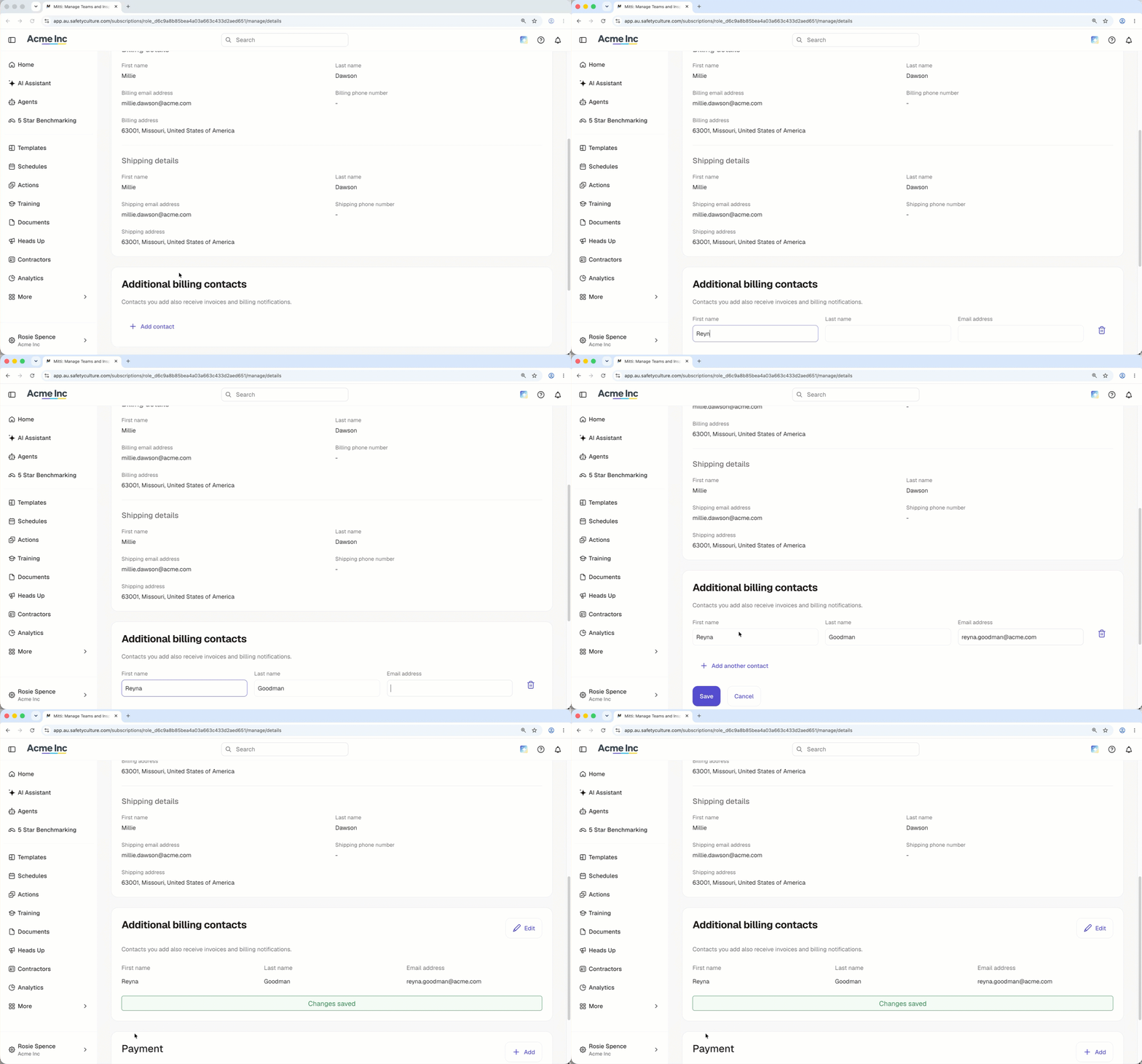
In the "Additional billing contacts" section, click Ajouter un contact.
Enter the first name, last name, and email address of the new billing contact.
Click Enregistrer.
Modifier un contact de facturation supplémentaire
Click your organization name on the lower-left corner of the page and select Facturation.
Click Détails at the top of the page.
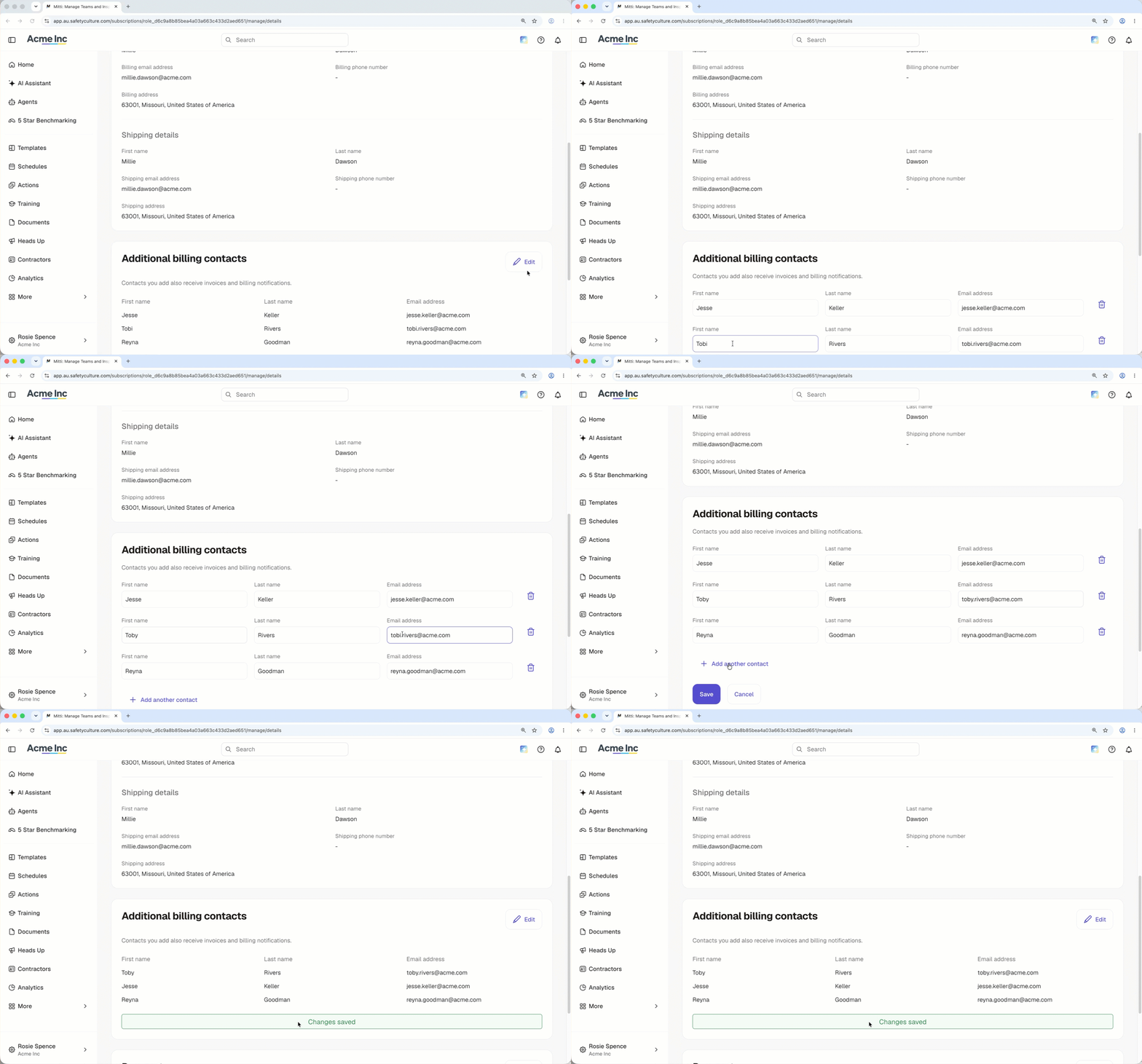
In the "Additional billing contacts" section, click Modifier.
Edit the name or email address of your billing contact.
Click Enregistrer.
Delete an additional billing contact
Click your organization name on the lower-left corner of the page and select Facturation.
Click Détails at the top of the page.
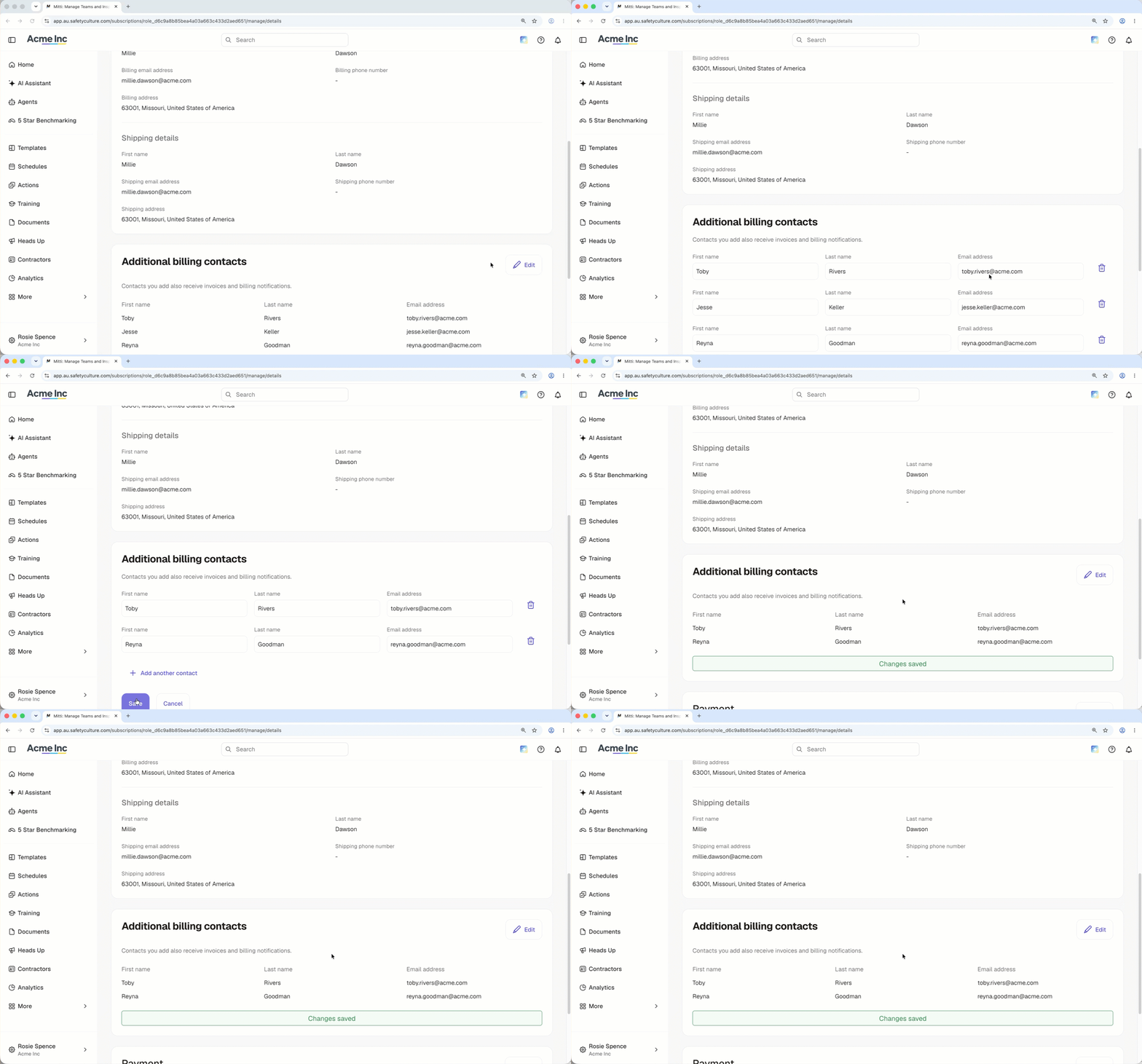
In the "Additional billing contacts" section, click Modifier.
Click on the right-hand side of the billing contact.
Click Enregistrer.
Besoin d'aide supplémentaire?
Cette page vous a-t-elle été utile?