Dernière mise à jour: 29 septembre 2026
Cette fonctionnalité est actuellement en Aperçu. Alors que nous continuons à développer cette fonctionnalité, ses caractéristiques et sa disponibilité peuvent changer avant sa sortie complète.
Pourquoi partager les chats avec des agents ?
Partagez un chat avec un agent afin de fournir à vos collègues le contexte complet d'une tâche. Un chat partagé est en affichage seul et affiche l'intégralité de la conversation, chaque étape effectuée par l'agent et le résultat. Partagez un chat avec un agent lorsqu'un collègue a besoin d'examiner le travail effectué ou de comprendre comment l'agent est parvenu à ce résultat.
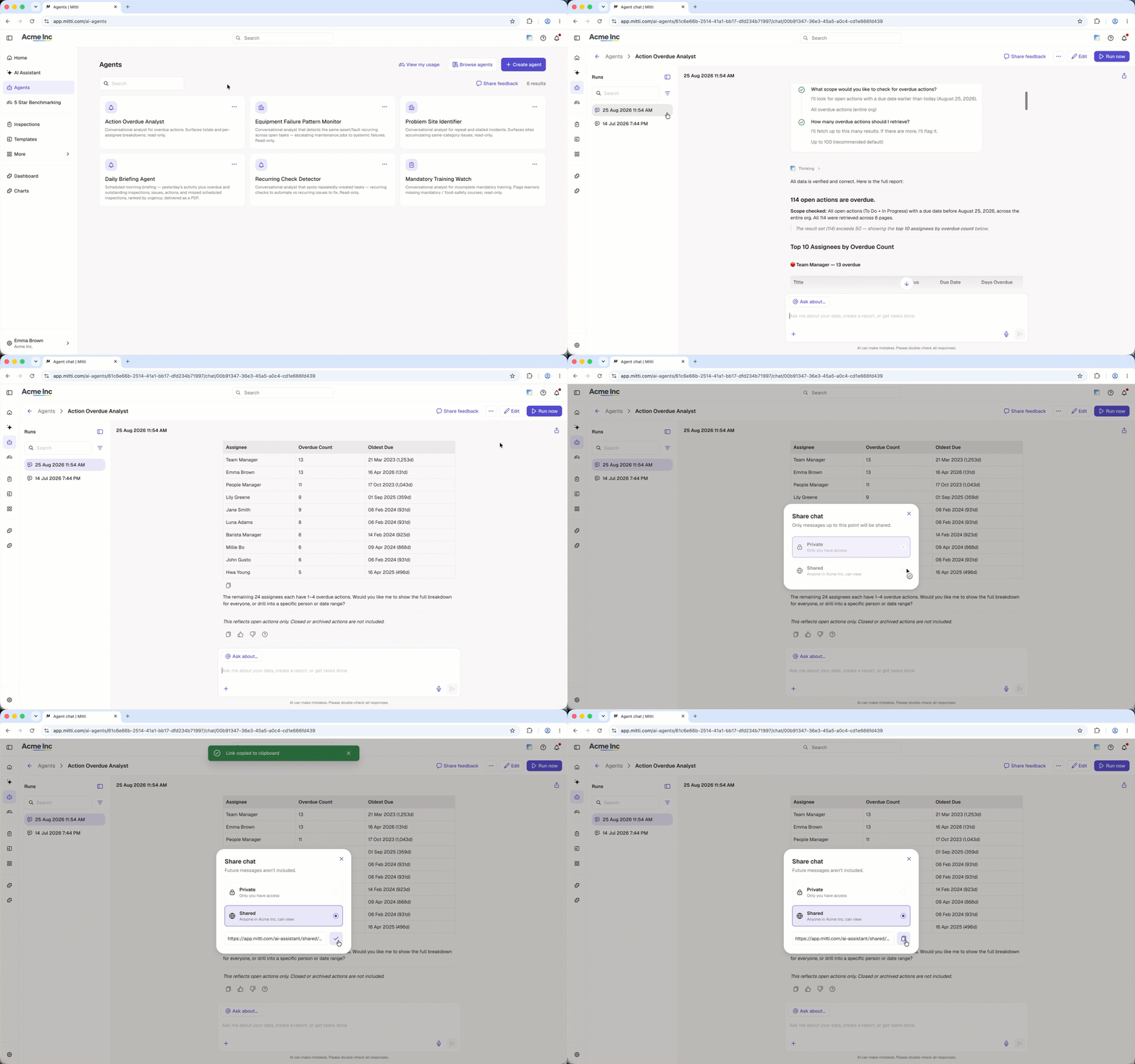
Partager un chat avec un agent
Click Agents in the sidebar.
Select the agent that has the chat you want to share.
On the left-hand side of the page, select the chat you want to share from the Runs list.
Click on the upper-right of the chat.
In the pop-up window, click Partagé to view the shareable link.
Click to copy the link. You'll see a confirmation that the link was copied.
Share the copied link with your team so they can view the chat.
Une chat avec une agent partagé affiche la conversation telle qu'elle était au moment où vous l'avez partagée. Les messages envoyés après ce moment n'apparaissent pas dans le chat partagé.
Questions fréquemment posées
Besoin d'aide supplémentaire?
Cette page vous a-t-elle été utile?