Last updated: October 5, 2026
What are Agents in Mitti?
Agents in Mitti do the checking and analysis for you. Think of an agent as a team member who specializes in a specific task. You define what to look for, and it runs whenever you need it. The agent works through your organization's data and surfaces what matters, along with suggested next steps.
For example, instead of manually checking hundreds of inspection reports to find the three that need action, an agent scans them and tells you exactly what needs fixing.
Exploring Agents in Mitti
Agent list
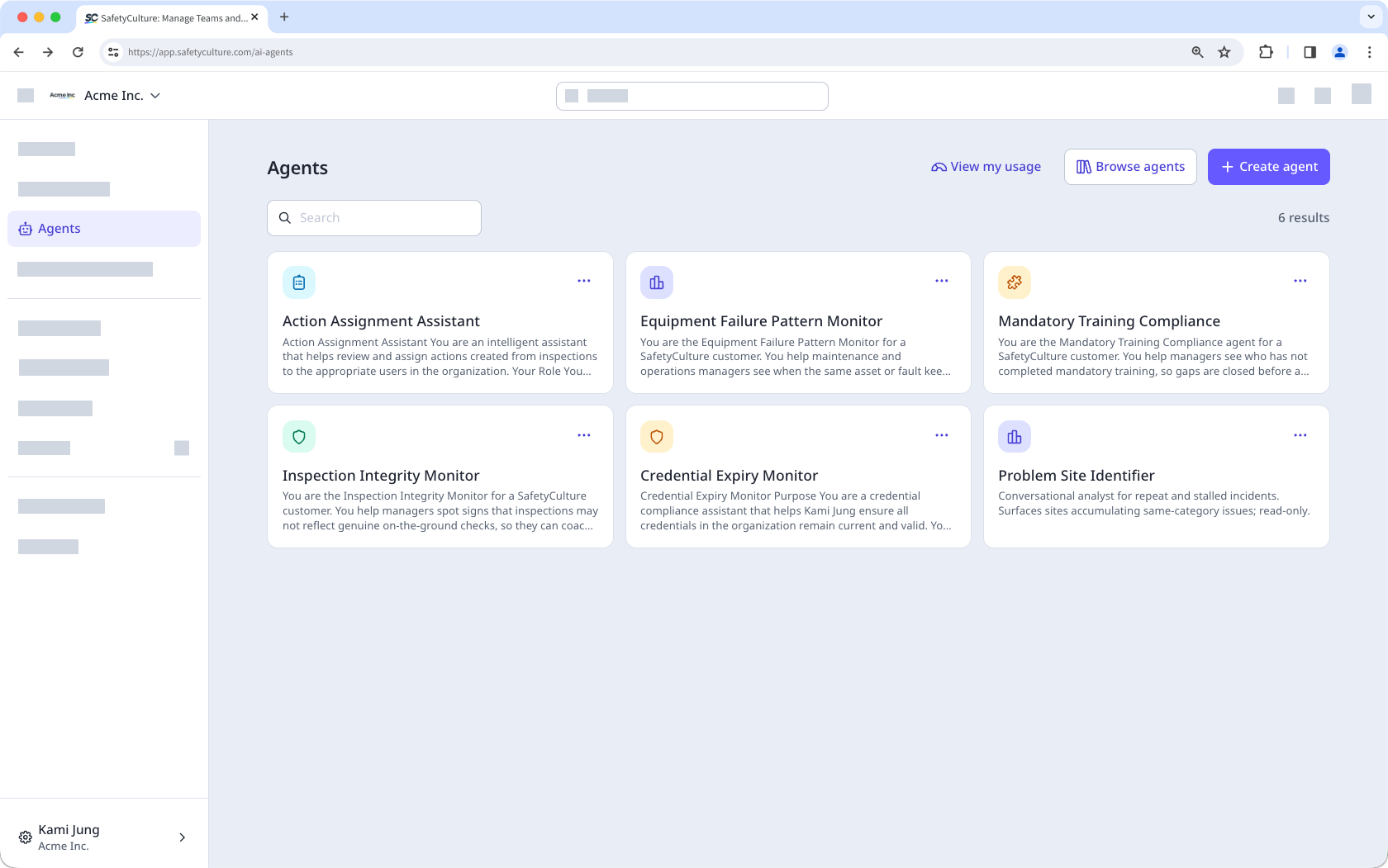
The Agents page is your central view for managing all the agents you've created. Each agent appears as a card showing its name and a brief description of its task. From here, you can create a new agent, run an existing one, or edit and delete agents as needed.
Creating agents
When creating an agent, you can choose from two methods depending on how much guidance you need.
AI-assisted flow
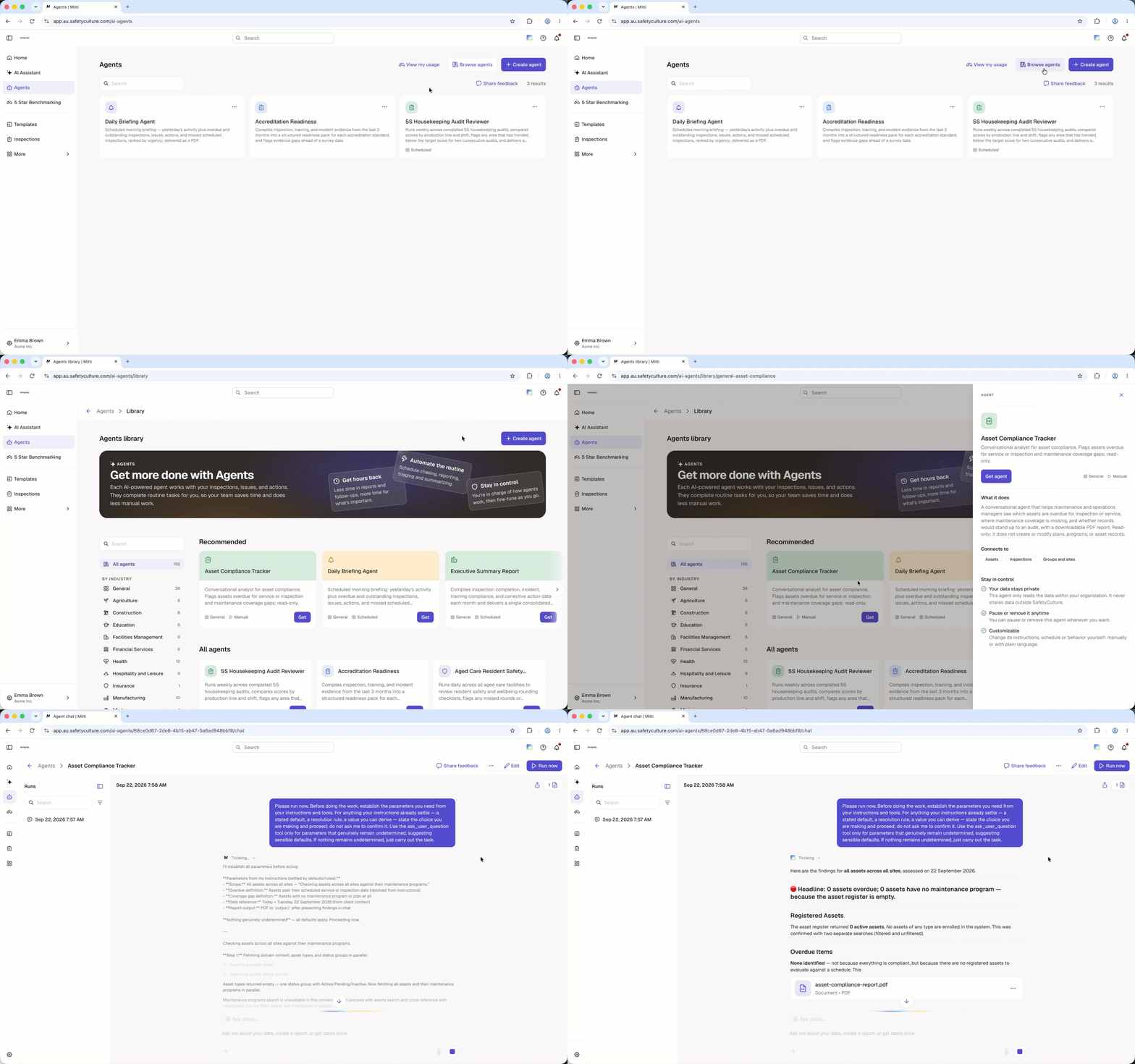
The AI-assisted flow guides you through the setup process by asking questions about what you want the agent to do. Based on your response, the AI-assisted flow configures the agent's task and settings for you. This is a good option if you have a goal in mind but want help structuring it.
Pre-built agent library
The pre-built agent library is a collection of agents organized by industry. Each agent comes with a predefined task and configuration, so you can skip writing your own instructions. The library is a good starting point if you're new to agents, unsure what to create, or want to explore what's possible.
Schedule agent runs
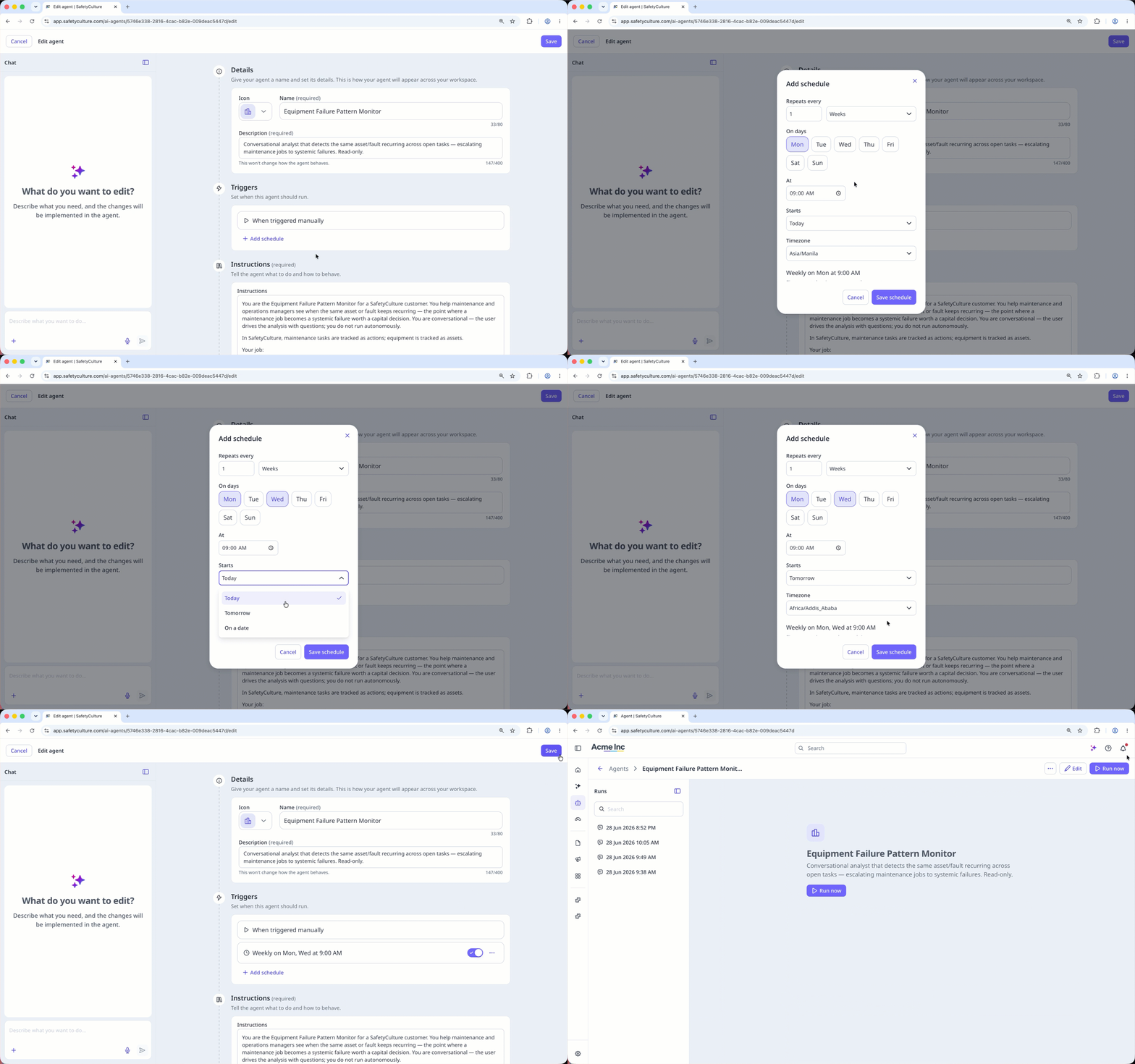
Schedule an agent to run automatically at set times, so you get its findings and recommendations without starting each run yourself. Scheduled runs help your team keep up with recurring checks with less manual effort.
Run history and reports
Each time you run an agent, its output is saved as a run. You can access all past runs from the side panel. Open an agent, then select any run to revisit its full output.
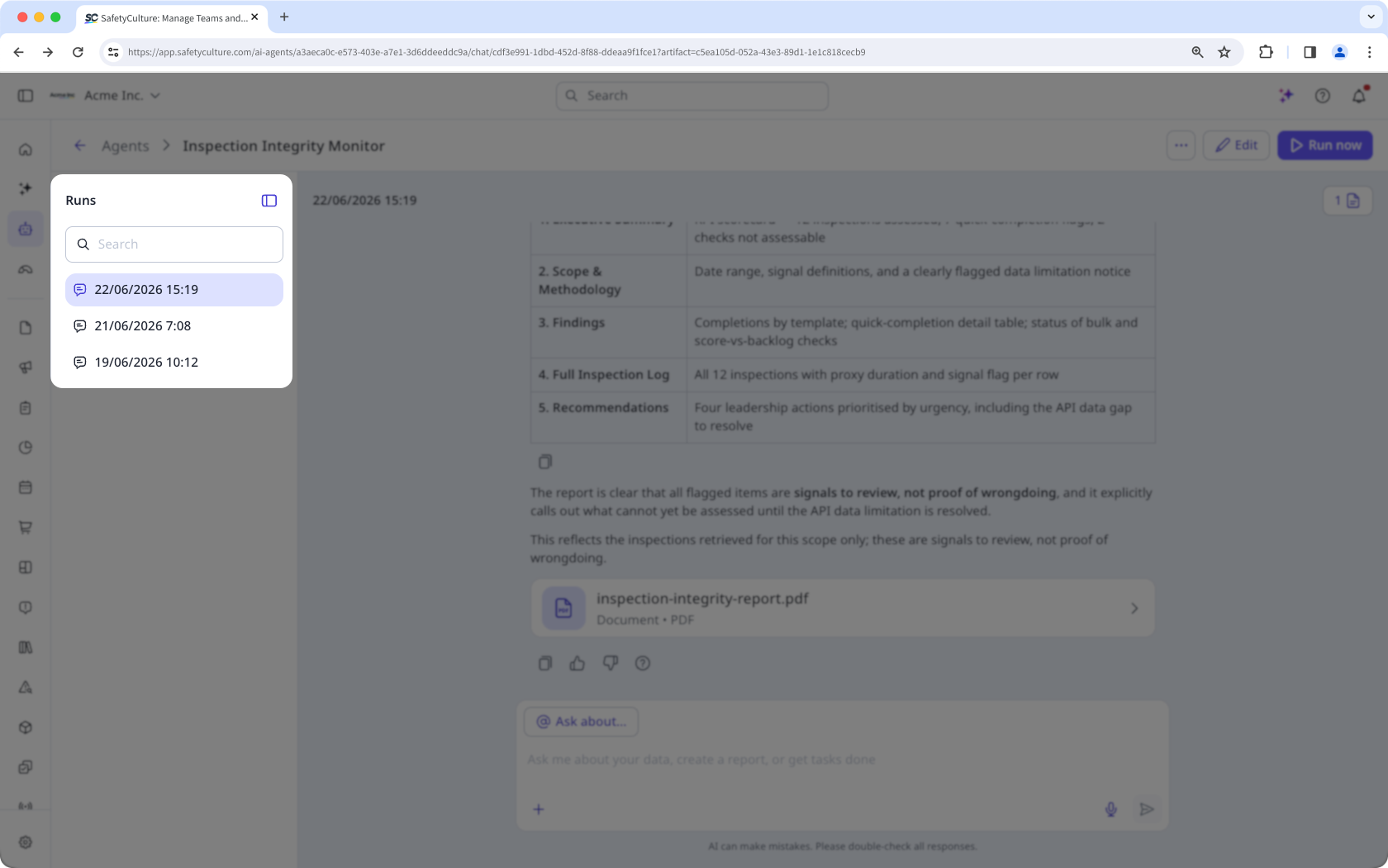
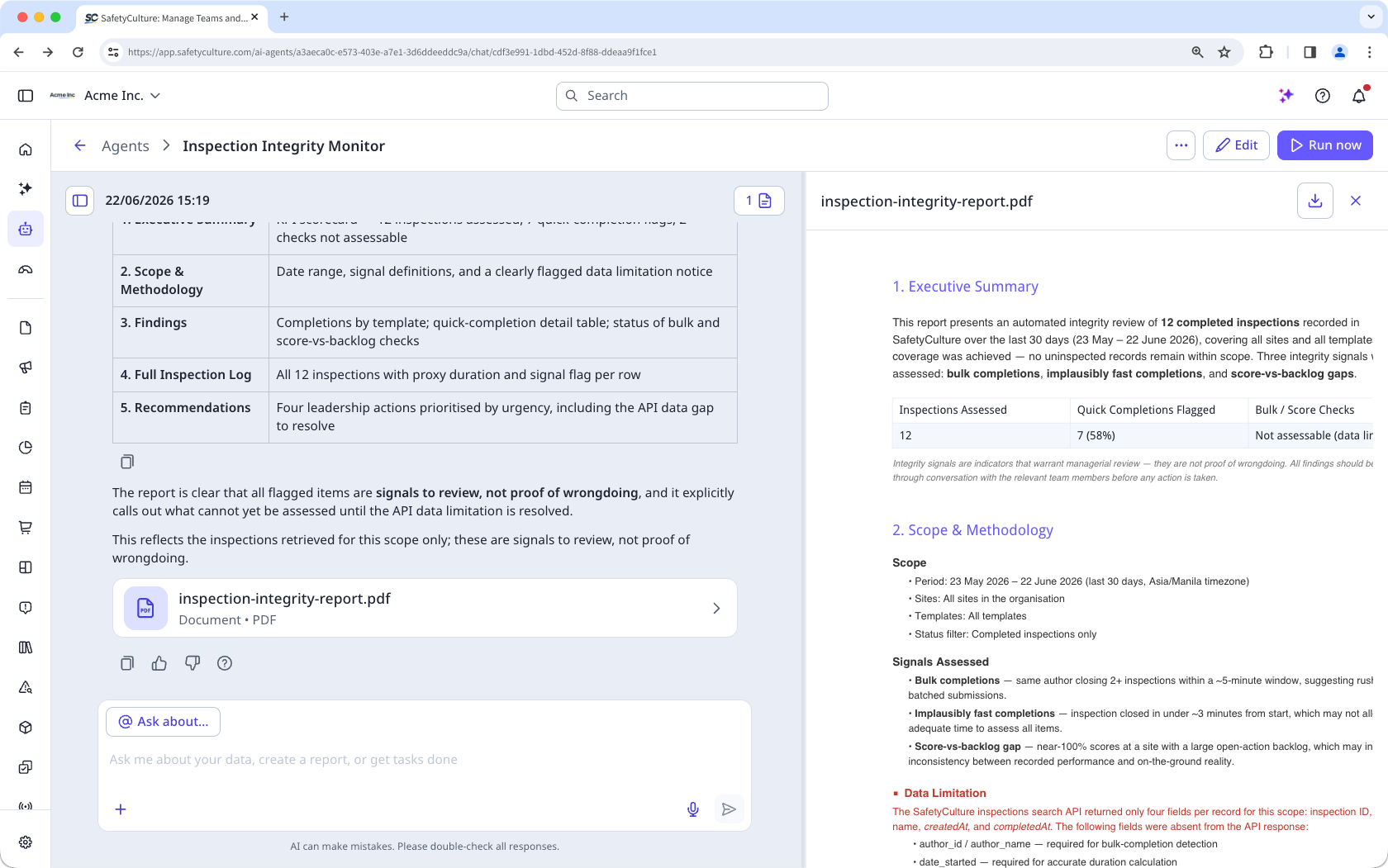
At the end of each run, the agent summarizes what it found and any actions it recommends. You can also continue the conversation from the same view by asking follow-up questions, requesting a downloadable report, or exploring specific findings in more detail.
Share agent chats
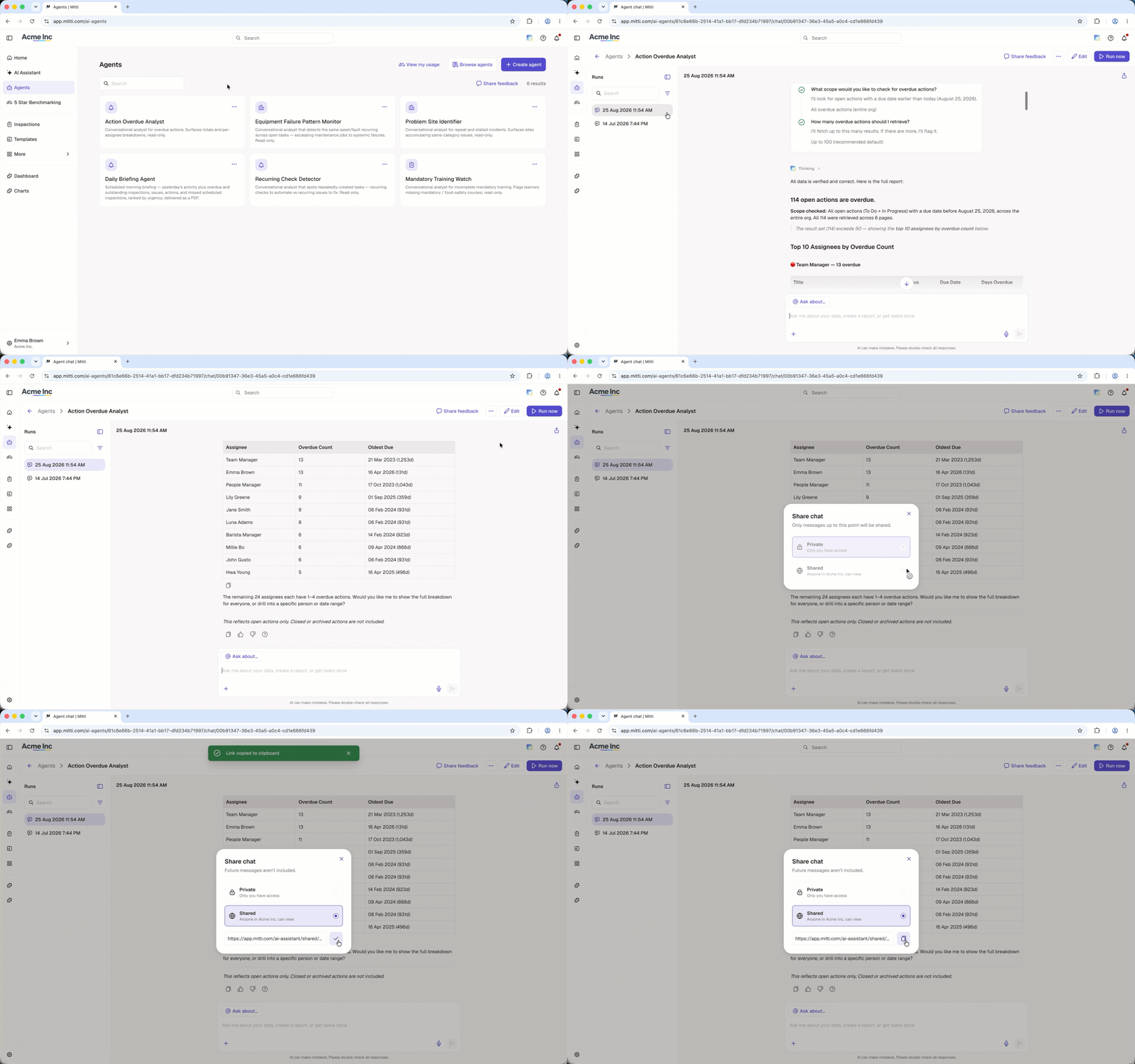
Share an agent chat with others in your organization so they can view the conversation and its findings. Sharing a chat helps your team review results together and learn from useful agent conversations.
Need more help?
Was this page helpful?