Dernière mise à jour: 24 novembre 2026
Why monitor learner activity in Training?
Monitoring learner activity in Training helps you see how close your organization is to its learner allowance. Your learner allowance is the number of learners your Training add-on includes in each period.
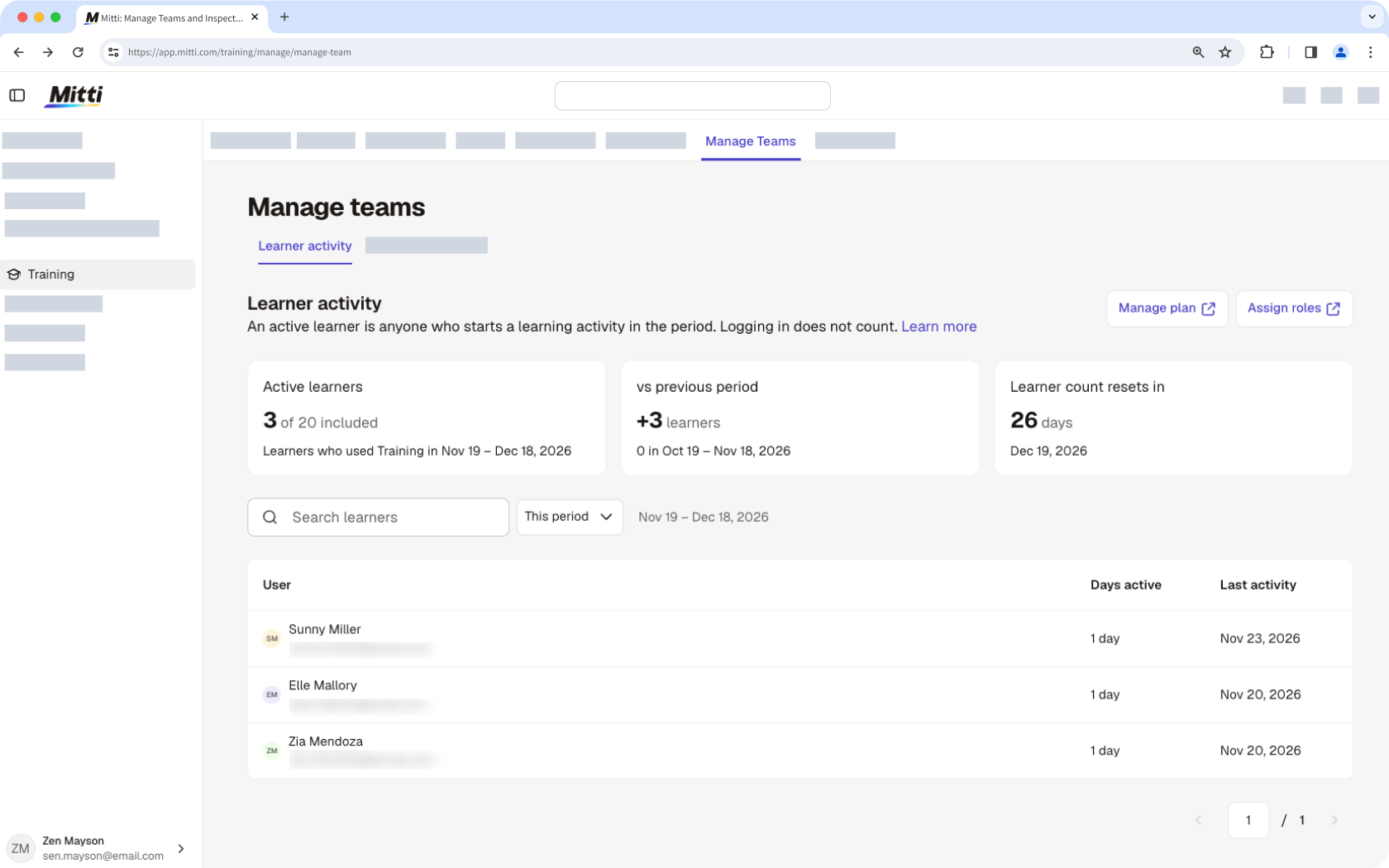
In the Mitti web app, the Learner activity tab shows:
Active learners: The number of learners that were active this period, compared to your allowance.
vs previous period: The change in active learners compared with the previous period.
Learner count resets in: The number of days left in the period and the reset date.
Use the active learner count to decide whether your learner allowance still meets your needs and to avoid unexpected overage charges.
Ce dont vous aurez besoin
View learner activity
Click Formation from the sidebar or in Plus.
Click Gérer les équipes tab at the top of the page.
Click Learner activity tab at the left-hand of the page.
Questions fréquemment posées
Besoin d'aide supplémentaire?
Cette page vous a-t-elle été utile?