Last updated: November 12, 2025
If you have "Documents: Administrator" permission, you can restore any archived files and folders in your organization
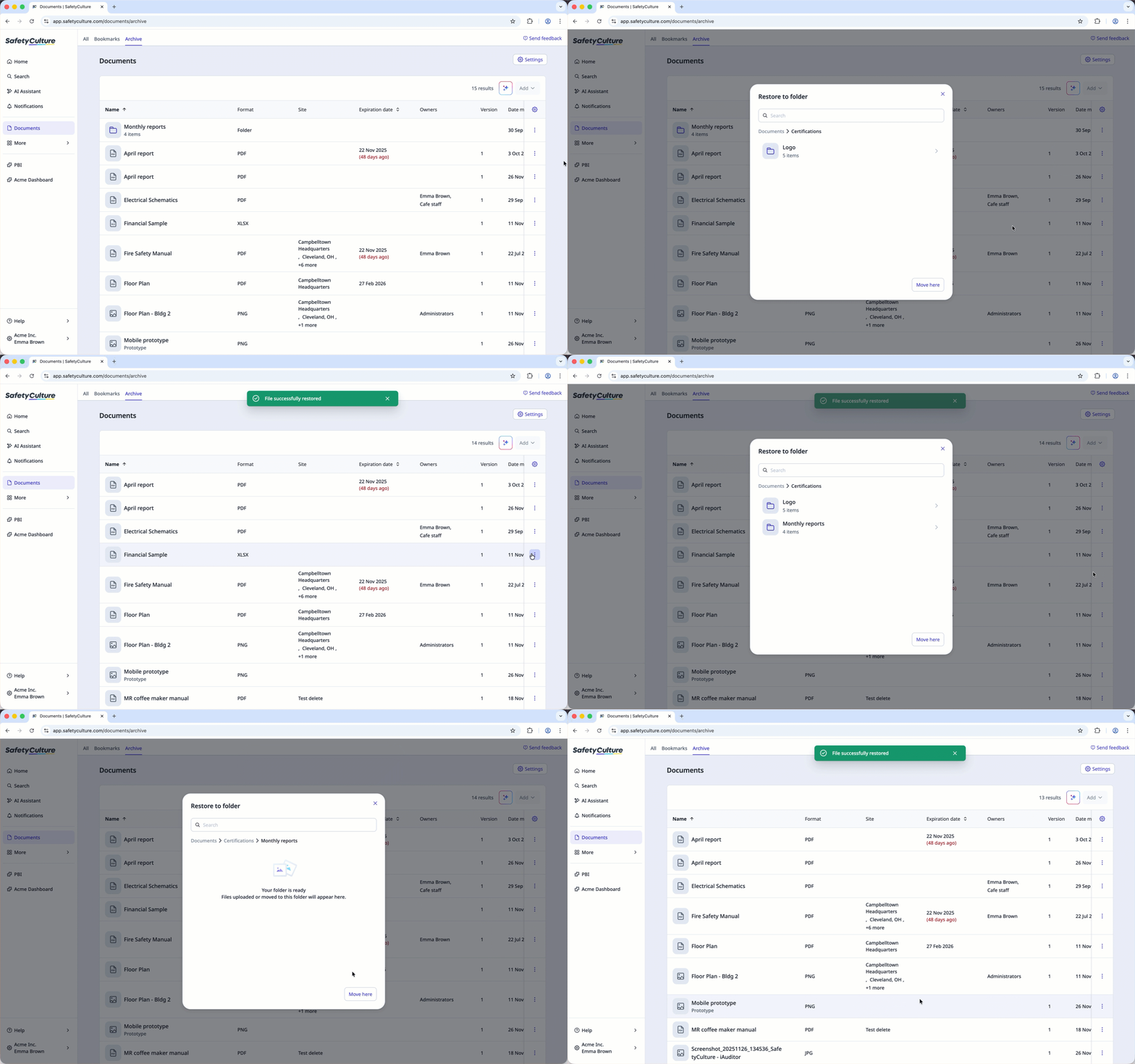
Restore an archived file or folder
Select Documents in the sidebar or in More.
Select Archive tab on the top of the page.
Click on the file or folder's right-hand side and select Restore file or Restore folder.
In the pop-up window, select where your file or folder will be restored and click Move here.
Need more help?
Was this page helpful?
