Last updated: June 16, 2026
What happens when I archive a user field?
Archiving a user field hides it across Mitti and removes it from user profiles. The data stored in the field is retained. If you restore the field, your data becomes available again. To permanently remove a user field and its data, delete the field instead of archiving it.
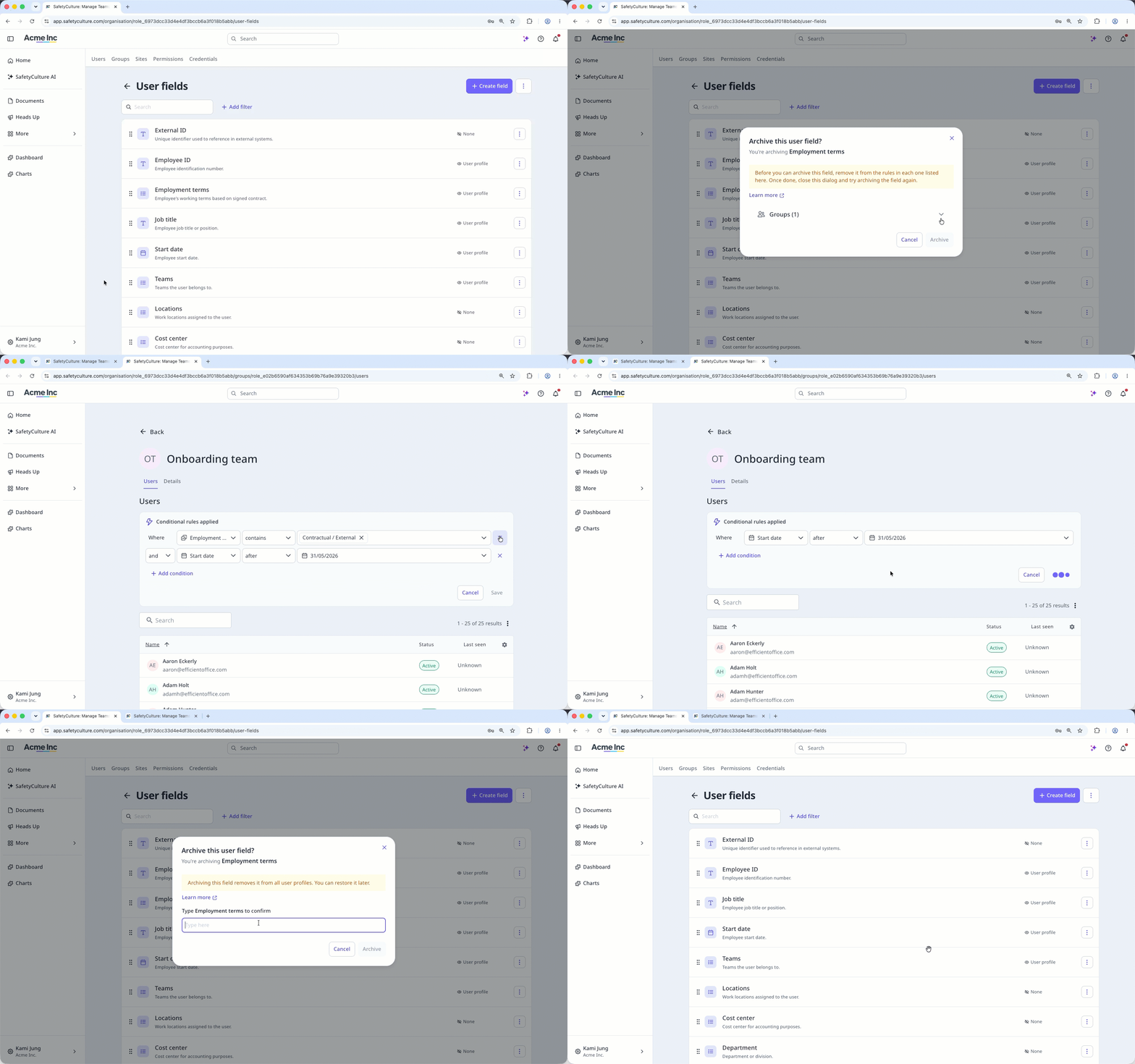
You can't archive a custom field while it's used in group membership, site membership, or course assignment rules. Remove the field from the rules, then archive the field.
Archive a user field
Click your organization name on the lower-left corner of the page and select Users.
Click on the upper-right corner of the page and select Manage user fields.
Click on the right-hand side of the user field, then select Archive.
If the user field is being referenced in any membership or assignment rules, you would need to remove it from the group, site, or course.
In the pop-up window, enter the user field's name and click Archive.
Frequently asked questions
Need more help?
Was this page helpful?
