Last updated: October 13, 2025
Turn on the company document approvals setting to allow company managers to review and approve documents submitted by key contacts in the company profile.
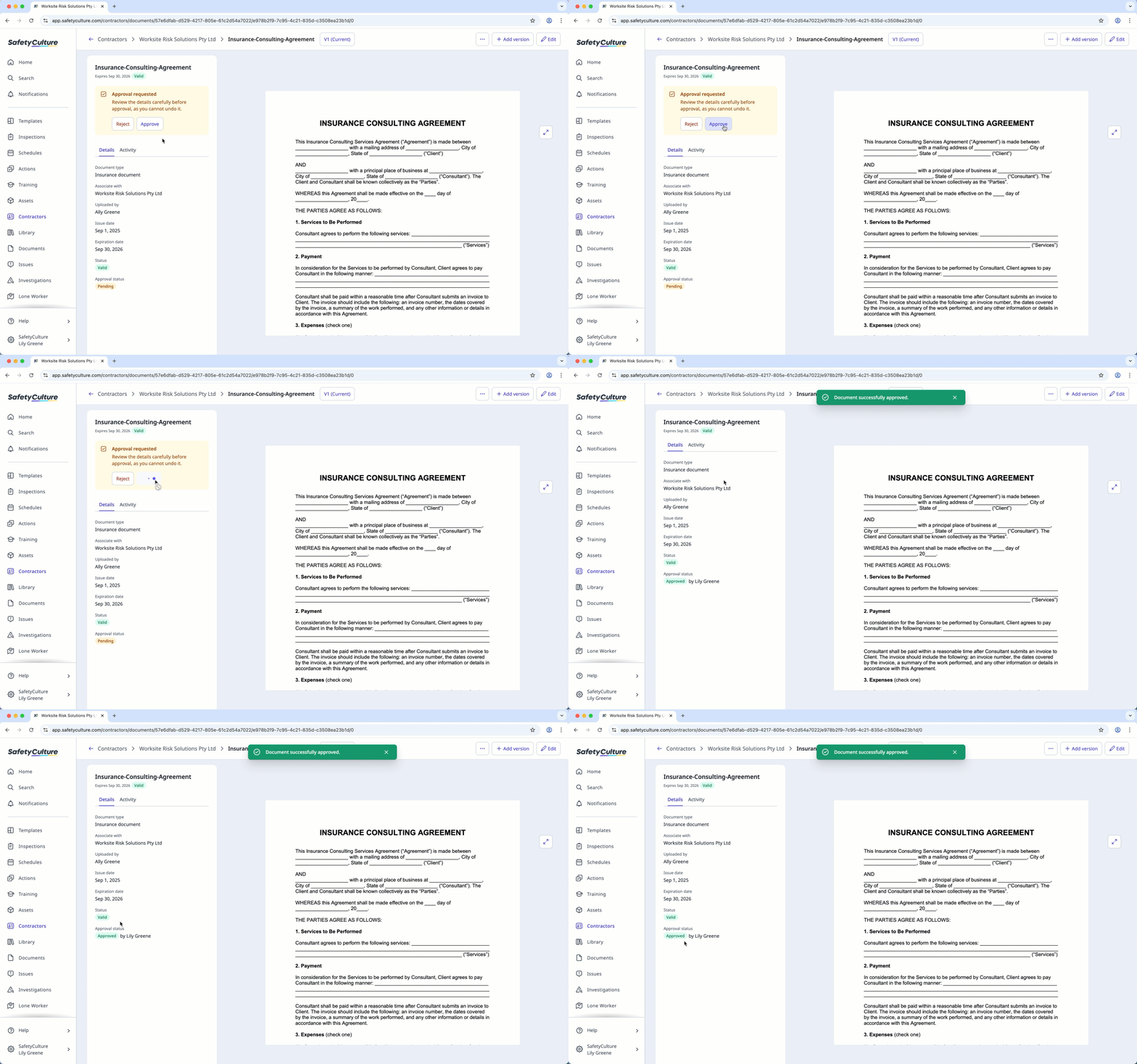
Approve a company document
Select Contractors in the sidebar or in More.
Select a company.
Select Documents tab in the company profile.
Select a document and review it accordingly.
Click Approve on the side panel.
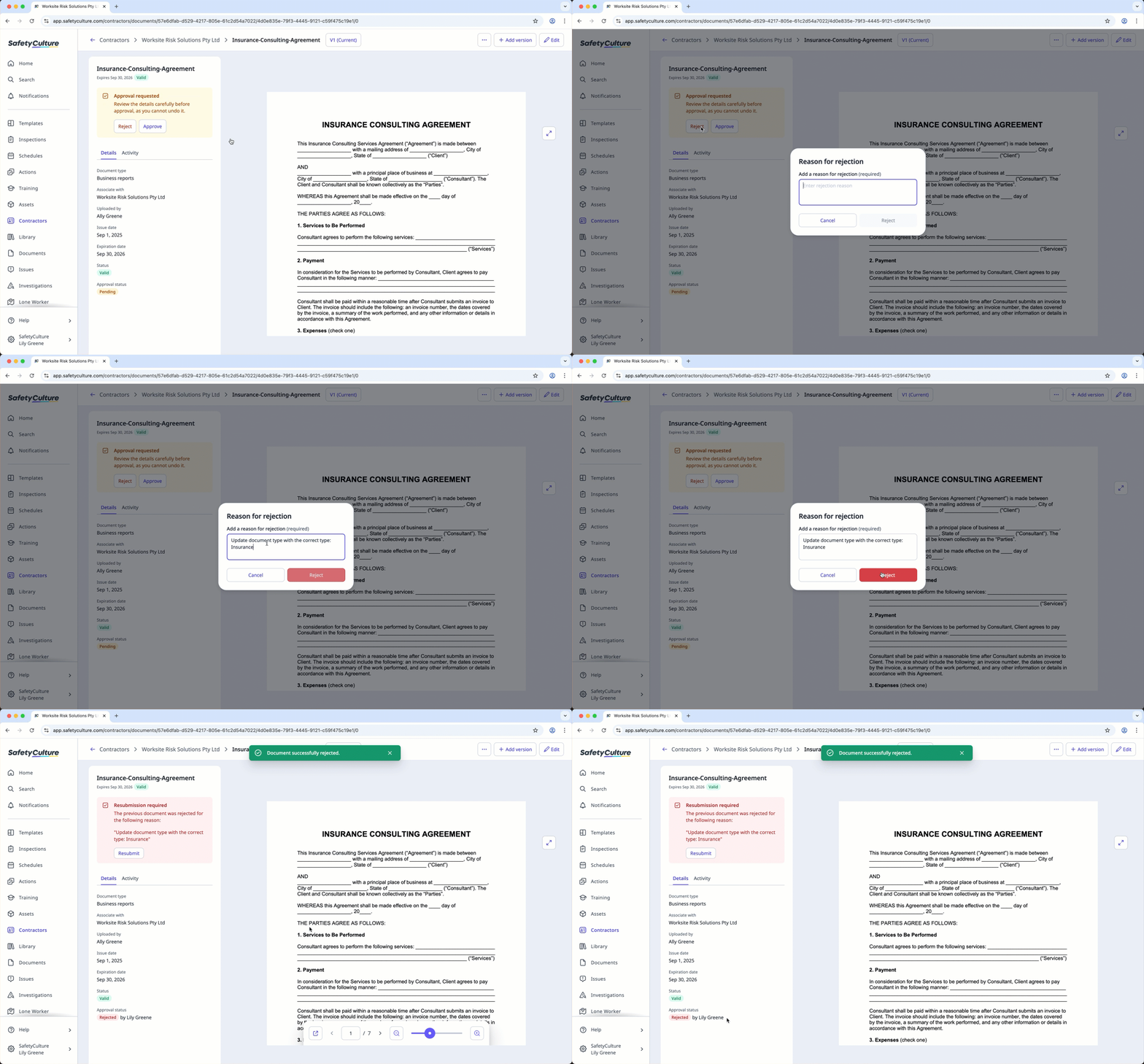
Reject a company document
Select Contractors in the sidebar or in More.
Select a company.
Select Documents tab in the company profile.
Select a document and review it accordingly.
Click Reject on the side panel.
In the pop-up window, enter a reason for rejection.
Click Reject.
Need more help?
Was this page helpful?
