Last updated: March 19, 2026
Why view change history?
Viewing change history gives you visibility into when and by whom the last service entry was updated. Tracking these details establishes a reliable baseline for each asset’s maintenance cycle, so plans trigger on time and reflect real usage conditions. It also provides valuable context for current readings, helping you confirm asset activity, review what action was taken, and avoid plans drifting off schedule. Over time, these records build a complete maintenance history that supports accurate forecasting and stronger operational decisions.
What you'll need
View maintenance plan change history
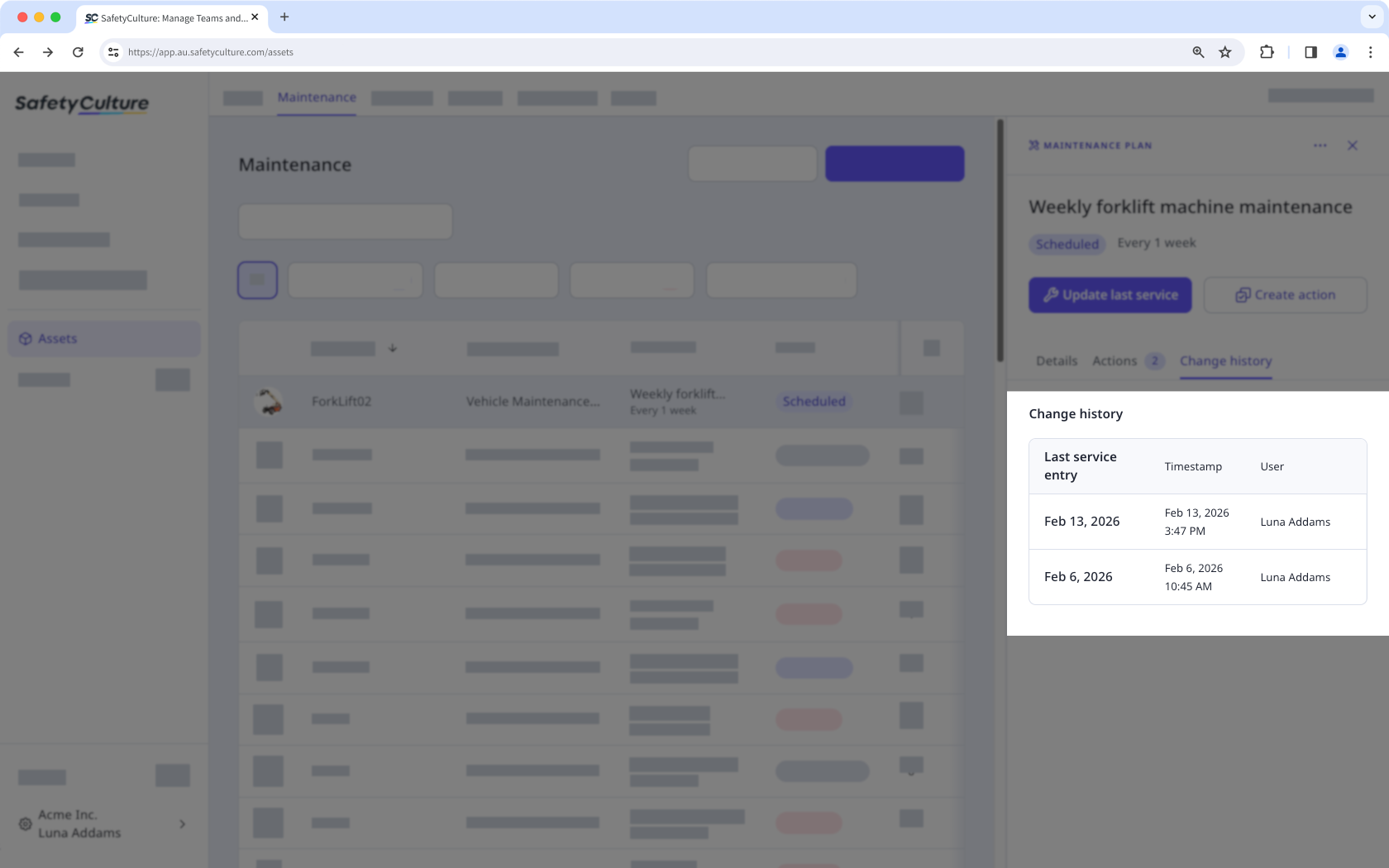
Select Assets in the sidebar or in More.
Select Maintenance tab on the top of the page.
Select the maintenance plan you want to view the changes for.
In the side panel, click Change history tab.
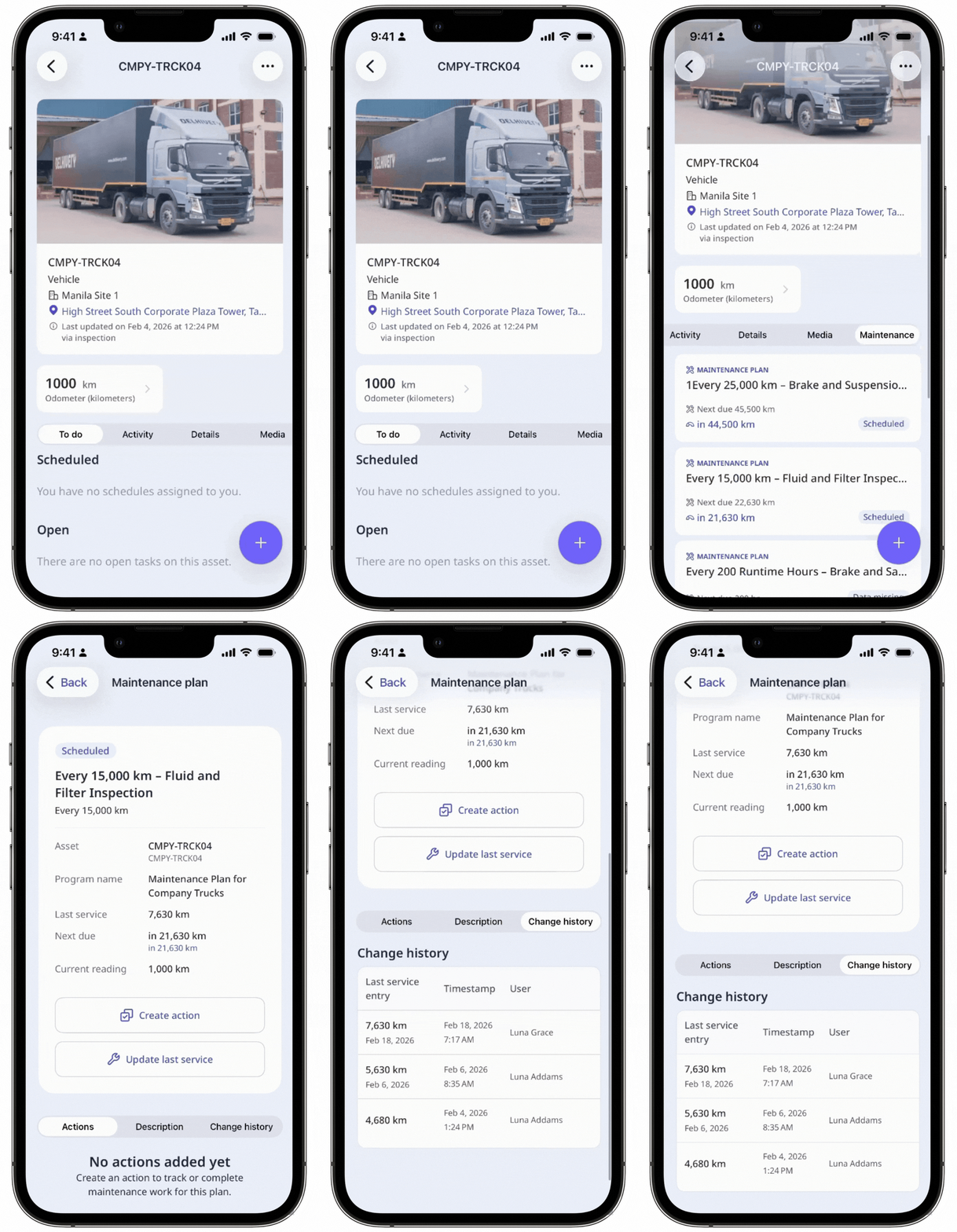
Open the mobile app.
Tap Assets from the navigation bar or in More.
Filter your assets by type or site or search for the asset.
Select the asset.
Tap the Maintenance tab, then tap the plan you want to review.
Tap Change history tab.
Need more help?
Was this page helpful?
