Last updated: September 9, 2026
What are shifts in Lone Worker?
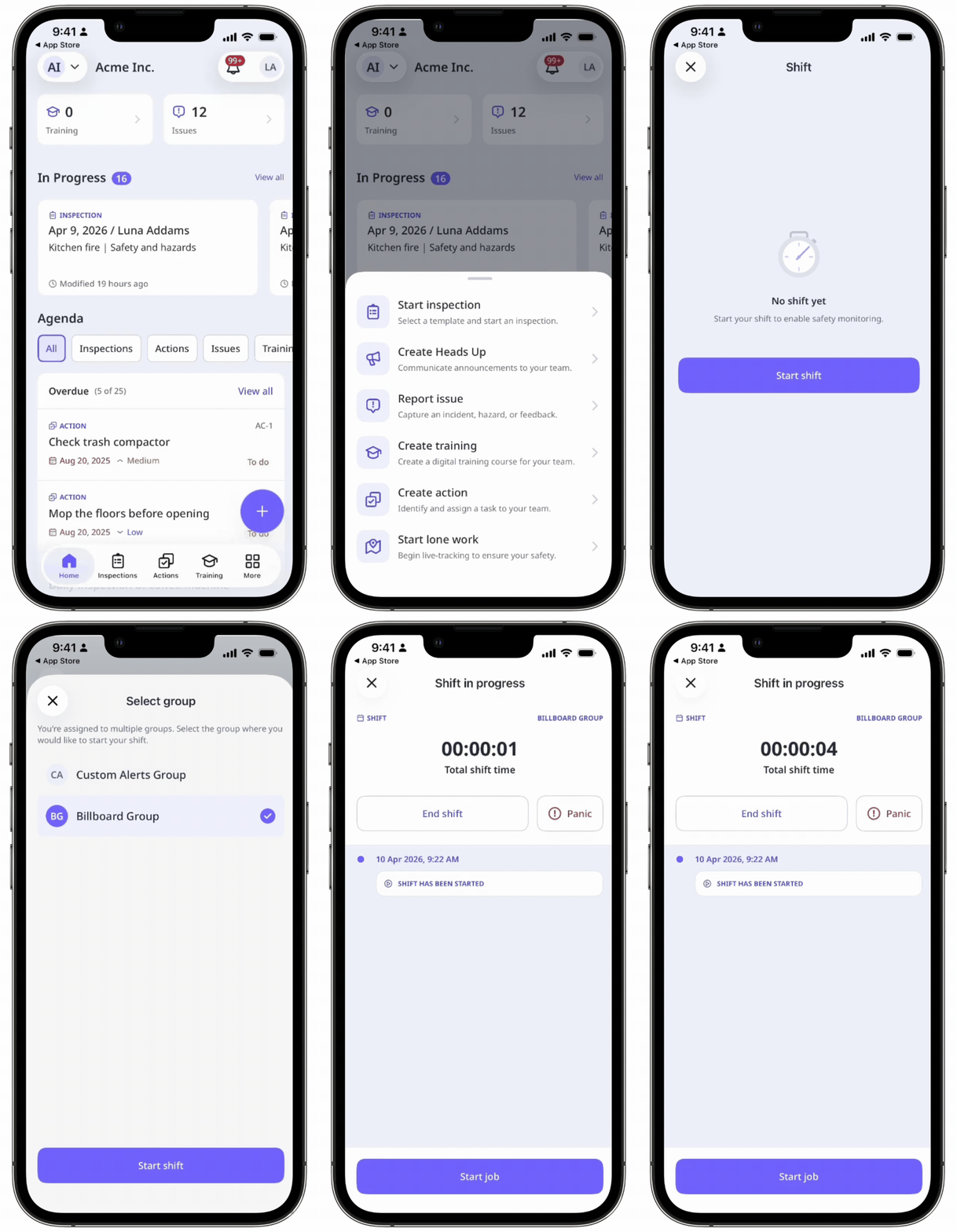
Shifts in Lone Worker are scheduled work periods that define when workers are on duty. Admins set the work hours and break durations for each shift, so job coverage stays continuous. Workers start a shift to turn on safety monitoring, then start their assigned job. Because monitoring starts with the shift rather than the job, a worker can call for help before the assigned job begins.
For example, a field technician working alone starts a shift. Safety monitoring turns on, and the technician begins the assigned job. A manager sees a real-time list of who's on duty in the groups they are a member of. If someone needs attention, the manager can act early.
What you'll need
When shifts are turned on for your organization, lone workers will be required to start a shift before starting a job.
Turn shifts on or off
Select Lone Worker in the sidebar or in More.
Select Settings at the top of the page.
Click General settings.
Turn Shift on or off.
When you turn shifts on, you need to configure the settings accordingly. Click Edit on the right side of the "Maximum shift duration".
Maximum shift duration: Click the dropdown list and select the shift duration.
Break: Turn on or off to include breaks for workers during a shift.
Break duration: Click the dropdown list and select the break duration.
Click Save changes.
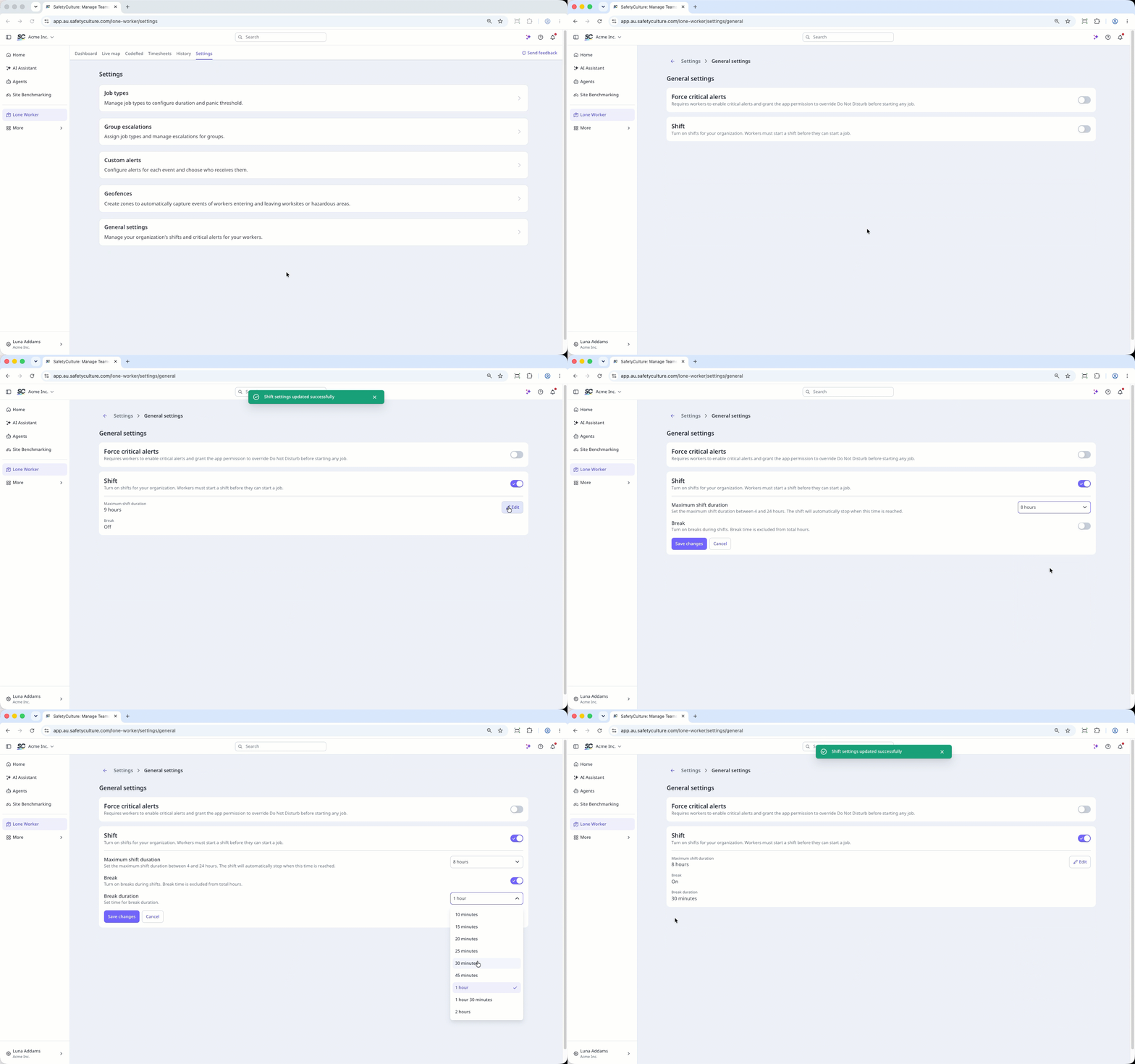
Setting a shift and break duration applies to your entire organization.
Frequently asked questions
Need more help?
Was this page helpful?
