Last updated: August 25, 2026
What are benchmarking criteria?
Benchmarking criteria are the standards used to measure site performance in Mitti. Each criterion tracks a specific metric, such as inspection or schedule completion rate, average inspection score, or action count. A site's score is based on how many criteria it meets, with higher-weighted criteria having a greater impact on the overall score. By using the same criteria across all sites, you can measure performance consistently, compare results fairly, and identify the areas that contribute to or reduce a site's overall score.
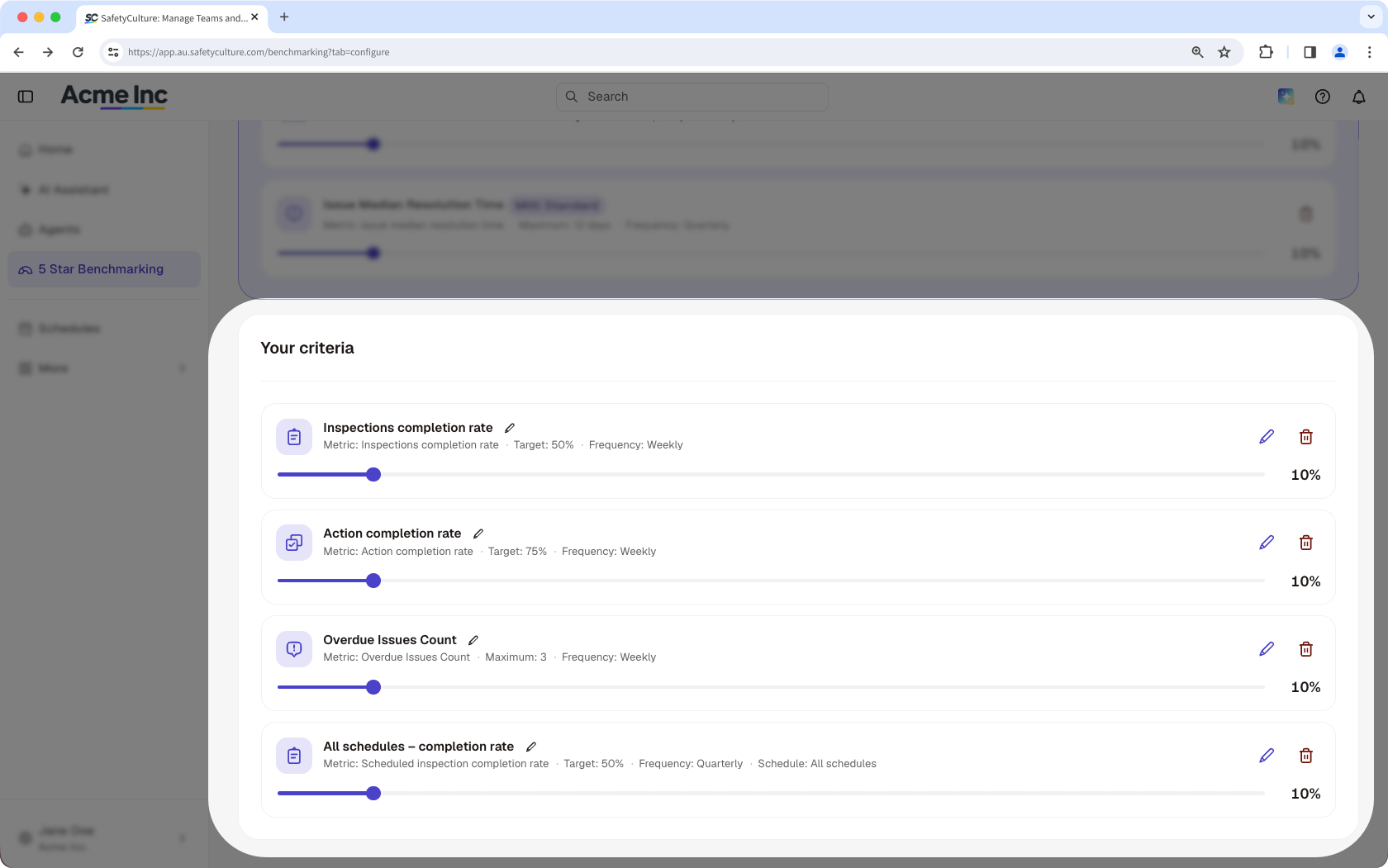
What you'll need
Add a criterion
You can have up to 40 custom and Mitti standard criteria in your organization.
Click 5 Star Benchmarking in the sidebar.
Select Configuration at the top of the page.
Click Add criteria on the upper-right of the criteria list.
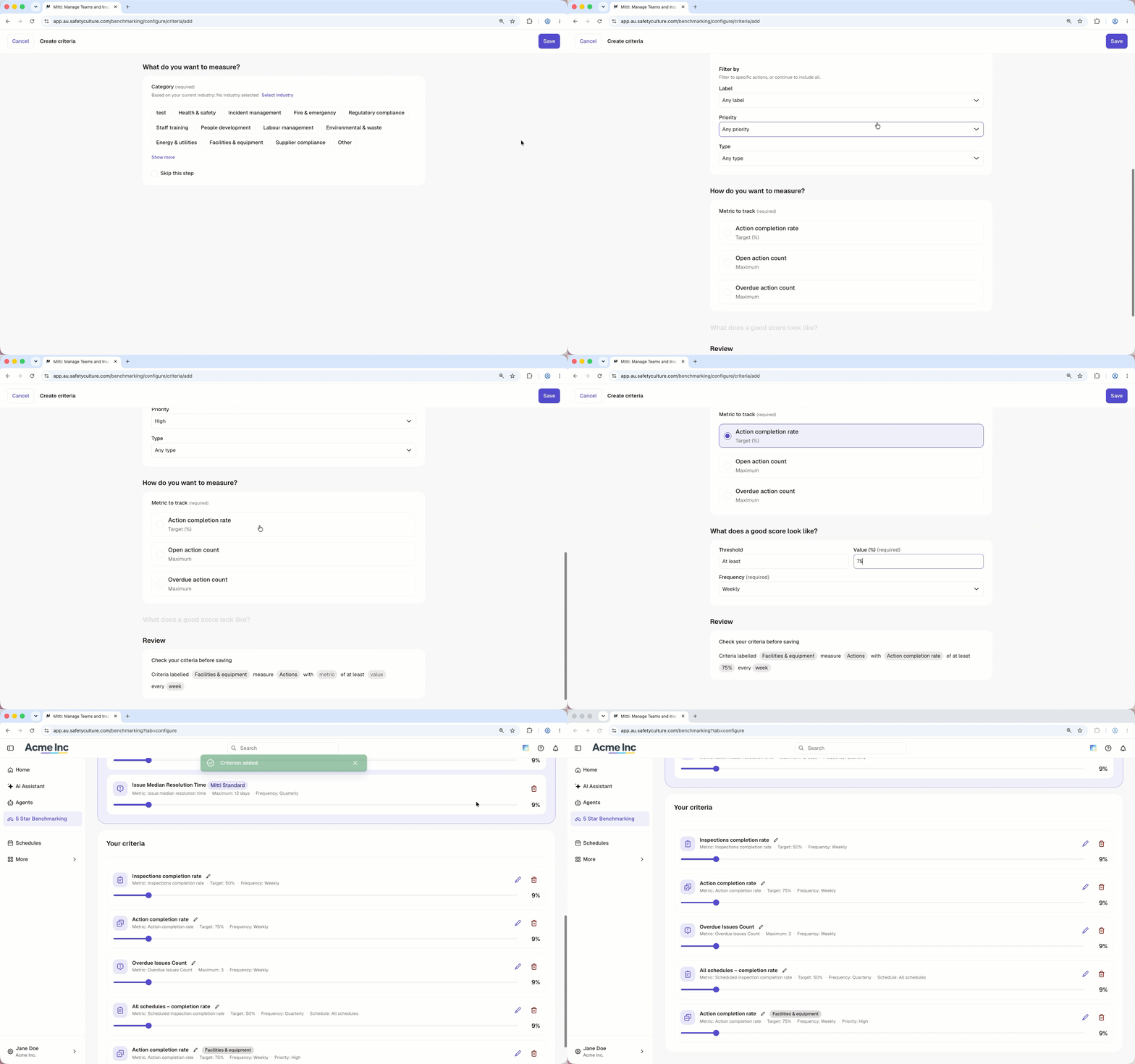
Configure the following details accordingly:
Category: Select what the criterion measures from available categories based on your organization's industry. You can also click Change industry to select a different industry.
Data source: Select what type of data you want to use to measure your criterion.
Filters: You can filter the data by template, question, section, page, priority, label, type, status, category, or schedule. If you don't have a template yet, you can create a new one using AI. If you filter by schedules, you can select single, multiple, or check "All schedules".
Metric: Select a metric you want to track to measure your criterion such as the number of actions or completed inspections or schedules.
Target: Define what a good score looks like by setting a threshold, value and frequency.
Click Save on the upper-right of the page.
Question-level filters only support multiple-choice questions.
Set the criteria weight
Click 5 Star Benchmarking in the sidebar.
Click Configuration at the top of the page.
Adjust the slider at the bottom of each criterion to set its weight, or click Equalize to distribute the 100% across all criteria.
Click Save changes at the bottom of the page.
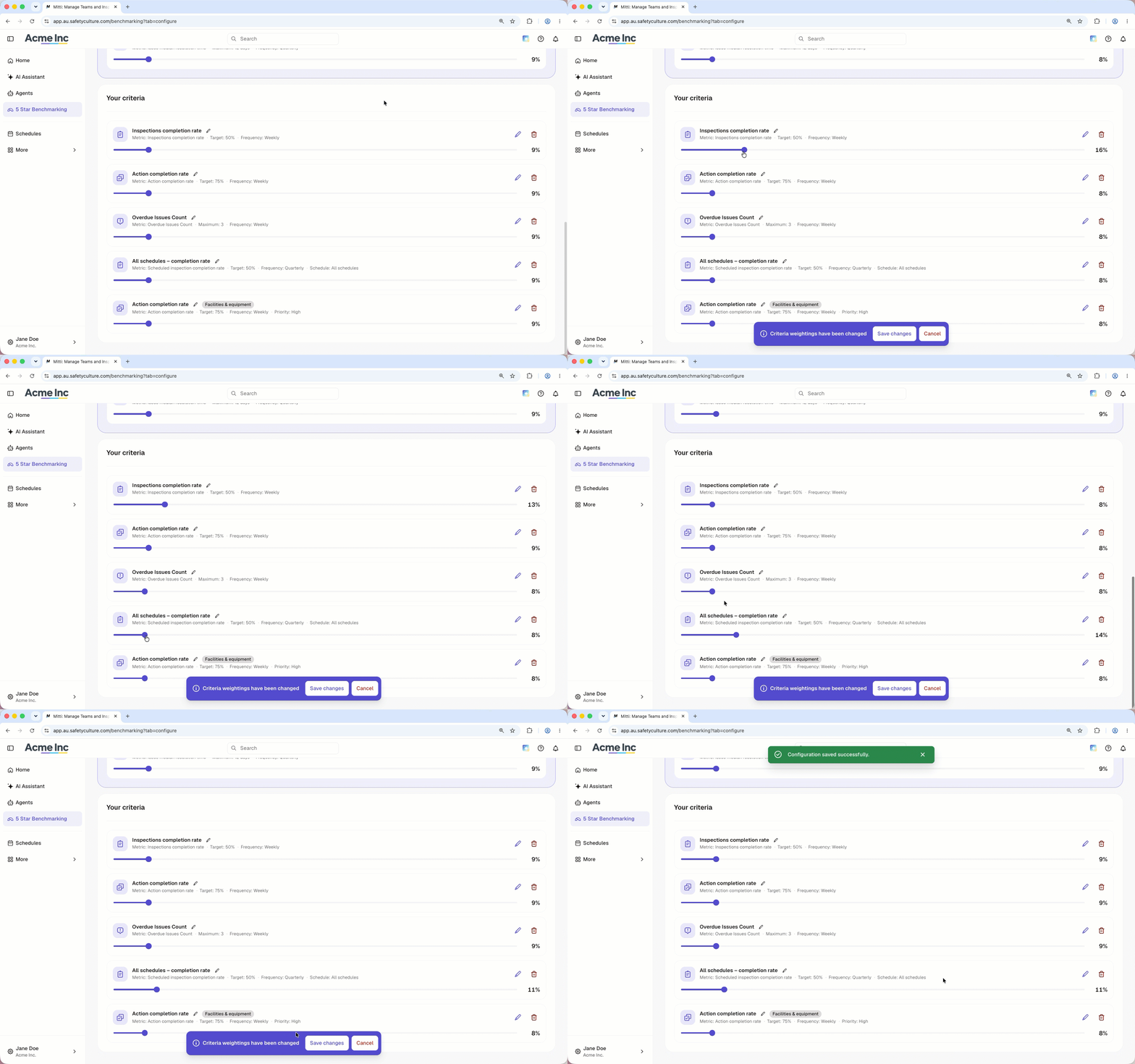
Adjusting the weight of one criterion automatically adjusts the rest so the total always equals 100%. When you use Equalize, some criteria may be assigned a slightly higher or lower weight if the number of criteria doesn't divide evenly.
Edit a criterion
Click 5 Star Benchmarking in the sidebar.
Select Configuration tab at the top of the page.
In "Your criteria" section, click on the right-hand side of the criterion.
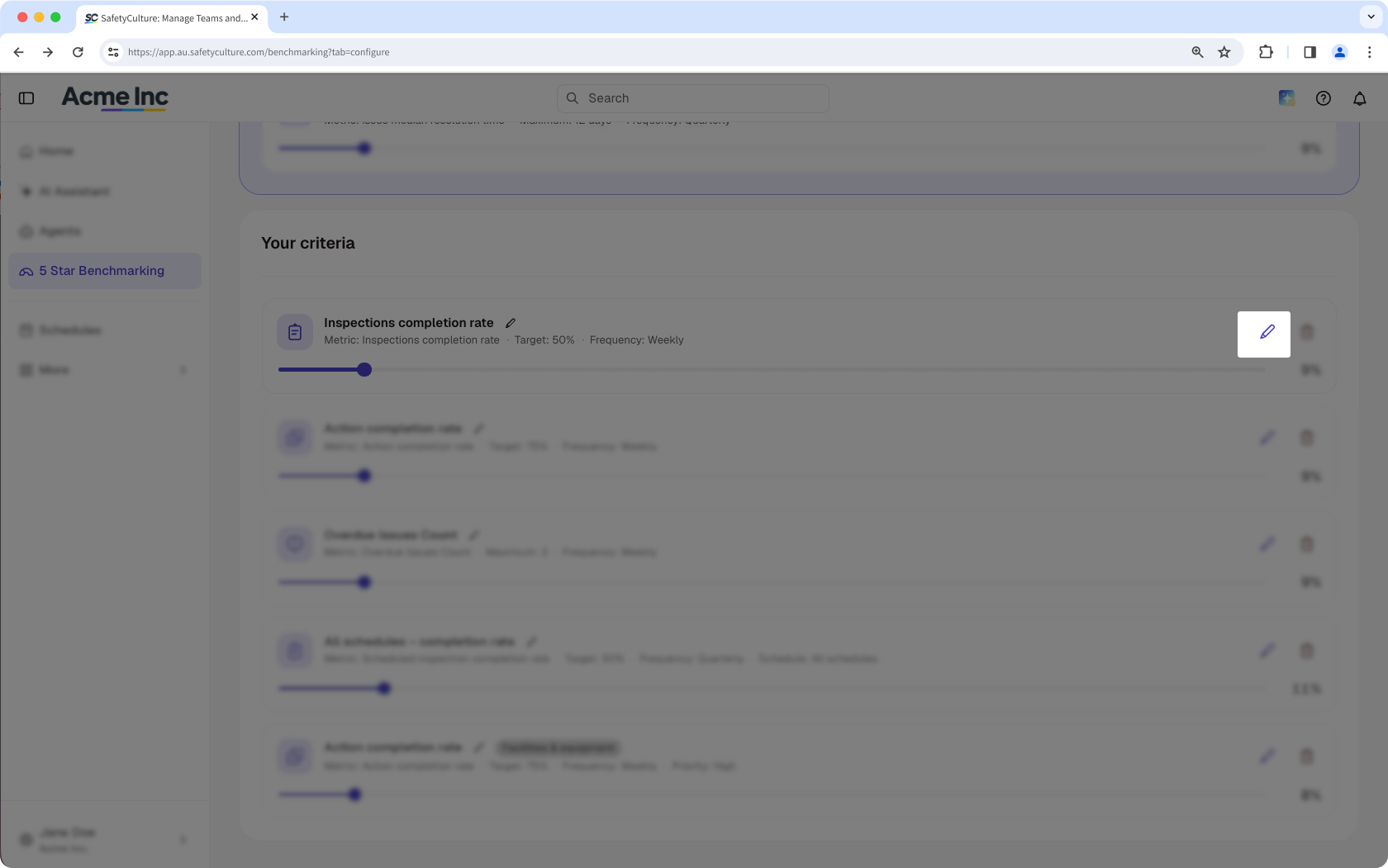
Edit the fields you want to change.
Click Save on the upper-right corner of the page.
Delete a criterion
Click 5 Star Benchmarking in the sidebar.
Select Configuration at the top of the page.
Click on the right-hand side of the criterion you want to delete.
In the pop-up window, click Remove.
Click Save changes at the bottom of the page.
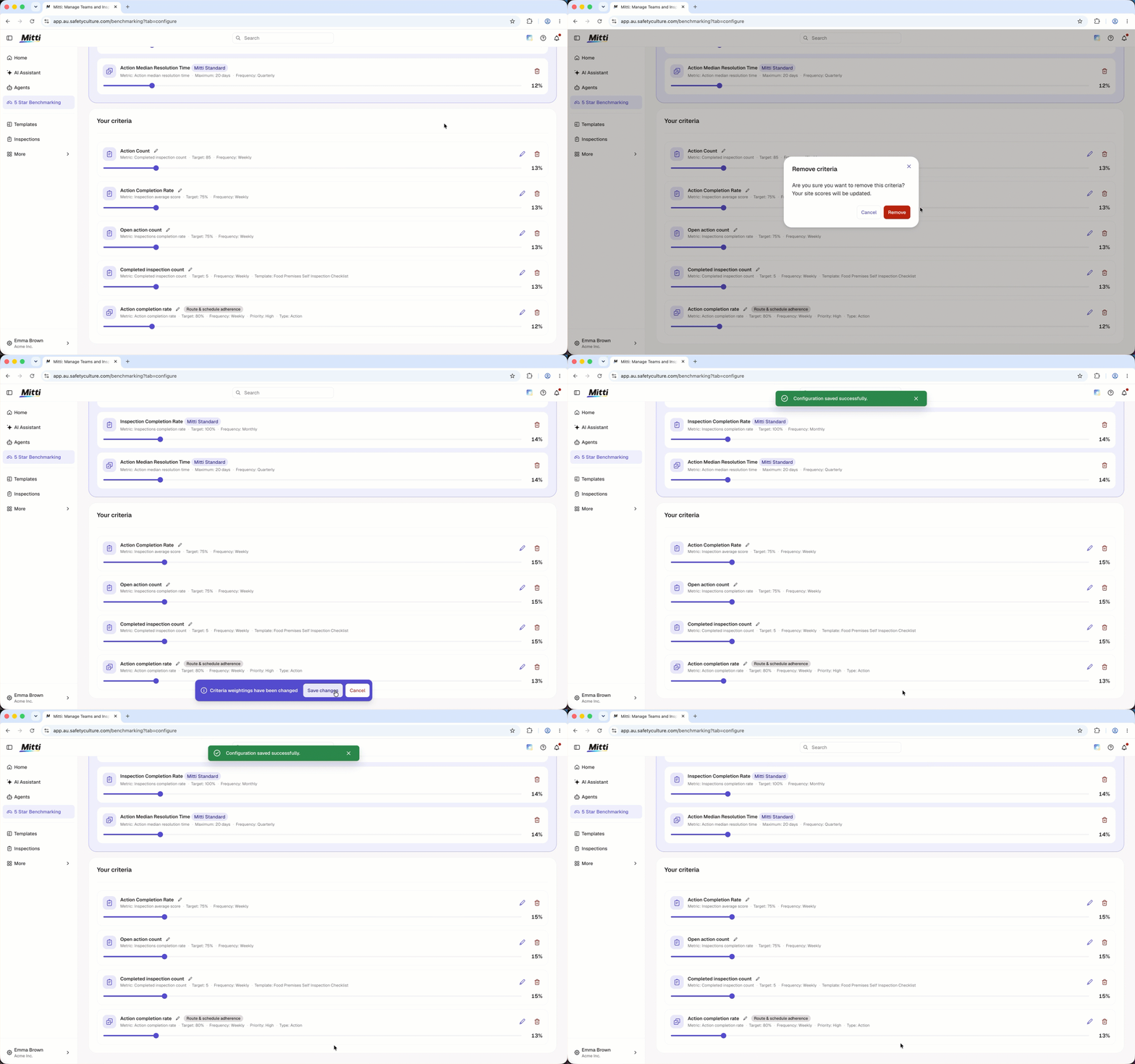
Deleting is irreversible, and we cannot restore permanently deleted items. Confirmation is always required before any deletion, so be sure you're not accidentally deleting the wrong item.
Limitations
The Schedules data source only supports schedules with the quarterly frequency.
Schedules must run within a single calendar quarter. If a schedule runs longer than a quarter or crosses a quarter boundary, it isn't included in the list of schedules scored for a criterion. For example, a schedule running January 1 to March 31 fits inside Q1 and is included. A schedule running February 15 to May 15 crosses into Q2 and is excluded, as is any schedule spanning a full year.
Frequently asked questions
Need more help?
Was this page helpful?
