Last updated: August 26, 2026
What are site insights?
Site insights are AI-generated information about how your sites are performing in Mitti. Site insights highlight trends, identify outliers, and provide recommendations based on your site data, helping you notice changes early and address issues quickly.
You can find AI-generated site insights in two places:
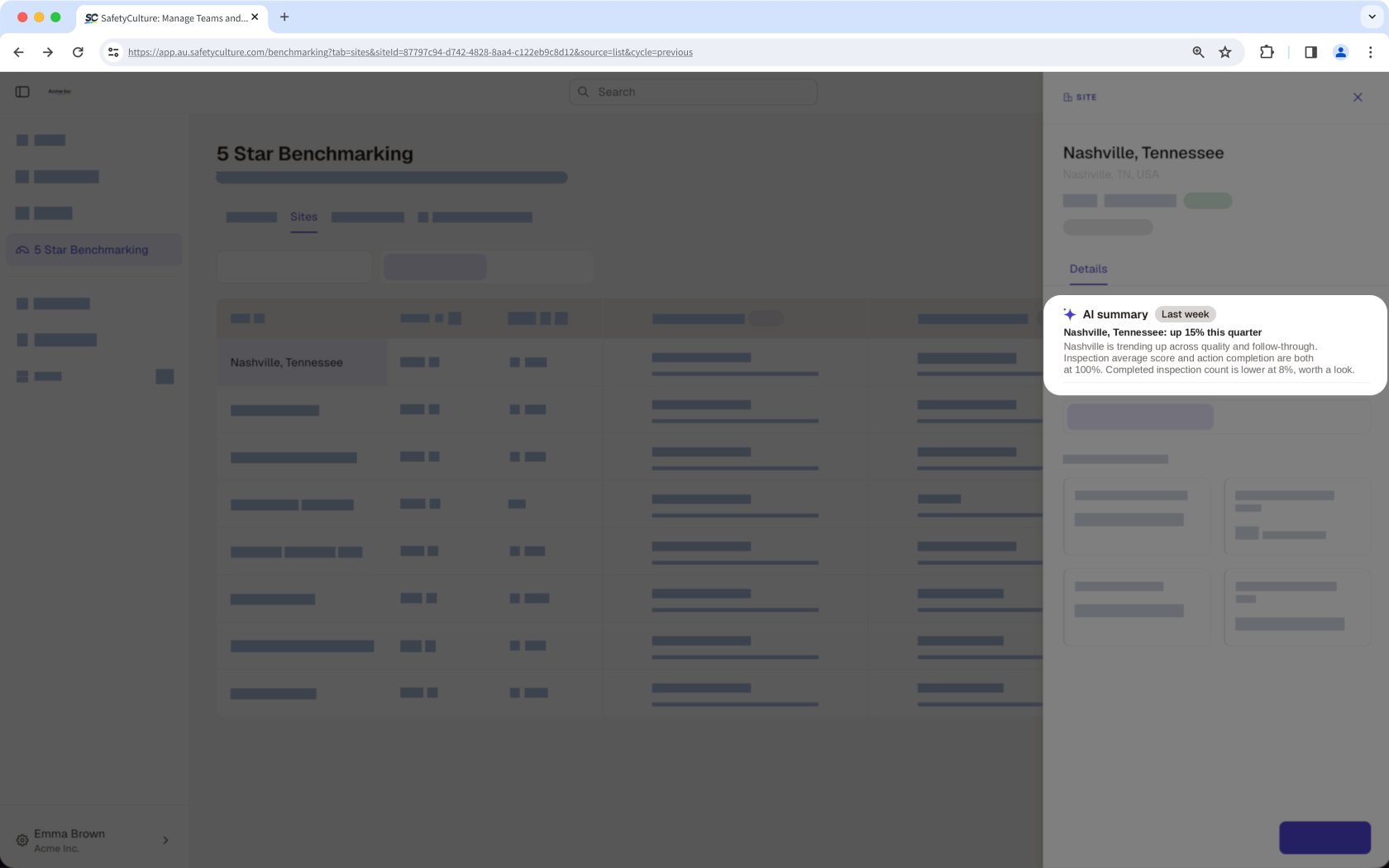
Site AI summary: Provides a short overview of an individual site's performance and the reasons behind it.
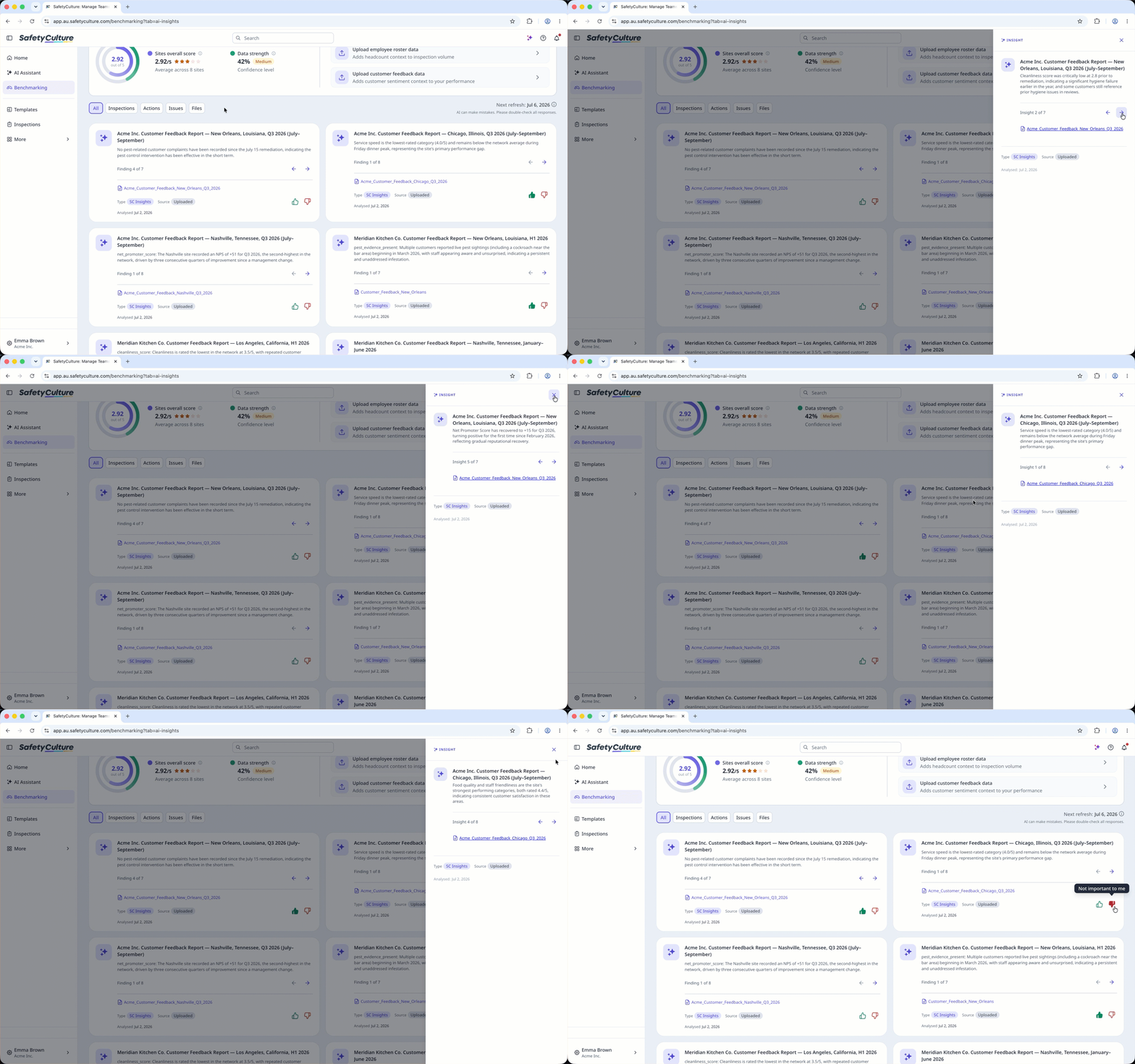
AI Recommendations: Explains the factors affecting your sites' performance, highlights unusual changes and recurring patterns based on site activity and uploaded data. Your top recommendations are also added as actions to the Recommended actions tile on the Overview tab, so you can see what to focus on next.
Together, the AI summary and AI Recommendations help you monitor site performance, see what's doing well, and focus on the areas that need attention.
To access AI features in 5 Star Benchmarking, you need at least 3 sites, each with 1 completed inspection in the last 9 weeks. After you meet this requirement, your site insights will appear in the next weekly refresh.
View Site Performance Monitor
Click 5 Star Benchmarking in the sidebar.
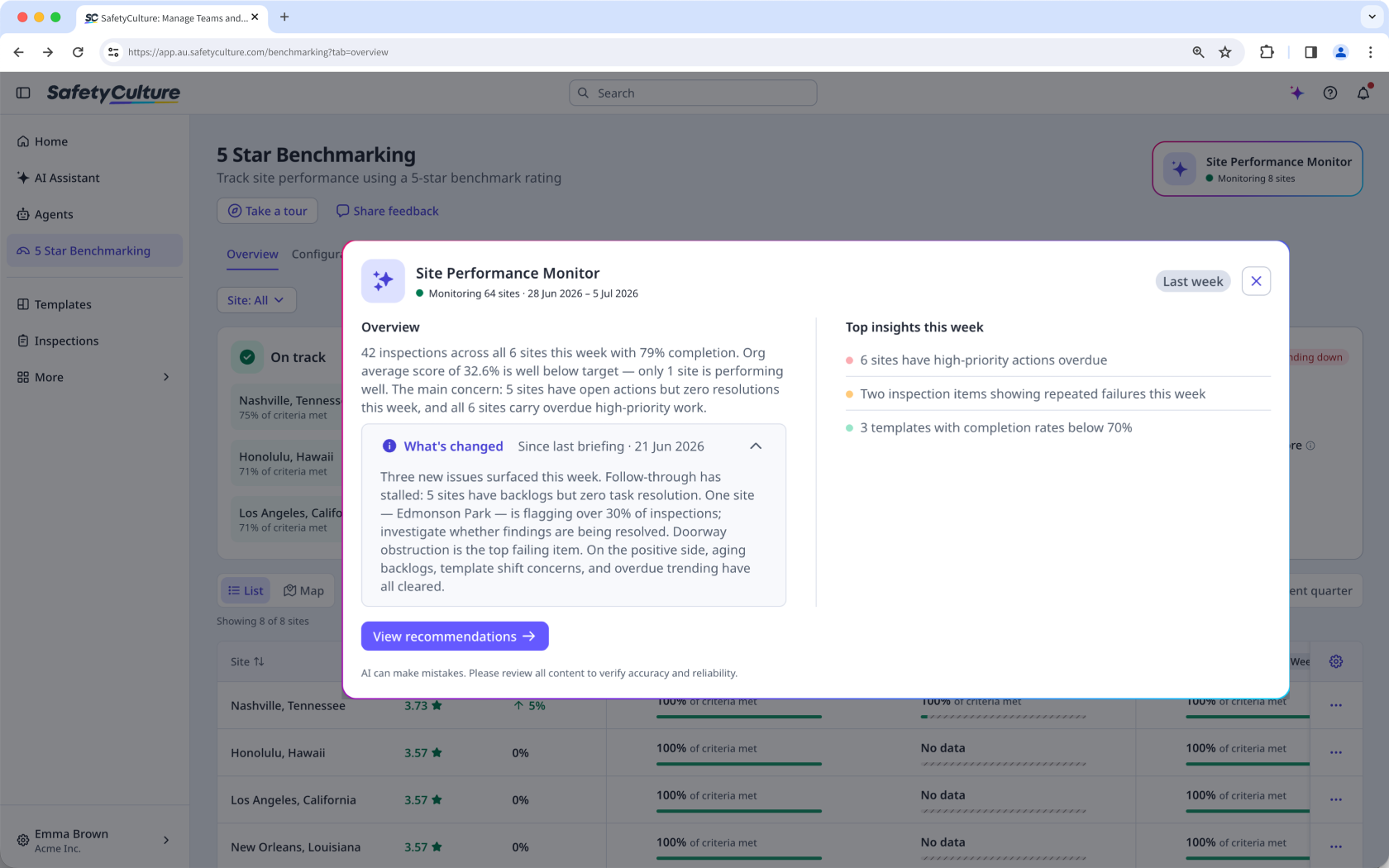
Click Site Performance Monitor on the upper-right corner of the page.
In the pop-up window, click What's changed.
You'll see the weekly AI-generated summary of your sites' performance and insights that surfaced since the last briefing.
View a site's AI Summary
Click 5 Star Benchmarking in the sidebar.
Select Sites at the top of the page.
Click the site name to view the site's AI Summary in the side panel.
View AI Recommendations
Click 5 Star Benchmarking in the sidebar.
Click AI Recommendations to view the AI-generated insights.
You can click an insight card to view the insight drill-down.
Insights are refreshed weekly every Monday.
Frequently asked questions
Need more help?
Was this page helpful?
