Last updated: August 25, 2026
What is 5 Star Benchmarking in Mitti?
5 Star Benchmarking helps you understand how sites across your organization are performing. You set the benchmarking criteria using the metrics that matter to your team, such as inspection count, completion rates, average scores, or action count. Each site automatically receives a 5-star rating, so you can identify which sites are doing well and which need attention.
AI-generated insights show which sites are performing well and which are underperforming. Use these insights to spot trends, recognize strong performers, and focus improvement efforts on the sites that need them most.
An organization needs at least 3 sites, each with 1 or more inspections completed in the last 9 weeks, to view AI-generated insights for 5 Star Benchmarking.
Get started as an admin
Check your permissions
To access 5 Star Benchmarking, you need "Analytics: Manage" permission. If 5 Star Benchmarking doesn't appear on your sidebar, contact your admin to confirm you have the right permission assigned.
You also need access to view the data from 5 Star Benchmarking. If you can't view the inspection, action, issue, or schedule, check with your admin to confirm you have the right access assigned.
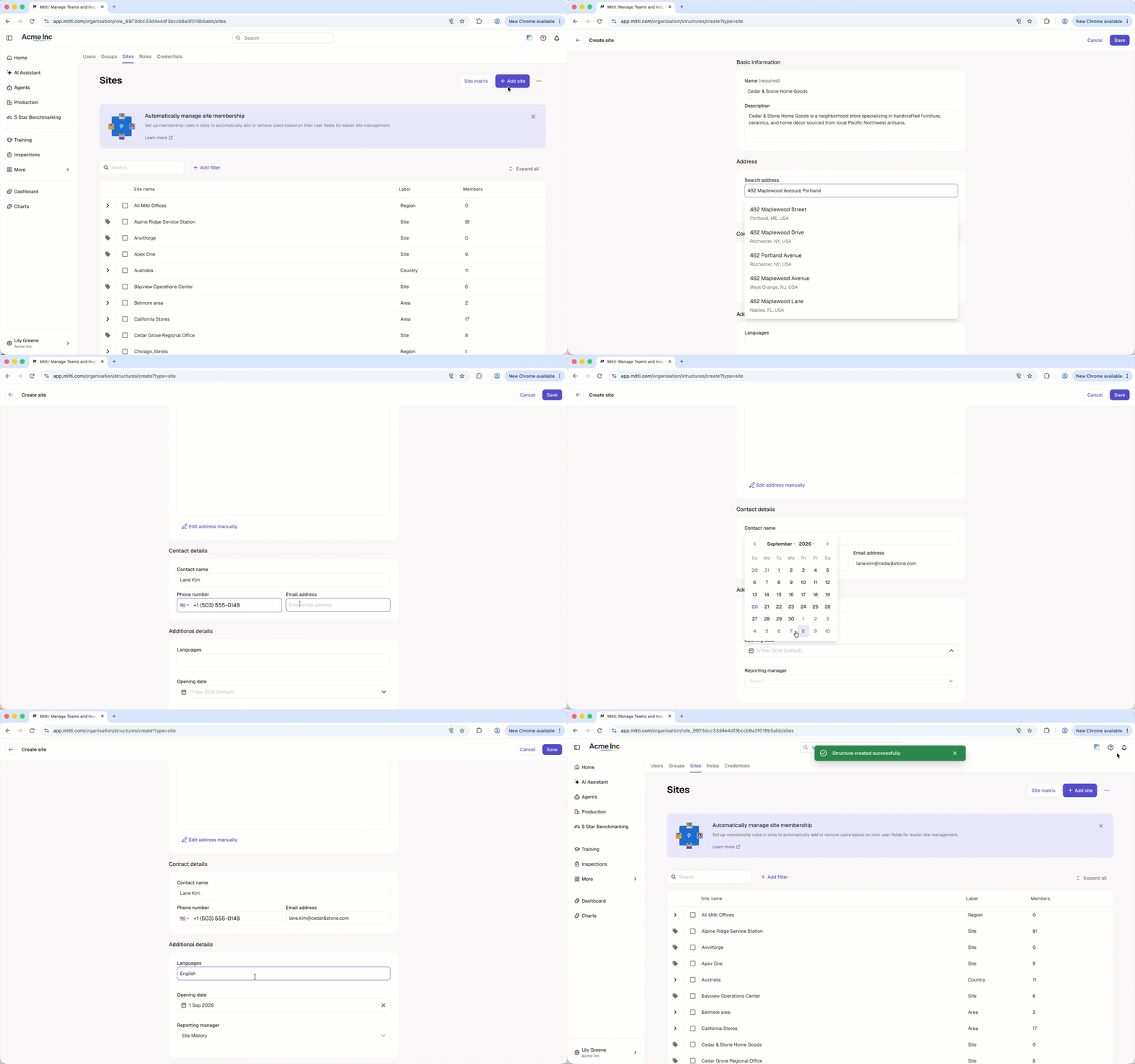
Add sites to your organization
Start by adding the sites to your organization. 5 Star Benchmarking only monitors sites already in your organization, and rates each one individually.
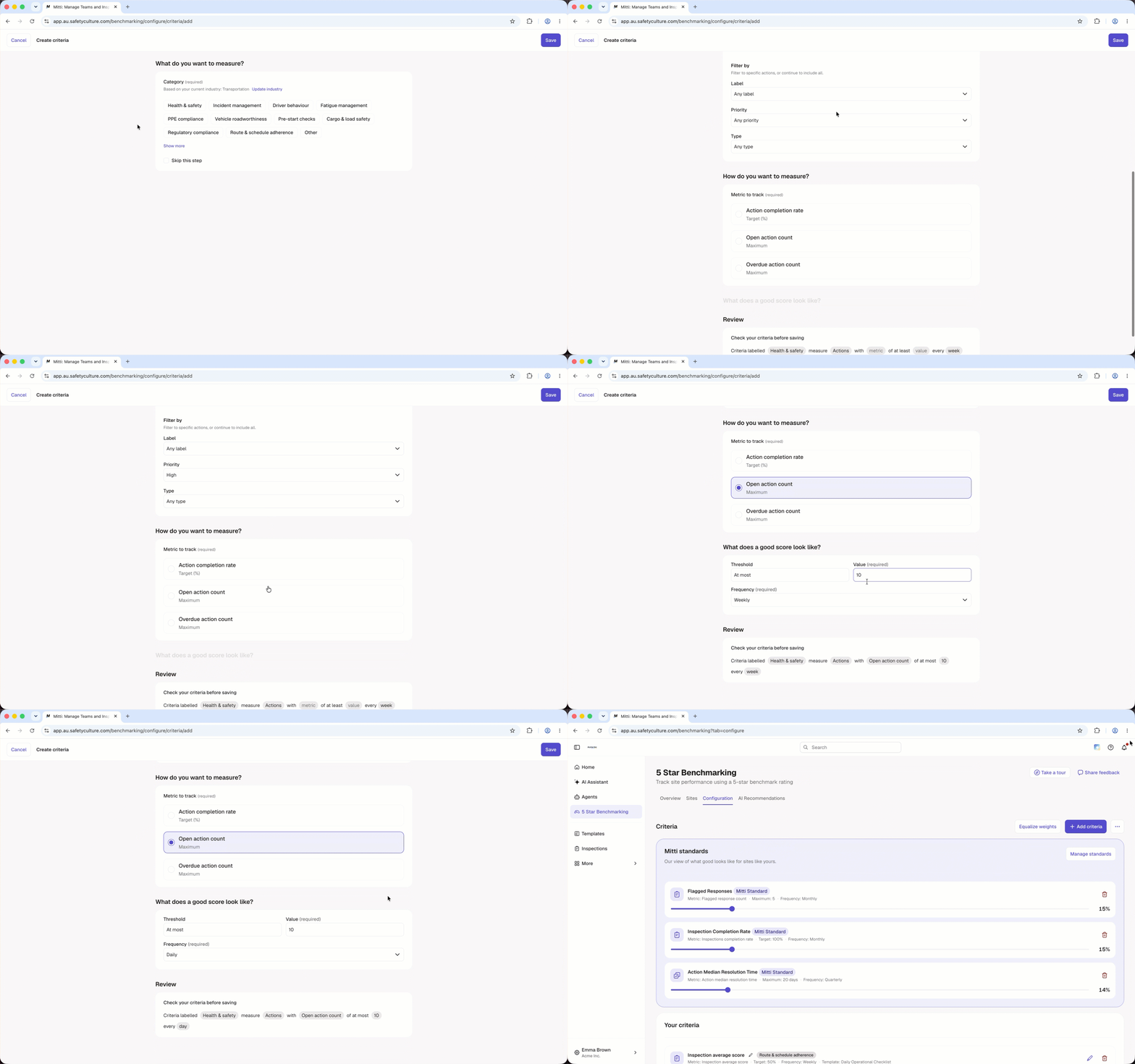
Add your own criteria
Configure benchmarking criteria based on the metrics that matter to your organization. You can adjust the weight for each criterion to control how much it counts toward a site's overall star rating, so the most important metrics have the biggest impact. Applying the same criteria across all sites helps ensure consistent measurement and makes it easier to compare results across your organization.
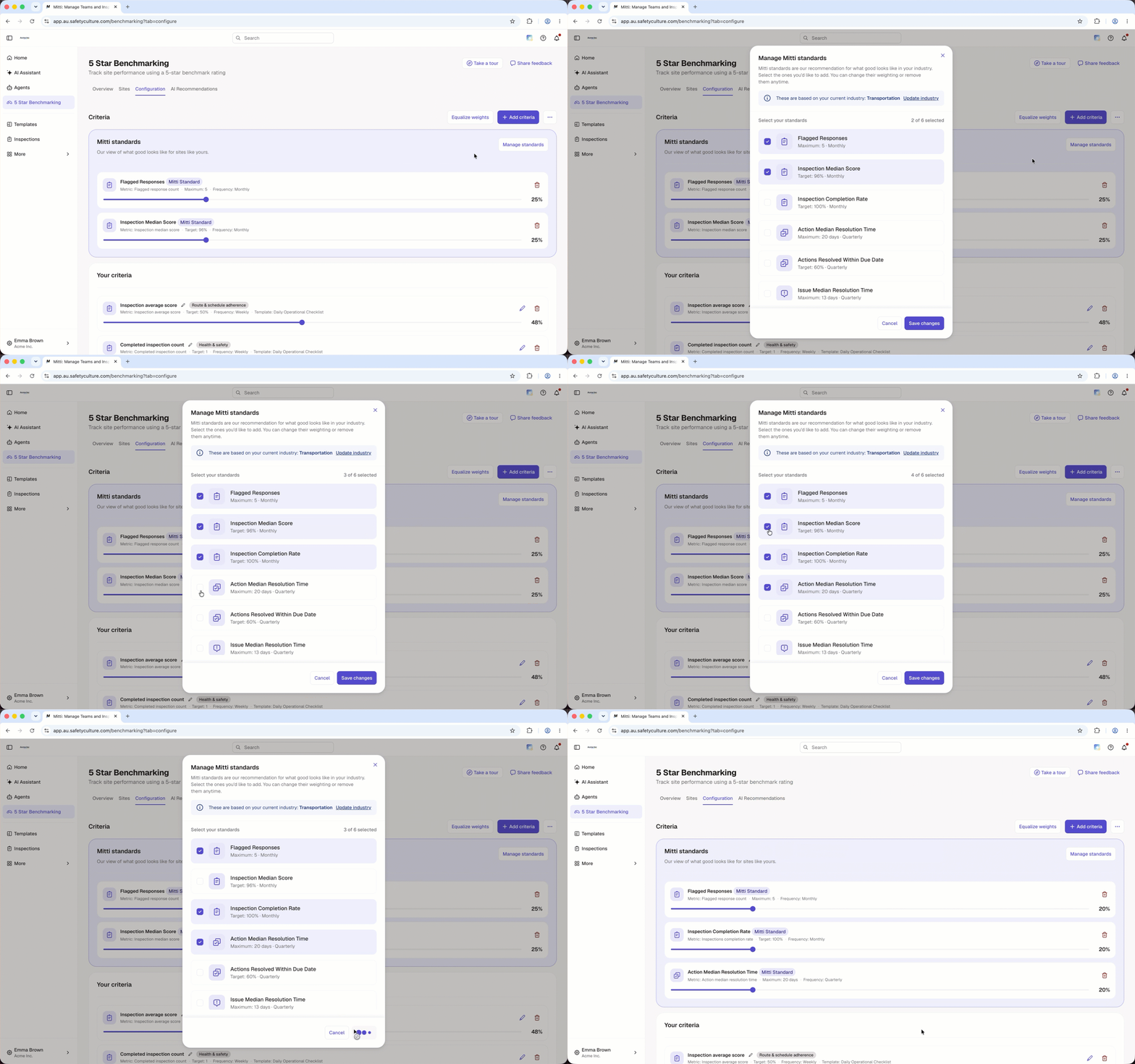
Manage Mitti Standards
Mitti standards are ready-made benchmark criteria that reflect good practice in your industry. Add them alongside your own criteria to give each site an industry reference point. Mitti standards and the criteria you create both count toward each site's star rating.
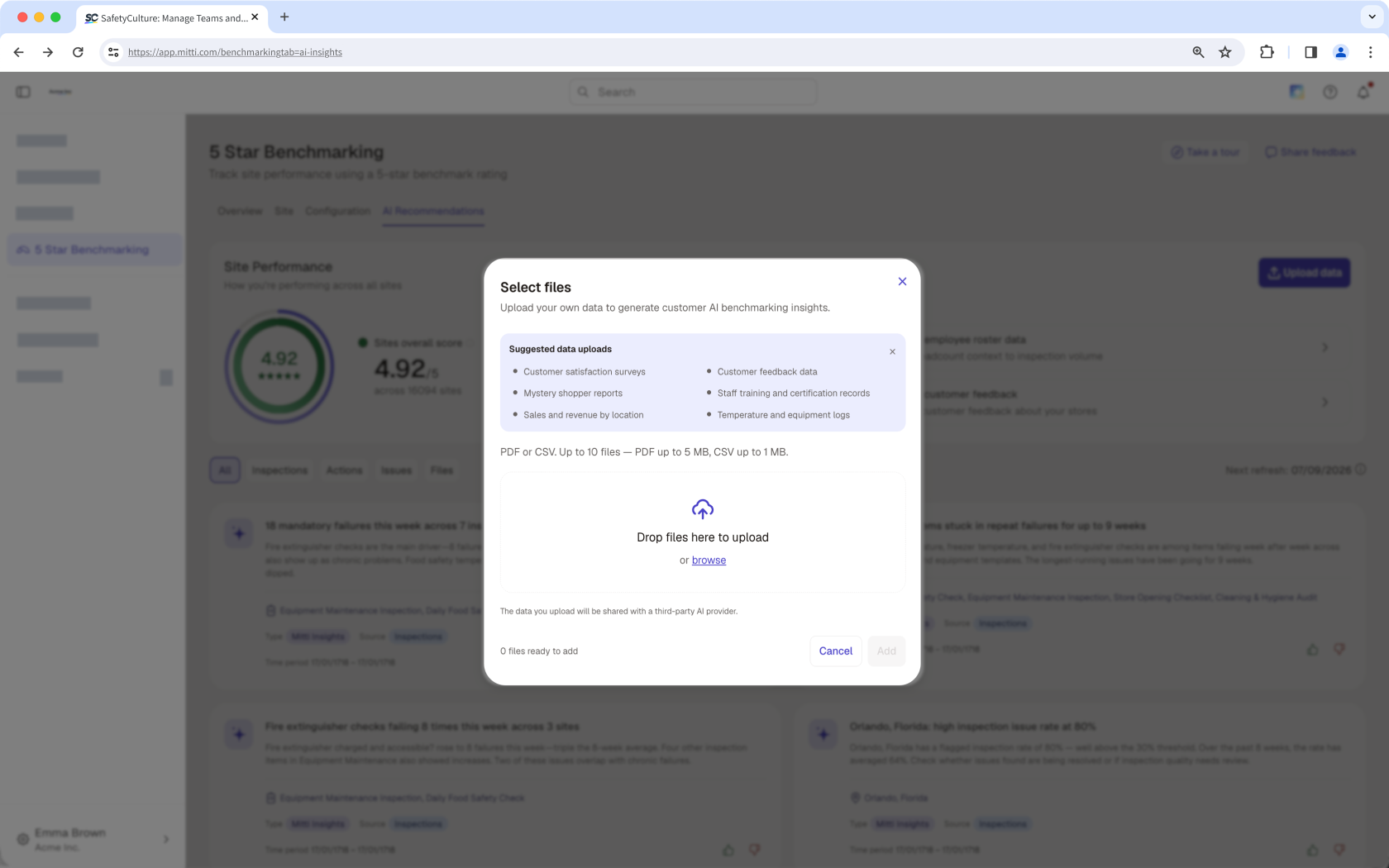
Upload data
Upload relevant files to provide additional context for AI-generated insights. The more relevant data you provide, the more detailed and reliable the insights. You can also use the Data Strength indicator to understand how much your uploaded data is contributing to the insights.
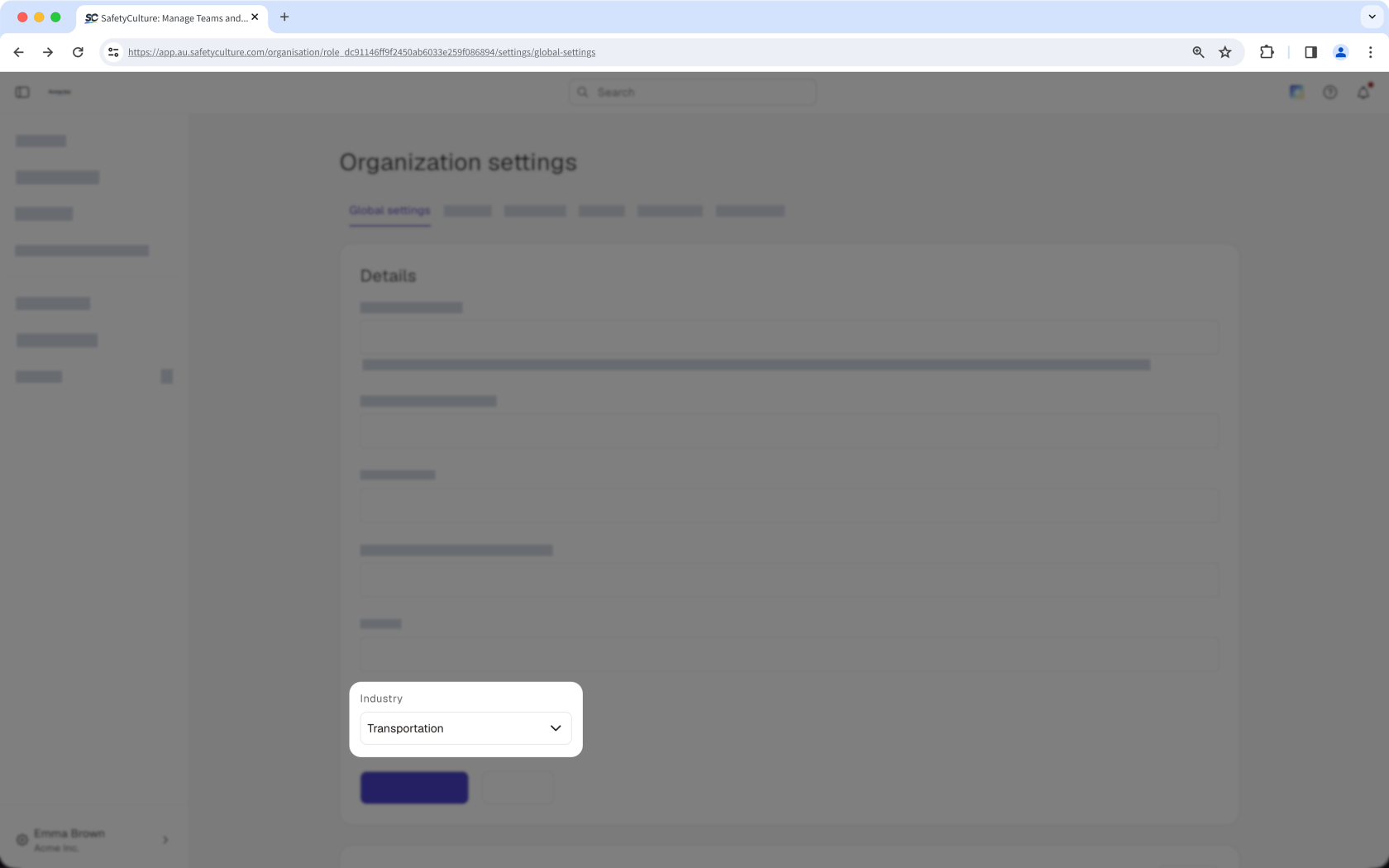
Choose your industry
In organization settings, select the industry that best represents your organization. The industry you select determines which criteria labels you can use when you create a criterion in 5 Star Benchmarking.
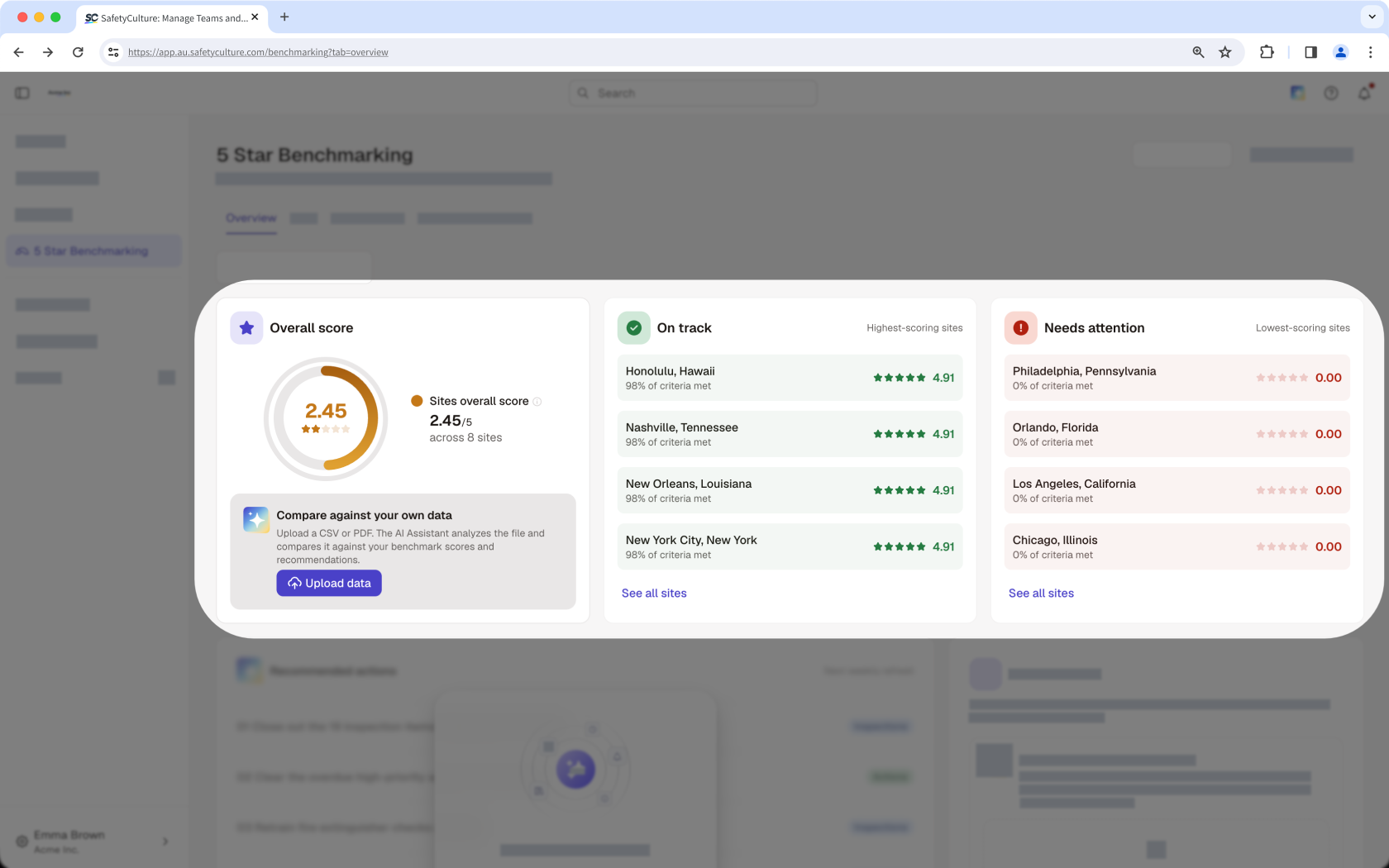
Identify top and low performing sites
Review the top three sites that are on track, the top three sites that need attention, and the average score across your sites. Use this overview to identify sites that are performing well and prioritize where to improve.
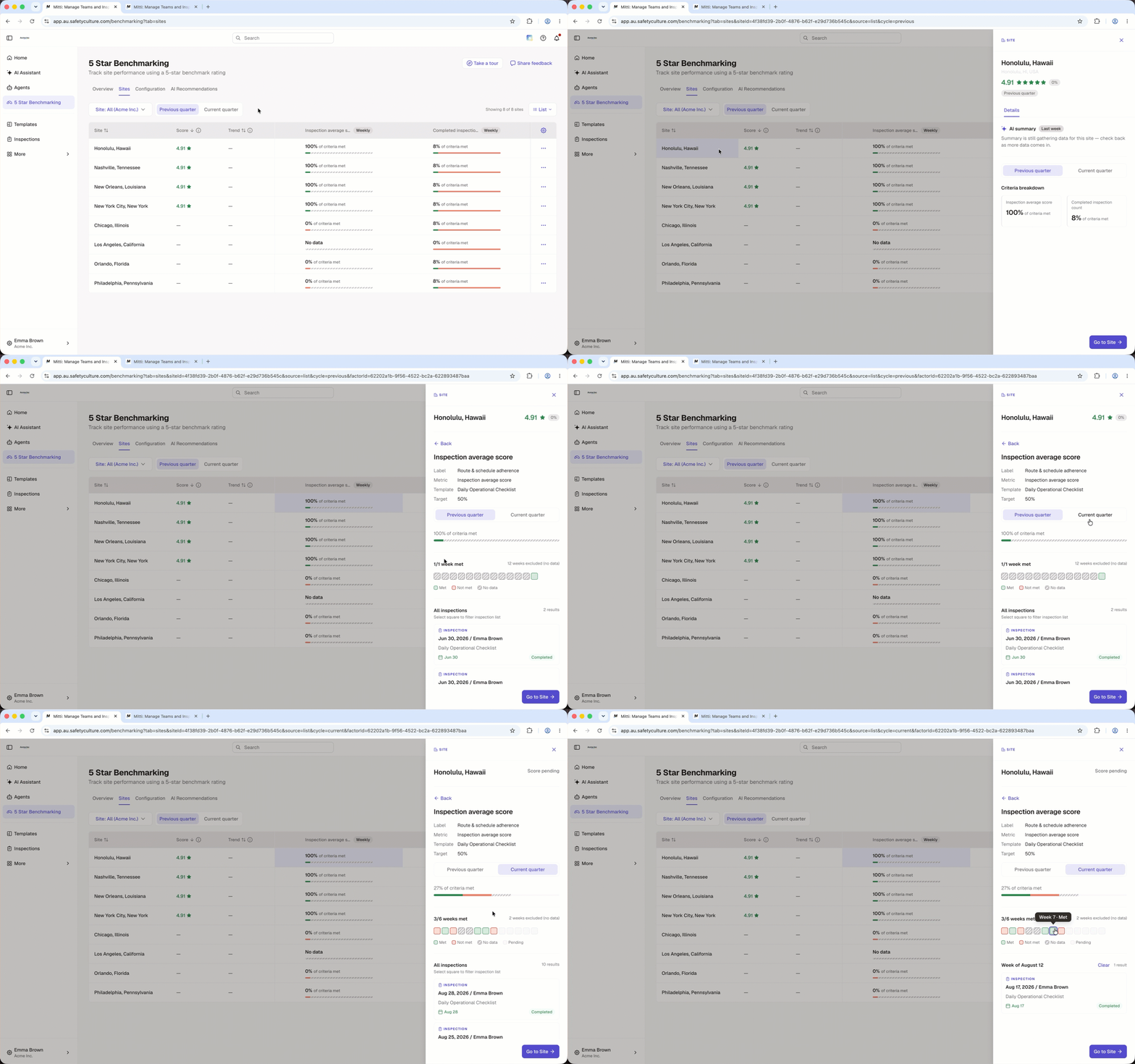
View site leaderboard
Use the site list view to compare site performance across your organization from a single view. Sites are ranked based on their benchmarking ratings, making it easy to identify top-performing sites and those that may need attention. You can also explore the data to review summary insights and a breakdown by criteria.
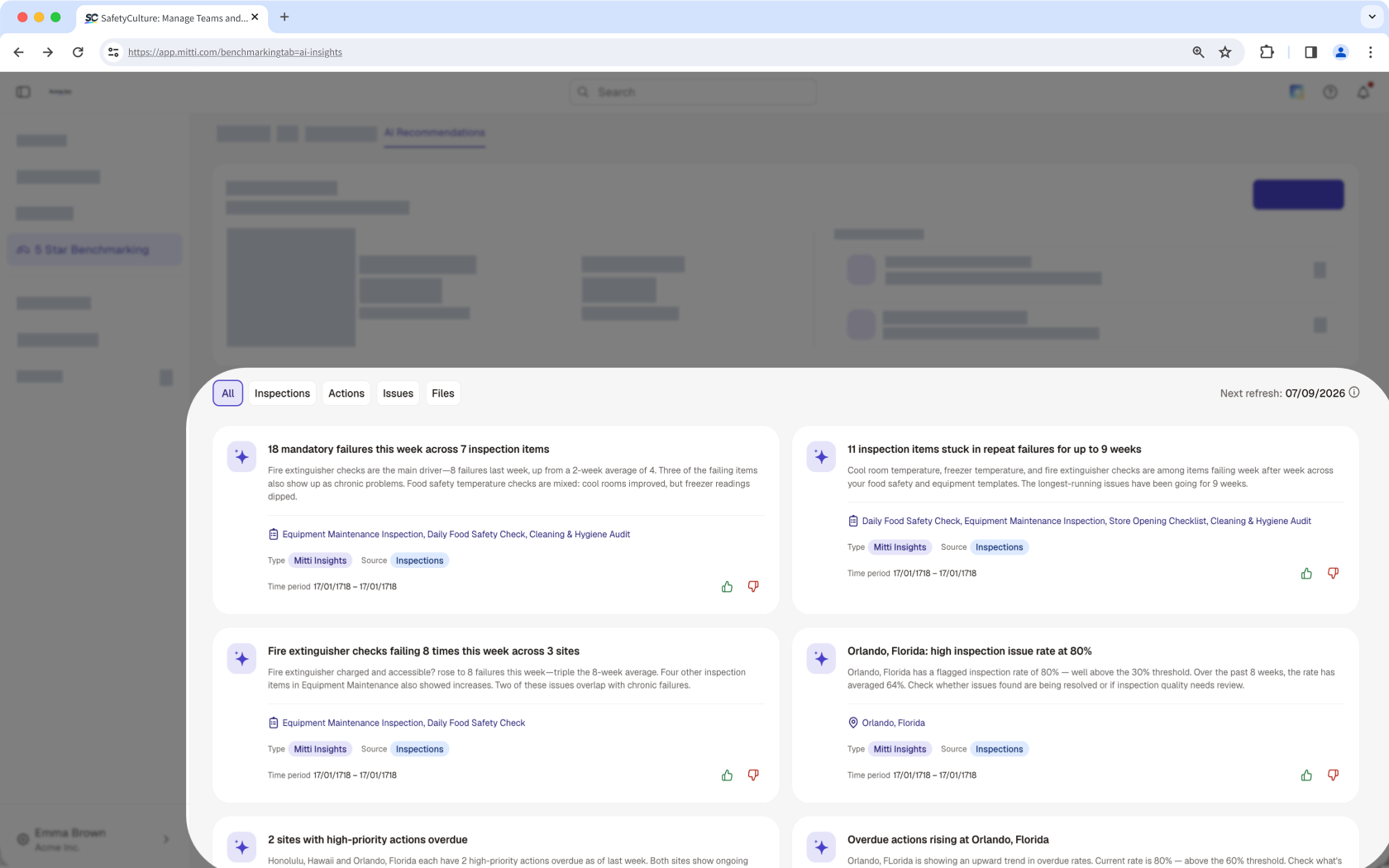
View AI Recommendations
AI-generated insights help you spot patterns across your sites, recognize strong performers, and know where to focus your efforts before problems escalate.
Compare site performance with your own data
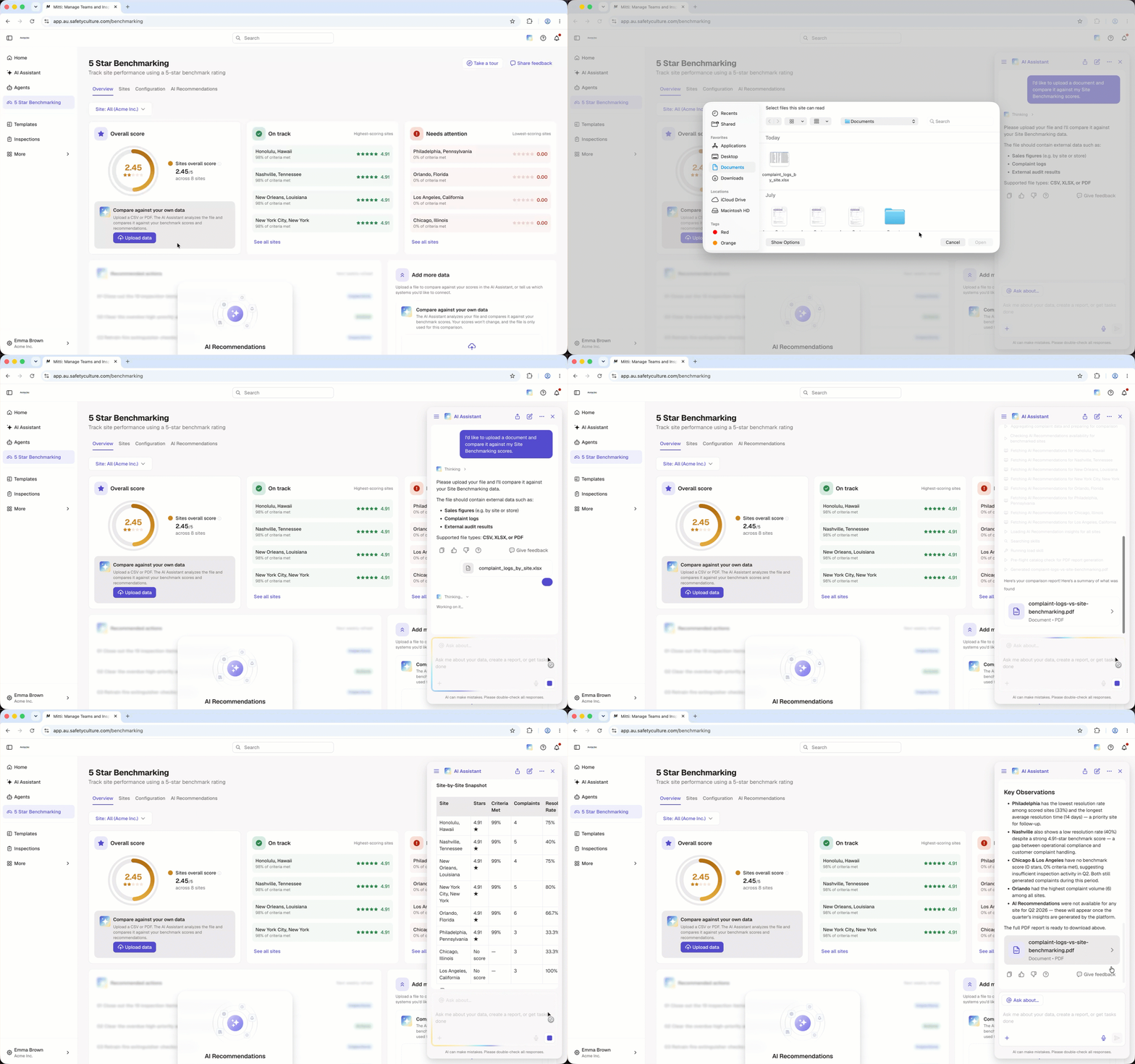
Compare your 5-star benchmark scores with data you already track, such as customer feedback, sales figures, complaint logs, or audit results. Upload a file to compare this data with your site performance and identify trends, gaps, and opportunities for improvement.
Frequently asked questions
Need more help?
Was this page helpful?
