Last updated: September 16, 2026
What does it mean to turn on Force fall detection?
When you turn on Force fall detection, fall detection turns on for every worker, regardless of their saved preference. This applies across your whole organization, no matter the worker's group, site, or job type. Administrators no longer have to rely on each worker to turn fall detection on or off themselves. Every worker is protected if they fall during a job and need help. If you turn Force fall detection off later, each worker's saved preference is restored.
What you'll need
Turn Force fall detection on or off
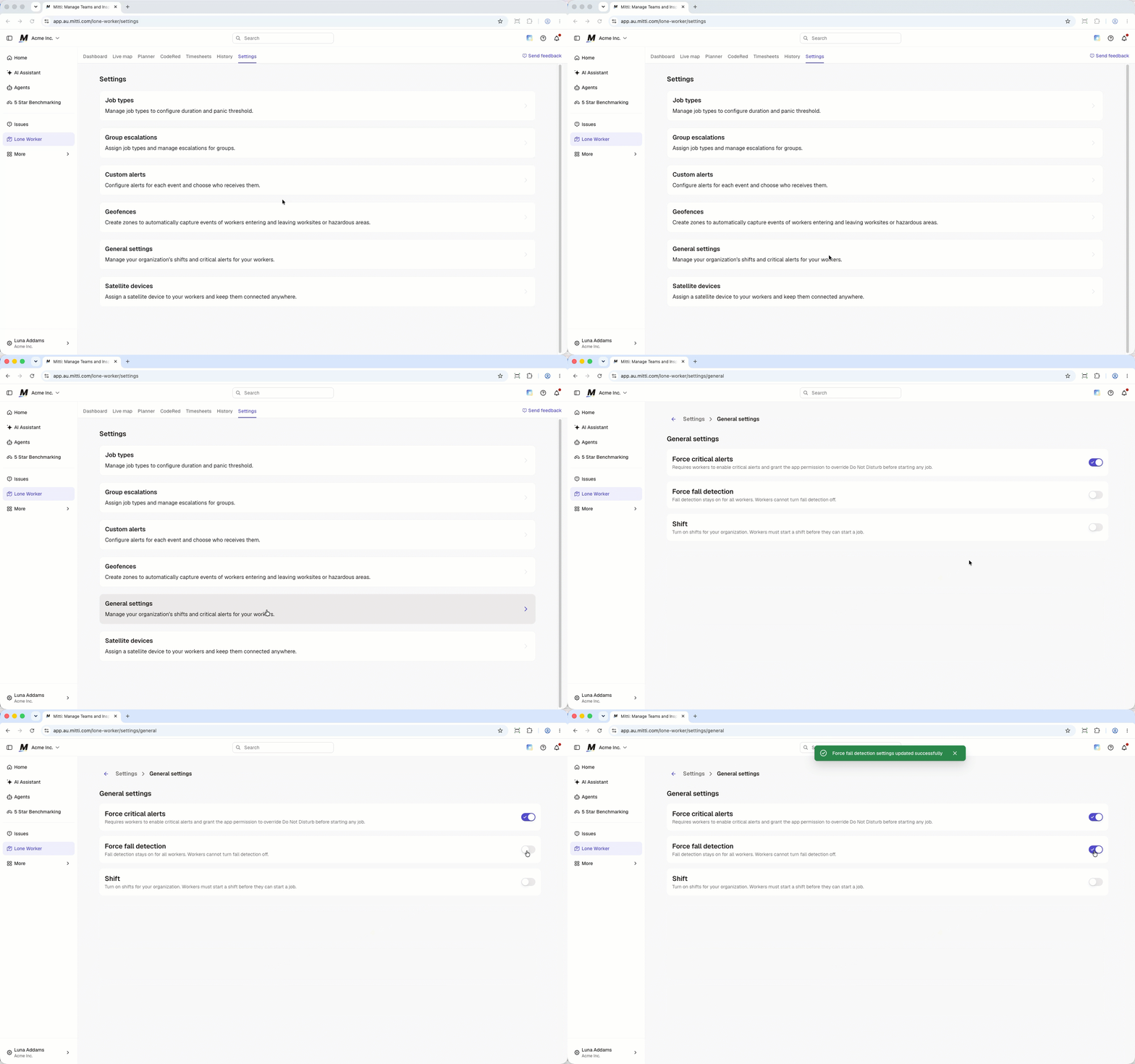
Click Lone Worker from the sidebar or in More.
Select Settings at the top of the page.
Click General settings.
Turn Force fall detection on or off.
On iOS devices, fall detection only works while the Mitti app is open on screen. To ensure full coverage, keep the app open for the entire duration of the job.
Frequently asked questions
Need more help?
Was this page helpful?