Last updated: September 10, 2026
How does fall detection work in Lone Worker?
Fall detection helps protect workers who may be seriously injured or unconscious after a fall. When a significant fall is detected during a job, a 15-second countdown appears on their mobile device. The worker can choose to start a panic alert immediately or cancel it if it was a false alarm. If they don’t respond, the panic alert is triggered automatically. This ensures your team members get help quickly, even if they can’t reach their phone. Once triggered, the alert is escalated and contacts are notified immediately so help can be sent without delay.
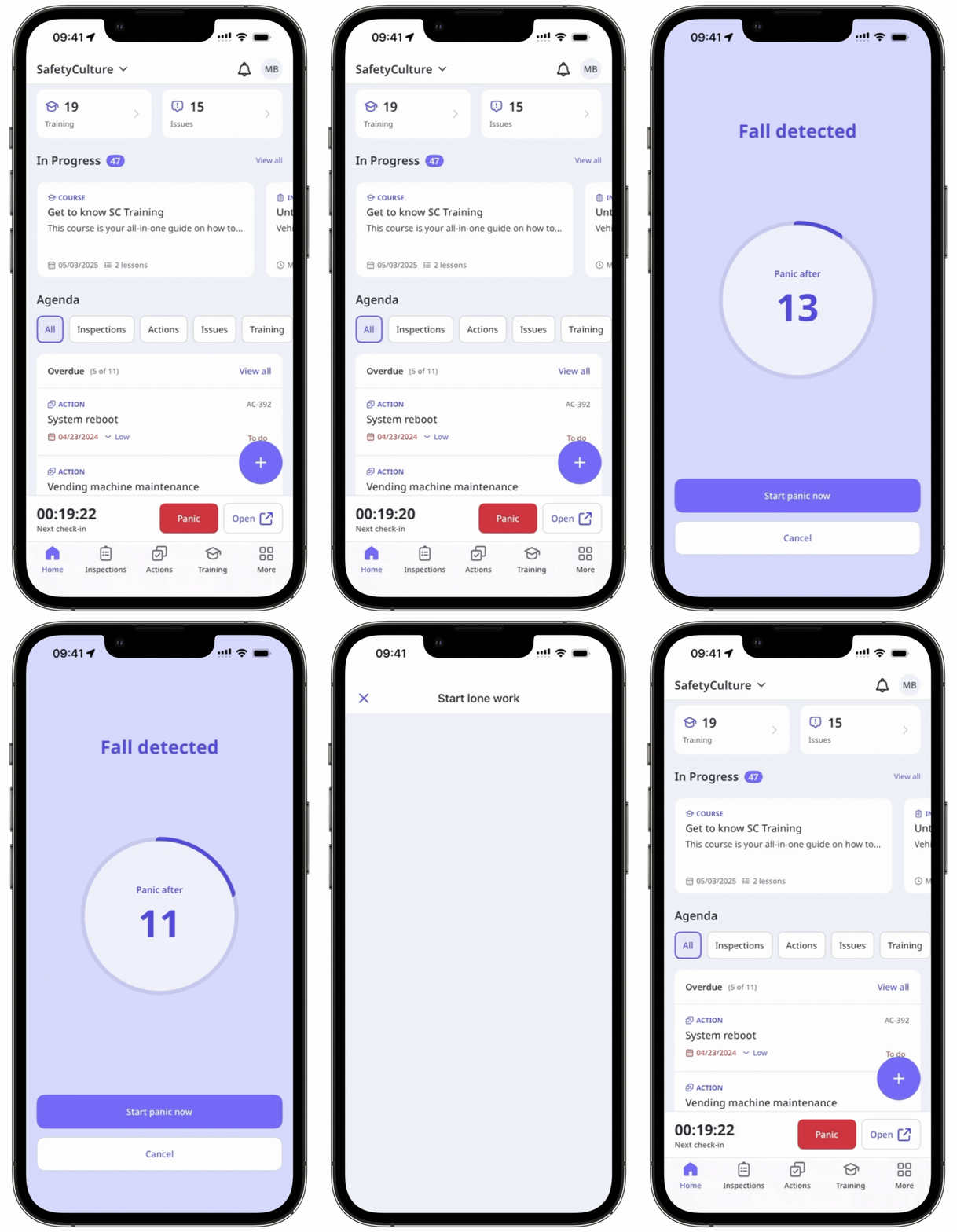
Turn fall detection on or off
Open the mobile app.
Tap More at the bottom of your screen.
Select Lone Worker from the list of options.
Turn "Fall detection" on or off.
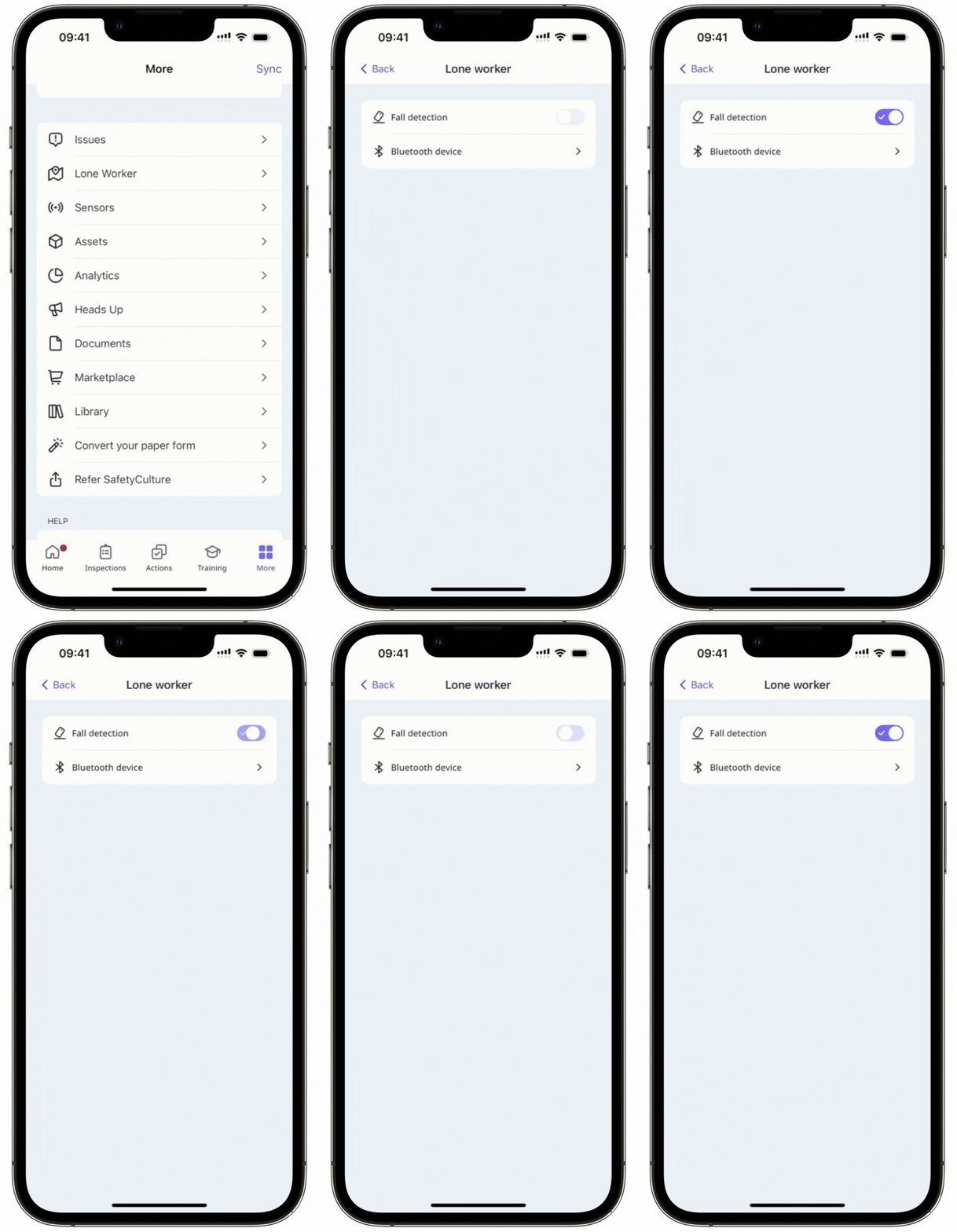
Now, when you have an active job and a fall is detected by your device, a countdown will start automatically to trigger a panic alert.
On iOS devices, fall detection only works while the Mitti app is open on screen. To ensure full coverage, keep the app open for the entire duration of the job.
If your organization turns on Force fall detection, the fall detection setting remains on, and you can't turn it off.
Need more help?
Was this page helpful?
