Last updated: November 8, 2026
Why share agent copies?
Share a copy of your agent so other users in your organization can reuse your instructions and settings. Those users can review your setup, make changes to suit their needs, and save their own copy. Sharing agent copies helps your organization reuse existing configurations, reduce repeated setup work, and spend more time using agents in daily work.
What you'll need
Share an agent copy
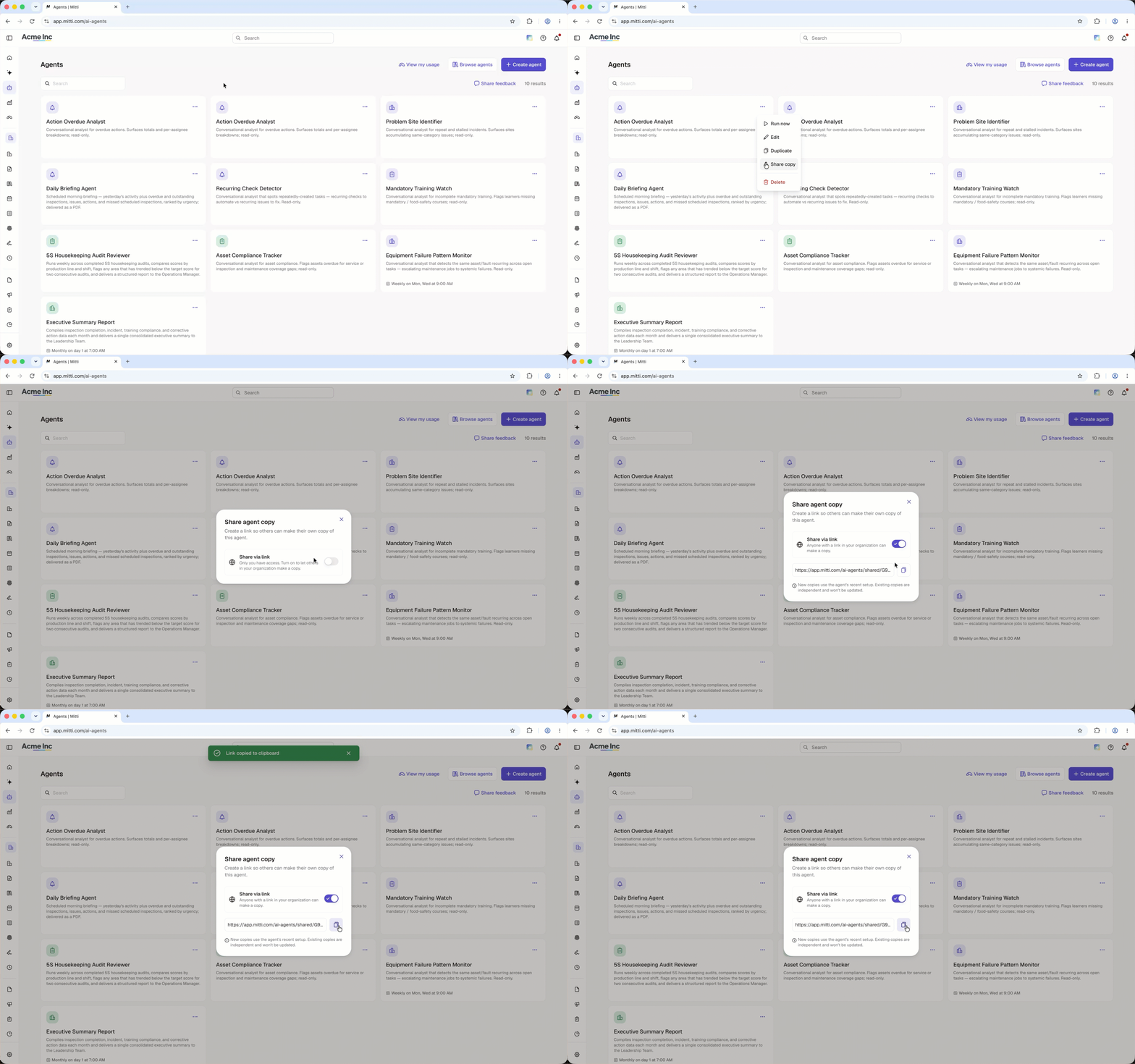
Click Agents in the sidebar.
Click on the upper-right of the agent you want to share and select Share copy.
In the pop-up window, turn on Share via link. You can also turn off agent sharing via the link.
Click .
Share the link with your team so they can make a copy of the agent.
Changes made to the agent only apply to copies created after the changes were made. Existing copies of the agent won't be updated.
Frequently asked questions
Need more help?
Was this page helpful?