Zuletzt aktualisiert: 16. September 2026
This article covers the new Supply experience, which is only available to organizations in Australia. If your organization is outside Australia, you're on the legacy version for now.
What is Supply?
Supply (previously Marketplace) is the next-generation procurement feature that lets teams browse and purchase products directly in Mitti. This reduces costs and improves compliance, so admins can focus on other important tasks. It also means frontline teams get the tools they need as soon as possible.
As part of the platform experience, admins can tailor product catalogs for their teams, so only approved products can be purchased. They can also set budgets for specific buying groups and use saved company payment methods to make purchasing easier and more secure.
Was Sie brauchen
Der Kauf von Produkten bei Mitti Supply ist derzeit nur für Kunden in Australien und den USA möglich.
Eine Bestellung aufgeben
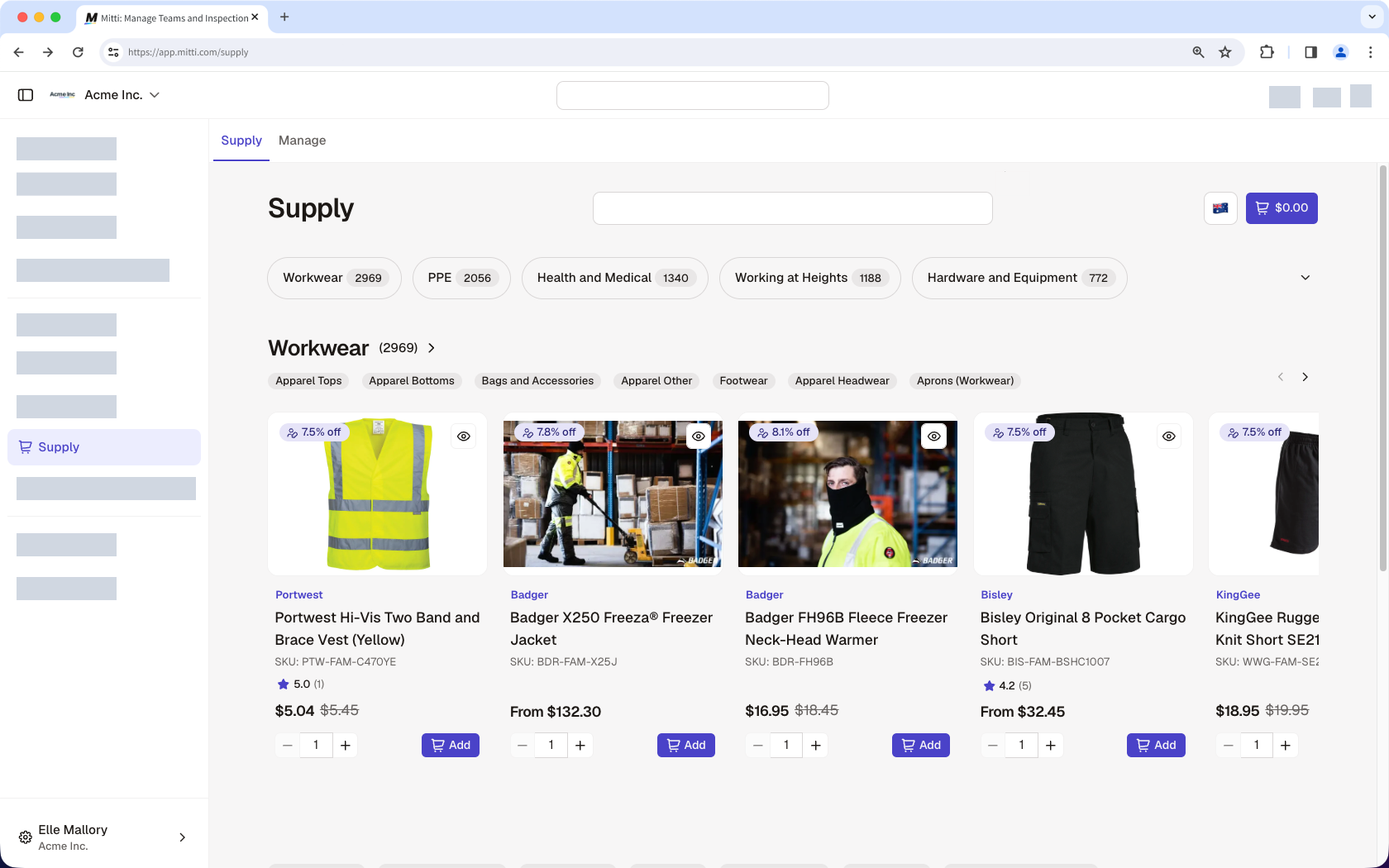
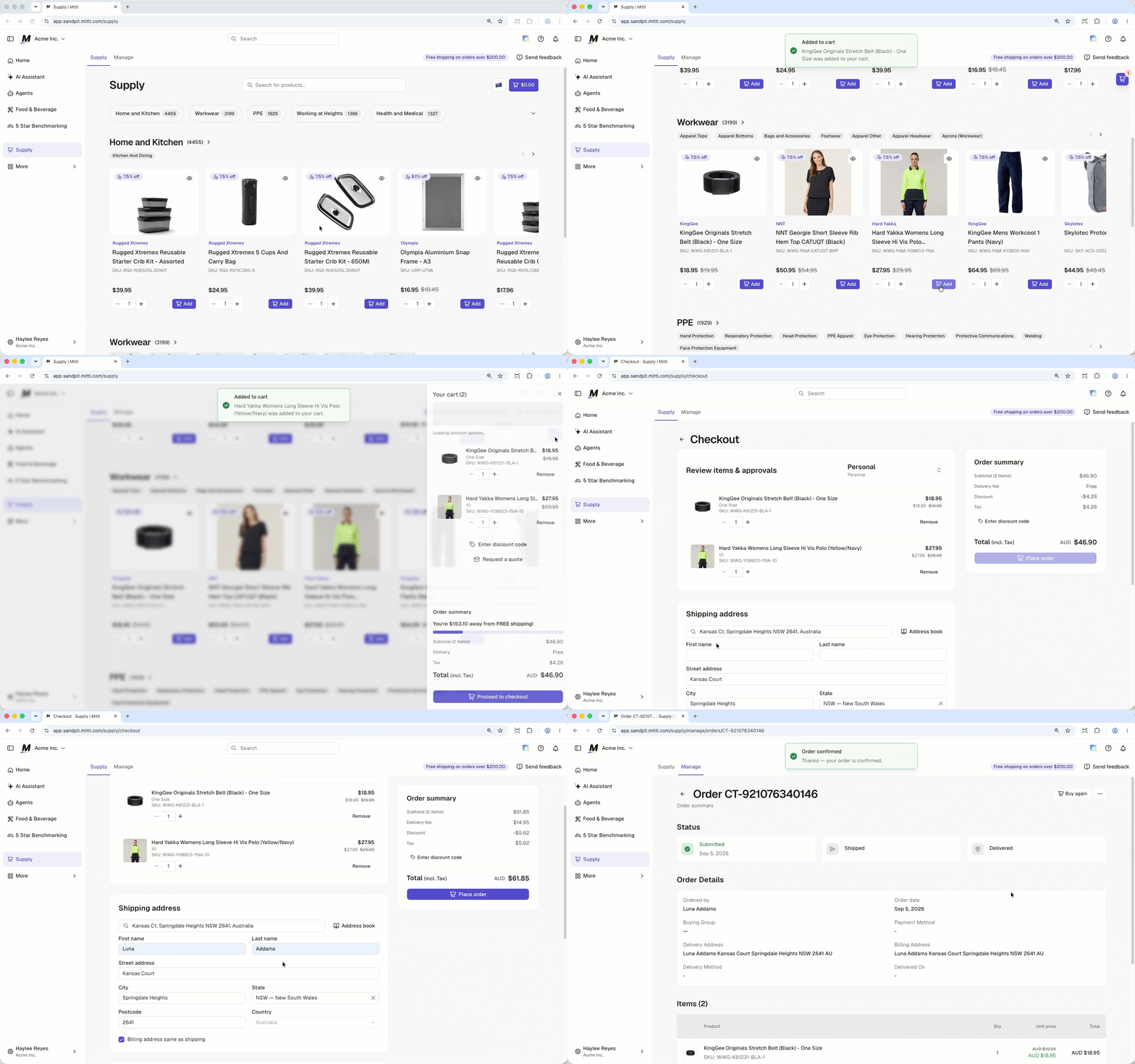
Click Supply from the sidebar or in Mehr.
Browse categories and products and click Add to add items to your cart and continue shopping.
When you're ready to check out, click on the upper-right of the page. You'll see the number of items in your cart and its total amount.
In the side panel, select the account you want to check out the products under. Then, click Proceed to checkout or Request to purchase.
In the "Checkout" page, you can do the following:
Order summary: Review the total amount and enter a discount code if applicable.
Review items & approvals: Select the buying group to bill for the order, and review your product's size and quantity.
Shipping address: Enter your details and shipping address.
Delivery method: Select a delivery method and add delivery notes.
Payment method: If available, you can use one of the saved payment methods from your organization. Otherwise, you can add your own card details for payment.
In the "Order summary" section, click Place order or Request to purchase to submit the order.
Open the mobile app.
Tap Supply from the navigation bar or in Mehr.
Browse categories and products and tap Add to add items to your cart and continue shopping.
When you're ready to check out, tap at the upper-right of your screen. You'll see the number of items in your cart and its total amount.
In the side panel, select the account you want to check out the products under. Then, tap Proceed to checkout or Request to purchase.
In the "Checkout" screen, you can do the following:
Order summary: Review the total amount and enter a discount code if applicable.
Review items & approvals: Select the buying group to bill for the order, and review your product's size and quantity.
Shipping address: Enter your details and shipping address.
Delivery method: Select a delivery method and add delivery notes.
Payment method: If available, you can use one of the saved payment methods from your organization. Otherwise, you can add your own card details for payment.
In the "Order summary" section, tap Place order or Request to purchase to submit the order.
For more information on products or any questions about your orders, contact our Supply support team for assistance.
Häufig gestellte Fragen
Brauchen Sie weitere Hilfe?
War diese Seite hilfreich?