Última actualización: 3 de septiembre de 2026
Lo que necesitarás
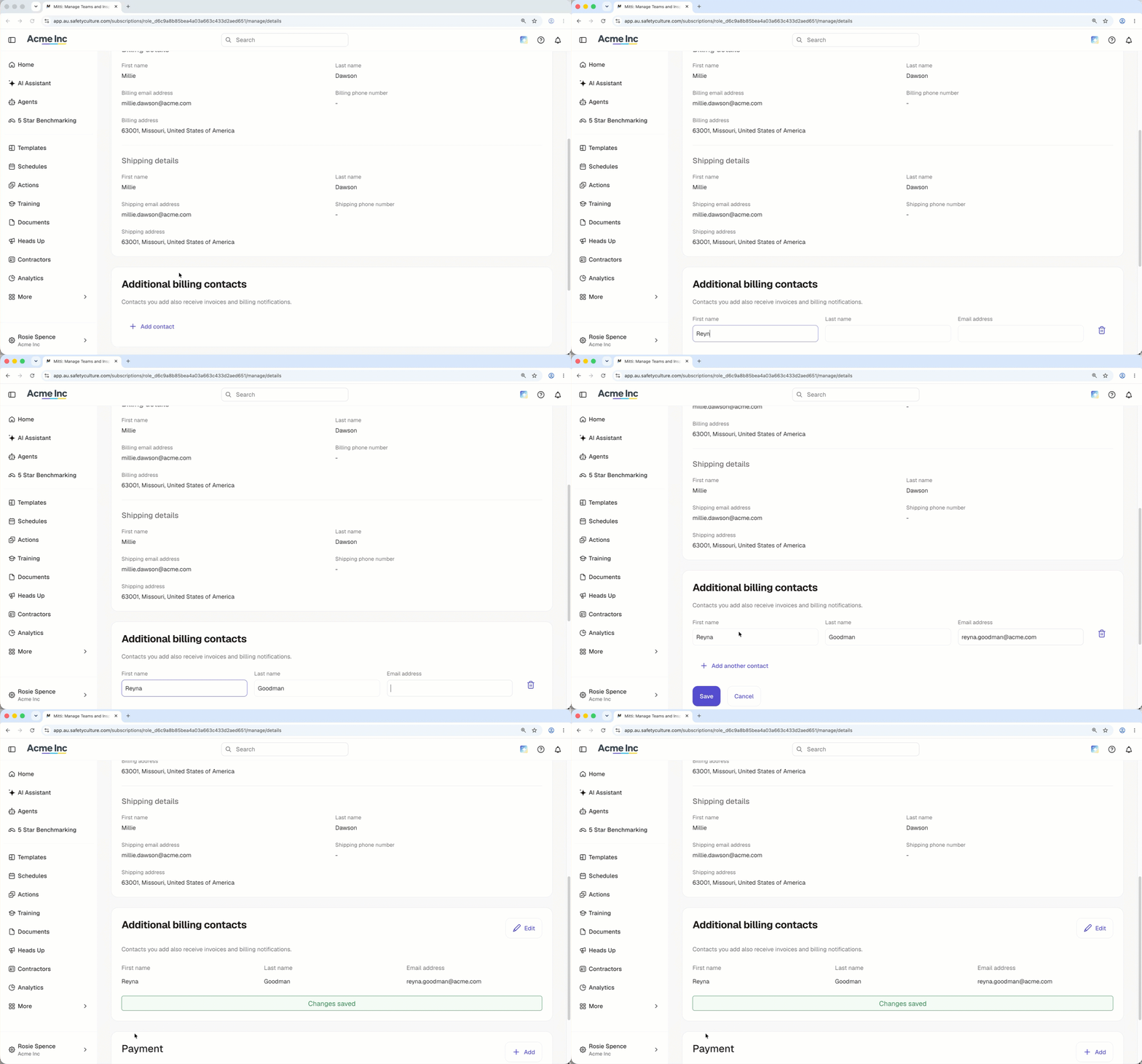
Añadir un contacto de facturación adicional
Click your organization name on the lower-left corner of the page and select Facturación.
Click Detalles at the top of the page.
In the "Additional billing contacts" section, click Añadir contacto.
Enter the first name, last name, and email address of the new billing contact.
Click Guardar.
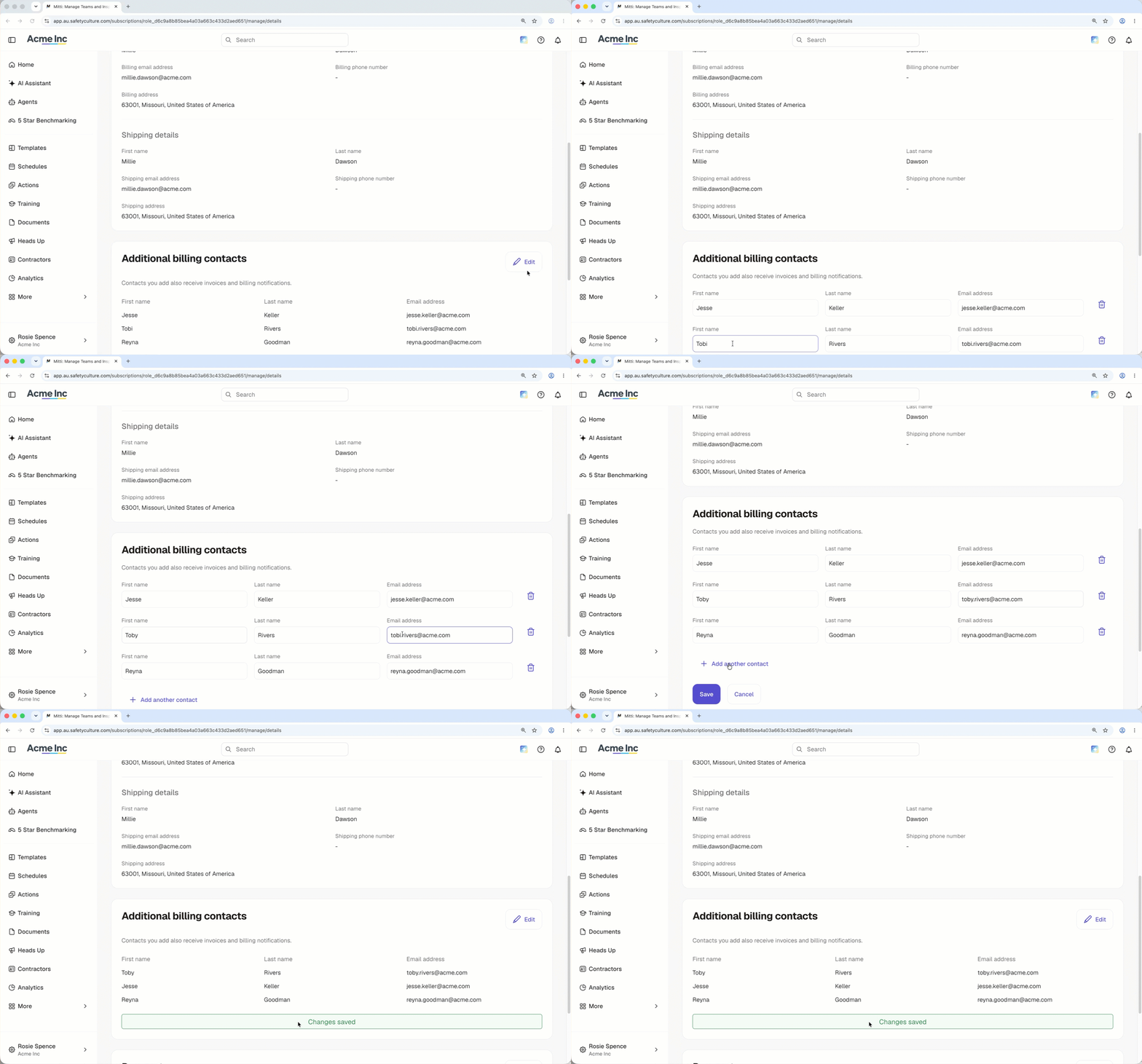
Editar un contacto de facturación adicional
Click your organization name on the lower-left corner of the page and select Facturación.
Click Detalles at the top of the page.
In the "Additional billing contacts" section, click Editar.
Edit the name or email address of your billing contact.
Click Guardar.
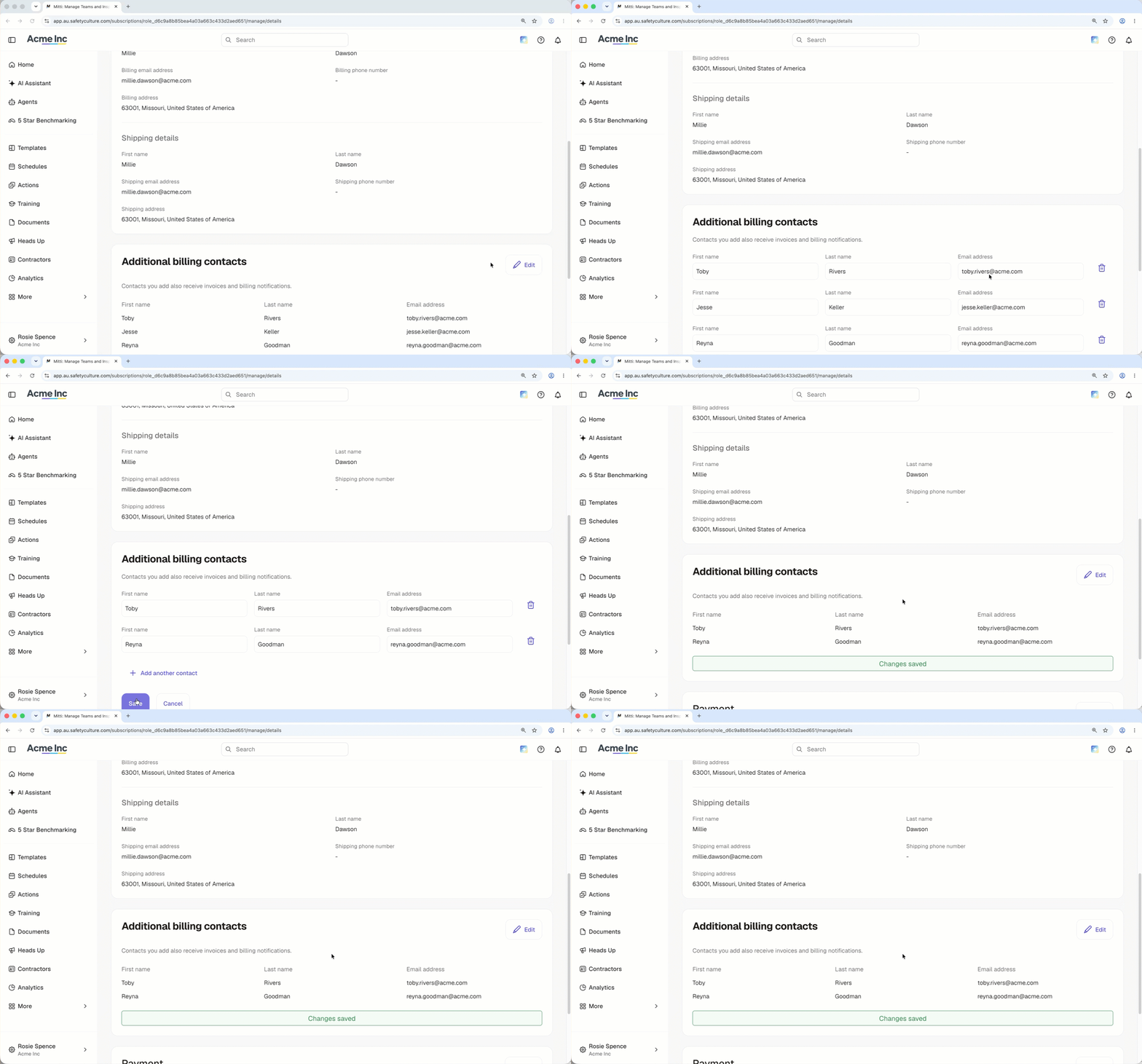
Delete an additional billing contact
Click your organization name on the lower-left corner of the page and select Facturación.
Click Detalles at the top of the page.
In the "Additional billing contacts" section, click Editar.
Click on the right-hand side of the billing contact.
Click Guardar.
¿Necesitas más ayuda?
¿Fue útil esta página?