Dernière mise à jour: 18 août 2026
Qu'est-ce que 5 Star Benchmarking dans SafetyCulture ?
5 Star Benchmarking vous aide à comprendre les performances des sites au sein de votre organisation. Vous définissez les critères de benchmarking en utilisant les métriques importantes pour votre équipe, tels que le nombre d'inspections, les taux d'achèvement, les évaluations moyennes ou le nombre d'actions. Chaque site est ensuite automatiquement noté sur une échelle de 5 étoiles, ce qui vous permet d'identifier ceux qui obtiennent de bons résultats et ceux qui nécessitent une attention particulière.
Les informations générées par l'IA permettent d'identifier les sites performants et ceux qui affichent des résultats insuffisants. Utilisez ces informations pour repérer les tendances, identifier les sites les plus performants et concentrer vos efforts d'amélioration sur ceux qui en ont le plus besoin.
Pour afficher les informations générées par l'IA pour l'Analyse comparative des sites, votre organisation doit disposer d'au moins 3 sites, dont chacun a fait l'objet d'au moins une inspection terminée au cours des 9 dernières semaines.
Exploring 5 Star Benchmarking
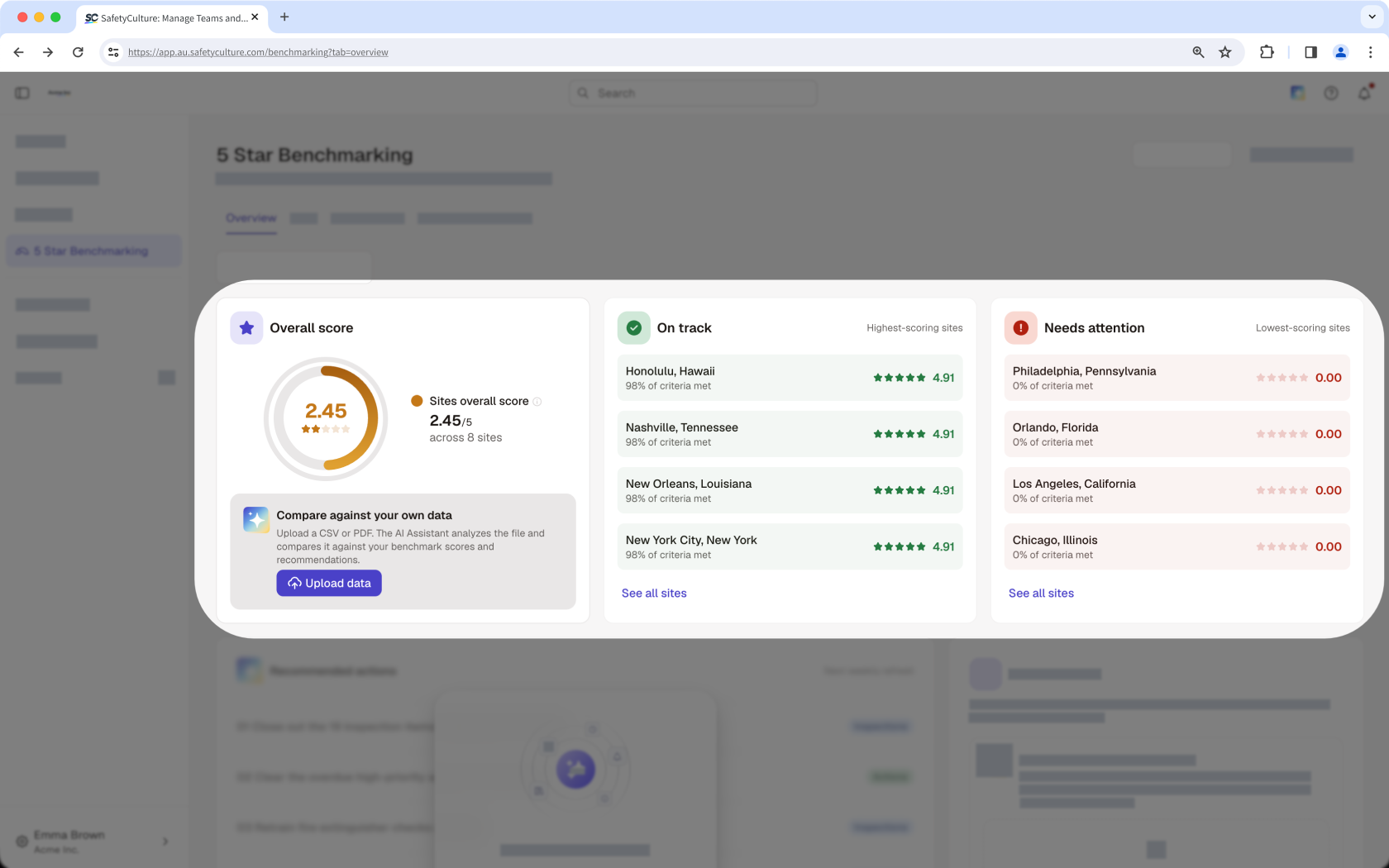
Site performance overview
View a summary of how your organization is performing, with the top five on track, the top five sites that need attention, and the average score across all your sites surfaced together. Rather than checking each site individually, identify where performance is strong and where to prioritize improvement in one place.
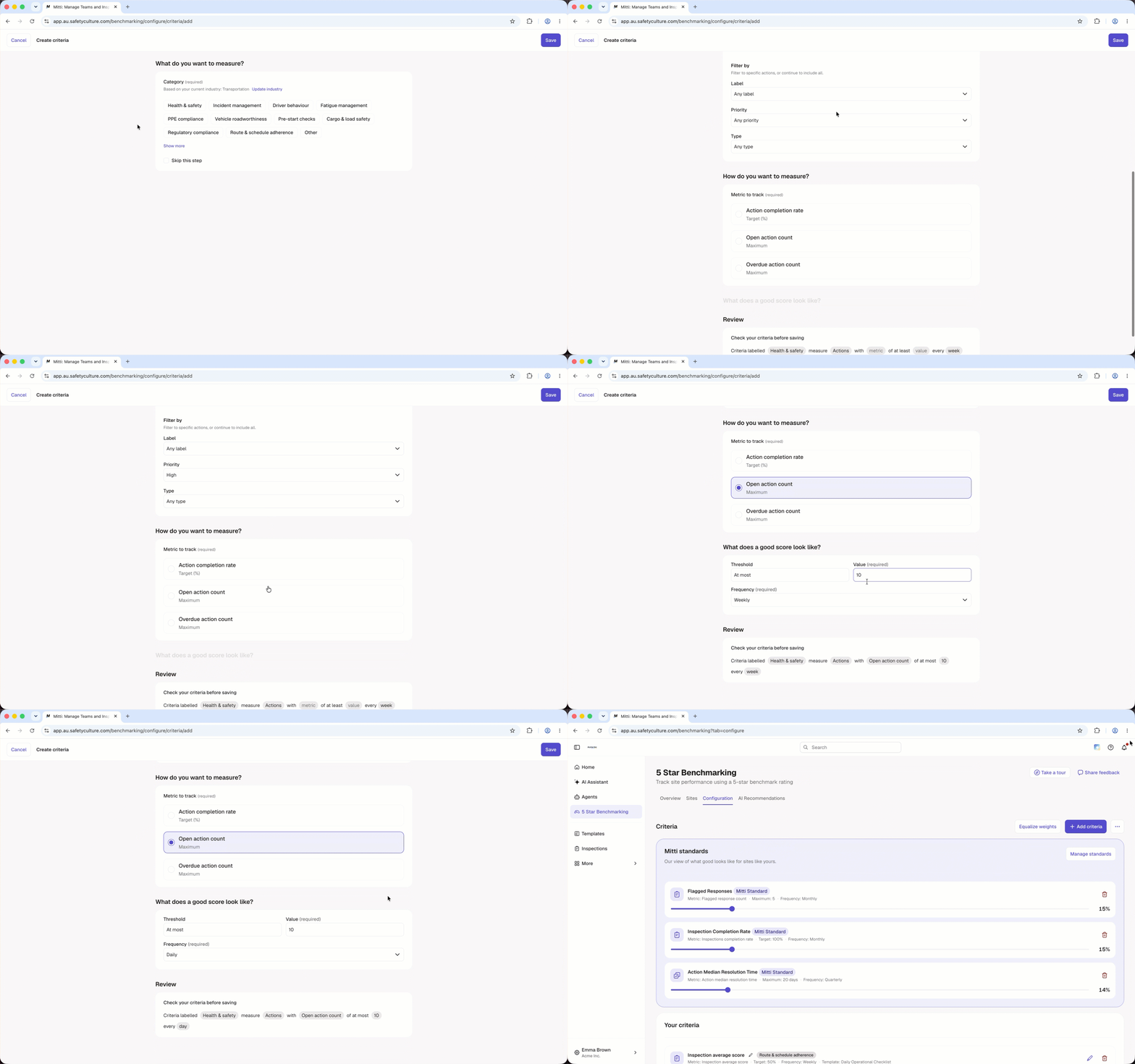
Criteria builder
The criteria builder lets you define good performance on your own terms. Build benchmarking criteria around the metrics that matter most, such as inspection completion or average scores, and assign a weighting to each one so the most important measures carry the biggest impact on a site's overall rating. Applying the same criteria across all sites ensures every location is measured the same way, making comparisons meaningful and consistent.
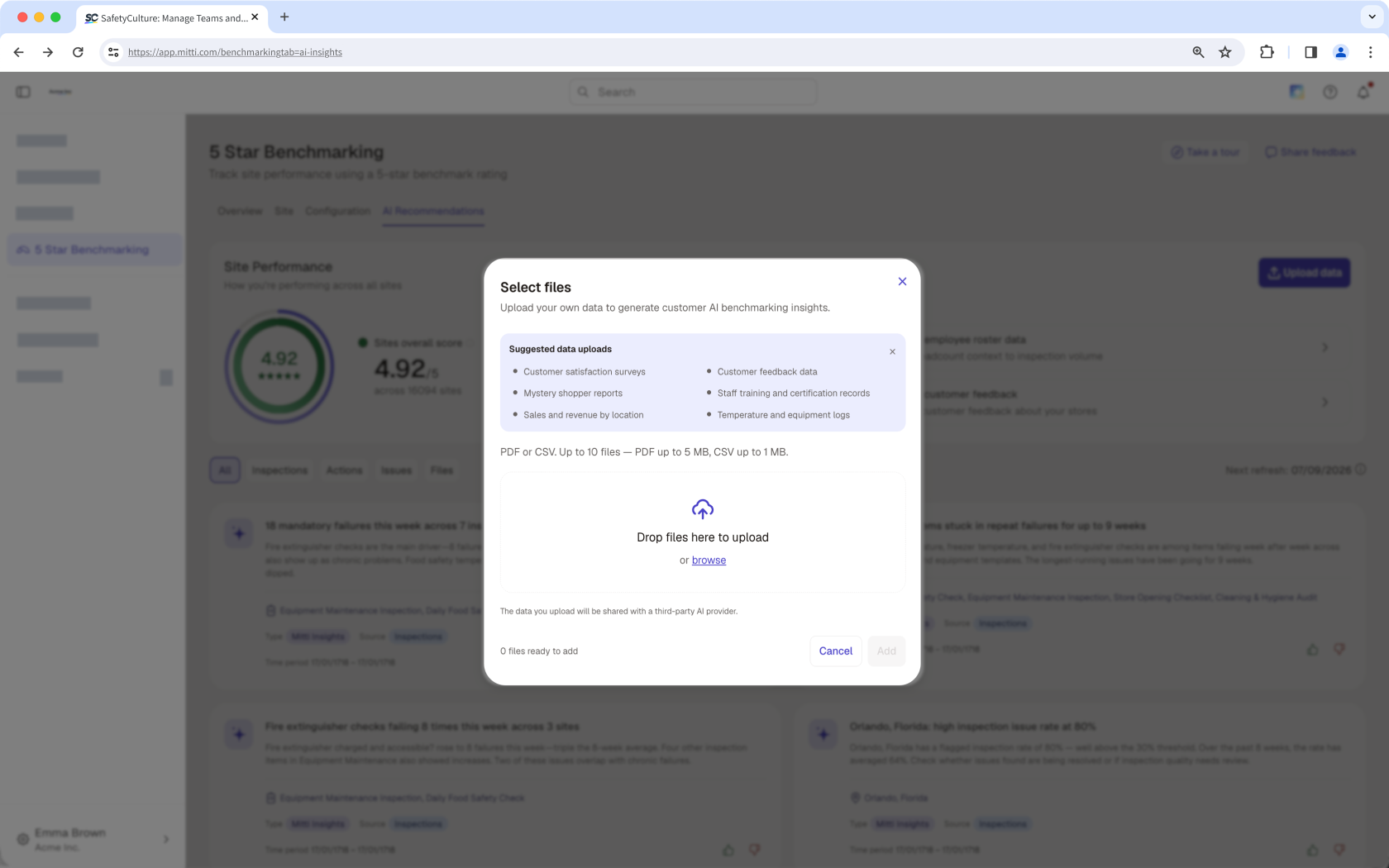
Upload data
Beyond the data already captured in Mitti, you can upload additional files to give the AI more context. The more relevant data you provide, the more detailed and reliable the AI-generated insights become. A Data Strength indicator shows how much your uploaded data contributes to those insights, so you know how much to rely on them.
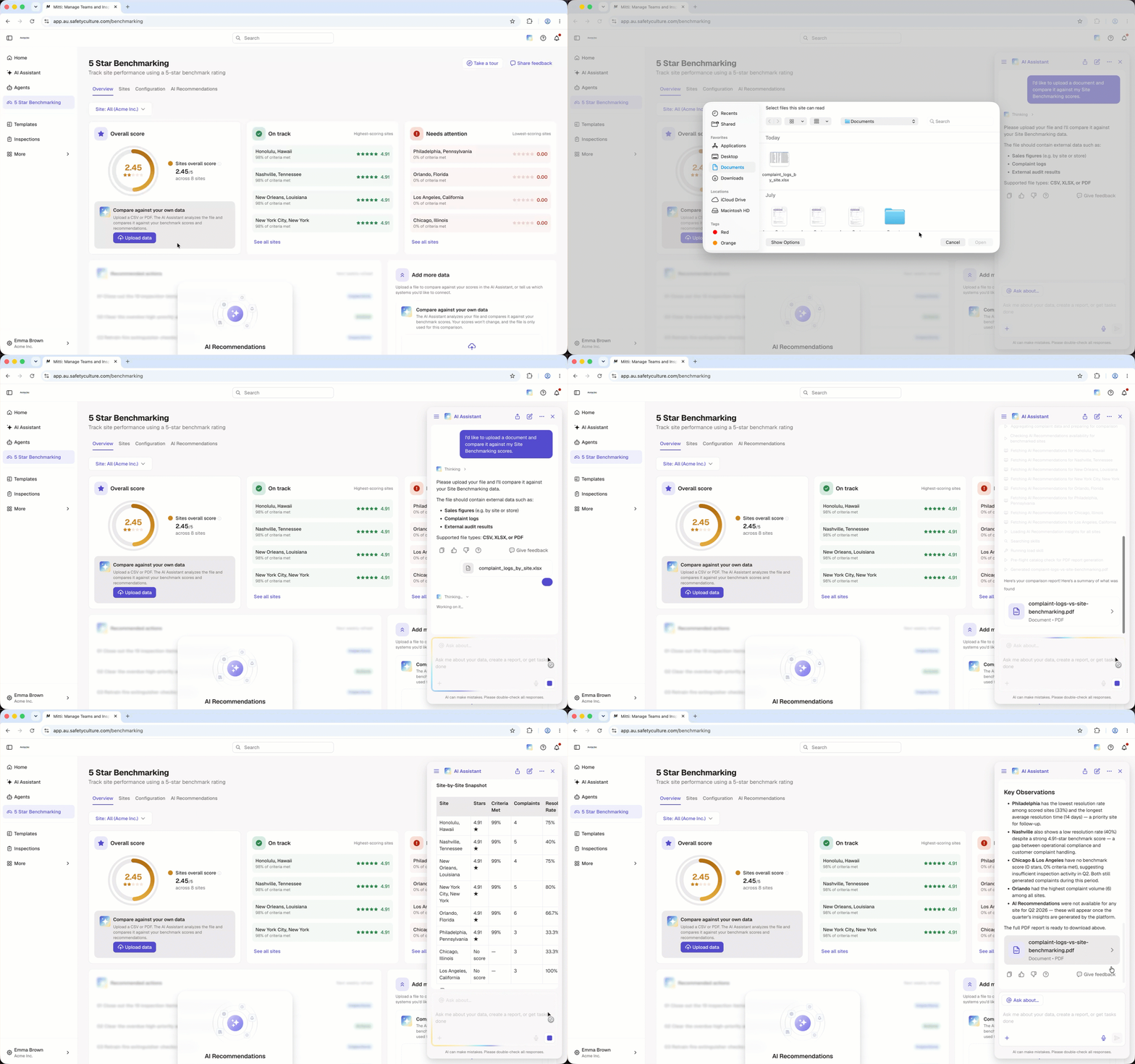
Data comparison
Use data you already track, such as sales figures, complaint logs, or audit results. Upload a file, and the AI Assistant compares your file with your benchmark score and AI Recommendations. You get a comparison and recommended actions, so you can see how your data matches your score.
Site leaderboard
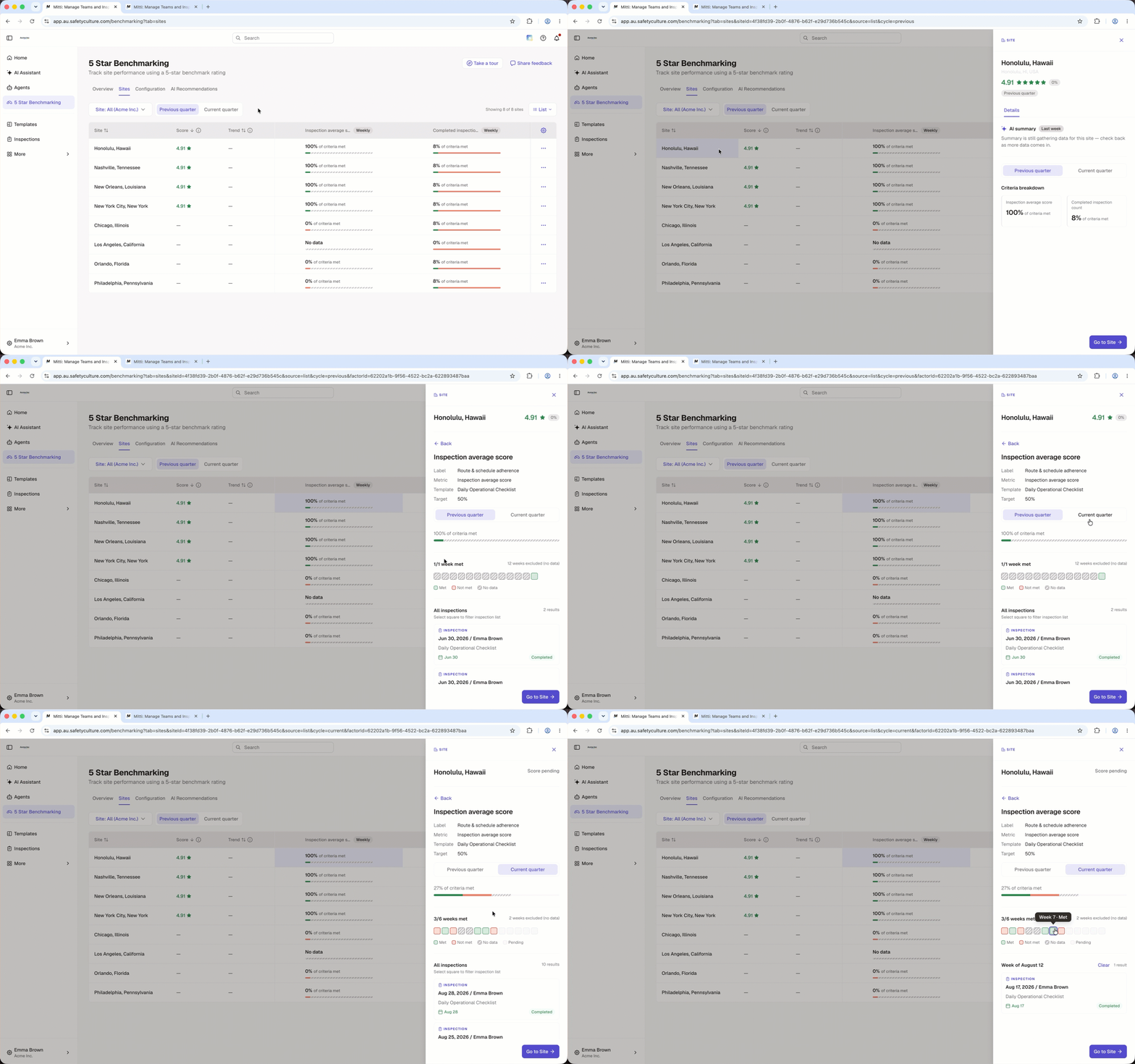
The site leaderboard ranks every site in your organization by its benchmarking rating, so you can compare performance across locations from a single view. Toggle between the previous and current quarter to track how ratings shift over time, and open any site to review summary insights and a breakdown by criteria.
AI-generated insights
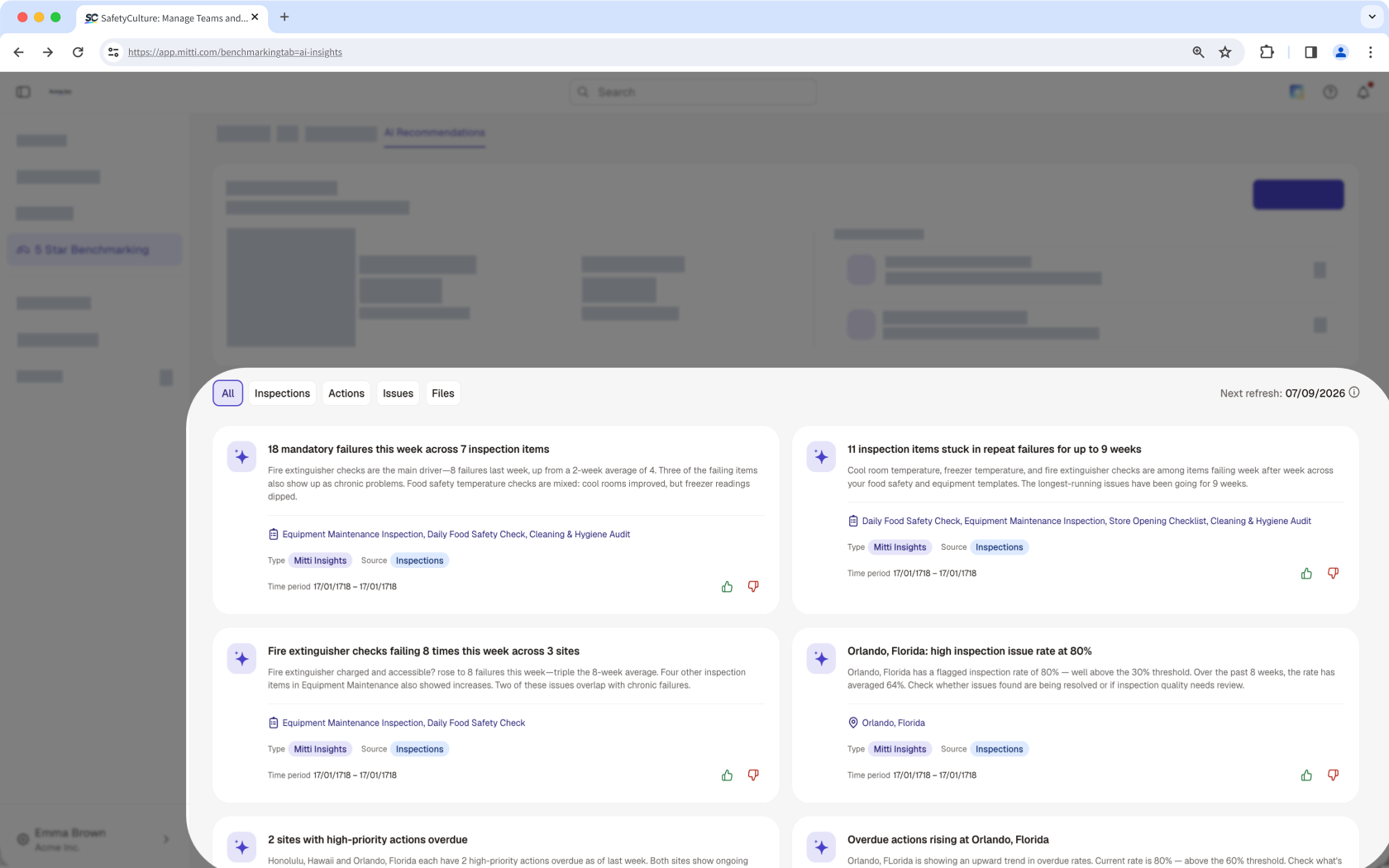
AI Recommendations help you spot patterns across your sites, recognize strong performers, and know where to focus your efforts before problems escalate. Each card highlights a specific insight, so you can quickly understand a site's performance and decide on next steps. AI Recommendations also appear as actions in the Recommended actions tile on the Overview tab, so you know what to do next.
Besoin d'aide supplémentaire?
Cette page vous a-t-elle été utile?
