Dernière mise à jour: 24 août 2026
What are Mitti standards?
Mitti standards are pre-built benchmark criteria that show what good practice looks like for organizations in your industry. Add Mitti standards to your 5 Star Benchmarking configuration alongside your own criteria. Mitti standards count toward your sites' benchmark scores just like the criteria your team creates.
Mitti standards give you a clear starting point and target to work toward, so you don't have to define what good looks like from scratch.
Ce dont vous aurez besoin
Add a Mitti standard to your criteria
Click 5 Star Benchmarking in the sidebar.
Click Configuration at the top of the page.
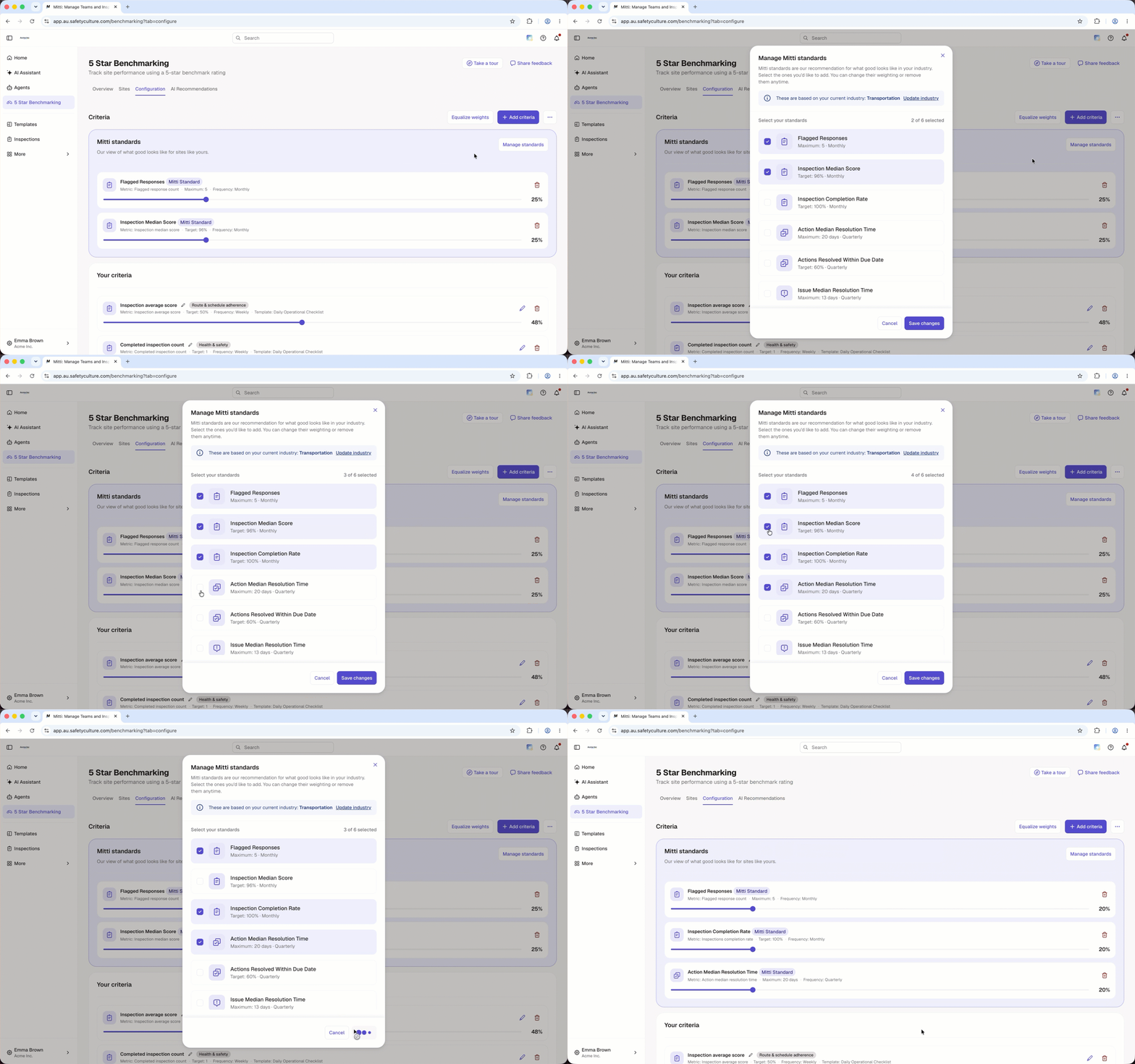
Click Gérer les normes on the upper-right of the Mitti standards list.
In the pop-up window, check the box on the left-hand side of each criterion you want to add to your configuration.
Click Enregistrer les modifications on the lower-right of the pop-up window.
Remove a Mitti standard from your criteria
Click 5 Star Benchmarking in the sidebar.
Click Configuration at the top of the page.
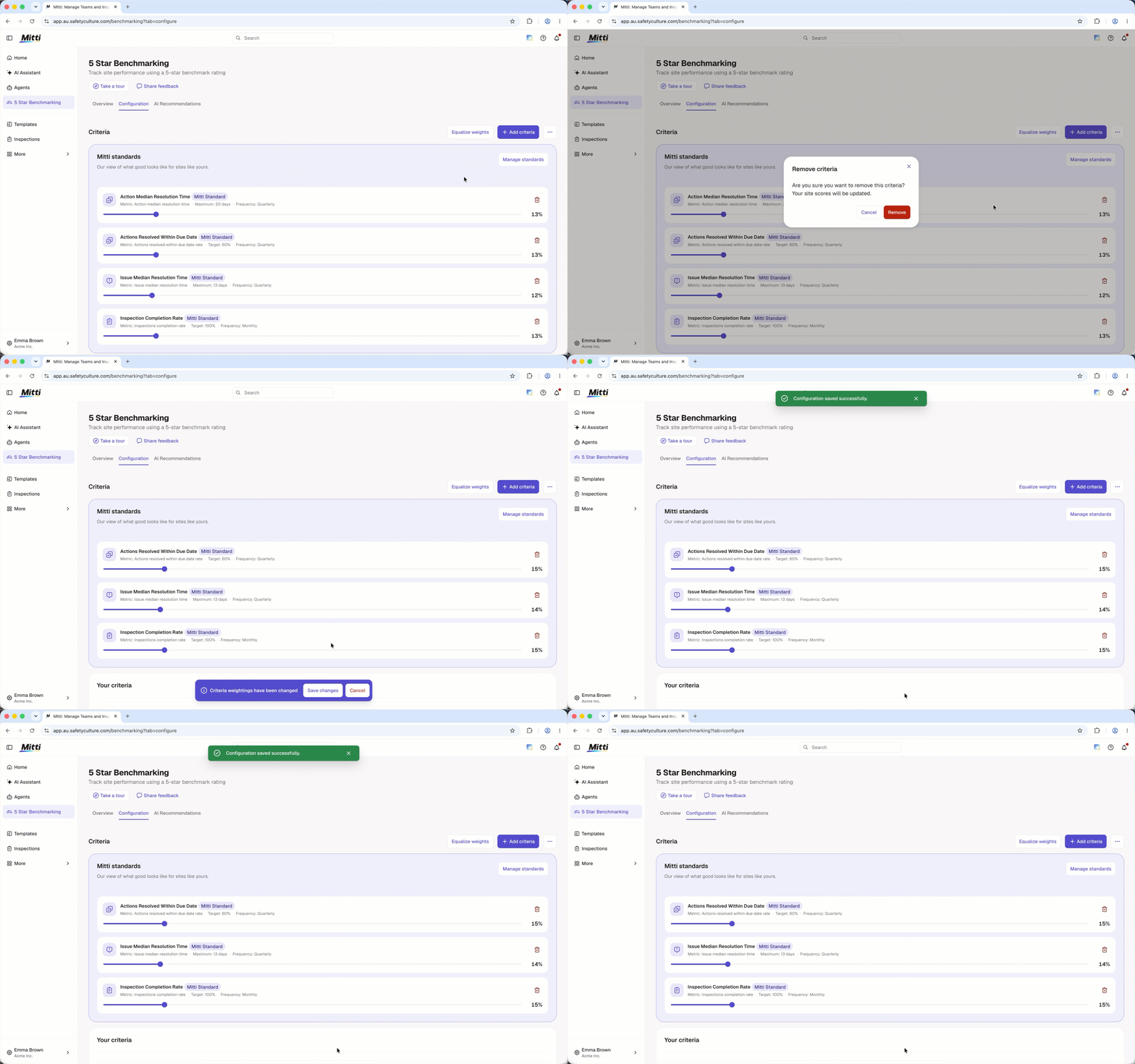
Click on the right-hand side of the criteria you want to remove from your configuration.
In the pop-up window, click Supprimer.
Click Enregistrer les modifications at the bottom of the page.
Questions fréquemment posées
Besoin d'aide supplémentaire?
Cette page vous a-t-elle été utile?