Last updated: February 5, 2025
Why share Heads Ups externally?
Sharing a Heads Up externally lets you reach people outside your organization who don't have a Mitti account. In the Mitti web app, you create a link or a QR code for the Heads Up, then send the link or display the QR code wherever those people will see it.
This helps when an announcement affects people beyond your team, such as a safety notice or a change to how a site operates. Otherwise the message gets copied into email or printed, and those copies go out of date. Sharing externally keeps one current version in circulation, and you can disable the link at any time to stop further access.
What you'll need
If you have "Heads Up: Manage" permission, you can edit or delete Heads Ups, view acknowledgments, send reminders, and download all Heads Ups as CSV.
Share a Heads Up externally
Select Heads Up in the sidebar or in More.
Click Create Heads Up on the upper-right of the page.
In the "People" section, click Create link.
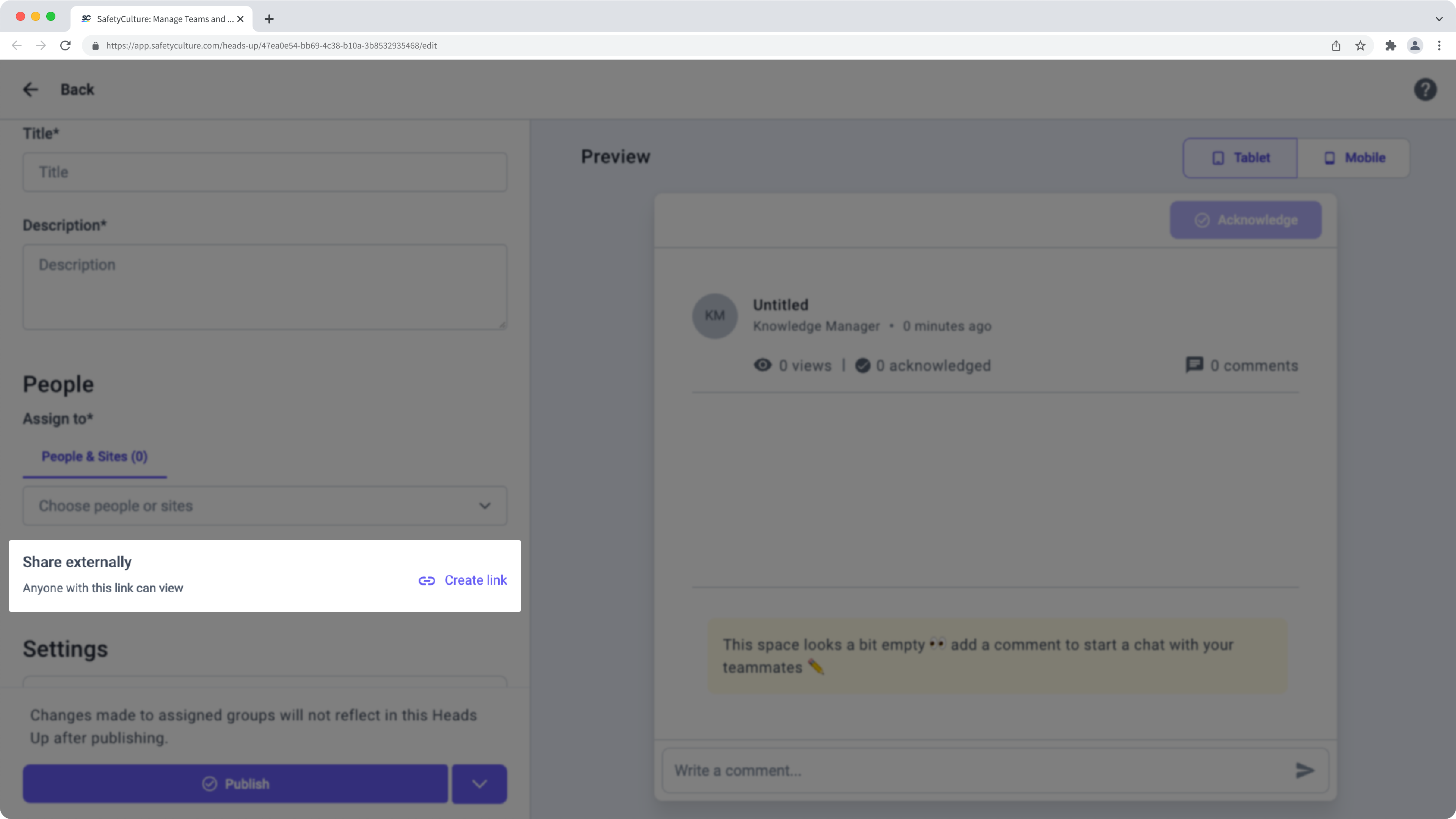
Click Copy or Download QR code.
Configure and publish the Heads Up accordingly before you share it externally.
Select Heads Up in the sidebar or in More.
Click Manage Heads Up.
Click on the Heads Up's right-hand side and select Share.
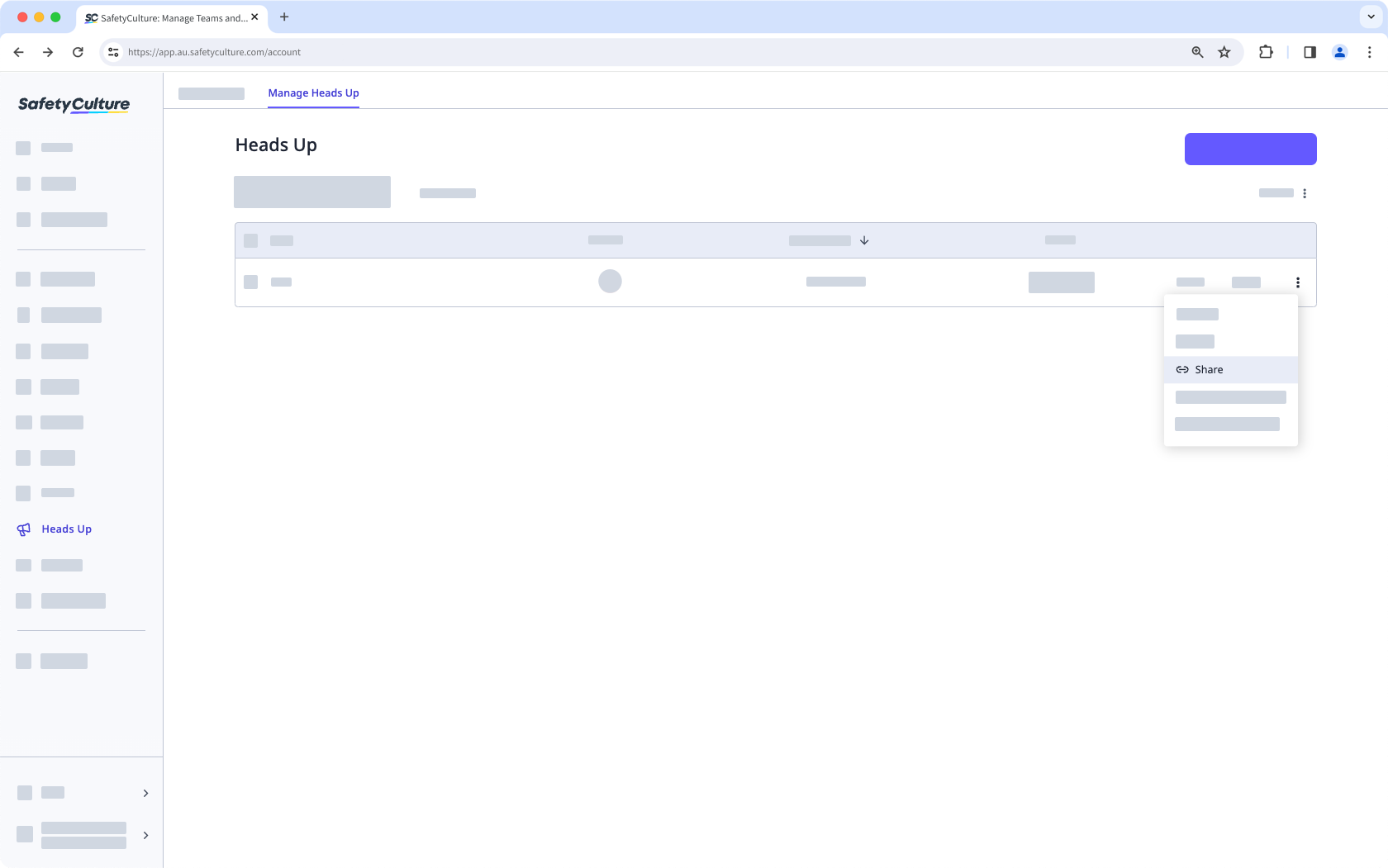
In the pop-up window, click Copy or Download QR code.
Turn off external sharing for a Heads Up
Select Heads Up in the sidebar or in More.
Click Manage Heads Up on the upper-left of the page.
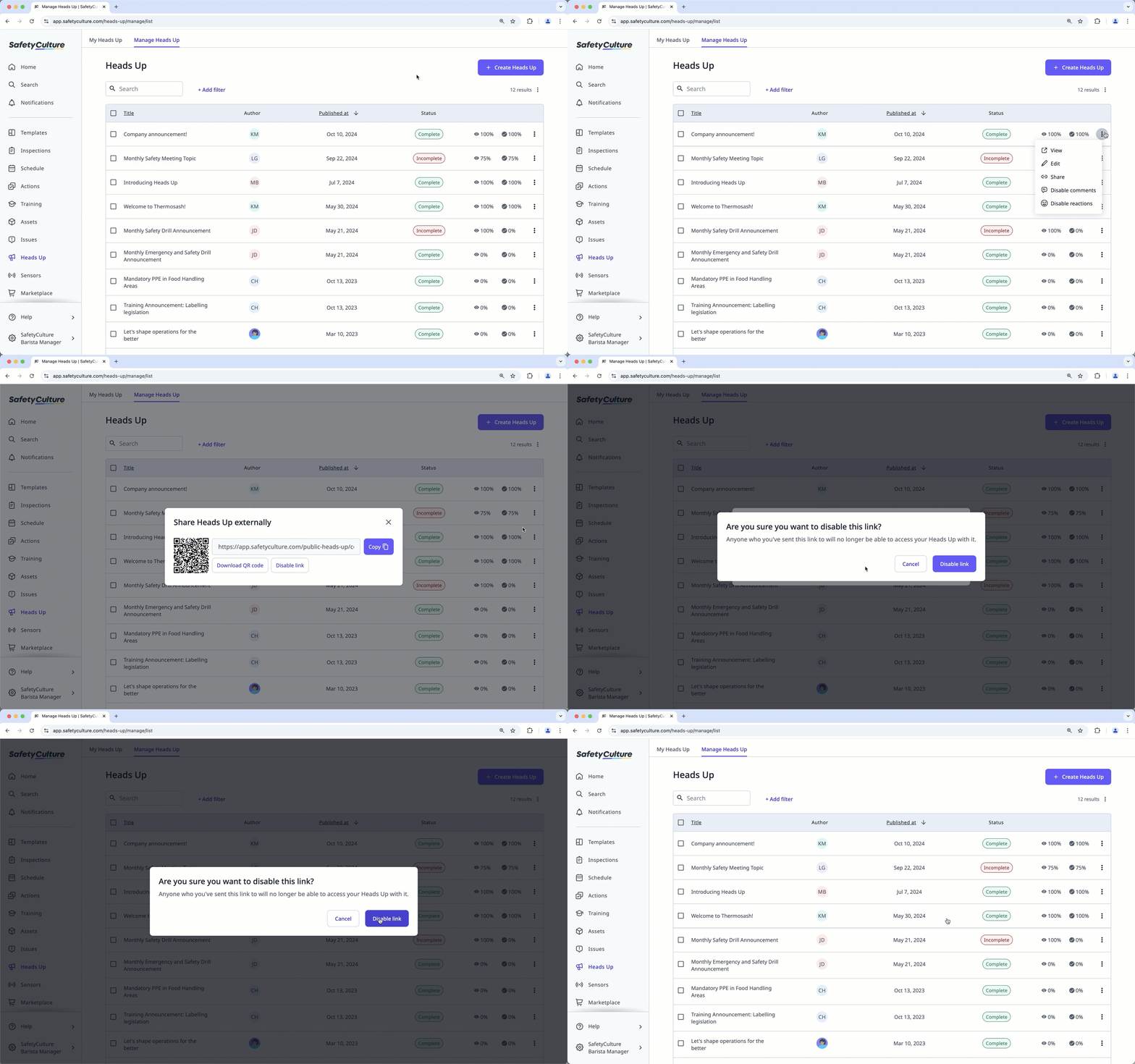
Click on the Heads Up's right-hand side and select Share.
Click Disable link.
In the pop-up window, click Disable link.
Acknowledgment is not available for people who view Heads Ups via external links. If you want them to acknowledge Heads Ups, consider adding them to your organization as users in guest seats.
Need more help?
Was this page helpful?
