Last updated: April 23, 2026
What is Library in Mitti?
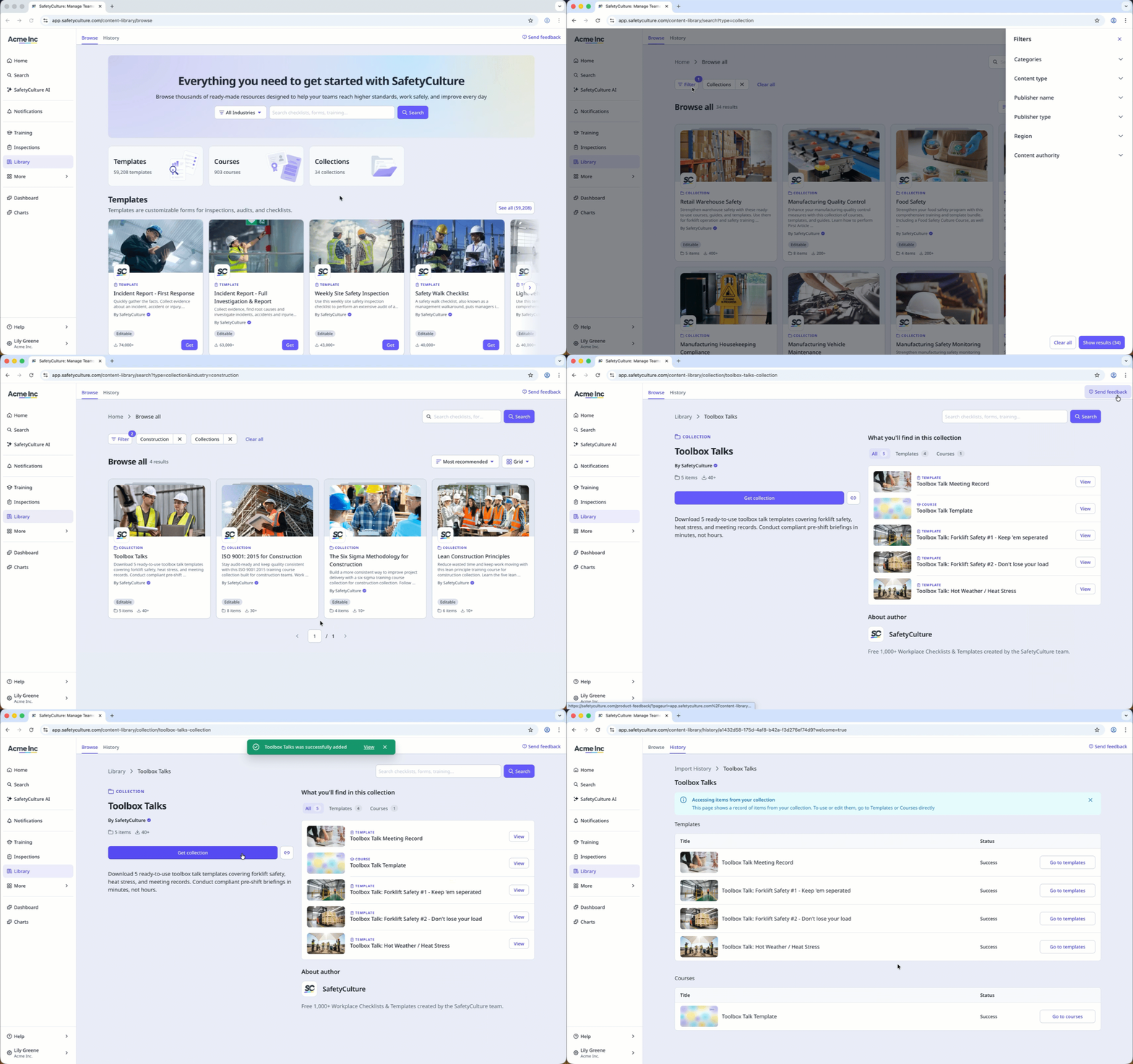
The Library in Mitti is a centralized content library where you can browse and access a variety of ready-made content types, including templates, courses, and collections. It offers the same resources as the public Library (opens in new tab), but is integrated directly into the Mitti platform for easier access.
Within the Library, you can explore a wide range of content created by Mitti, organized across multiple categories. Find content that suits your role and needs, then download it directly to your account to quickly start inspections or assign training to your team. With everything in one place, it is easy to access ready-made resources and customize them to suit your team's specific needs.
What you'll need
Download a course from the Library
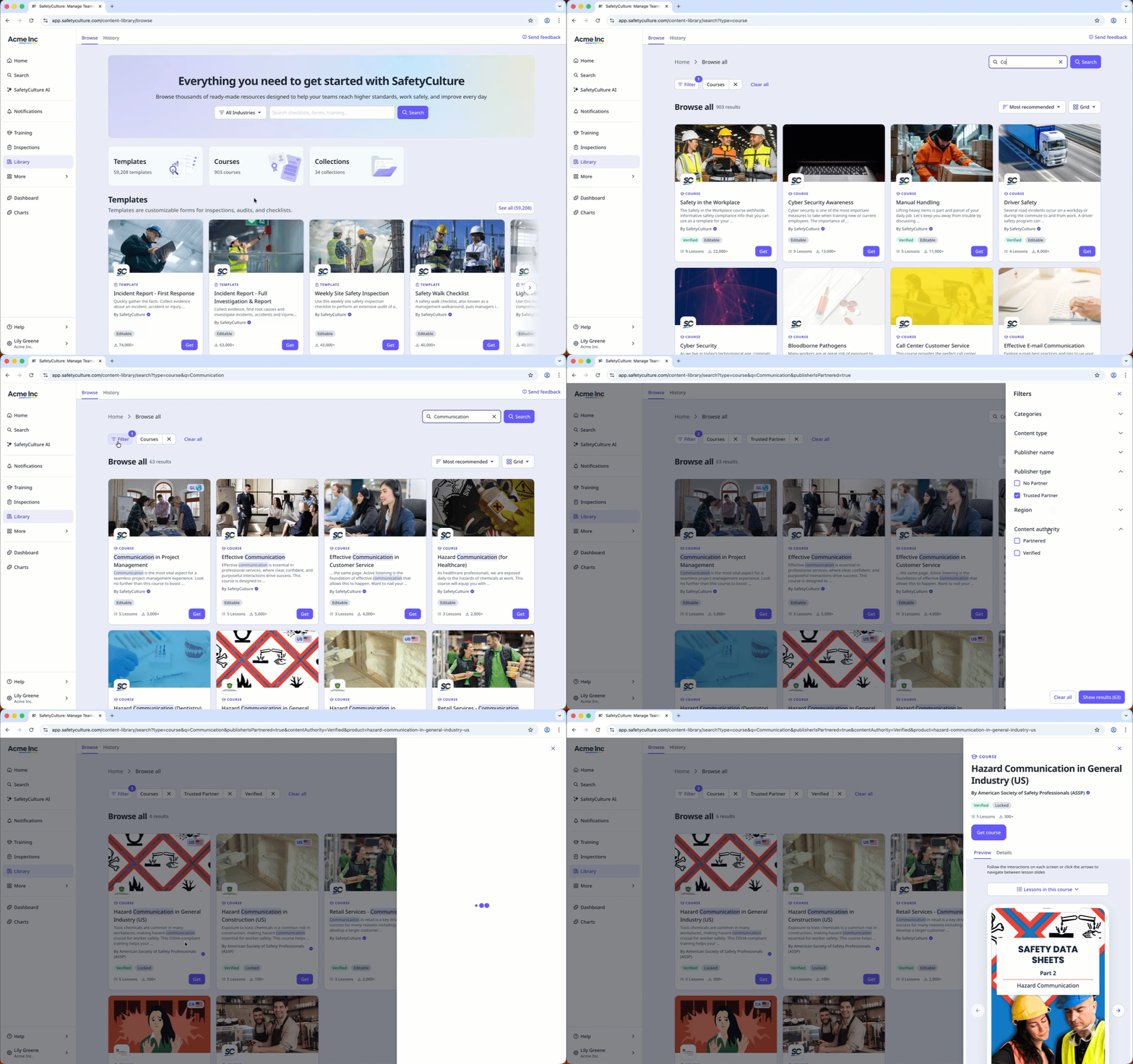
Select Library in the sidebar or in More.
Select Courses at the top of the page.
To narrow down your results, you can apply filters and search by keywords.
Select a course.
In the side panel, click Get course.
Open the mobile app.
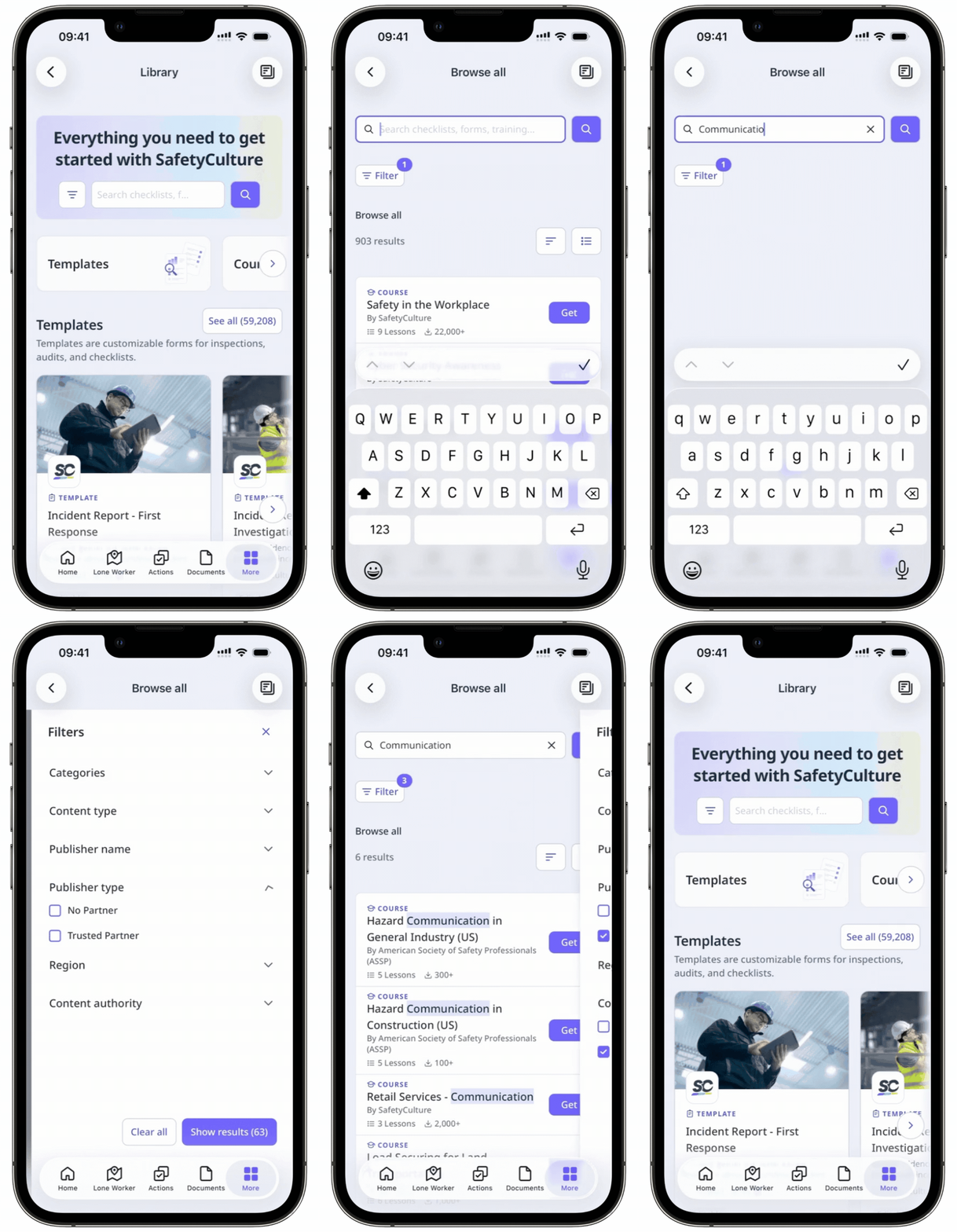
Tap Library in the navigation bar or in More.
Tap Courses at the top of the screen.
To narrow down your results, you can apply filters and search by keywords.
Tap the course you want to download.
Tap Get course.
Need more help?
Was this page helpful?
