Last updated: September 11, 2026
What can I view in an asset's activity?
An asset's activity is the chronological record of the events and changes that happen to an asset in Mitti. This includes updates from Inspections, Issues, Actions, Sites, and any changes to asset details or status. You can also view and add notes to an asset for more context. This gives you a single, reliable view of an asset's full lifecycle, useful for reporting, compliance tracking, and other operational needs.
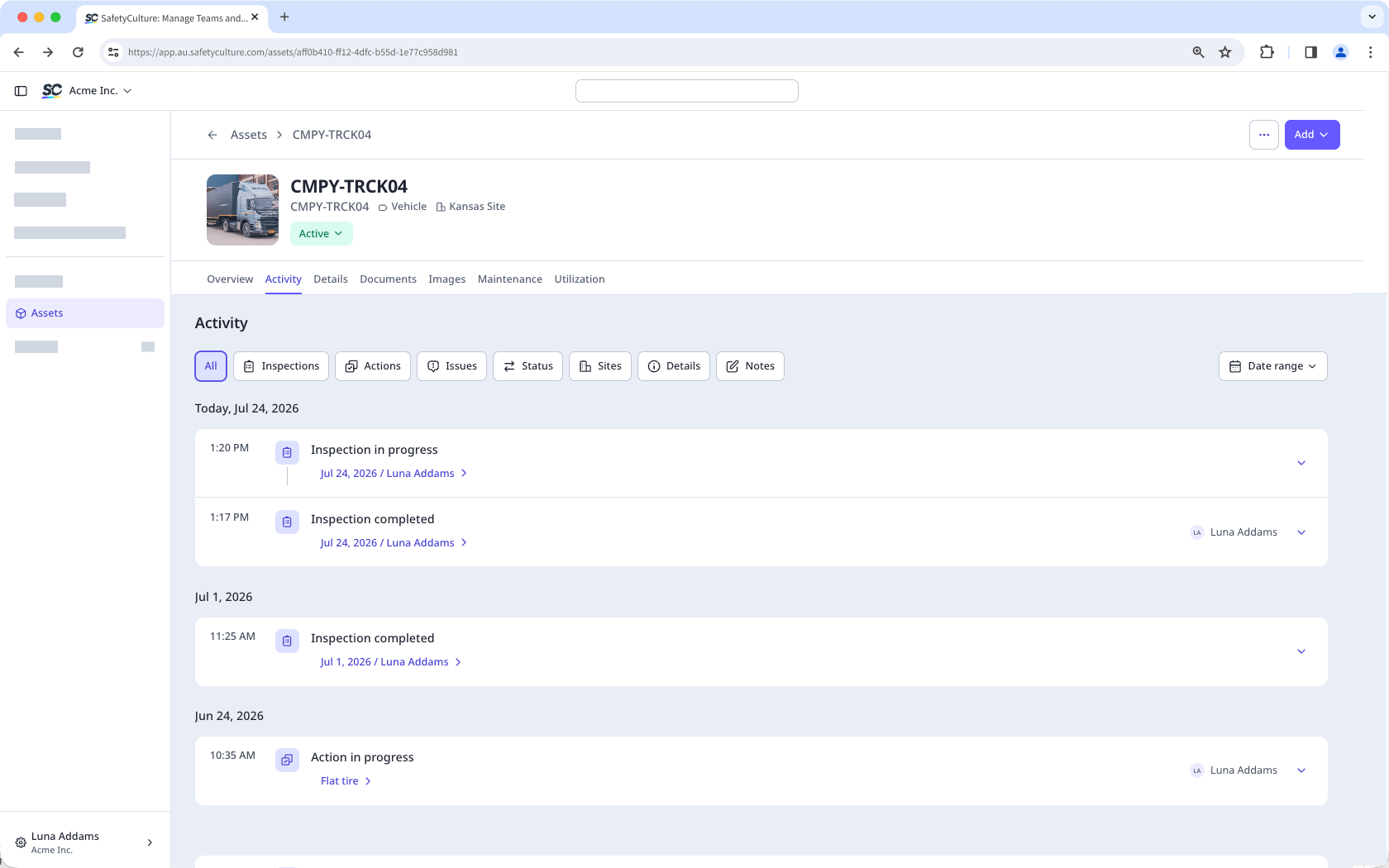
The events you see on the Activity tab depend on your access and permissions.
View an asset's activity
Click Assets from the sidebar or in More.
Find the asset you want to view.
Select the asset.
Select the Activity tab at the center of the page.
View the asset's activity, including the following information:
The inspections involving the asset
The actions created from the asset
The issues reported from the asset
The asset status changes
The asset site updates
The asset detail changes
The notes added to the asset
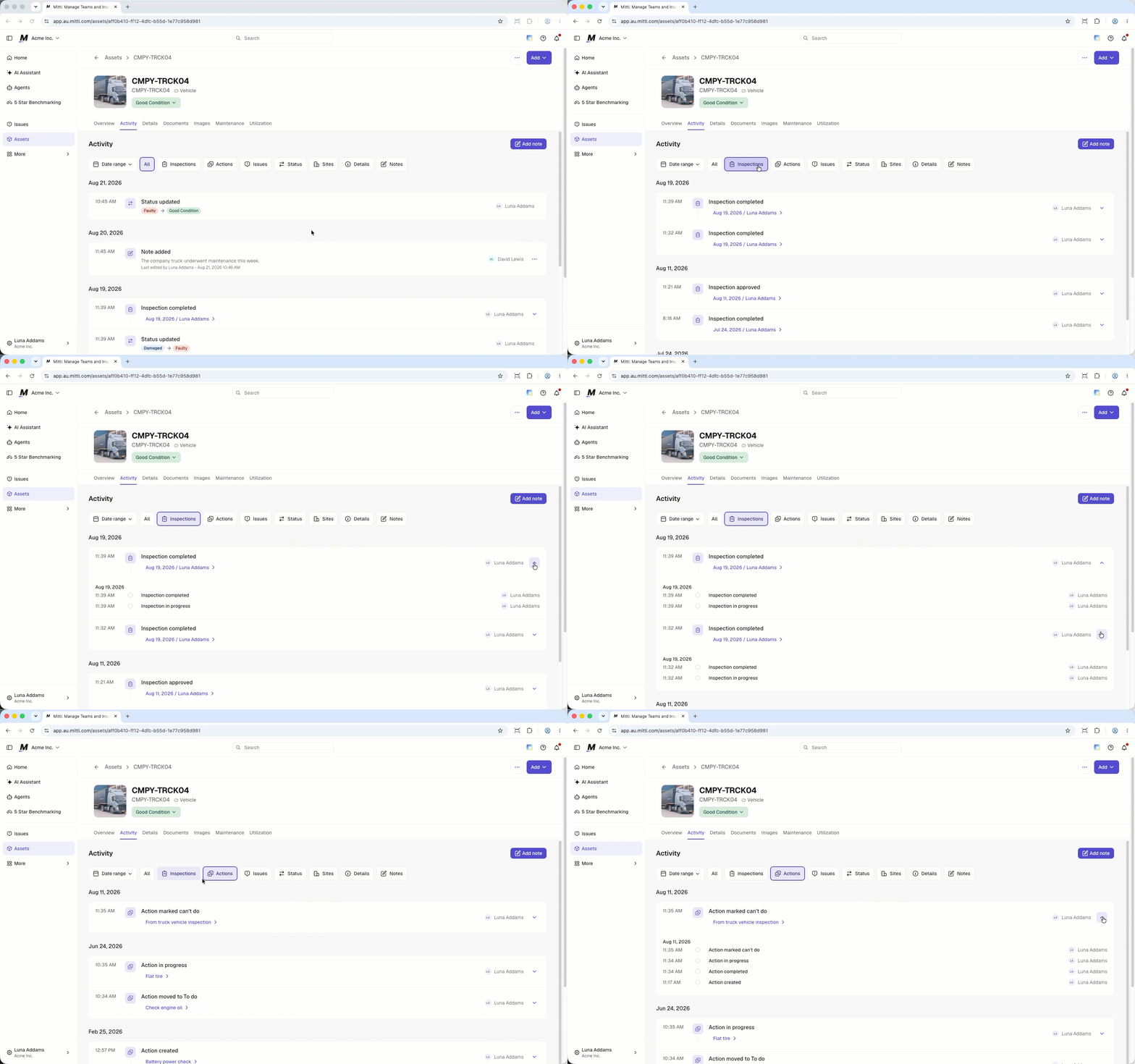
To view more details about an event, click the on the right-hand side of the event.
To filter which events you can see on the Activity tab, click the filters at the center of the page.
Open the mobile app.
Tap Assets from the navigation bar or in More.
Select the asset.
Tap the Activity tab at the center of your screen.
View the asset's activity, including the following information:
The inspections involving the asset
The actions created from the asset
The issues reported from the asset
The asset status changes
The asset site updates
The asset detail changes
The notes added to the asset
To filter which events you can see on the Activity tab, tap on the left-hand side of your screen.
In the filters, you can configure the following:
Events: Turn the filters on or off for the events that you want to see.
Dates: Select the date range of the events that you want to see.
Tap Done.

Need more help?
Was this page helpful?
