Last updated: September 13, 2026
How does requesting additional credits work?
When your organization runs out of AI credits, AI Assistant blocks access for all users until more credits are added. If you have access to AI Assistant, you'll see a usage credit alert where you can request additional credits and enter a reason. Your billing admin is then notified and can approve the request by adding a credit subscription or setting an overage limit. After the credits are added, everyone in your organization can use AI Assistant again.
What you'll need
Request additional credits
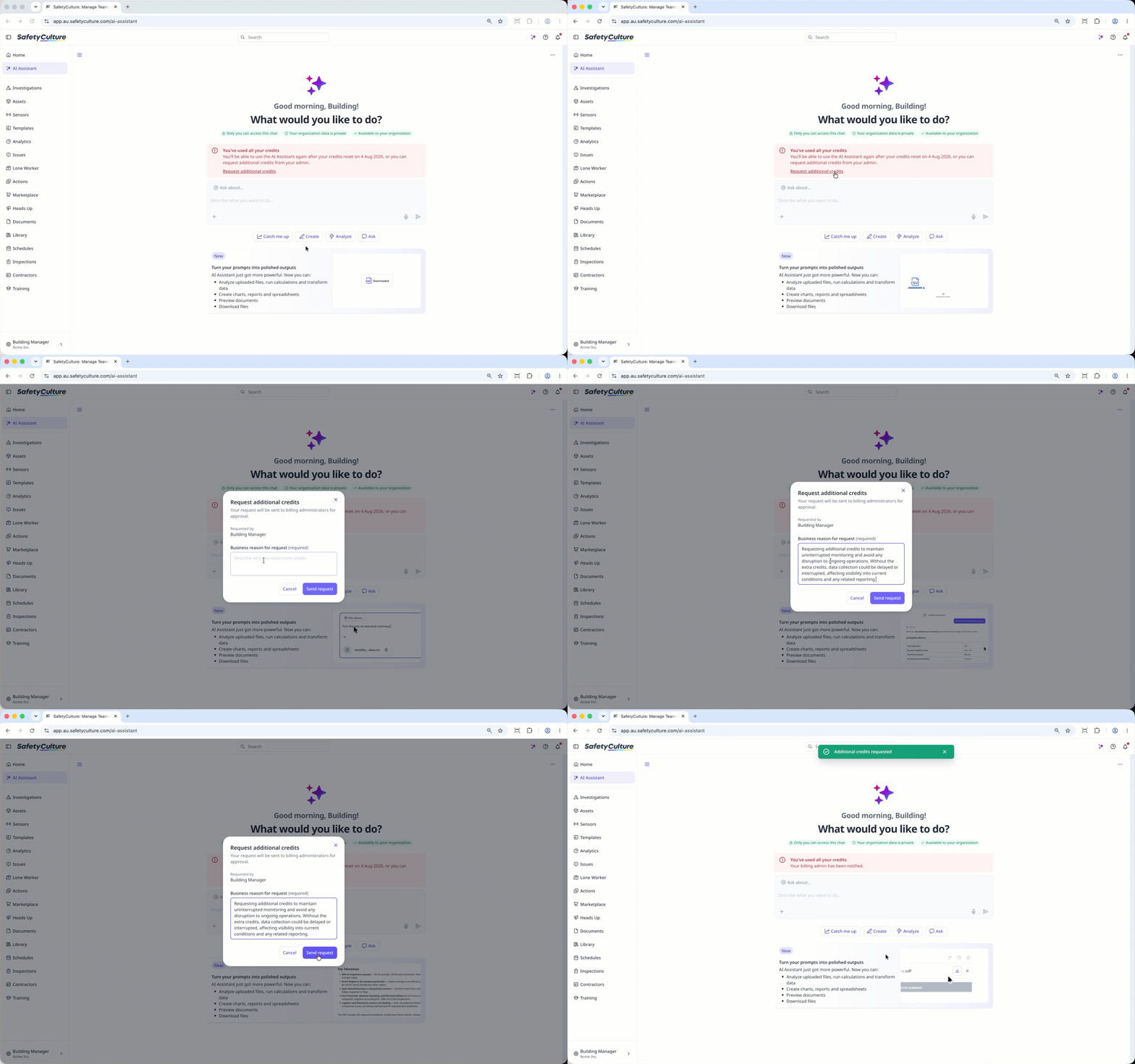
Click AI Assistant in the sidebar or click on the right-hand side of the top bar.
Click Request additional credits in the usage credit alert at the center of the page.
In the pop-up window, enter the reason for the request.
Click Send request.
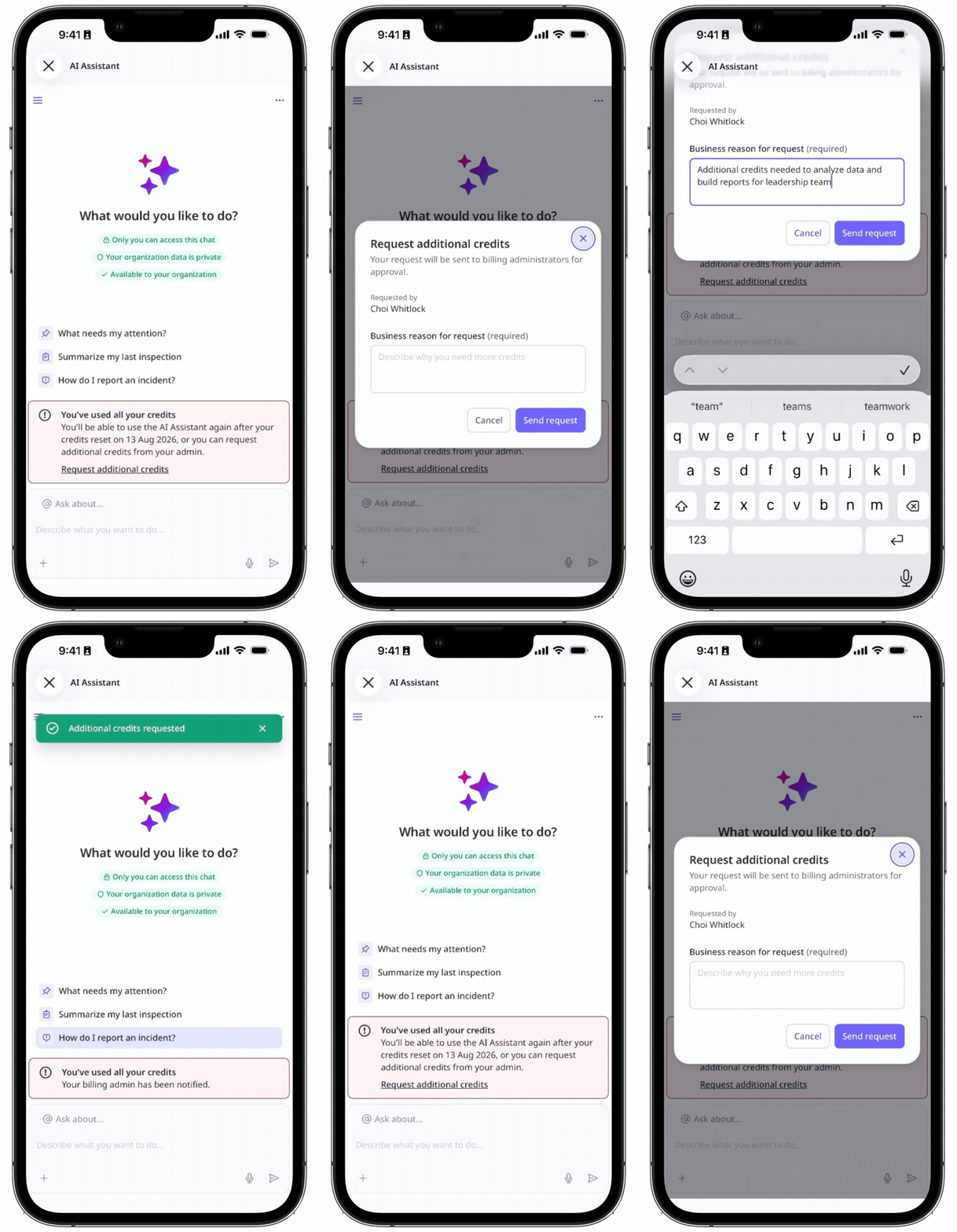
Open the mobile app.
Tap Home at the bottom of your screen.
Tap at the upper-right of your screen.
Tap Request additional credits in the usage credit alert at the center of your screen.
In the pop-up window, enter the reason for the request.
Tap Send request.
Frequently asked questions
Need more help?
Was this page helpful?
