Last updated: October 27, 2026
What uses your AI credits?
Credits measure the AI work behind each request you make to AI Assistant. The more complex the request, the more credits it uses, because AI Assistant does more to complete it, not because of how long it takes or what's happening behind the scenes.
For example, asking a quick question uses fewer credits than asking AI Assistant to analyze several inspections and draft a summary. This gives you one consistent way to gauge how much a request will use before you make it.
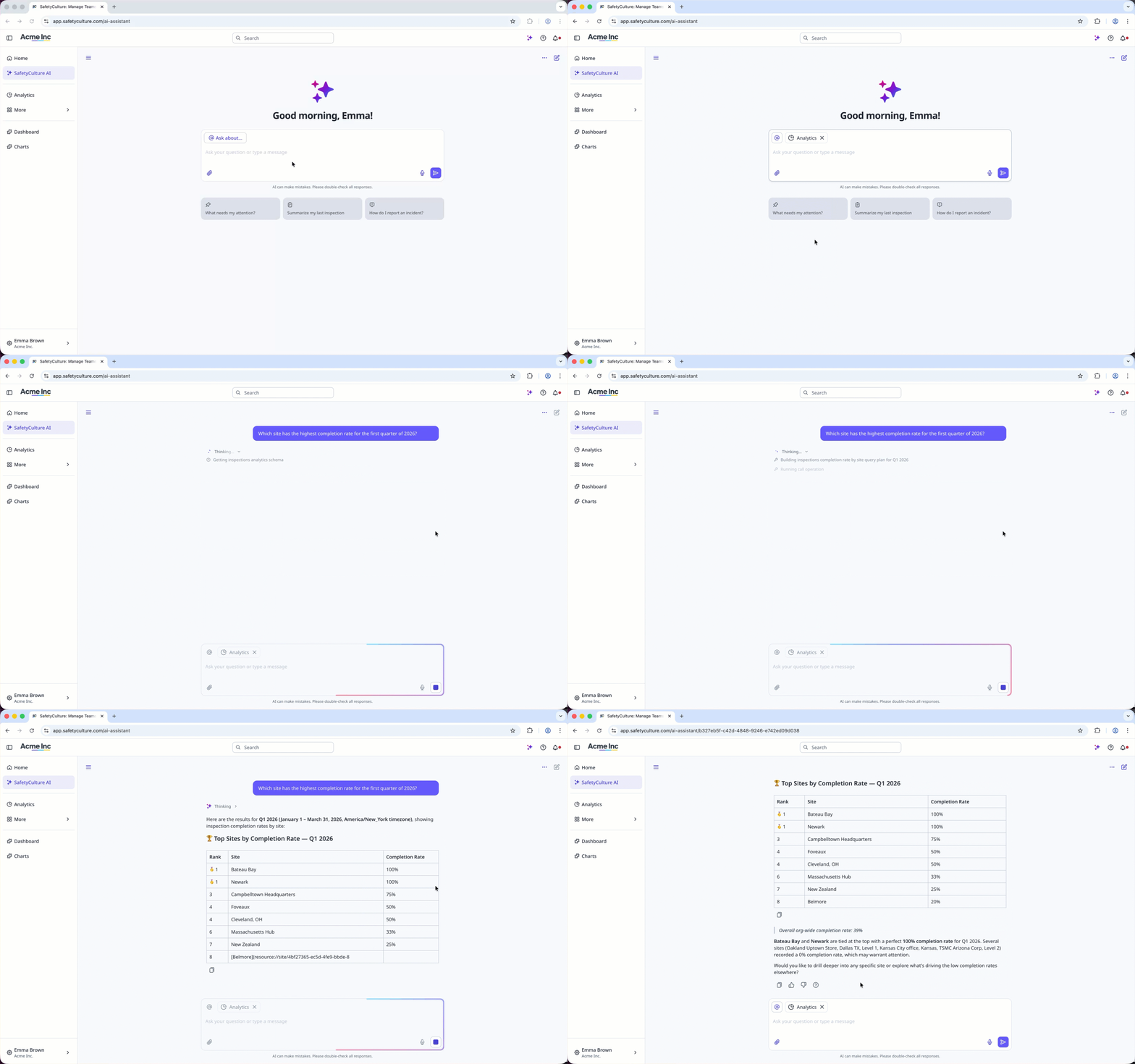
This article covers what uses your AI credits, which is only one part of everything the AI Assistant can do in Mitti.
Which tasks cost credits?
Credits are used when you ask AI Assistant to do something in the chat, and when an agent runs. What you ask for determines how many credits a request costs.
Find information: Search your account, summarize results, or answer questions about your organization.
Analyze your data: Spot patterns, compare results, or surface risks.
Take action across the product: Create or update actions, issues, assets, and inspections from the chat.
Create a template or course from the chat: Build a template or training course by asking the AI Assistant.
Generate reports and files: Produce a downloadable report or document from your organization's data or files you've uploaded.
Search the web: Bring in current information from the web as part of a response.
Run an agent: Each agent run uses credits, whether you start the run yourself or it runs on a schedule.
AI Assistant and agents draw on the same pool of credits. Credit usage for agent runs started from October 2, 2026. Runs before that date didn't consume credits.
AI tools that don't cost credits
Mitti also includes other AI-powered tools you can use alongside the AI Assistant. None of these use credits, so they're still available once your credits run out.
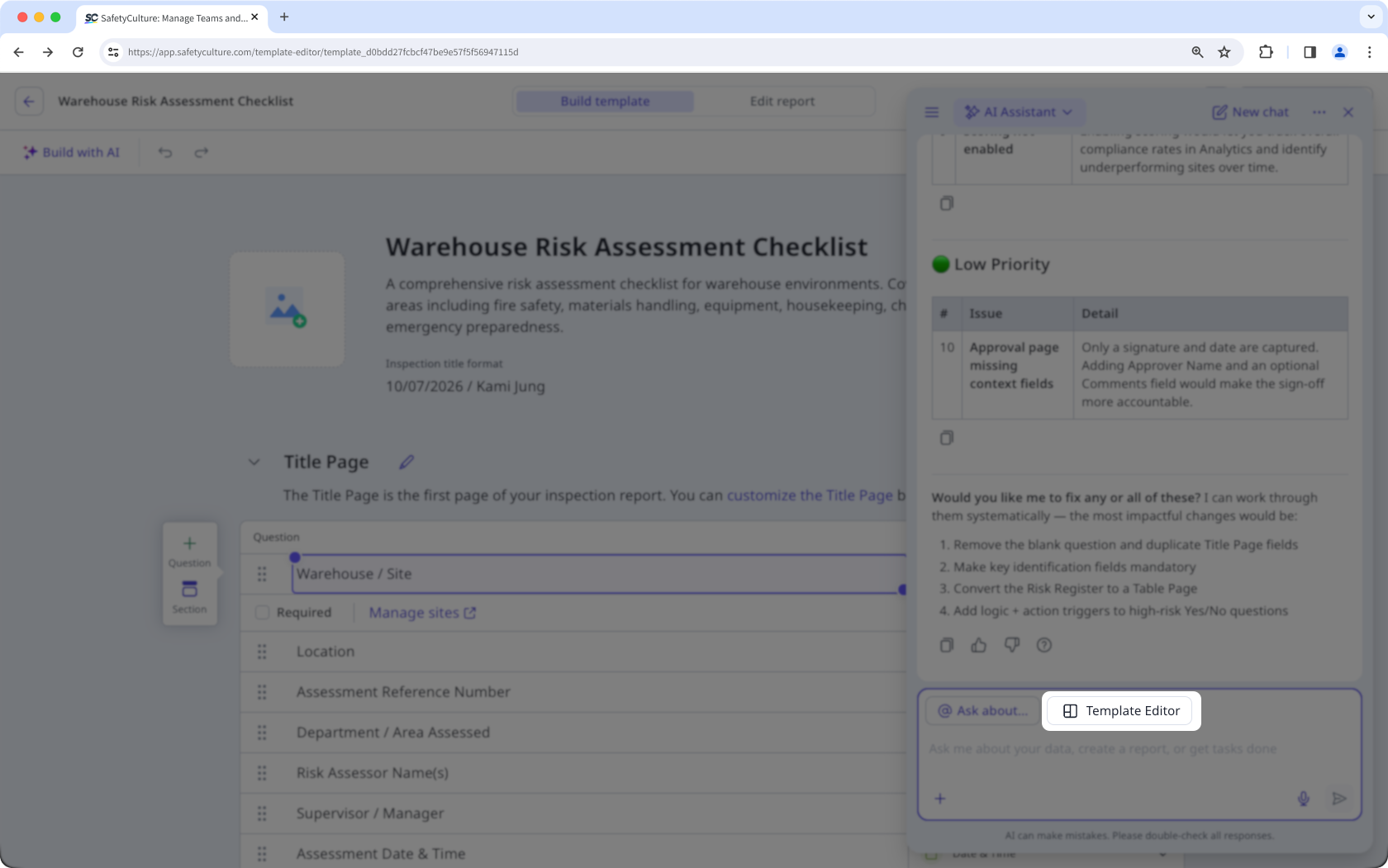
Edit with AI in the template editor: Refine your template using the AI Assistant in the template editor.
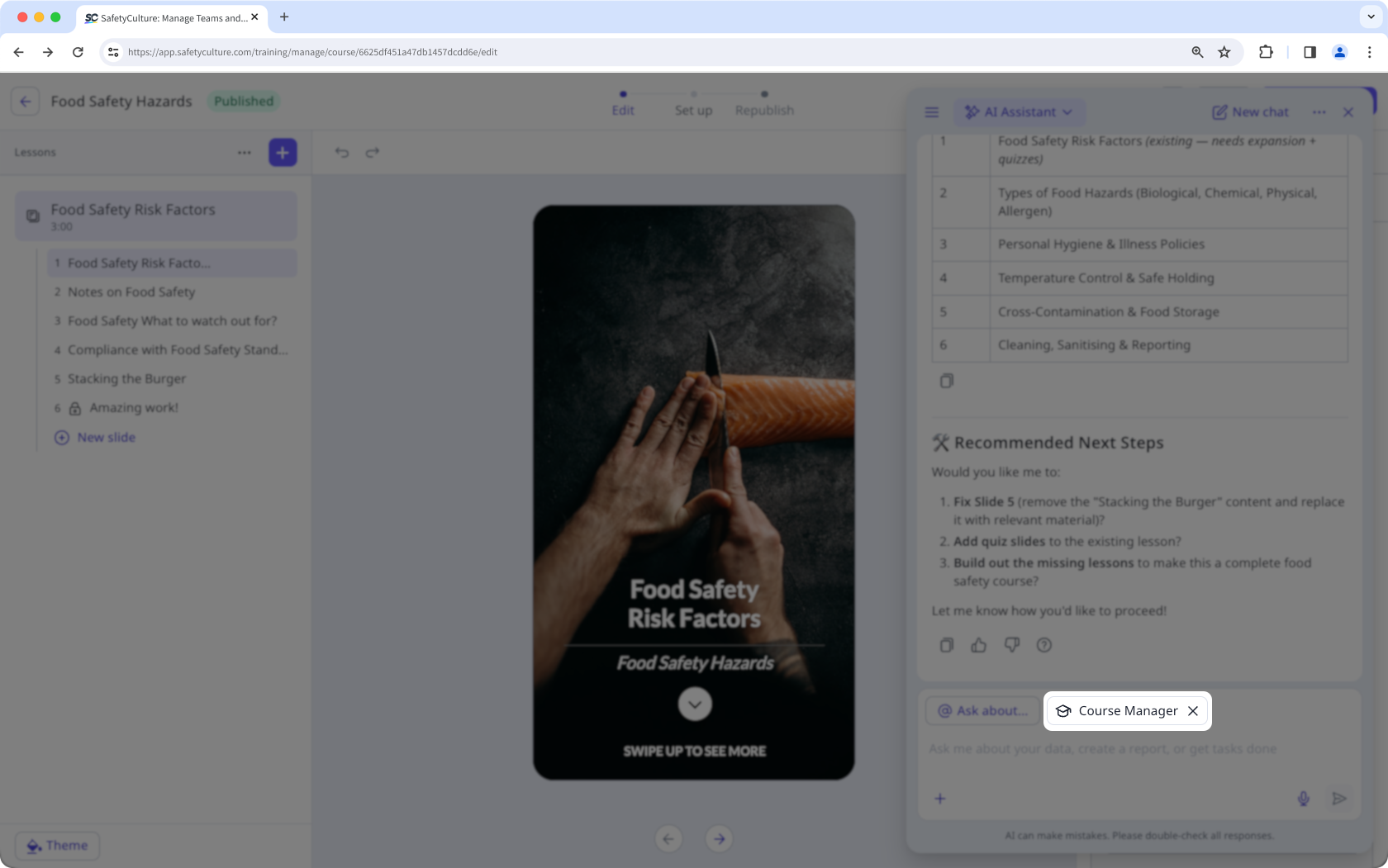
Build with AI in Training: Create and edit a course using the AI Assistant in the course editor.
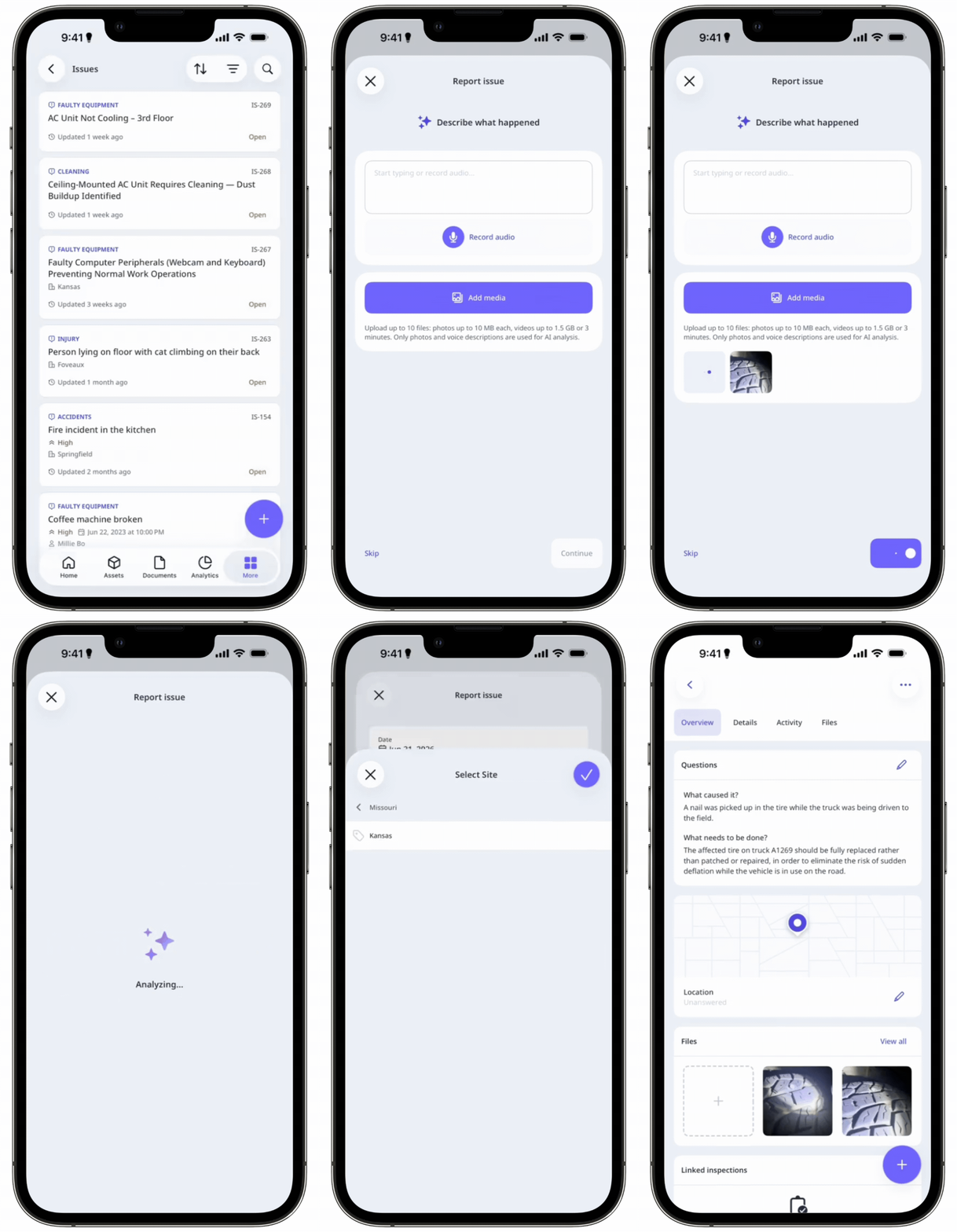
AI issue creation: Enter a description and attach photos to let AI generate details for the issue.
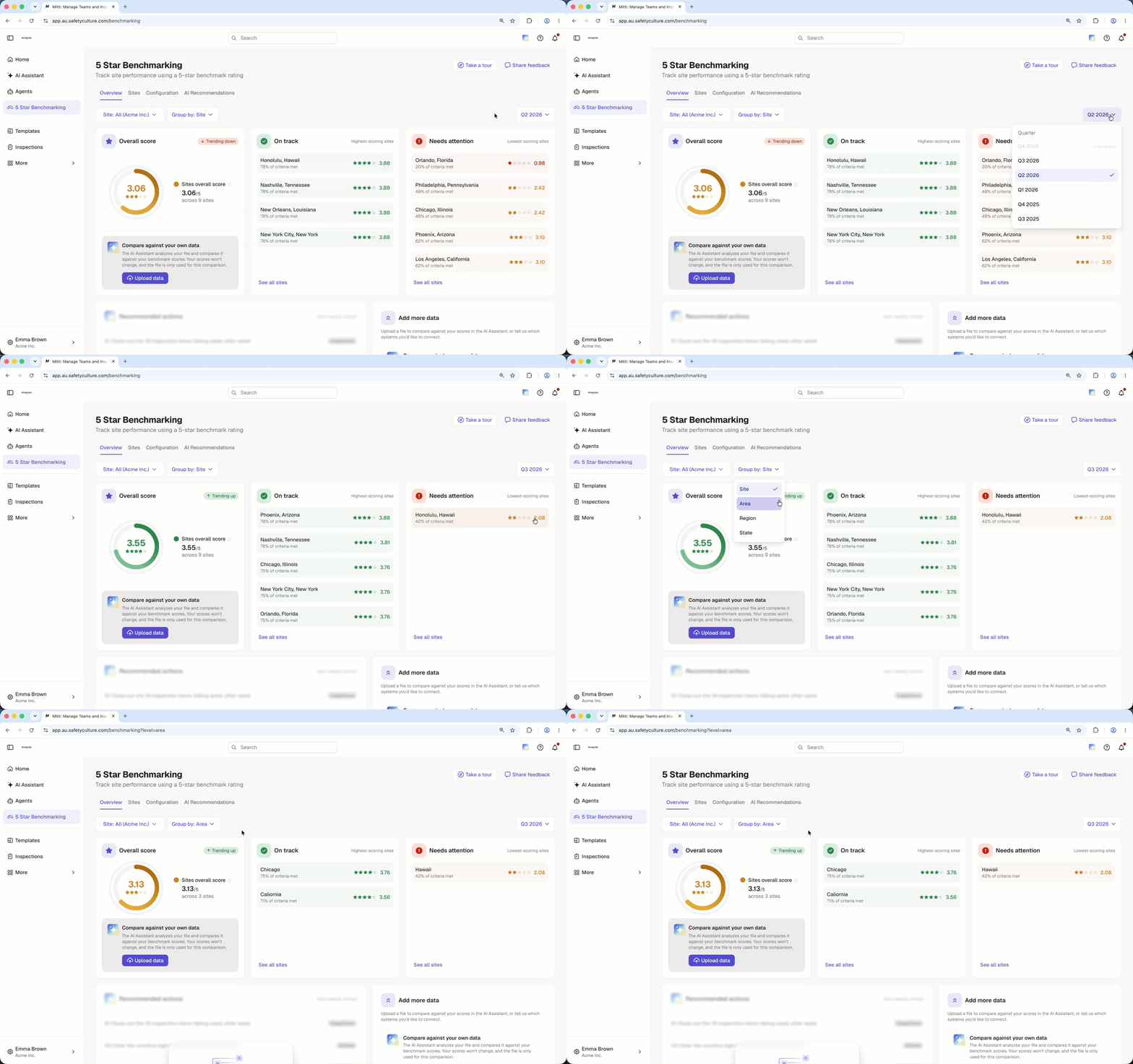
5 Star Benchmarking: Compare performance and standards across your sites.
Scenarios in Training: Create interactive practice conversations with AI characters for workplace training.
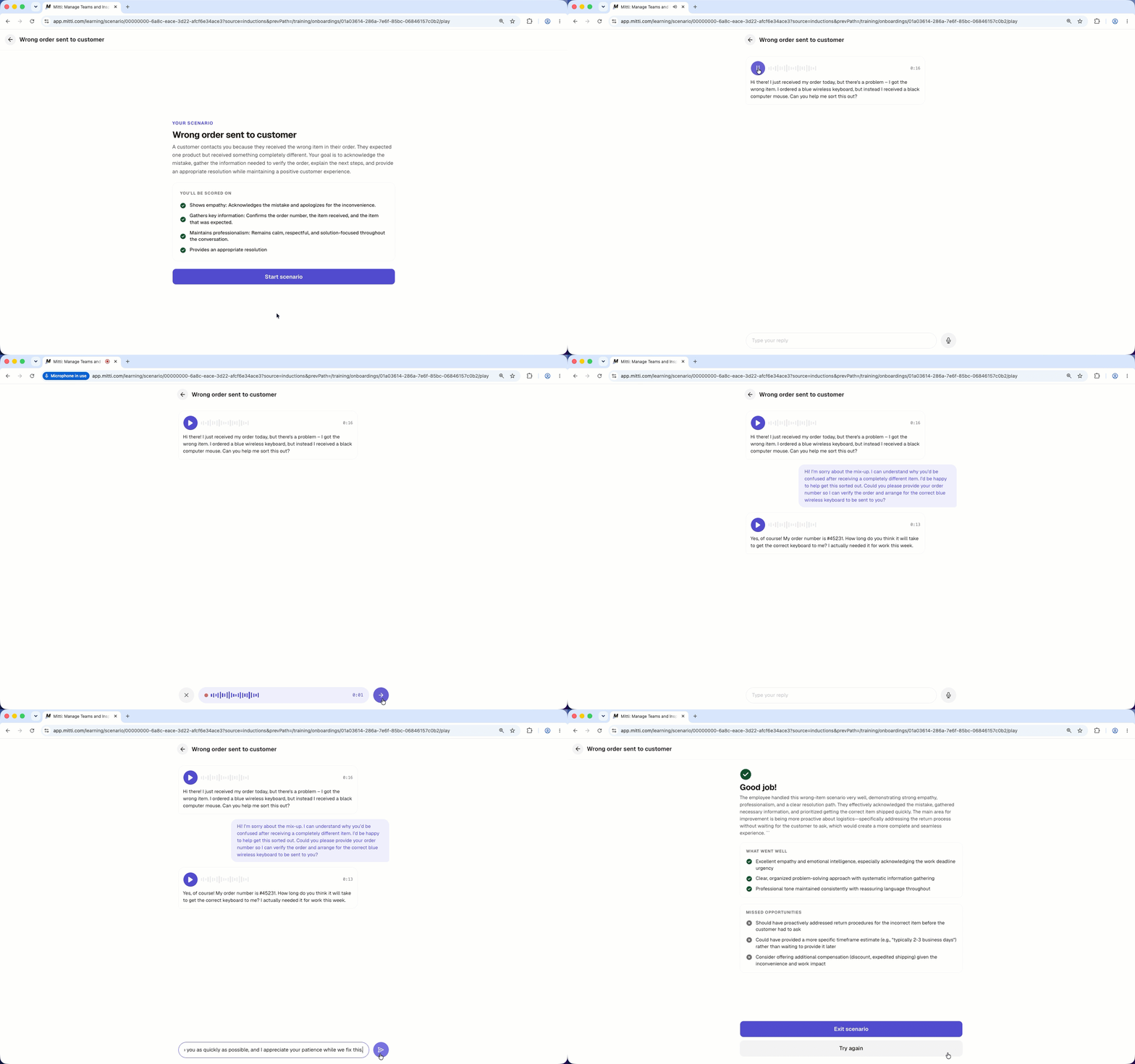
Scenarios don't cost credits. This pricing is subject to change.
What uses more or fewer credits?
Credit usage scales with how much work the AI Assistant has to do to answer you. As a general guide:
Quick, specific requests: Asking a single question or getting a short answer uses fewer credits.
Everyday in-product actions: Creating or updating a single action, issue, asset, or inspection uses a moderate number of credits.
Broad or data-heavy requests: Asking the AI Assistant to analyze data across many records or generate a document uses more credits because there's more for it to work through.
The exact amount depends on how much work your specific request takes. Notes saved in the AI Assistant's memory are included with your requests, so the more notes you save, the more credits each request uses.
A good prompt can help the AI Assistant do less work, so it uses fewer credits. Write better prompts for the AI Assistant to get the most out of your credits.
How many credits do I get with my plan?
Users on a full seat get a monthly credit allocation based on your plan. Users on lite seats don't get any credit allocation, so any AI usage on those seats counts as additional credits from the first request.
Plan | Seat type | Monthly credits |
|---|---|---|
Free | Full seat | 300 |
Premium | Full seat | 500 |
Enterprise | Full seat | 800 |
Premium and Enterprise | Lite seat | 0 |
Monthly credits don't roll over. Your balance resets to your plan's monthly allocation at the start of each month.
All organizations on Premium Plan or Enterprise Plan also receive a one-time welcome credit allocation of 10,000 credits. Unlike the monthly allocation, which is per seat, welcome credits are shared across everyone in your organization. They expire three months after they're granted, whether or not you've used them.
How do credit subscriptions, overage, and spend limits work together?
Your included monthly credits and any welcome gift or gift pack credits are used first. If your organization needs more, users with "Platform management: Billing" permission can add credits with a credit subscription or overage, and can limit how much credits a user consumes with a spend limit.
Credit subscription: Prepaid, discounted credits your organization buys in packs, billed monthly or annually. Subscription credits reset every month, and unused credits don't roll over. A credit subscription suits steady AI usage and predictable costs.
Overage: Pay-as-you-go usage after all your other credits are used. You're only charged for overage after your organization sets an overage limit above 0, and the overage limit is the most you're willing to be charged. Overage is always used last, after your credit subscription, and it suits occasional or unpredictable usage.
Spend limit: A cap on how many additional credits one user can use. Additional credits are the ones that come from your credit subscription and overage. You can set a spend limit for your whole organization or for specific users.
A credit subscription and overage add credits for your whole organization. A spend limit doesn't add any. It only stops one user from using more of the credits your organization already has, and it never reduces anyone's included monthly credits.
How do I track my usage?
You can track your usage directly from AI Assistant and Agents. You'll see how many credits you've used and when your credits reset. Your usage splits by source, so you can see how much came from AI Assistant and how much came from agents.
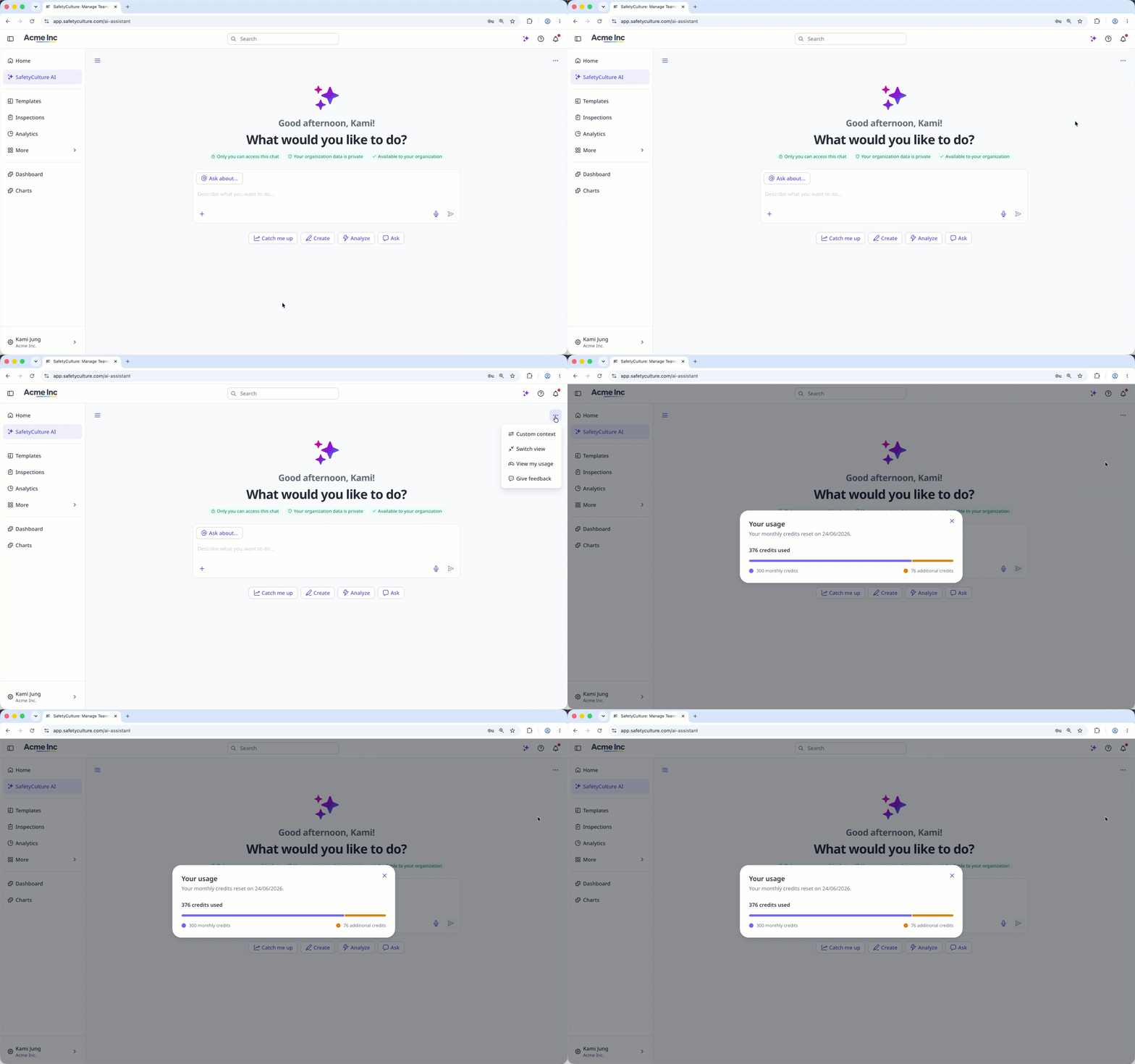
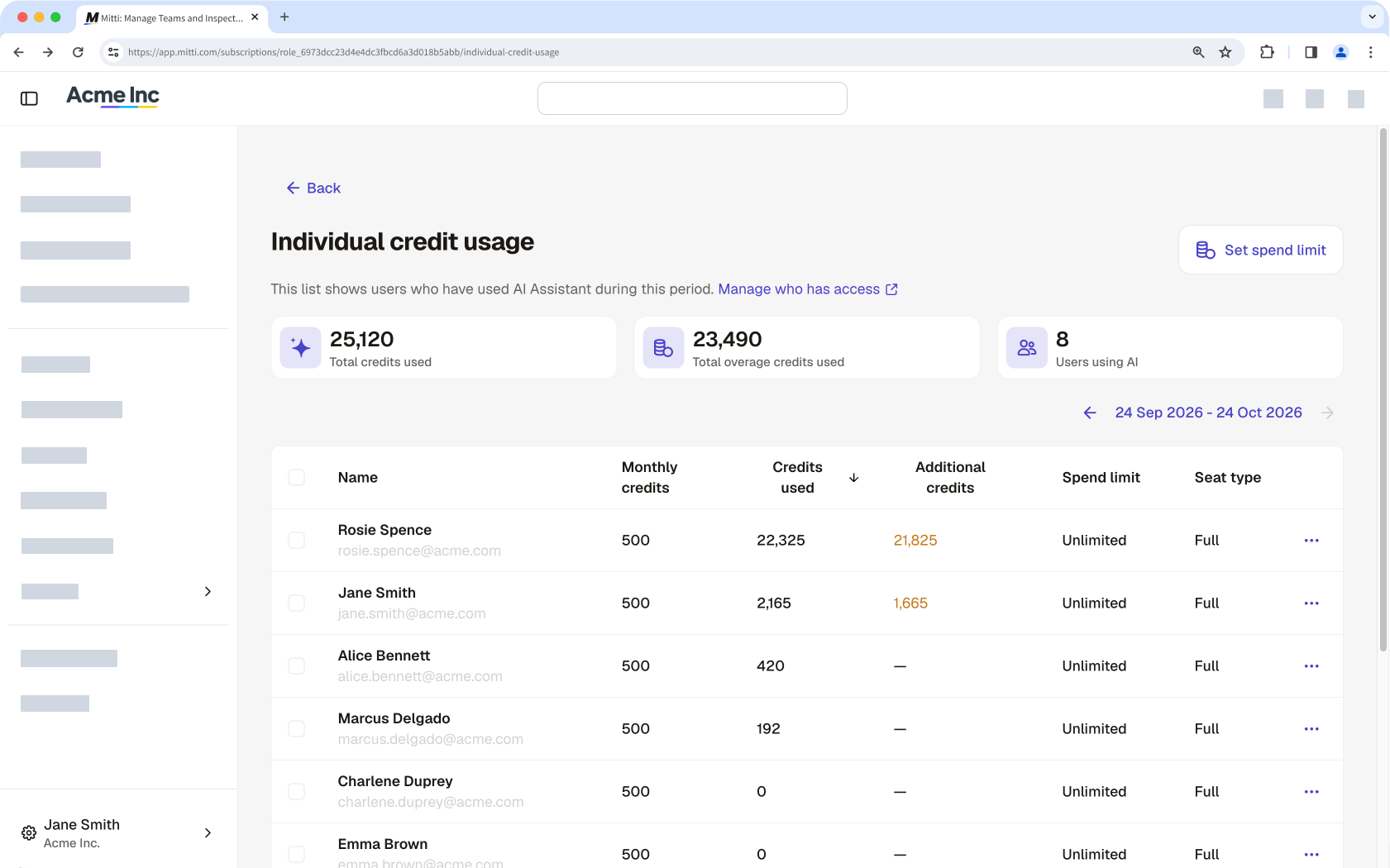
Users with "Platform management: Billing" permission can track their organization's usage, including a breakdown per user, on the Billing page. It excludes usage split by source.
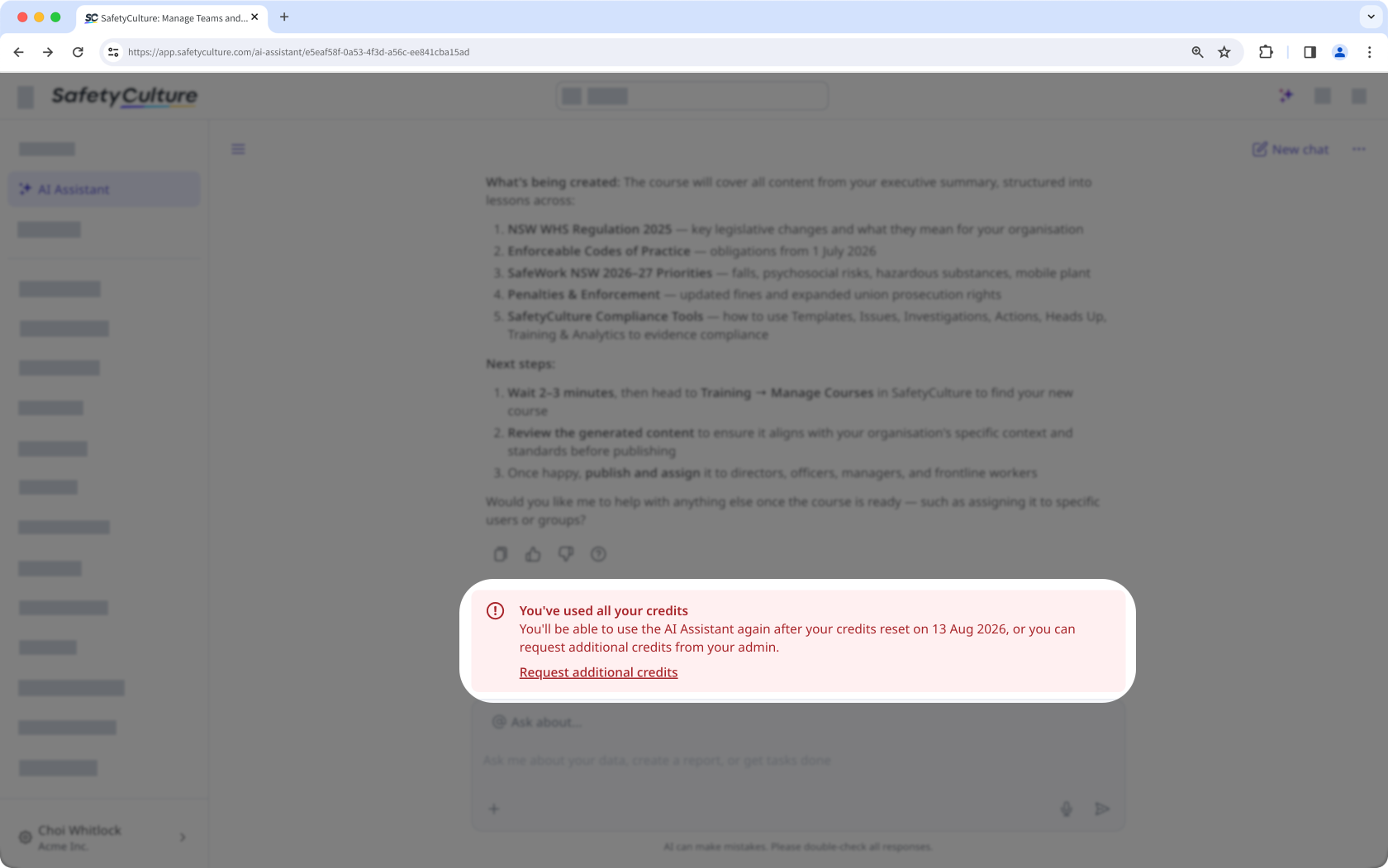
You'll get an alert in the AI Assistant when you're close to using up all your credits. Admins with "Platform management: Billing" permission are also notified when the organization's credits are almost out, so they can add a credit subscription or set an overage limit before anyone loses access.
What happens when I use all my credits?
On Premium Plan or Enterprise Plan, you'll see an alert when you're running out of credits. You can request more credits from your organization's billing admin any time. If you're on Free Plan, you can't use the AI Assistant or run agents after your monthly credits run out. The credits reset the following month, but you can upgrade to Premium Plan to get credit packs and better options for your team.
Admins with "Platform management: Billing" permission get notified when a user or their organization runs out of credits. They can opt to add a credit subscription or set an overage limit. If neither happens, their team can't use AI until credits reset and scheduled agent runs are blocked. Check your credit balance and usage regularly to plan ahead.
Need more help?
Was this page helpful?