Last updated: October 15, 2026
Manufacturing is available to eligible organizations. If your organization is eligible, you'll have the option to start a trial. If you don't see Manufacturing in your organization, contact our customer support team or your customer success manager to check if your organization is eligible.
What is Manufacturing?
The Manufacturing module brings daily quality checks and Overall Equipment Effectiveness (OEE) tracking to Mitti, so continuous and batch manufacturing sites can catch deviations the moment they happen, not after a shift ends. Operators complete checks on the line as work orders run, and Manufacturing grades every reading against the product's specification automatically. An out-of-spec result immediately reports an issue, with the check, the value, and the context needed to act already attached. Every completed run also generates a report, so managers can review the run without going through raw data.
Exploring Manufacturing
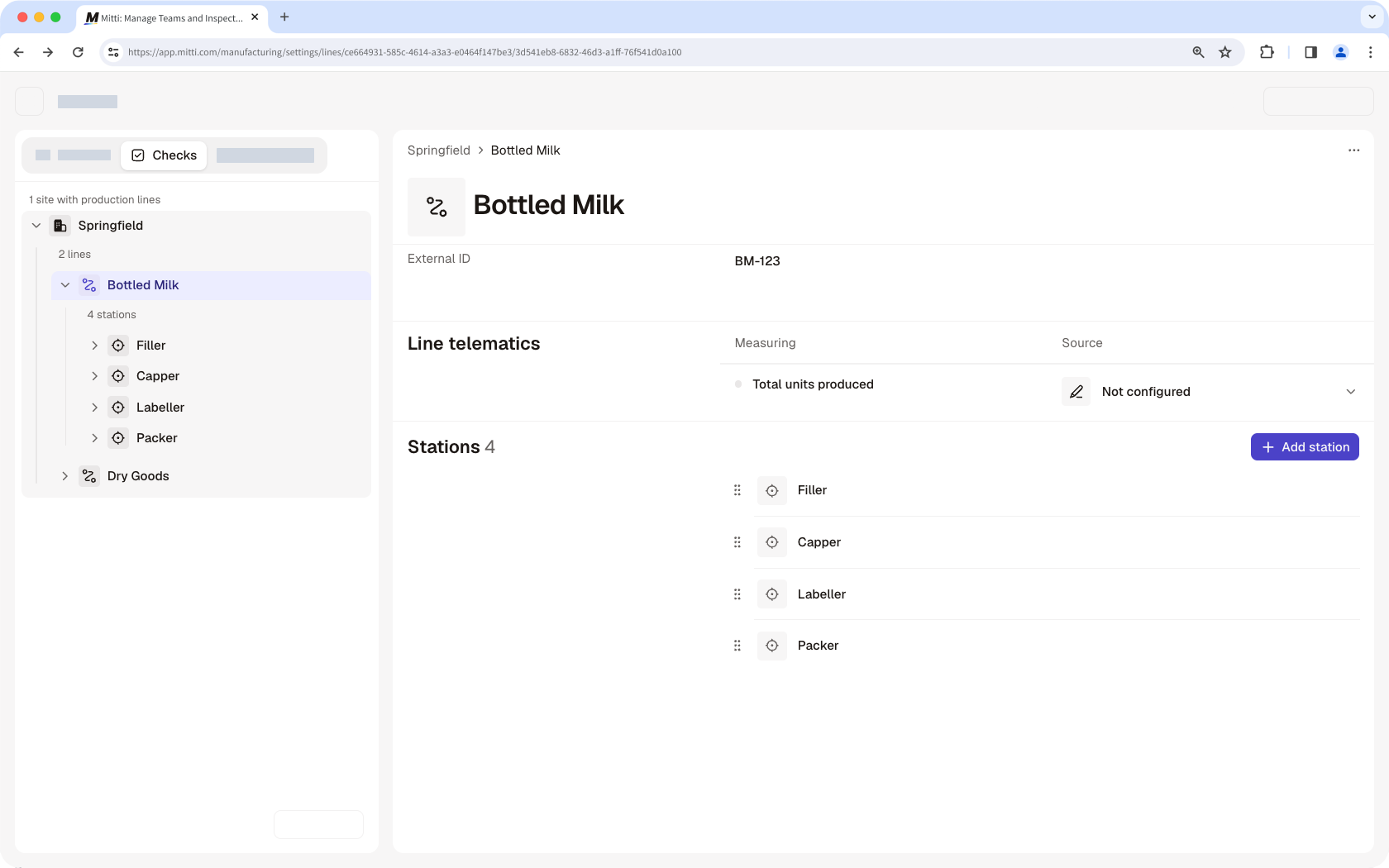
Layout for sites, lines, and stations
Manufacturing mirrors your site structure, including the lines you run and the stations within each line. Every check, work order, and reading ties to the exact station it came from, so managers always know exactly where an issue happened, not just that something went wrong.
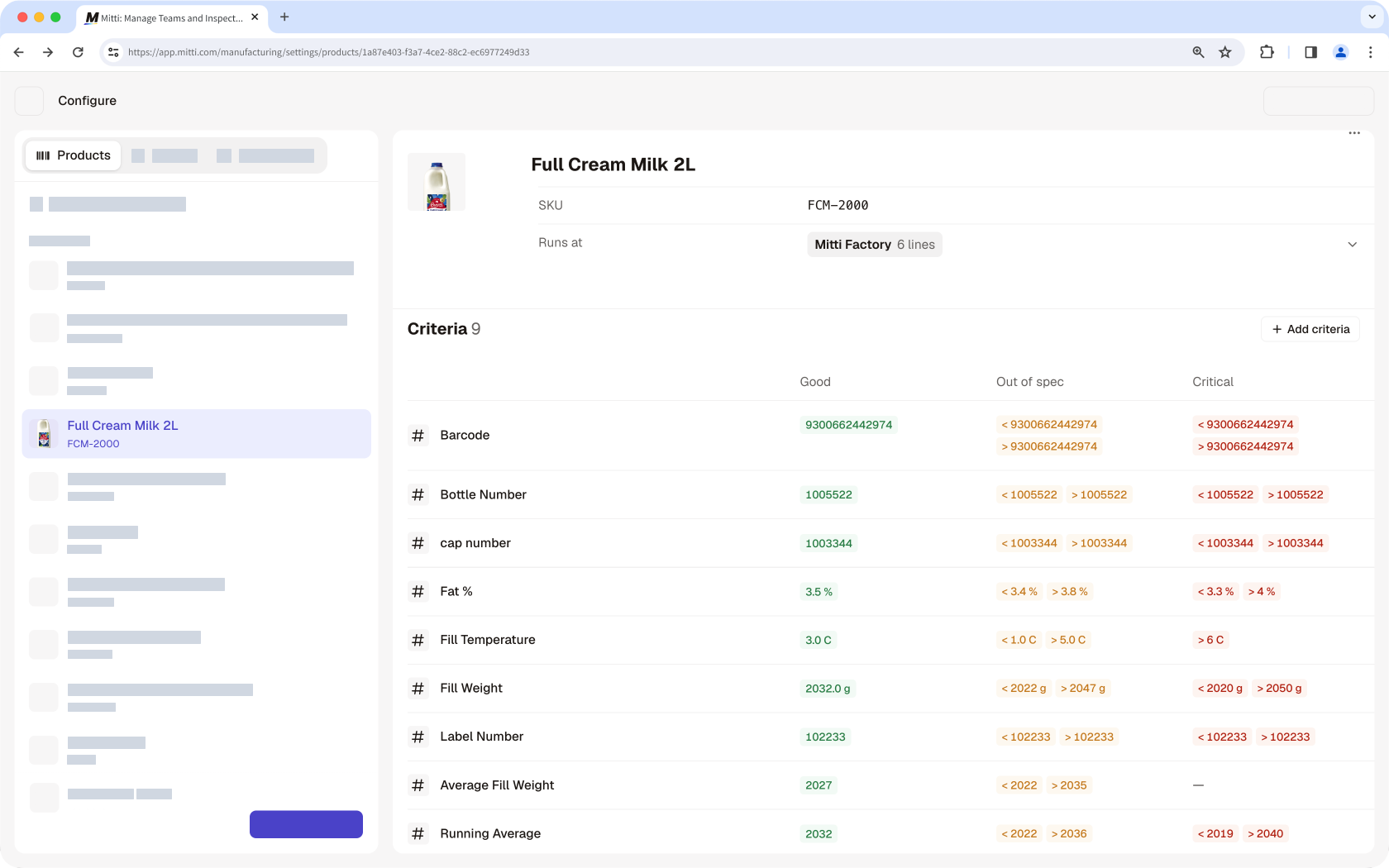
Product specifications and grading
Every product carries its own specifications, so a check is graded against tolerances specific to whatever product a current work order is running, not a generic pass or fail. That means quality checks stay accurate for every product a line produces, without needing to be reconfigured between runs.
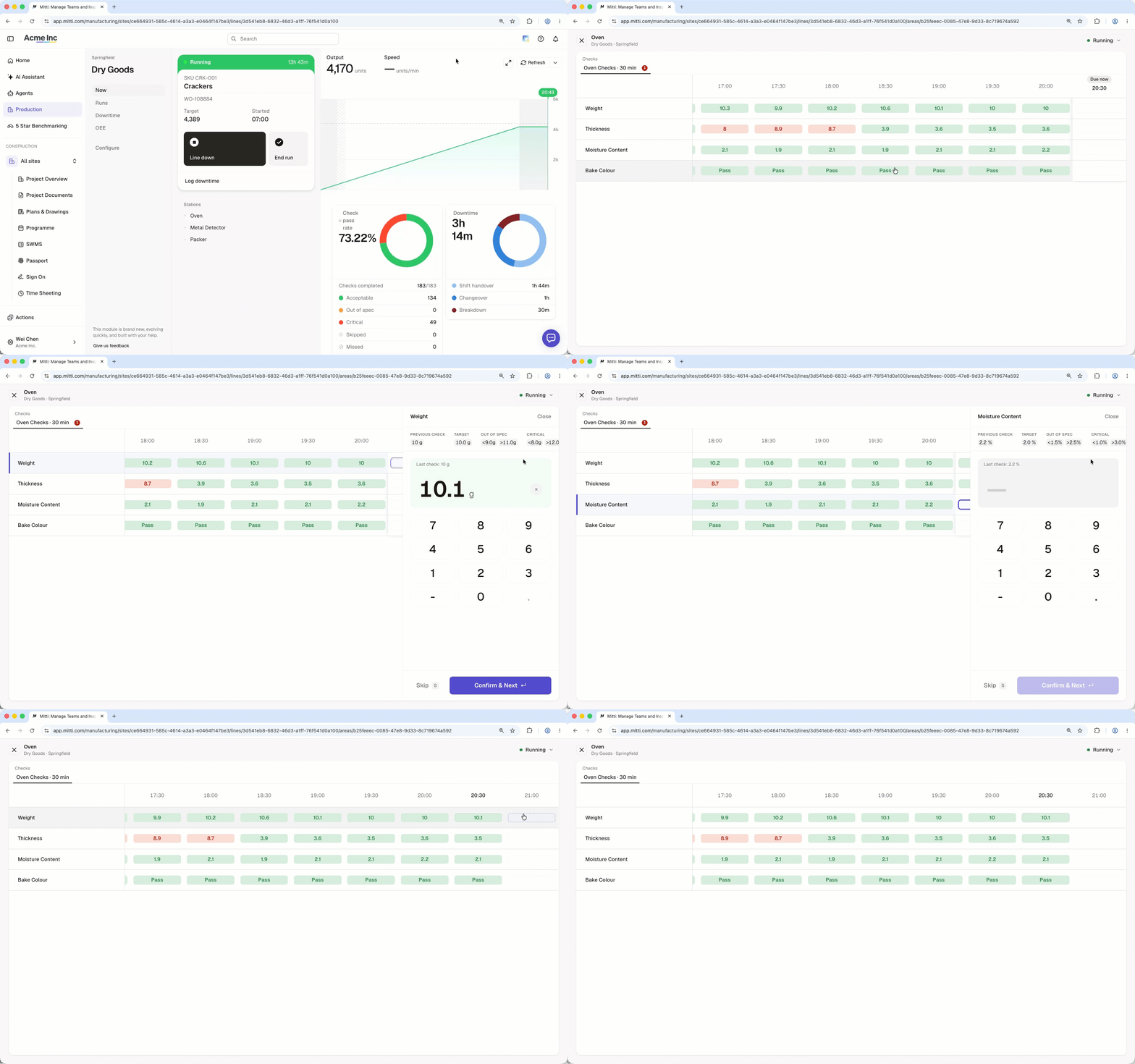
Work orders and check groups
Every run starts with a work order specifying what's being produced. When the run starts, the check groups for each station start too, whether they're triggered at set intervals, triggered manually, or required at the start of a run. Operators complete every check within a group on the web app, or if they need to be on the move on the factory floor, on the Mitti Manufacturing tablet app.
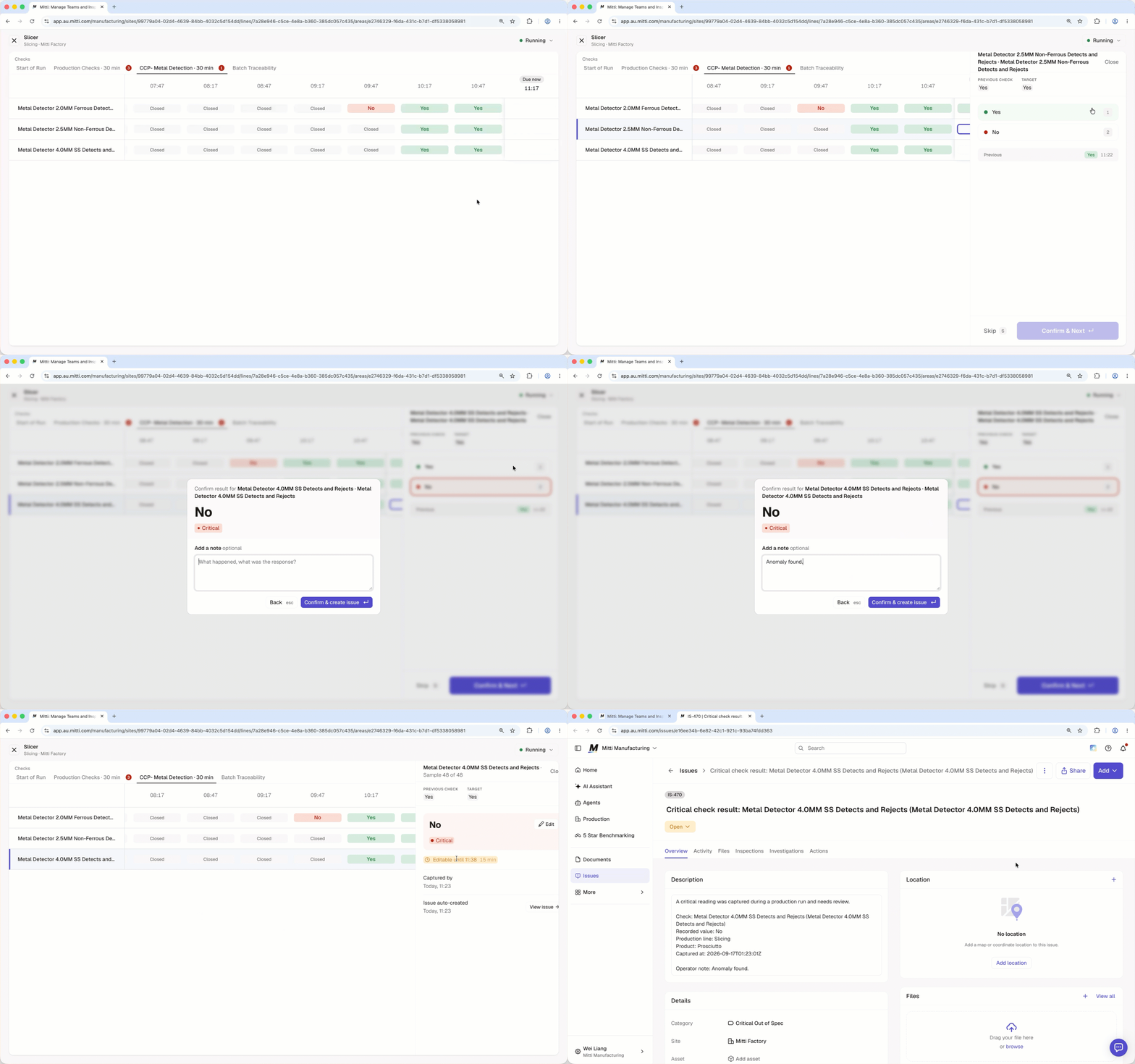
Automatic issue creation and alerts
If a result is out of spec or critical during a check, Manufacturing automatically creates an issue. The issue includes the check, the value, and the context needed to investigate. It also notifies the relevant people so they can resolve it quickly.
Sensor and OEE tracking
Sensors report a line's status in real time, feeding a live production run view with output, speed, and downtime as they happen. This view can be put up on a shared screen or TV, so the floor can follow a run without opening Mitti.
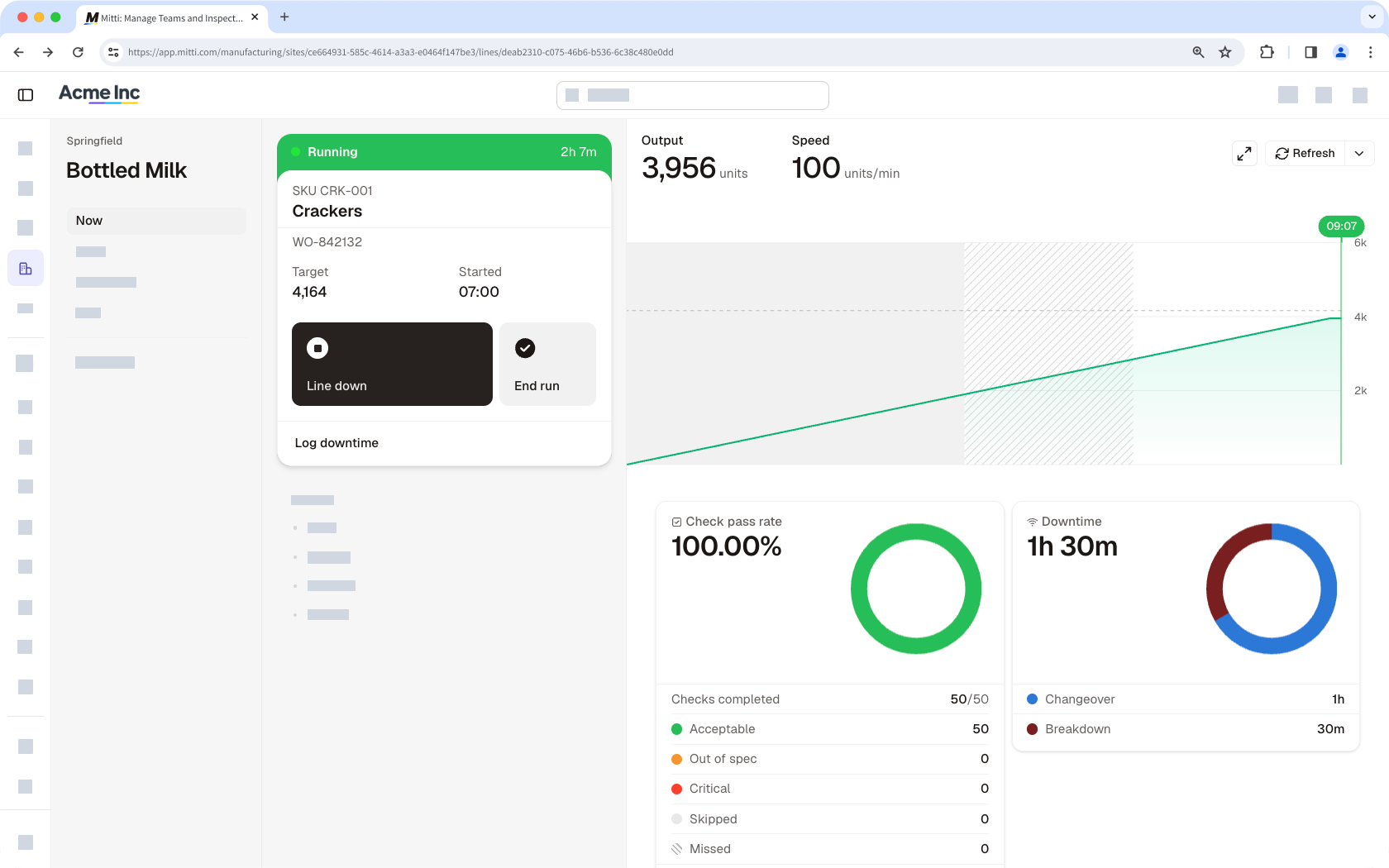
Sensor data and operator entry both feed into OEE, tracked as a daily score alongside runtime against planned and unplanned stops, so managers can see how a line is trending over time.
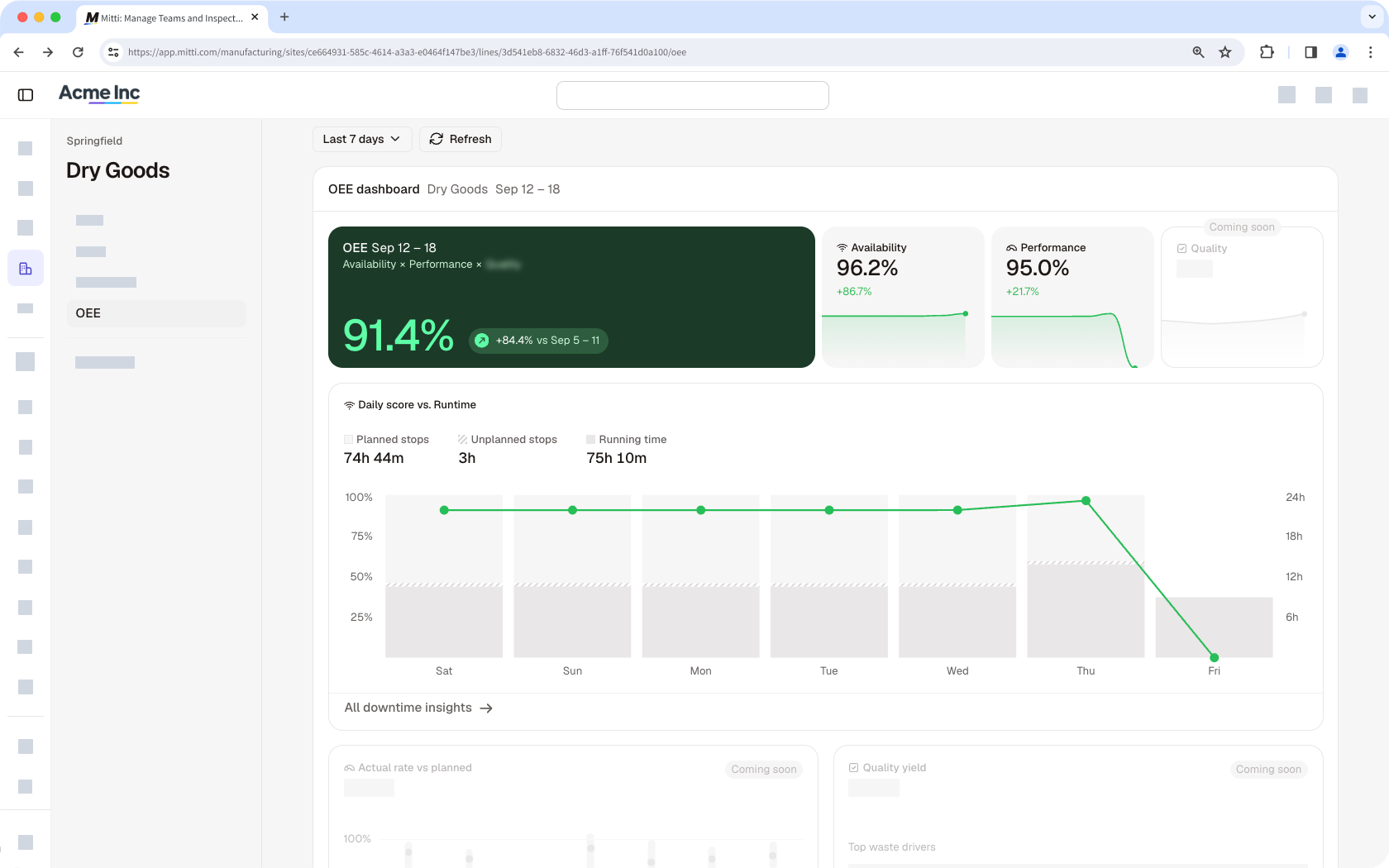
OEE tracking is in the early stages of development, so you'll notice ongoing changes as we continue building it out.
Run history and reports
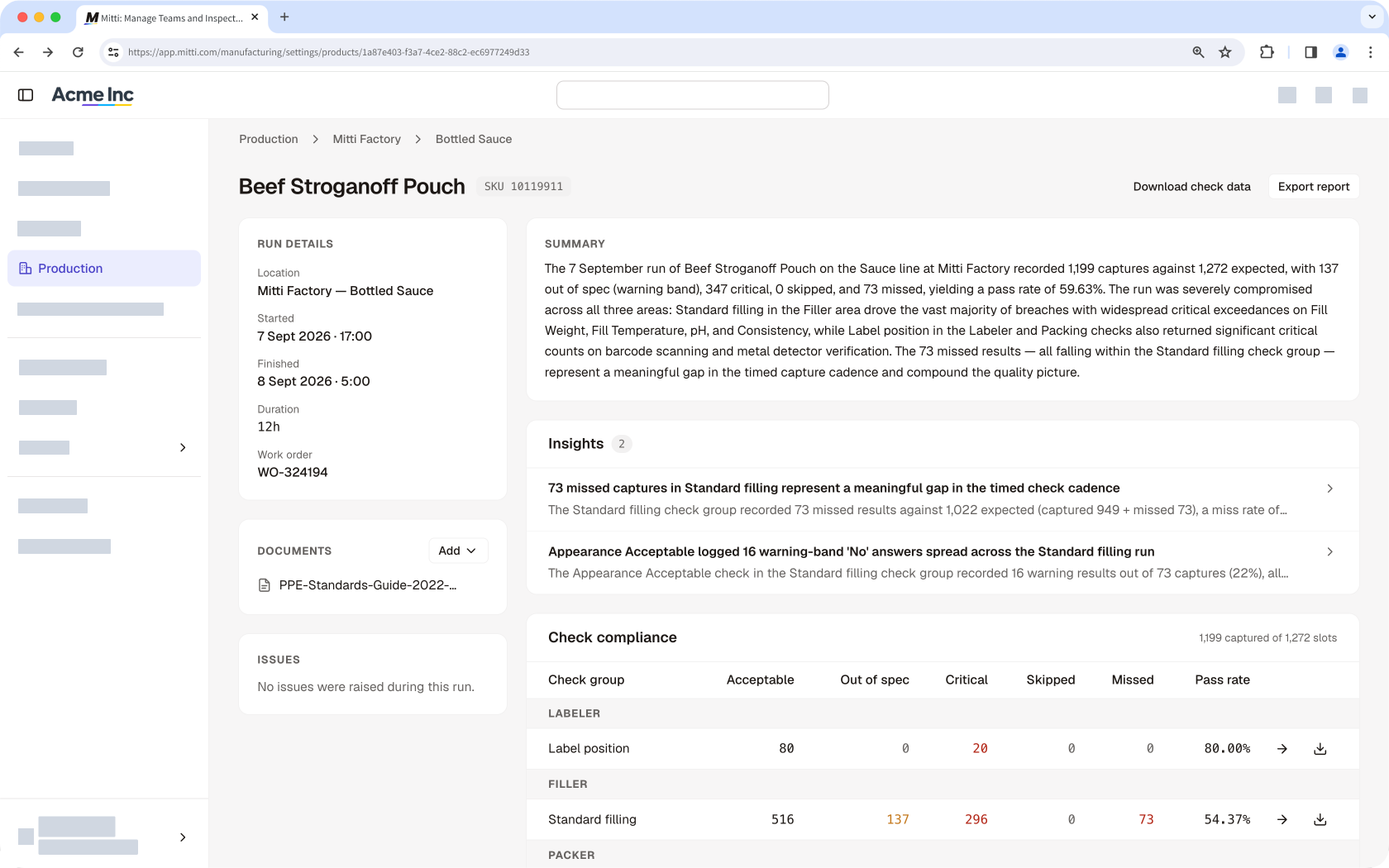
Every completed run is locked as a permanent record, giving a full audit trail of what happened on the line. An AI-generated summary and insights show managers how a run went without reviewing raw numbers. Run details can be exported as a PDF report, and raw check data can also be exported as CSV.
Need more help?
Was this page helpful?